Live WebApp Link: https://ouroom.herokuapp.com/ (Currently not accessible due to Heroku policy changes will be re-deploying in few days)
Temporary Deployed Link: https://ourooms.onrender.com
There are numerous products available that allow for real-time “messaging” over the Internet. This project aims to implement a NodeJS based team collaboration messaging application that will control profanity and protect user data. At the same time, they connect users with an internet connection to engage in conversation securely and anonymously. The development of this project centered on the idea of a messaging platform that will allow the application user to properly log in, send messages during short interacting sessions like in customer support.
- There are many messaging applications present on the internet. Still, thy, which save and track our message history and then sell collected data to advertisers’ targe, ted ads which make some people insecure and uncomfortable in certain situations like Whatsapp, Lenskart, and policy bazaar which in turn bombard us with theirs.
- Some websites like Dominos, Facebook which save user data like phone no, email-ids, and passwords, are prone to a data breach in which the attackers steal precious data.
- Sometimes people face online bullying in terms of profane language or maybe because auto-correct/ mistyping leads to some undesirable words inclusion into the message that to be unsent, which may be uncalled for according to the situation.
- Existing video-calling solutions offer screen sharing but entail audio and video lags, or users may have to switch platforms if a user shares some video link.
- Broadcasting Messaging Application will be a text communication software, and it will be able to communicate between two computers using point-to-point existing user’s communication.
- The limitation of Live video calling is that it suffers from buffering while sharing a youtube video, and there is no in-app feature to play the video. To overcome this limitation, we are concurrently working on developing an in-app video streaming player.
- IT- Companies would like to have communication software to communicate instantly within their organization, providing them with a safety filter of profanity.
- The application will be available in PWA(progressive web app) format enabling people with basic phones to utilize online standard room messaging service.
This document is intended for software developers, testers, project managers, users, and the customer to understand the project’s purpose, operation, and requirements. The specific intentions for the various readers and the suggested reading sequences are the following:
- Product Manager - Understand the use and requirements of the product to help guide the development of the said product.
- Developers – Understand the requirement of the product and guidance to the implementation of the requirements.
- Testers - To understand the purpose, requirements and find bugs of the product to guarantee the proper functioning.
- Programmers who are interested in working on the project by further developing it or fixing existing bugs. The Overall Description part of this SRS gives an outlook of the functionality of the Ourooms. It conveys the informal requirements and is used to establish a context for the technical requirements specification. Requirements Specification sections of this document are written primarily for the developers and describe in technical terms the details of the functionality of the product.
- There is two-way communication between different clients and servers. Users can use this messaging application for group discussion via a group Room name. It allows users to find other logged-in users in that room.
- No need for an email address: Existing system requires a user to go through a login system which is overwhelming sometimes for short interactions or for those who are not so good with technology; whereas in the proposed system user only need a room name and a user name which will be displayed as its name in conversation. This system is helpful for those in schools, colleges, small companies, etc.
- Live location: Live location provided through Geolocation API defines a high-level interface to location information associated only with the device hosting the implementation. Familiar sources of location information include Global Positioning System (GPS) and location inferred from network signals such as IP address, RFID, WiFi, and Bluetooth MAC addresses, and GSM/CDMA cell IDs, as well as user input.
- Data transfer: Users can share a certain amount of data within the room as per the free tier with a feature of destroying data transfer after closing of messaging space. Moreover, not all messages are meant to live forever, or at least that's the idea behind Vanish Mode, which lets you send temporary, self-destructing messages. It's like Snapchat's self-erasing messages and only takes effect when you manually turn it on; otherwise, your messages are as permanent as ever. Vanish Mode is a relatively new feature that debuted for Instagram users in late 2020.
- PWA: Users can add it to the main screen of their smartphones. PWAs can send push notifications, access the hardware of the mobile device, and in an unstable connection. Gartner predicts that PWAs will replace 69% of mobile apps by 2025.
- The application supports only limited data transfer.
- The profanity filter as of now works only on English text.
- The system needs to be permanently connected to the internet.
- Limited users are allowed on the free server as of now.
- There is two-way communication between different clients and servers.
- This Messaging application can be used for group discussion with profanity filter, Real-time location sharing, Embedded Media player.
- It allows users to find other logged-in users.
- There should be LAN or internet connection.
- Clients should know each other.
- There can be multiple clients.
- The user has accepted all the permissions required to use the app.
- Location services may be required.
- The system must provide a capacity for parallel operation, period accessible, and system design should not introduce scalability issues about the number of surface computers, tablets, or mobile displays connected at any one time.
- The central database server and backup database servers should be updated regularly. This updating and replication of data from the main database server to the backup database server can introduce additional latency in the working of the system.
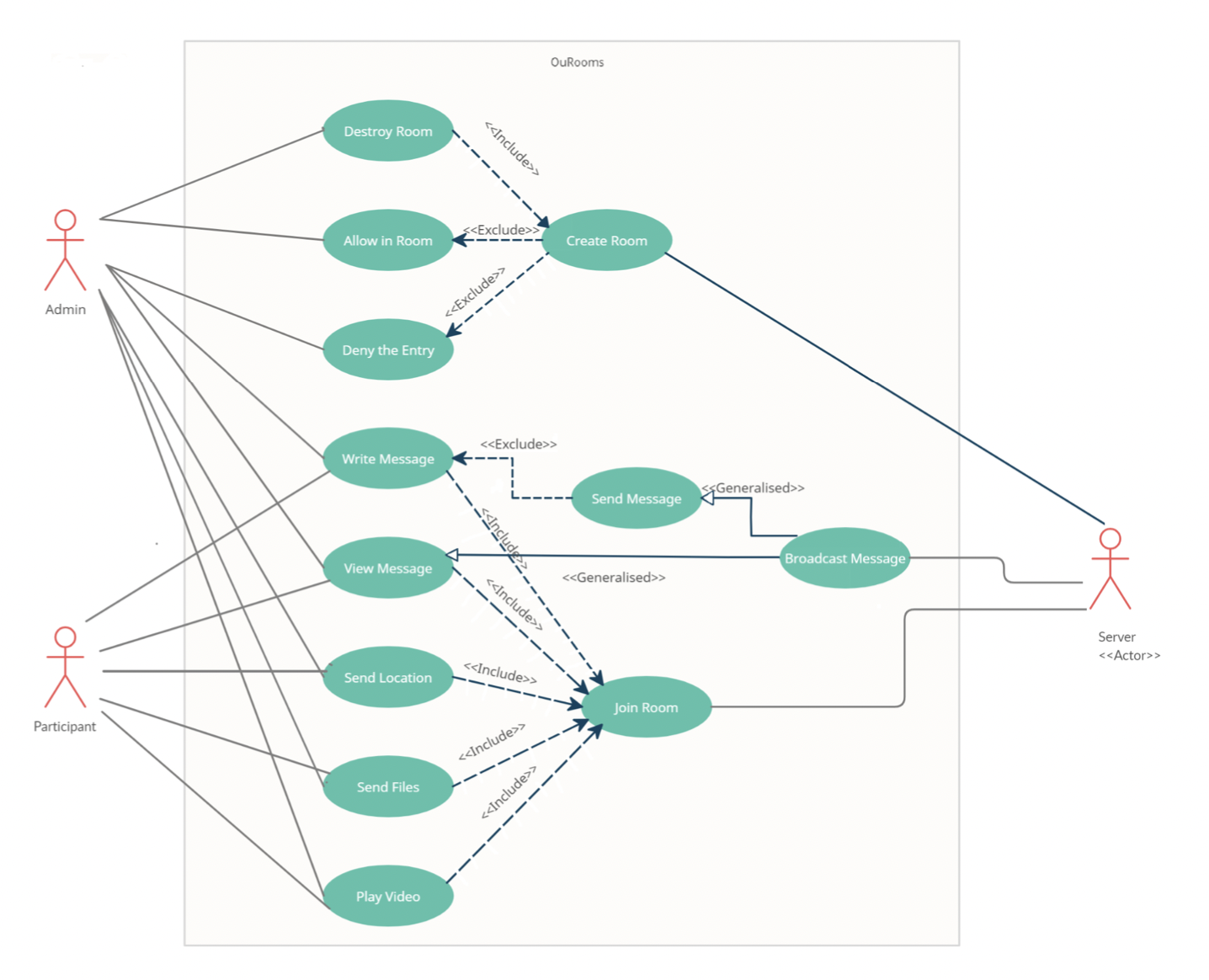
Figure 1. This use case model shows us how the client interacts with the server and starts communicating with other clients.
Activity Diagrams consist of activities, states, and transitions between activities and states which describe how activities are coordinated to provide a service, such as, a . how the events in a single-use case a that are related to one another, or how a collection of use cases coordinate to create a workflow for any organization.
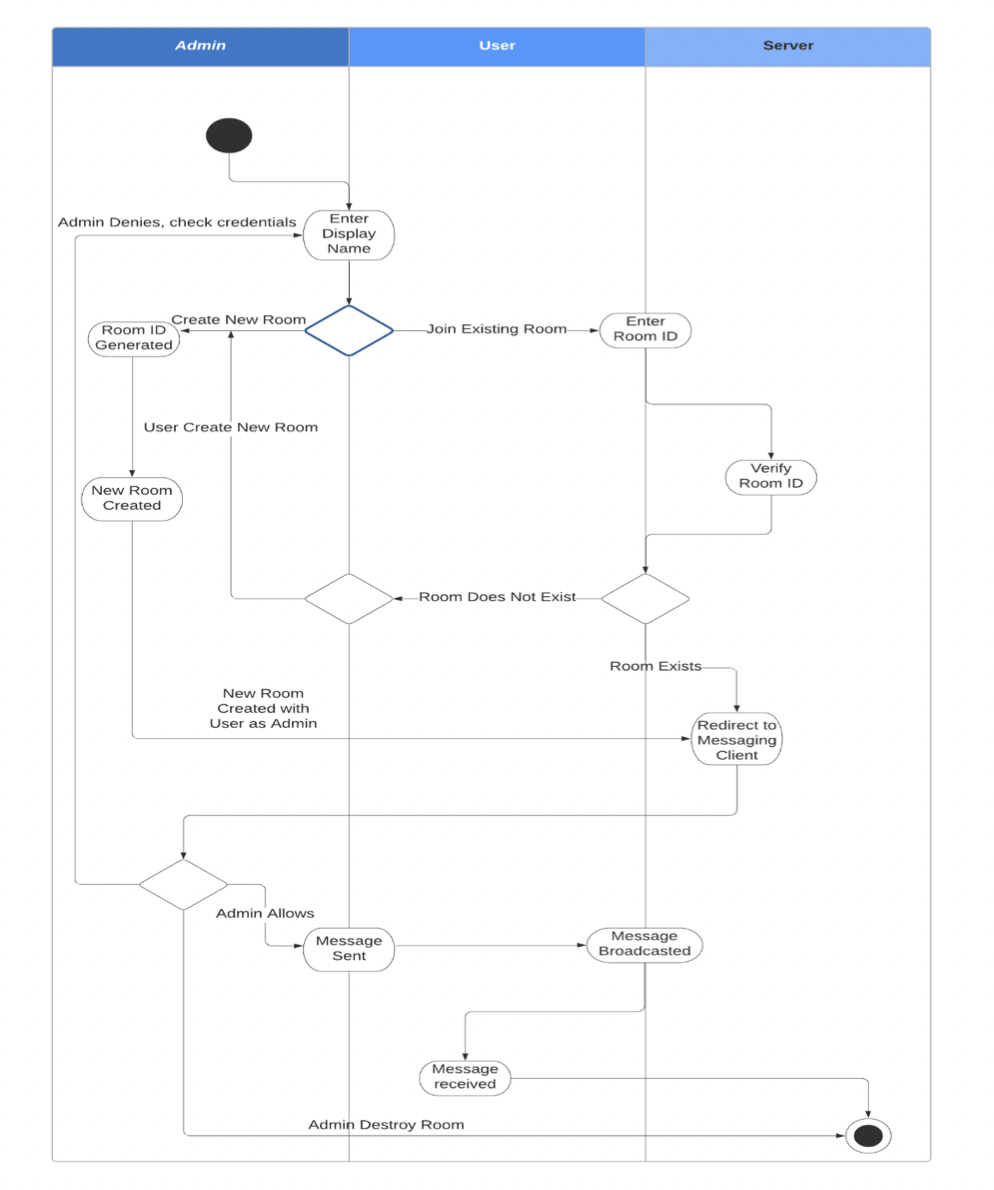
Figure 2. Activity diagram
The purpose of a DFD is to show the scope and boundaries of a system as a whole. It may be used as a communications tool between a systems analyst and any person who plays a part in the system that acts as the starting point for redesigning a system.
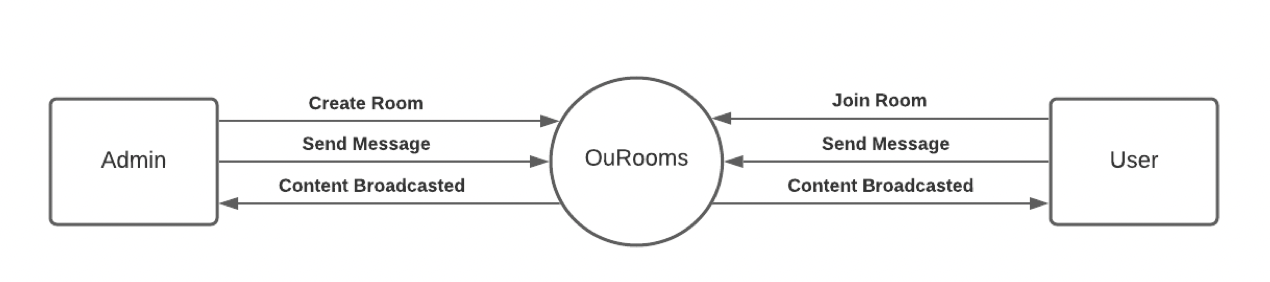
Figure 3. DFD Level 0
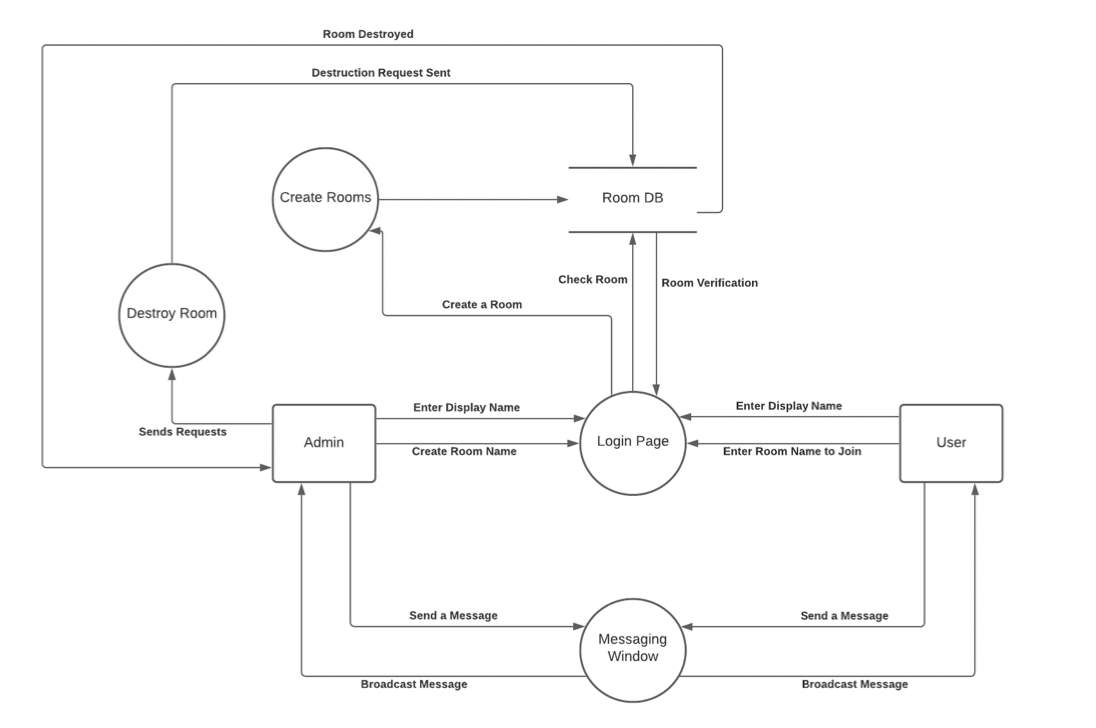
Figure 4. DFD Level 1
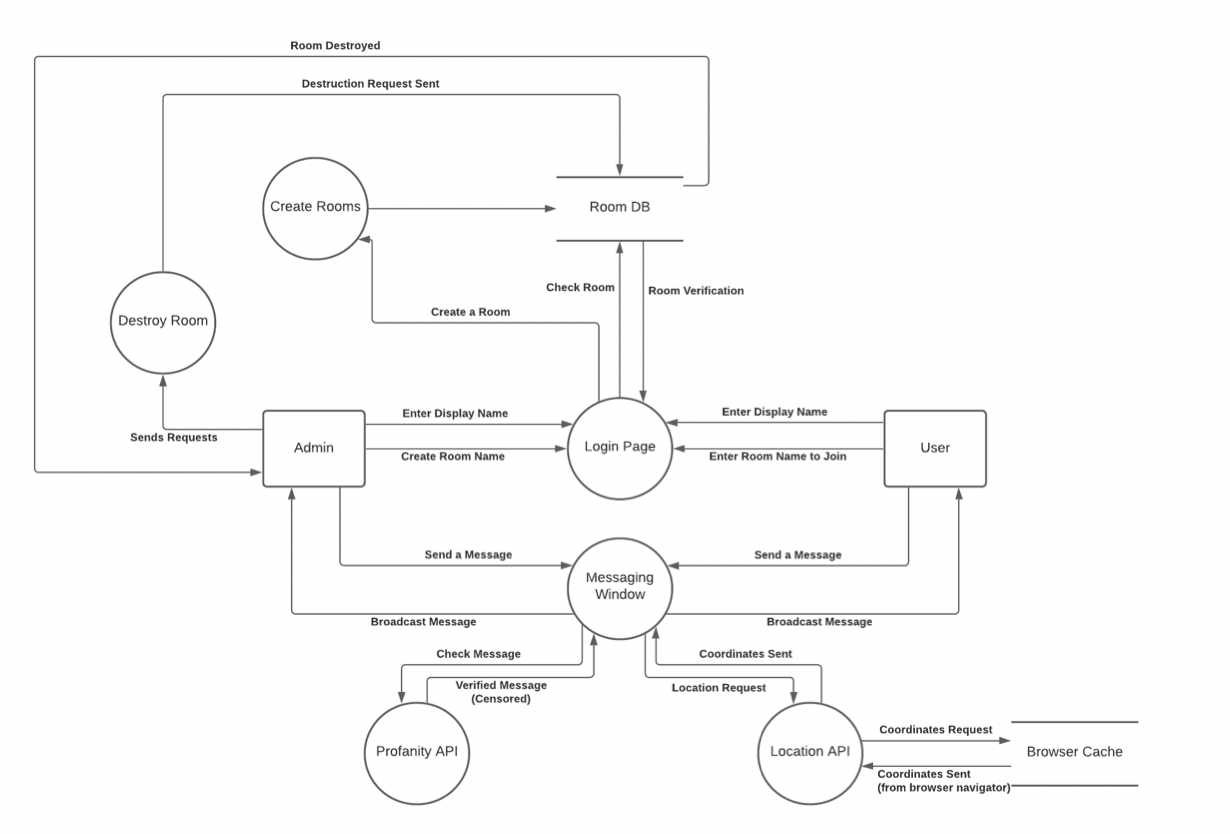
Figure 5. DFD Level 2
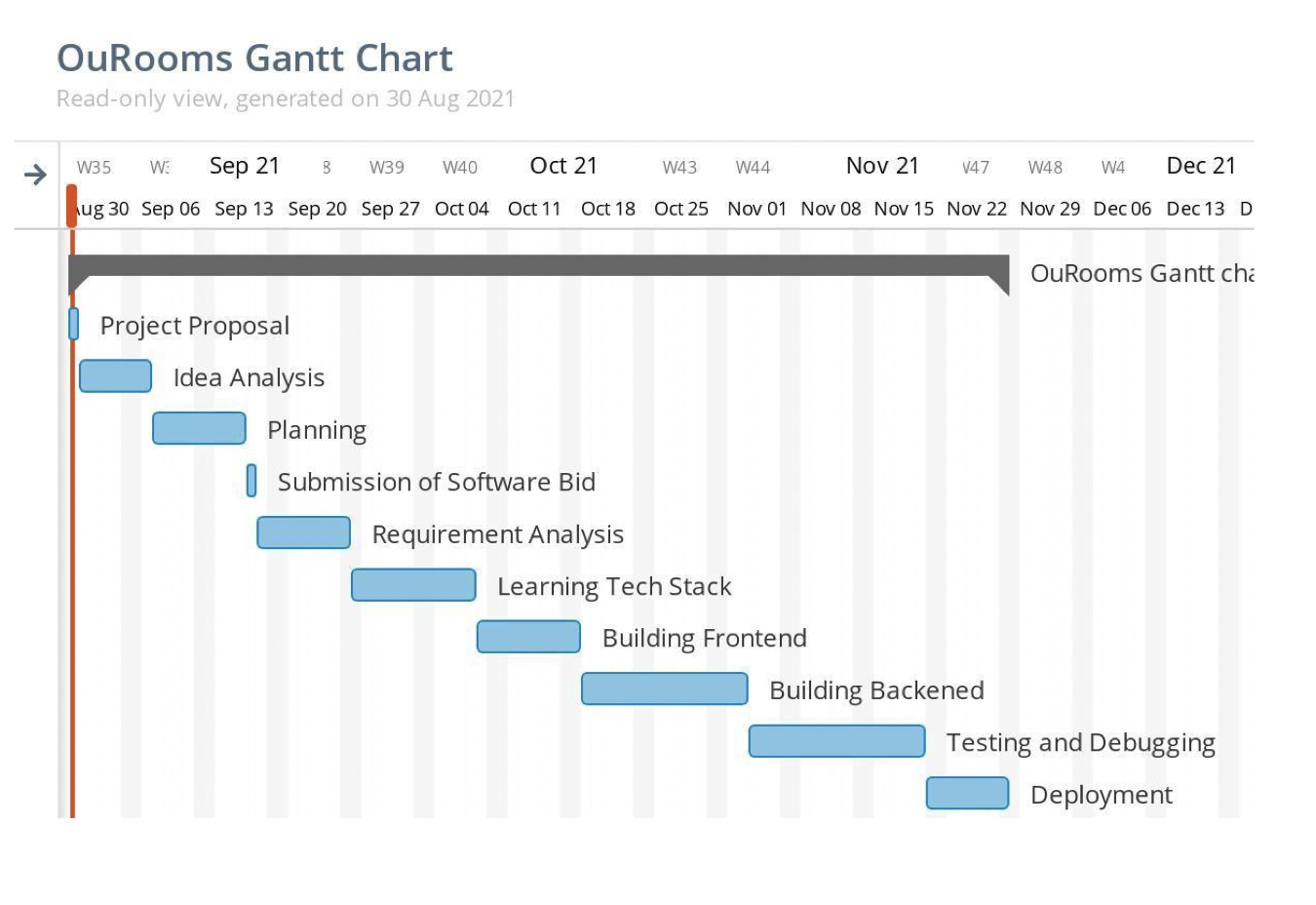
Figure 6. Gantt chart showing the time period for the project
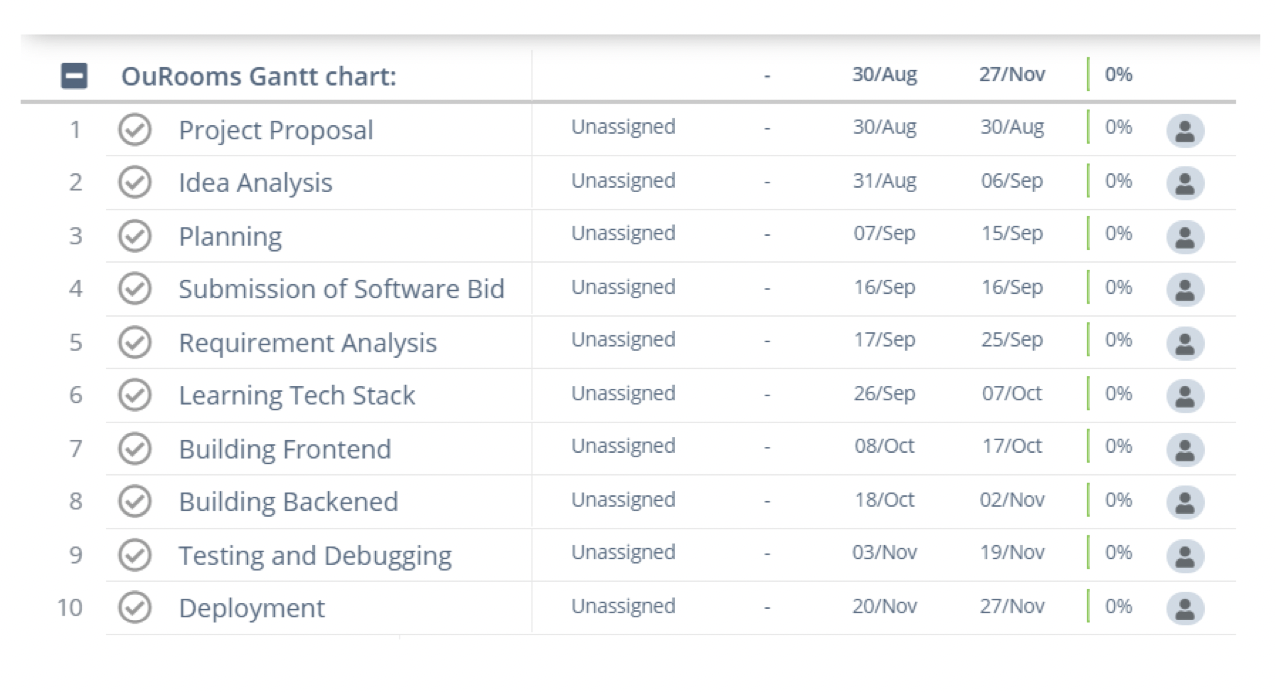
Figure 7. Work Breakdown structure showing team's work into manageable sections
The purpose of a class diagram is to model the static view of an application. Class diagrams are the only ones that can be directly mapped with object-oriented languages and thus are widely used in construction. The class diagram describes a class’s attributes and operations and the constraints imposed on the system. The class diagrams are commonly used in object-oriented systems because they are the only UML diagrams that can be mapped directly with object-oriented languages.
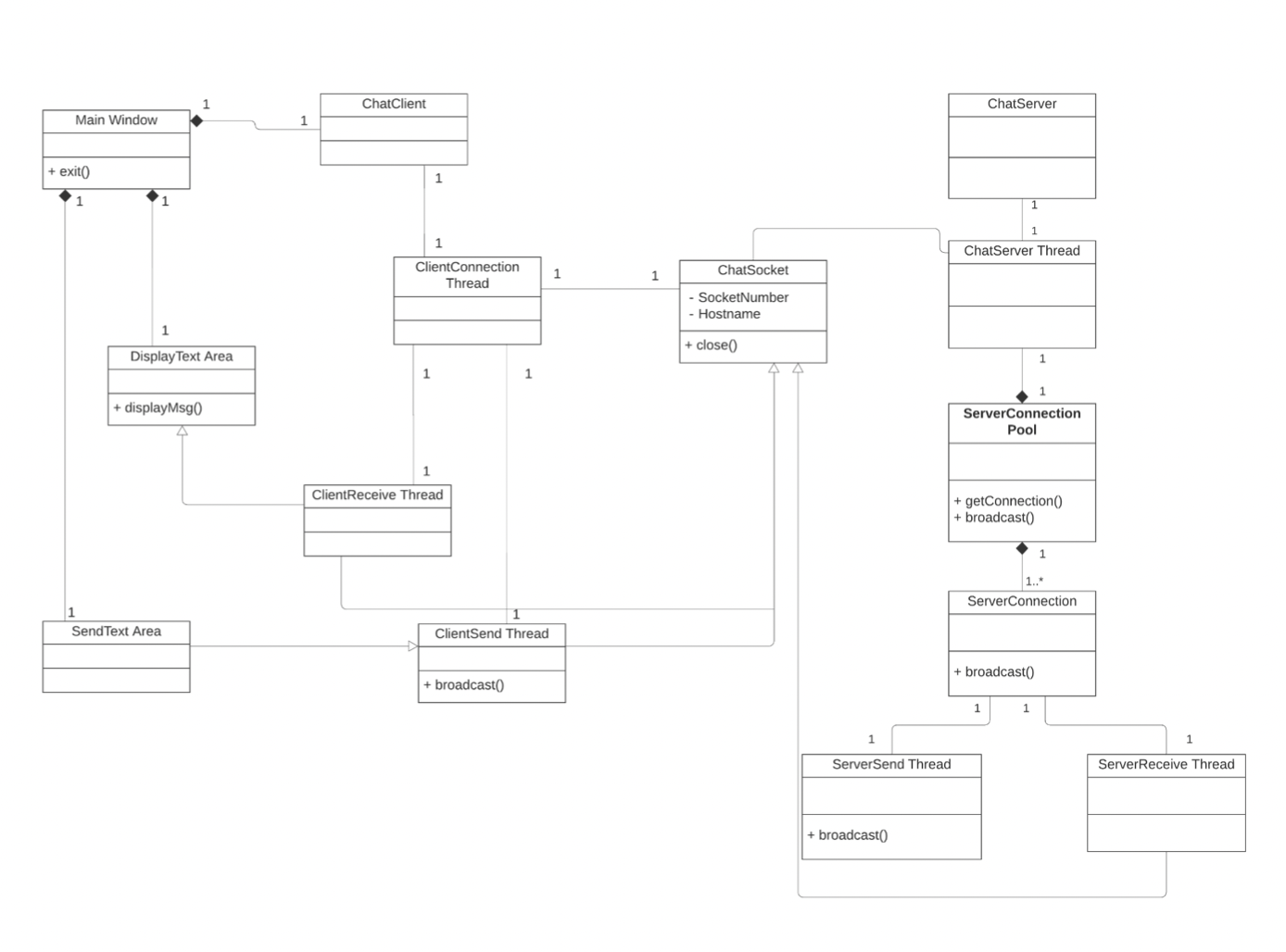
Figure 8. Class Diagram
Sequence Diagrams aims to capture the interaction that takes place in a collaboration that either realizes a use case or an operation (instance diagrams or generic diagrams) and high-level interactions between the user of the system and the system, between the system and other systems, or between subsystems (sometimes known as system sequence diagrams).
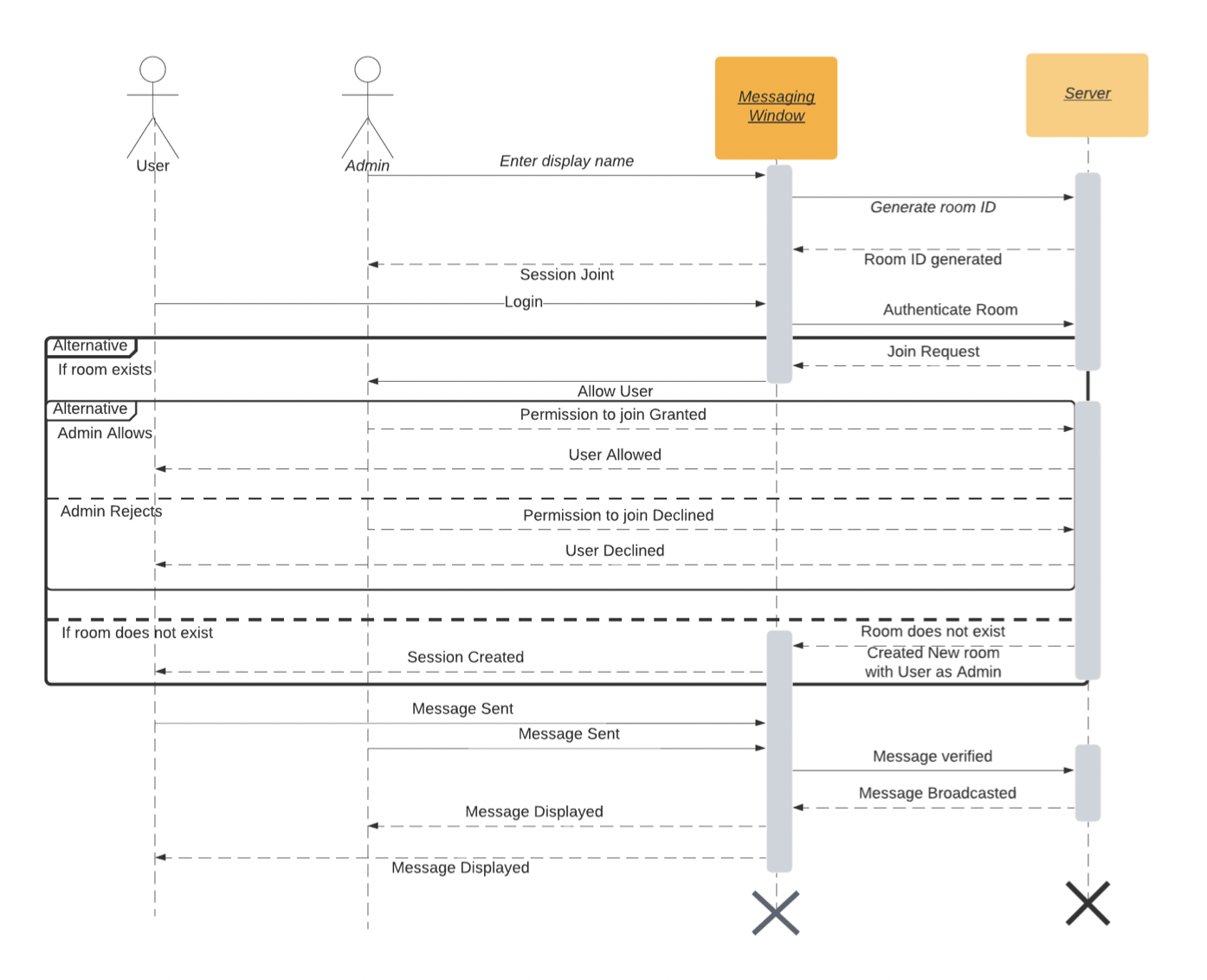
Figure 9. Sequence Diagram of Messaging application using sockets.
A collaboration diagram shows the relationships among the objects. Sequence diagrams and collaboration diagrams express similar information but show it in different ways. They tend to be better suited to depict simpler interactions of smaller numbers of objects. However, if the number of objects and messages grows, the diagram becomes increasingly hard to read. In addition, it is difficult to show additional descriptive information such as timing, decision points, or other unstructured data that can be easily added to the notes in a sequence diagram.
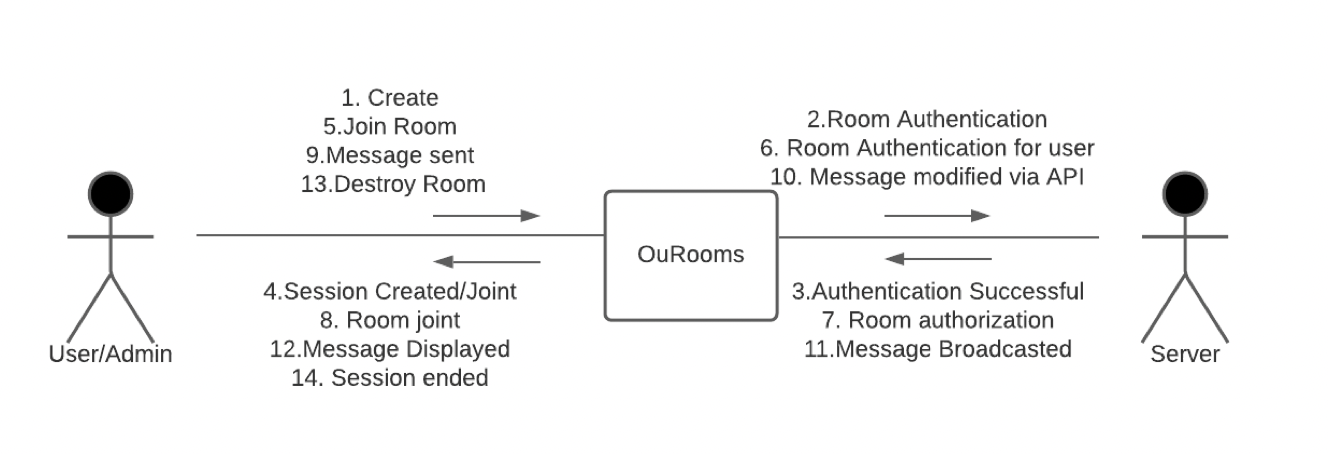
Figure 10. Collaboration Diagram
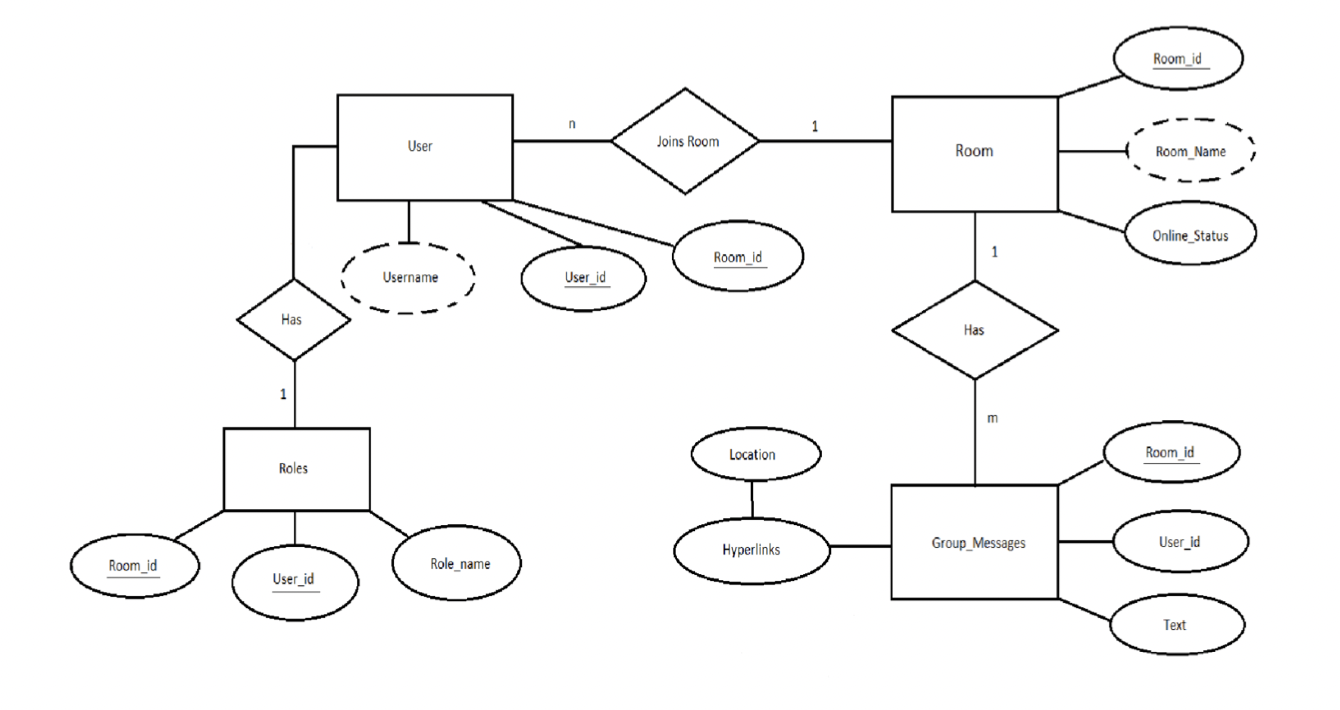
Figure 11. ER diagram between Client and Server.
Statechart diagram describes the flow of control from one state to another state. States are defined as a condition in which an object exists and it changes when some event is triggered. The most important purpose of the Statechart diagram is to model the lifetime of an object from creation to termination.
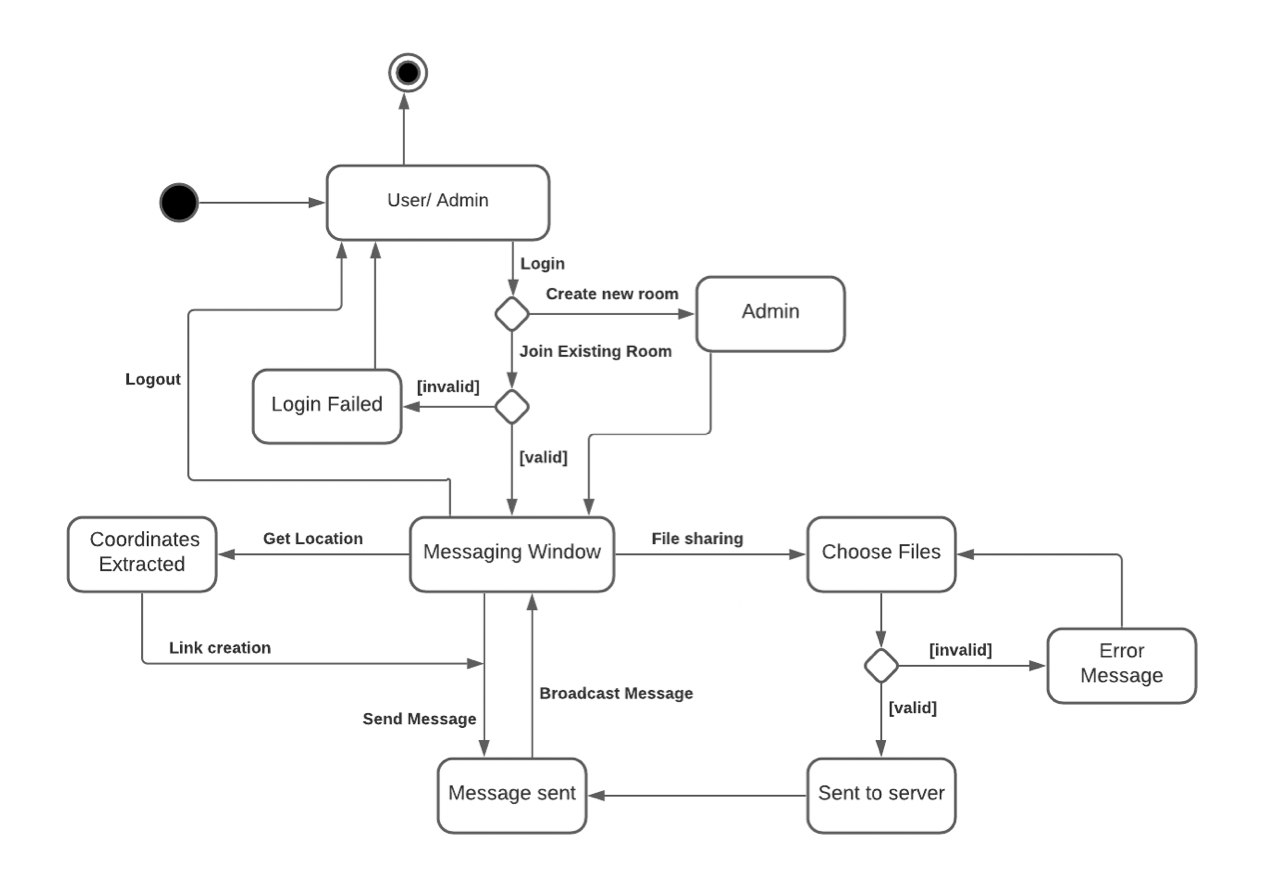
Figure 12. State Chart Diagram
A component diagram breaks down the actual system under development into various high levels of functionality. Each component is responsible for one clear aim within the entire system and only interacts with other essential elements on a need-to-know basis.
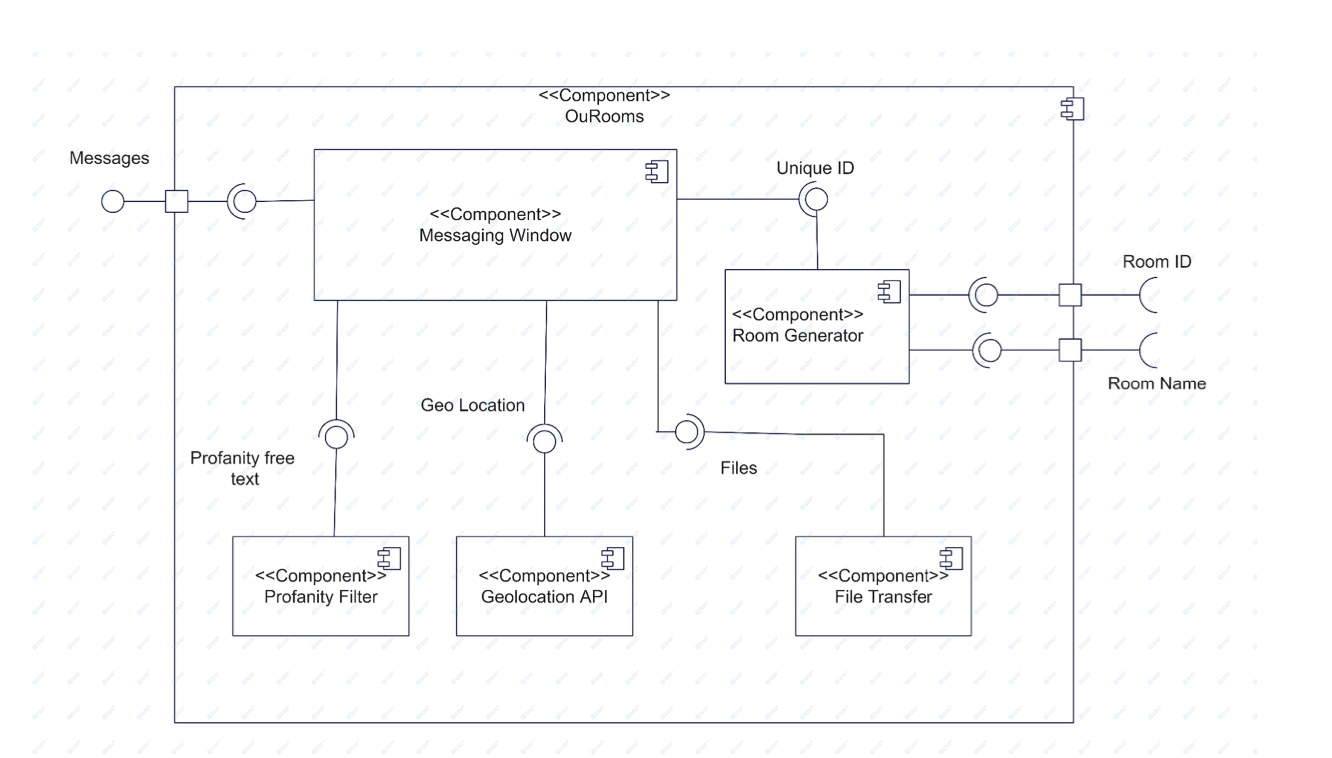
Figure 13. Component Diagram
A deployment diagram is a diagram that shows the configuration of run-time processing nodes and the components that live on them. Deployment diagrams are a kind of structure diagram used in modeling
the physical aspects of an object-oriented system. They are often be used to model the static deployment view of a system (topology of the hardware).
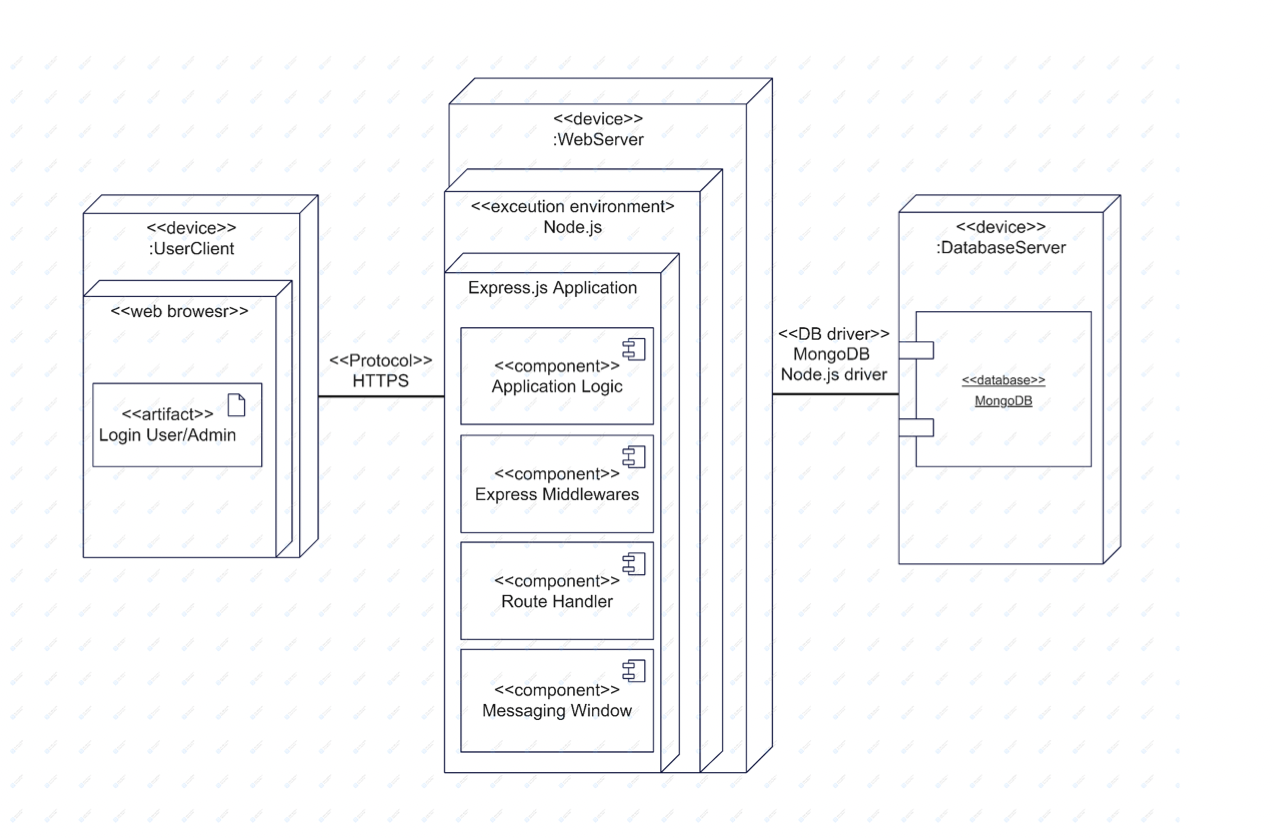
Figure 14. Deployment Diagram
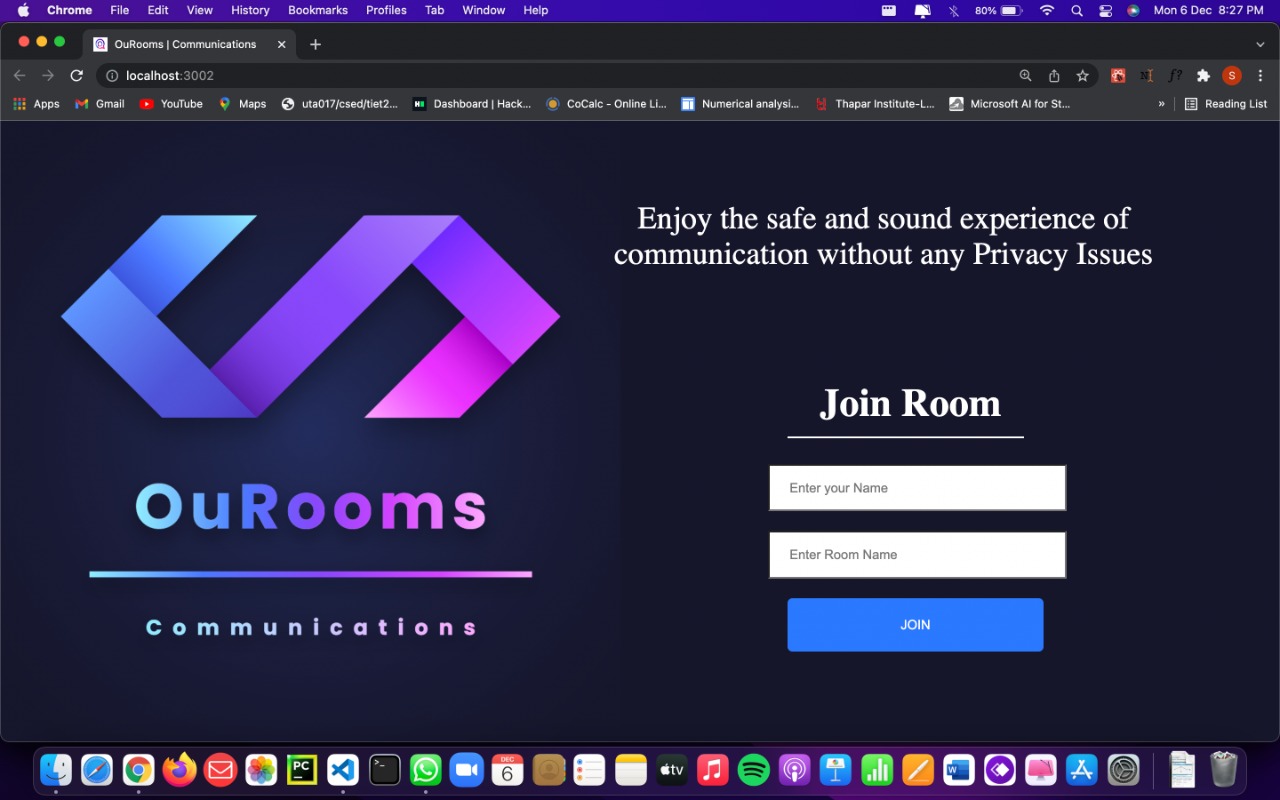
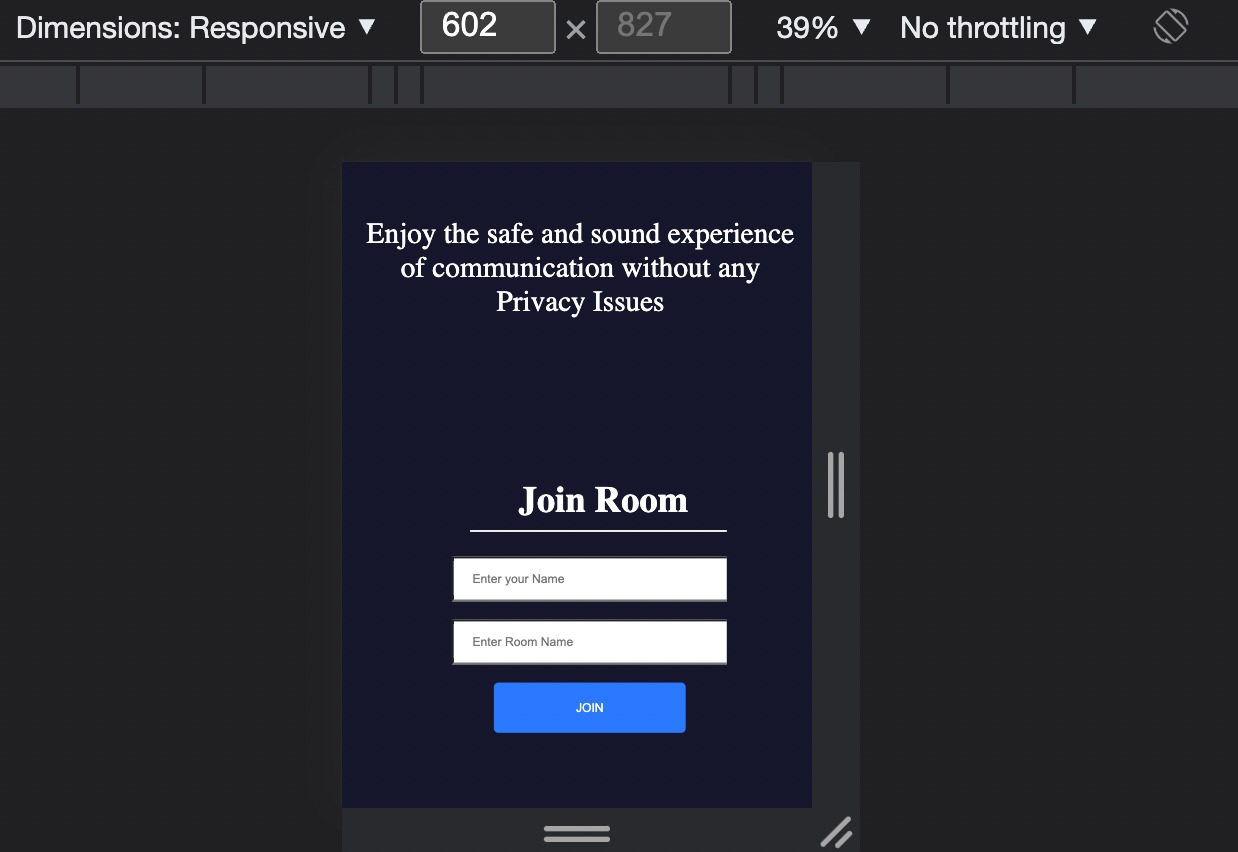
Figure 15. Login Page
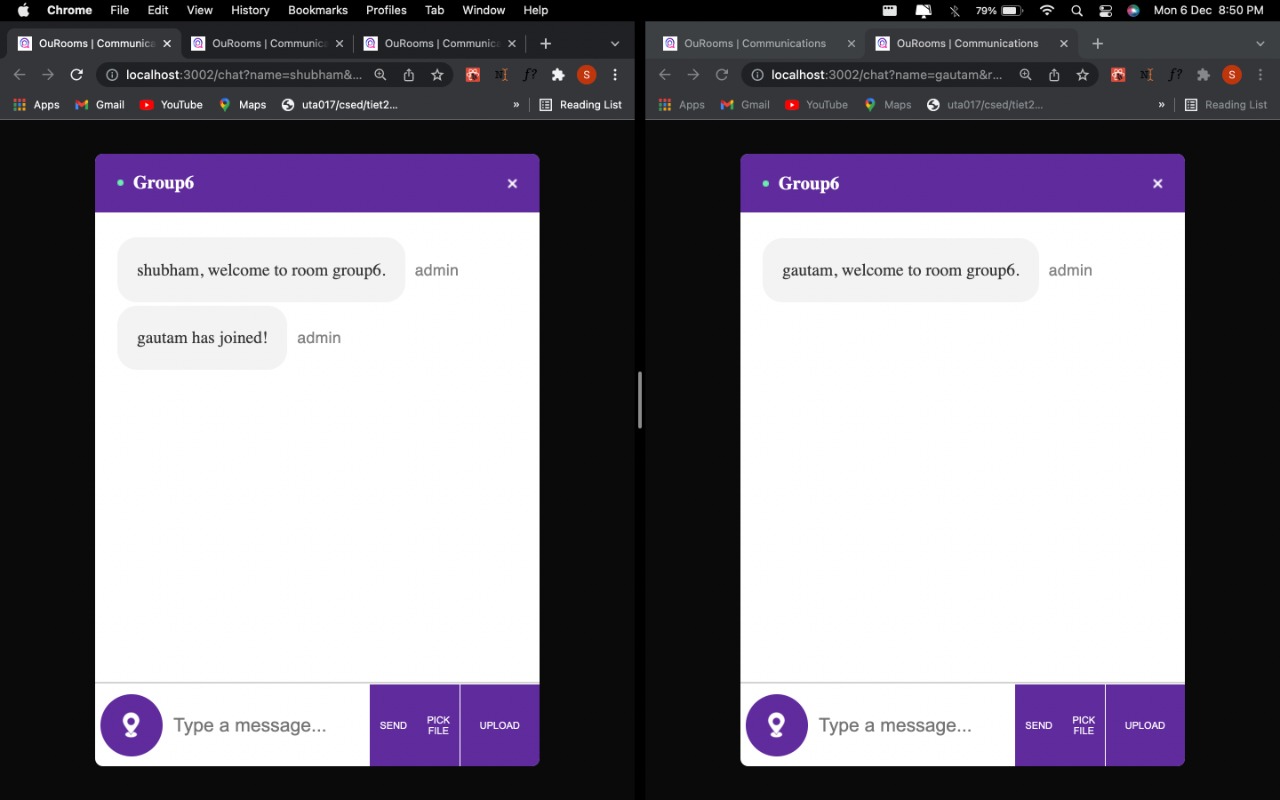
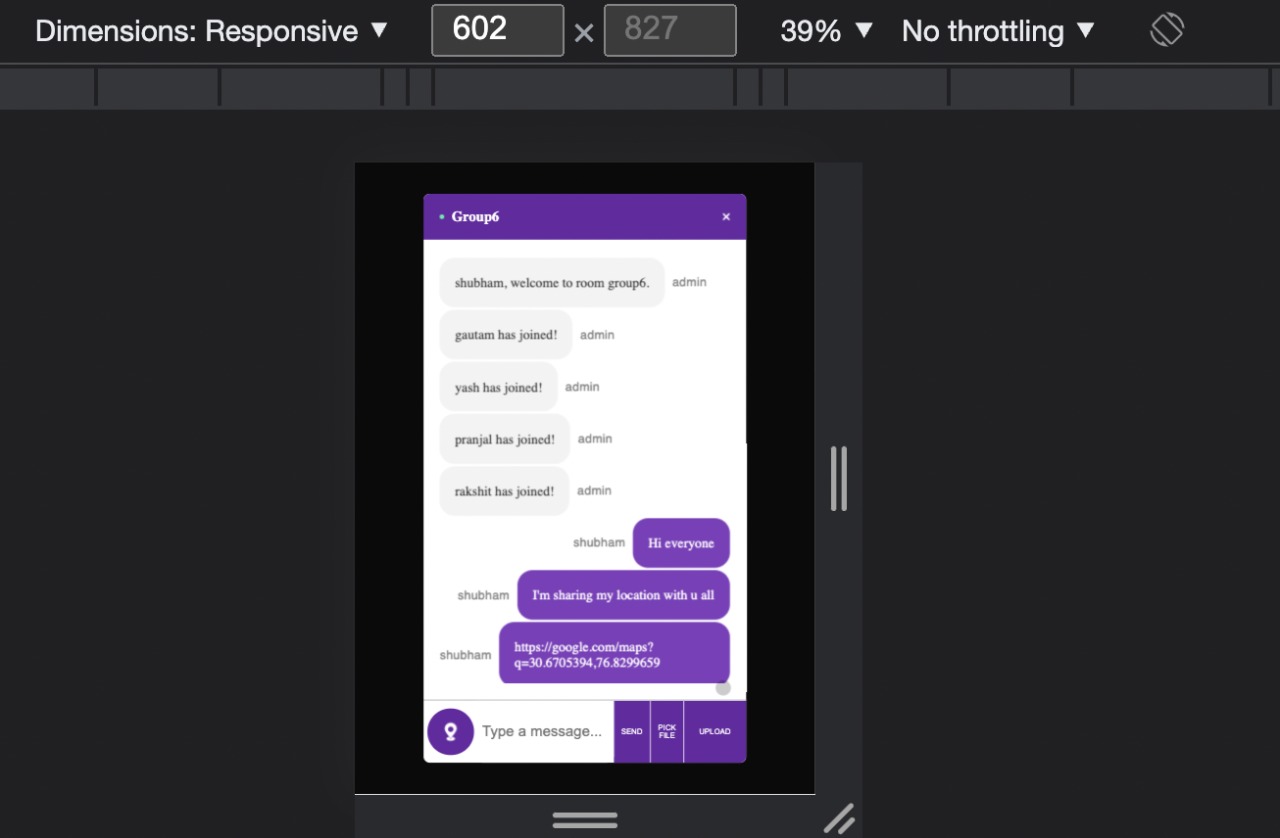
Figure 16. User 1(Shubham) has created the room as an admin and User 2 (Gautam) has joined it.
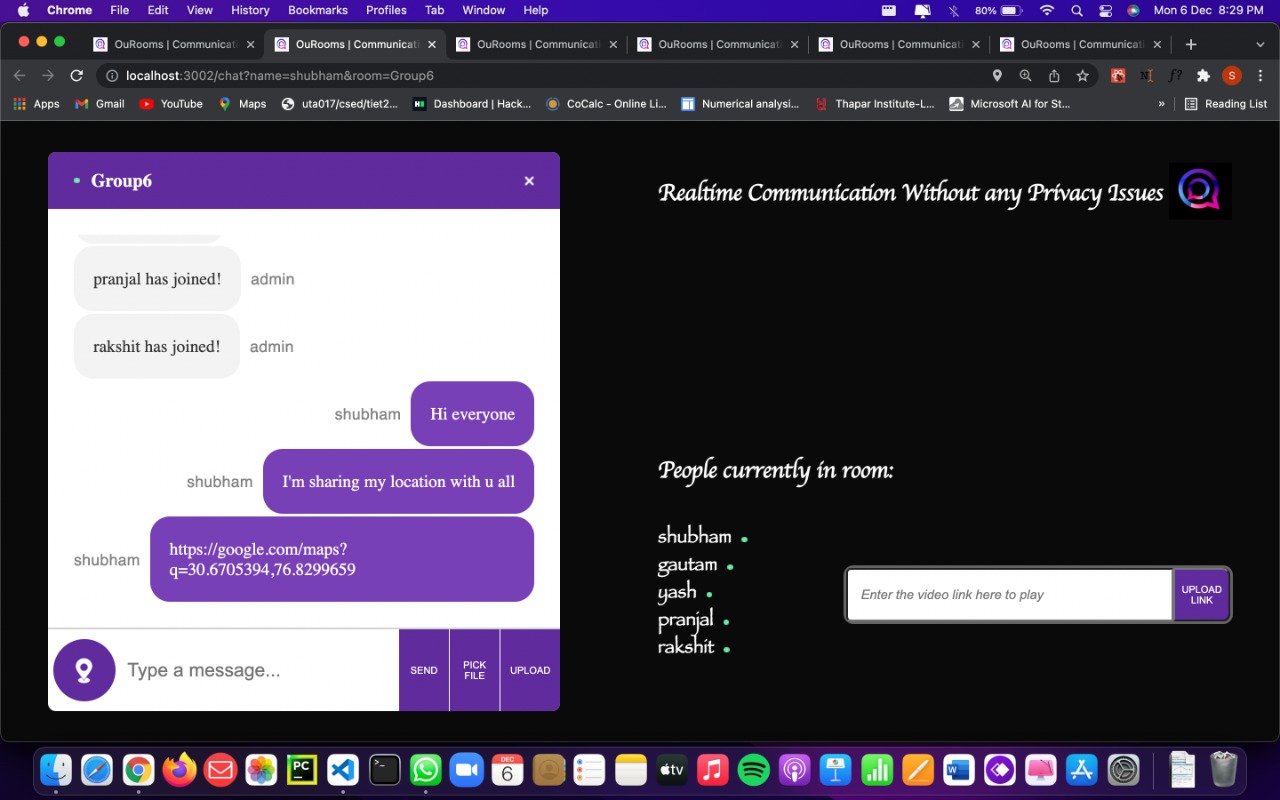
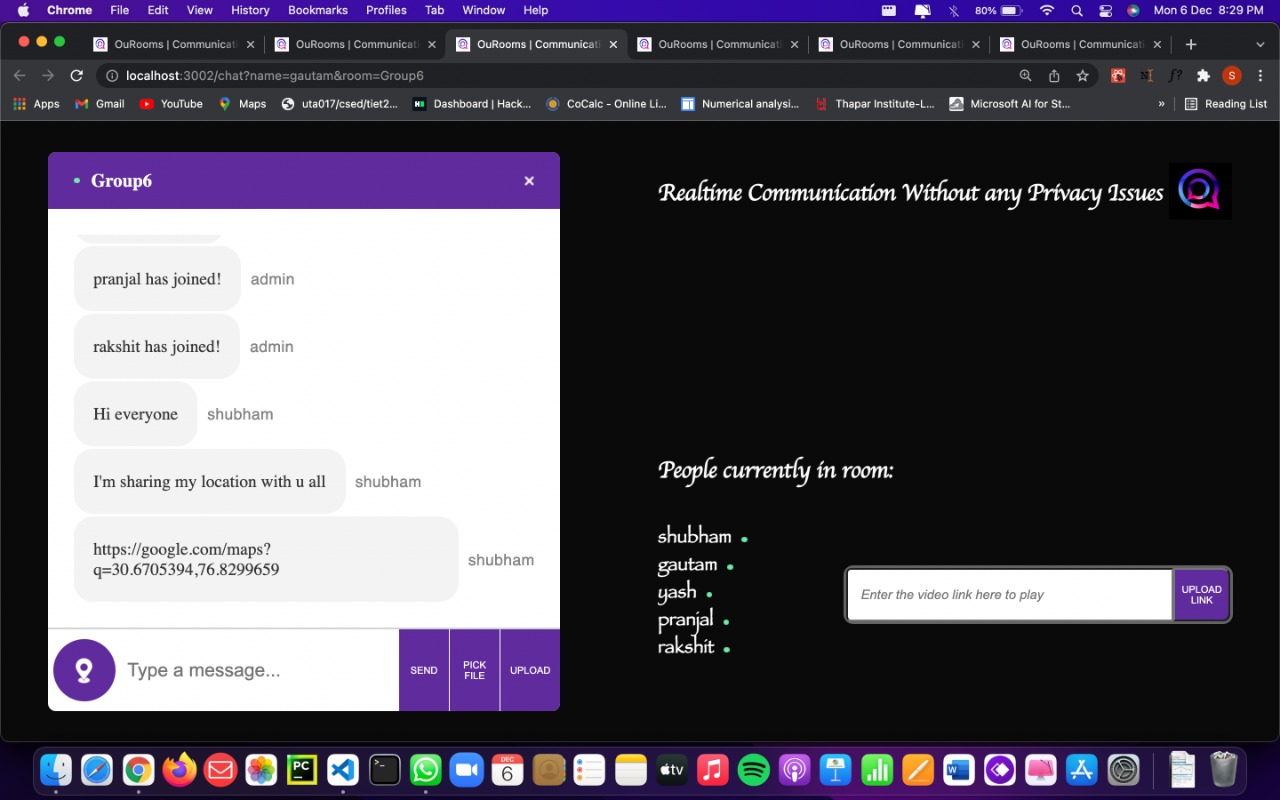
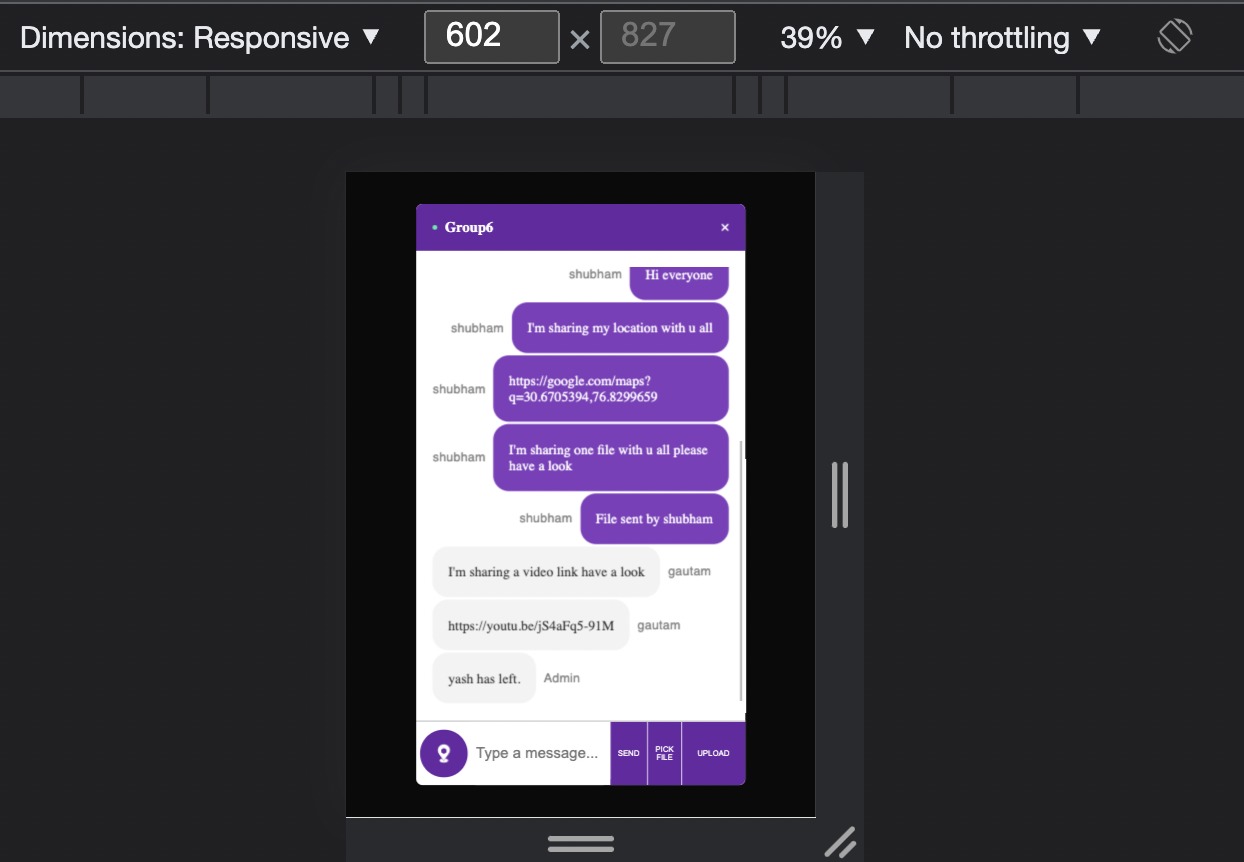
Figure 17. User 1 sends messages and locations and while receiving messages simultaneously.
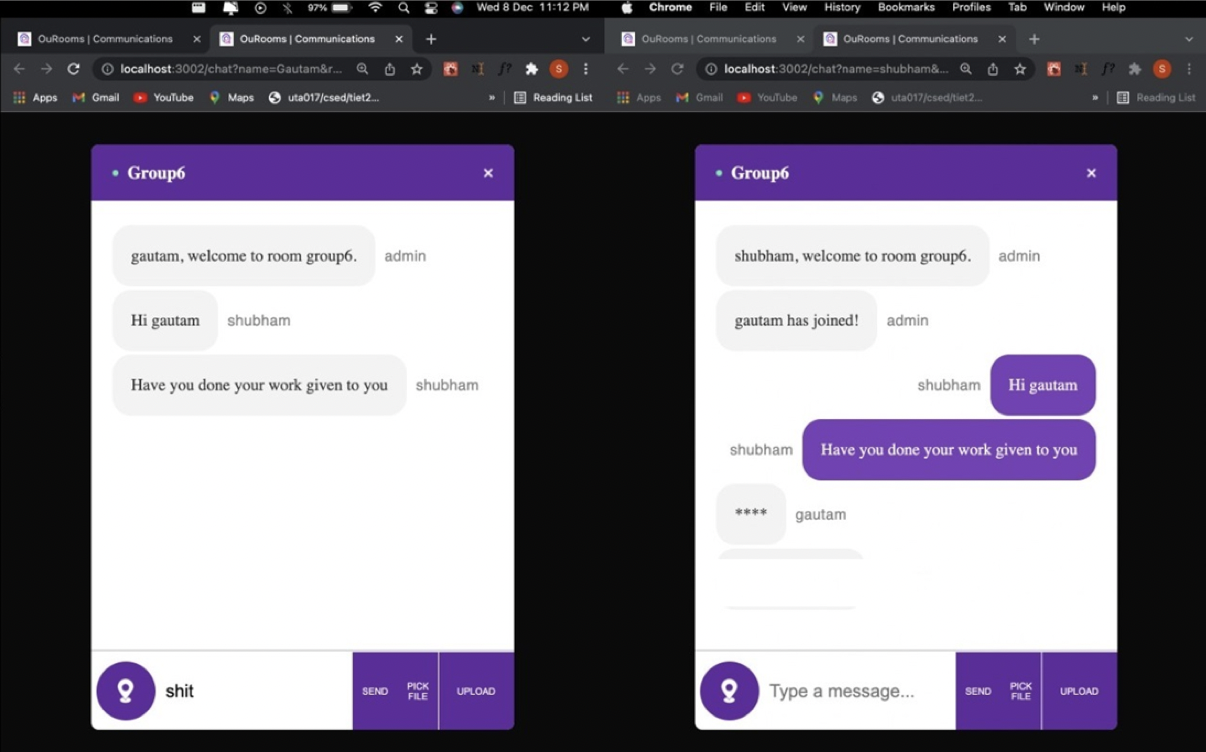
Figure 18. Illustrating the working of Profanity API by censoring foul words.
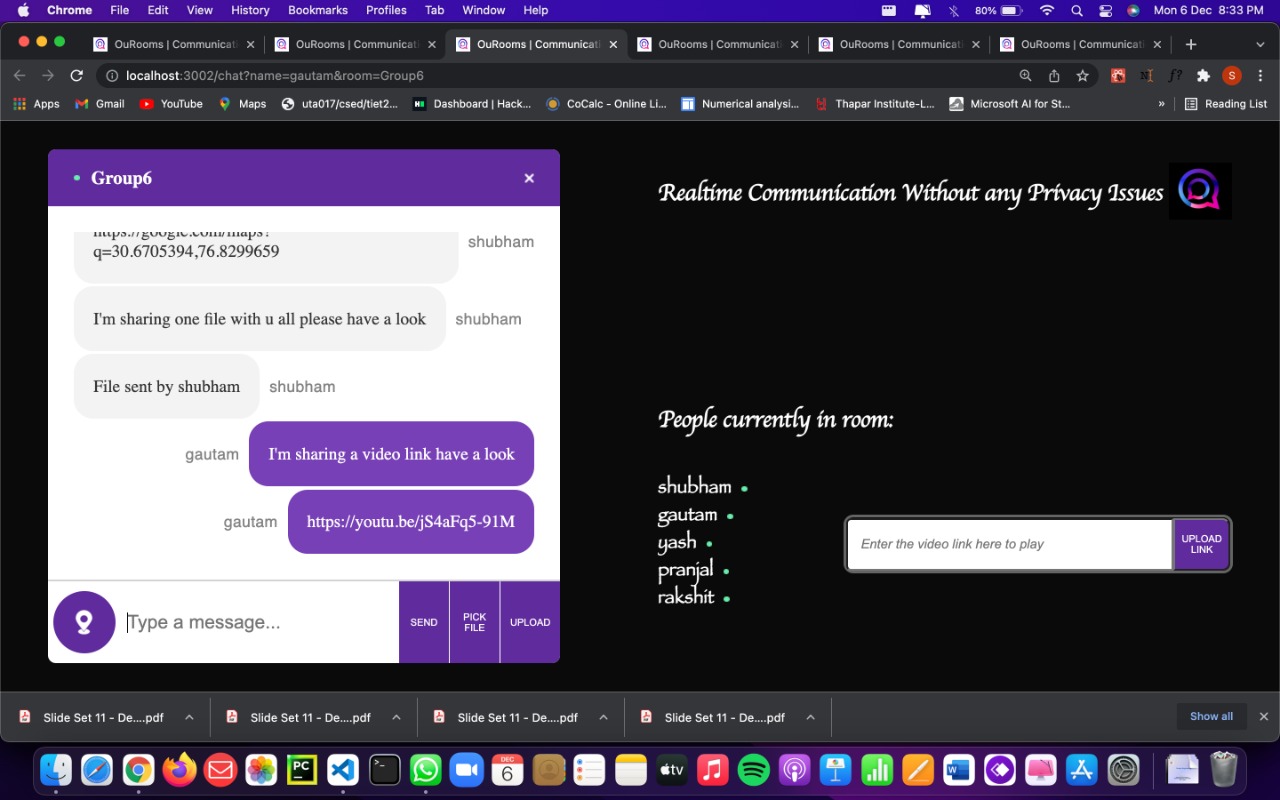
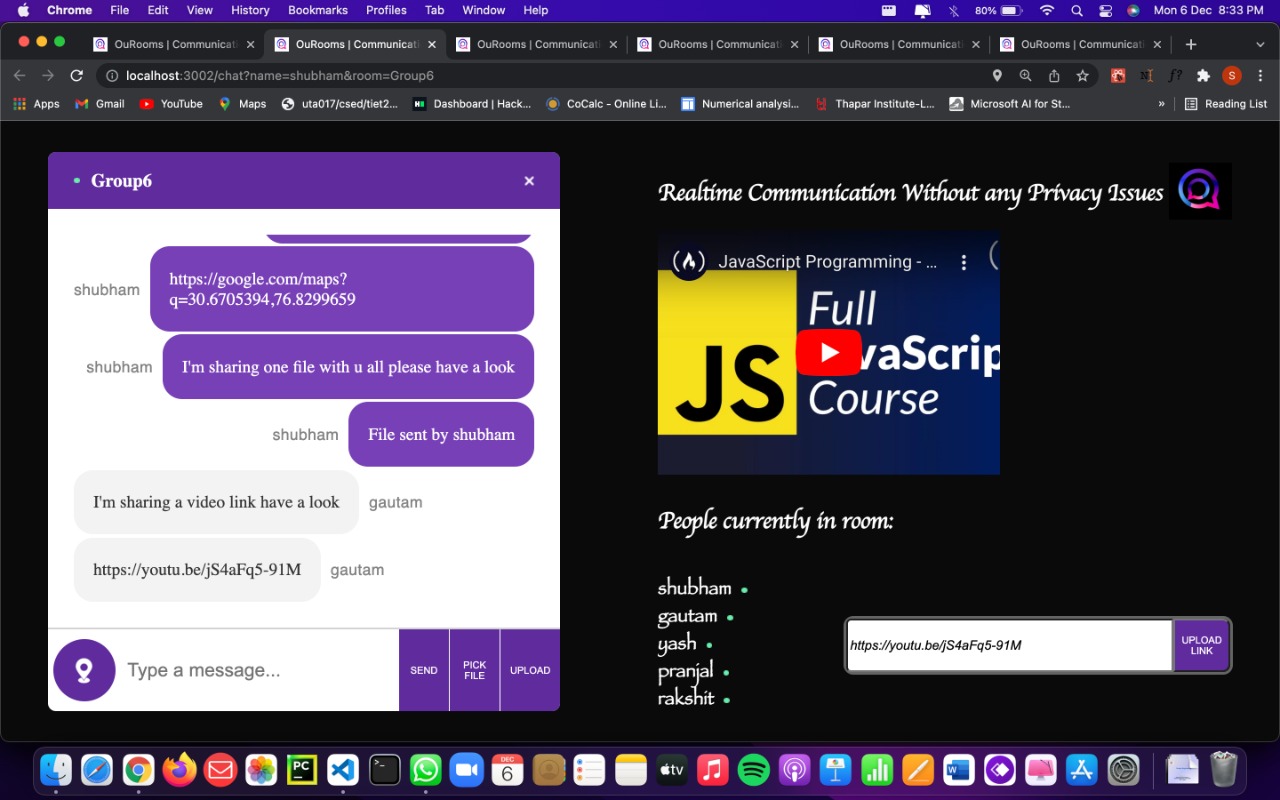
Figure 19. Media playing.
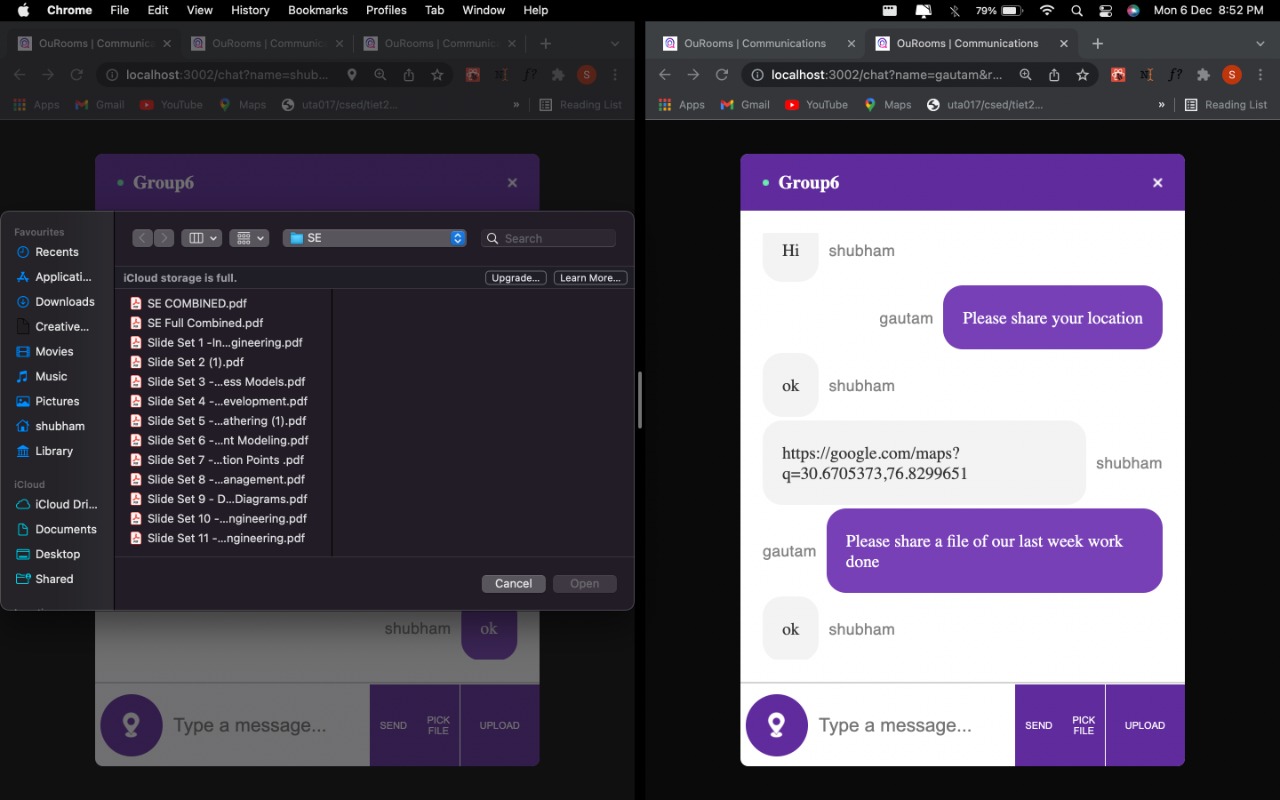
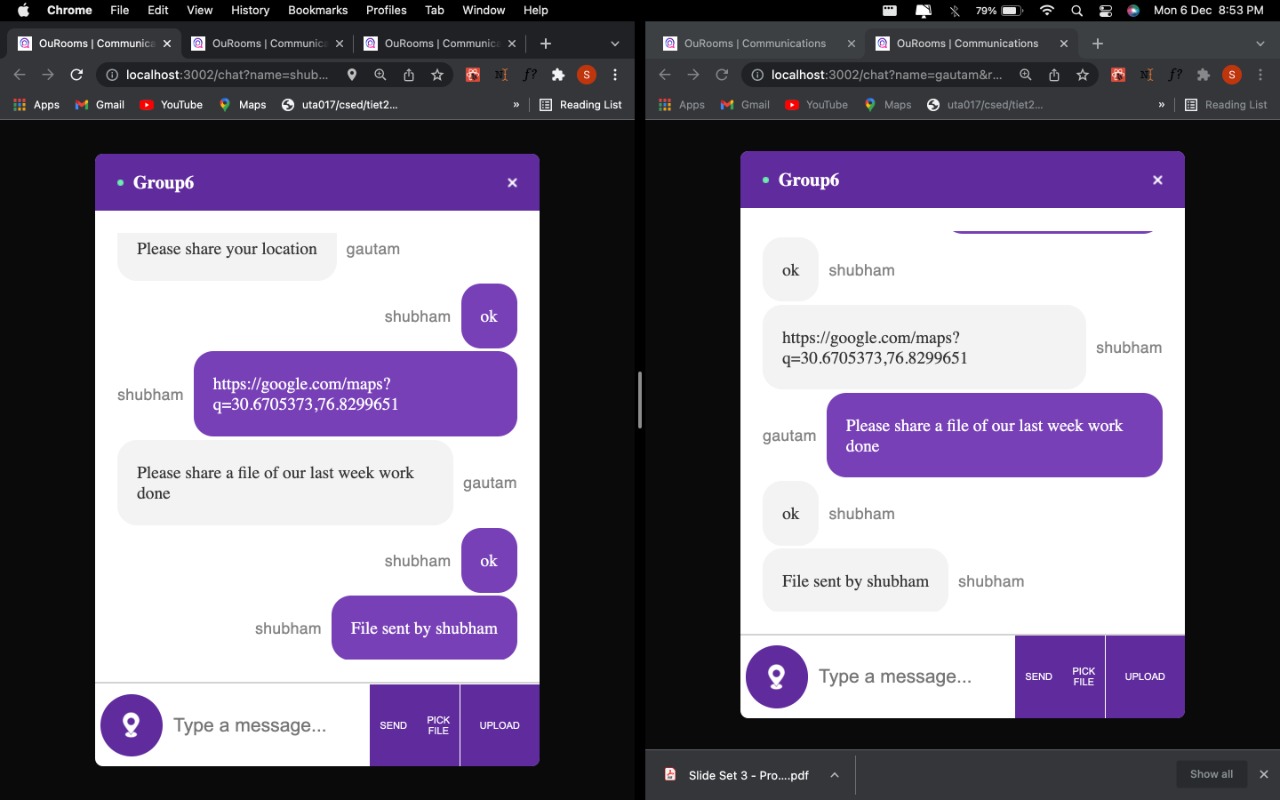
Figure 20. File Sharing Functionality.