






Qsurface is a simulation package for the surface code, and is designed to modularize 4 aspects of a surface code simulation.
- The surface code and variety of architectures inspired from the surface code
- The error models and protocols for exploring the variety of architectures (using the superoperator approach)
- The used decoders
- Obtaining statistical data and quantities of interest, such as the code threshold for Quantum Error Correction
New types of surface codes, error modules and decoders can be added to Qsurface by using the included templates for each of the three core module categories.
The current included decoders are:
- The Mininum-Weight Perfect Matching (
mwpm) decoder. - Delfosse's and Nickerson's Union-Find (
unionfind) decoder, which has almost-linear worst-case time complexity. - Our modification to the Union-Find decoder; the Union-Find Node-Suspension (
ufns) decoder, which improves the threshold of the Union-Find decoder to near MWPM performance, while retaining quasi-linear worst-case time complexity.
The compatibility of these decoders with the included surface codes are listed below.
| Decoders | toric code |
planar code |
|---|---|---|
mwpm |
✅ | ✅ |
unionfind |
✅ | ✅ |
ufns |
✅ | ✅ |
All required packages can be installed through:
pip install qsurface- Python 3.7+
- Tkinter or PyQt5 for interactive plotting.
- Matplotlib 3.4+ for plotting on a 3D lattice (Refers to a future release of matplotlib, see pull request)
The MWPM decoder utilizes networkx for finding the minimal weights in a fully connected graph. This implementation is however rather slow compared to Kolmogorov's Blossom V algorithm. Blossom V has its own license and is thus not included with Qsurface. We do provided a single function to download and compile Blossom V, and to setup the integration with Qsurface automatically.
>>> from qsurface.decoders import mwpm
>>> mwpm.get_blossomv()To simulate the toric code and simulate with bitflip error for 10 iterations and decode with the MWPM decoder:
>>> from qsurface.main import initialize, run
>>> code, decoder = initialize((6,6), "toric", "mwpm", enabled_errors=["pauli"])
>>> run(code, decoder, iterations=10, error_rates = {"p_bitflip": 0.1})
{'no_error': 8}
Benchmarking of decoders can be enabled by attaching a benchmarker object to the decoder. See the docs for the syntax and information to setup benchmarking.
>>> from qsurface.main import initialize, run
>>> benchmarker = BenchmarkDecoder({"decode":"duration"})
>>> run(code, decoder, iterations=10, error_rates = {"p_bitflip": 0.1}, benchmark=benchmarker)
{'no_error': 8,
'benchmark': {'success_rate': [10, 10],
'seed': 12447.413636559,
'durations': {'decode': {'mean': 0.00244155000000319,
'std': 0.002170364089572033}}}}The figures in Qsurface allows for step-by-step visualization of the surface code simulation (and if supported the decoding process). Each figure logs its history such that the user can move backwards in time to view past states of the surface (and decoder). Press h when the figure is open for more information.
>>> from qsurface.main import initialize, run
>>> code, decoder = initialize((6,6), "toric", "mwpm", enabled_errors=["pauli"], plotting=True, initial_states=(0,0))
>>> run(code, decoder, error_rates = {"p_bitflip": 0.1, "p_phaseflip": 0.1}, decode_initial=False)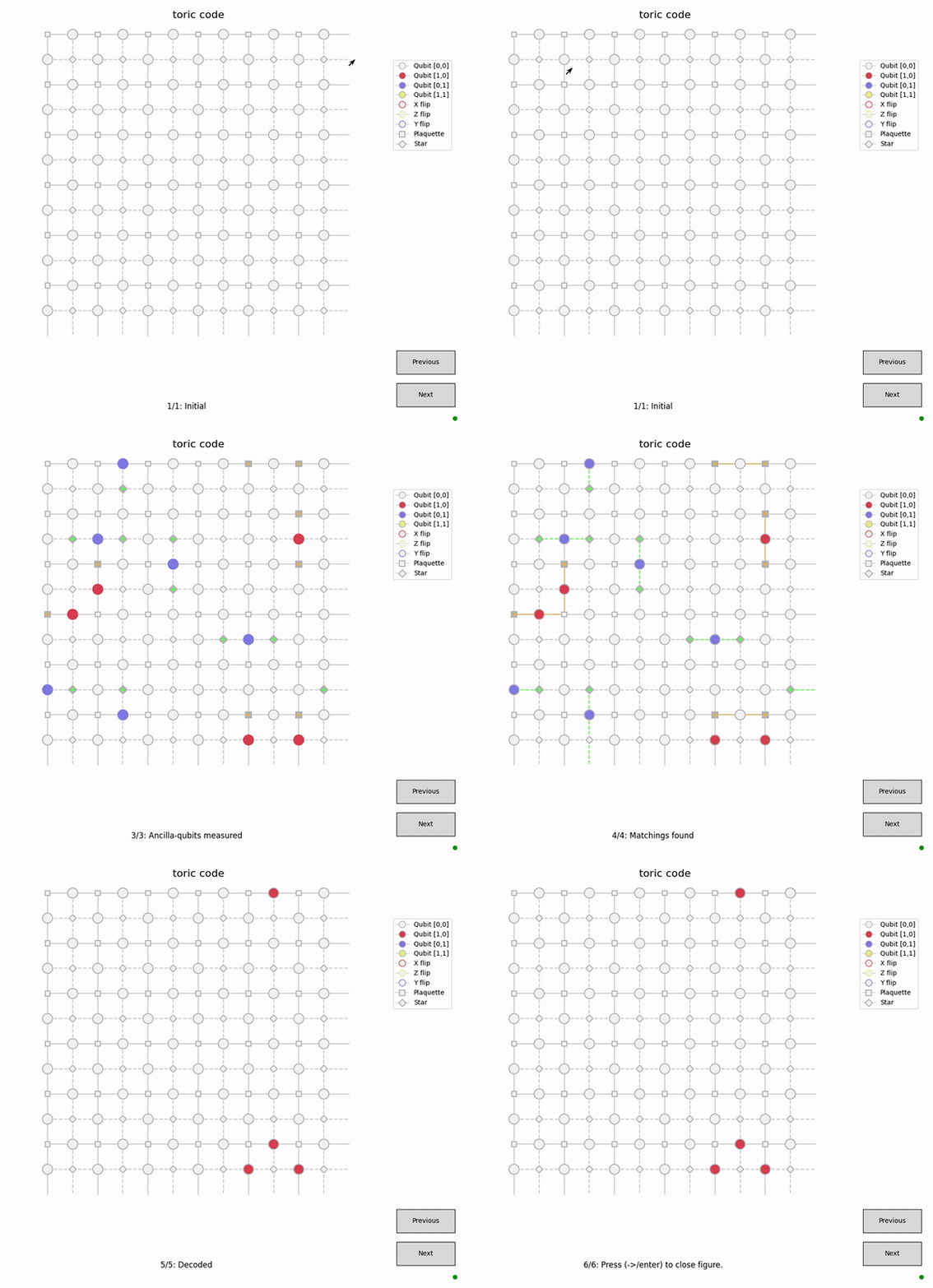
Plotting will be performed on a 3D axis if faulty measurements are enabled.
>>> code, decoder = initialize((3,3), "toric", "mwpm", enabled_errors=["pauli"], faulty_measurements=True, plotting=True, initial_states=(0,0))
>>> run(code, decoder, error_rates = {"p_bitflip": 0.05, "p_bitflip_plaq": 0.05}, decode_initial=False)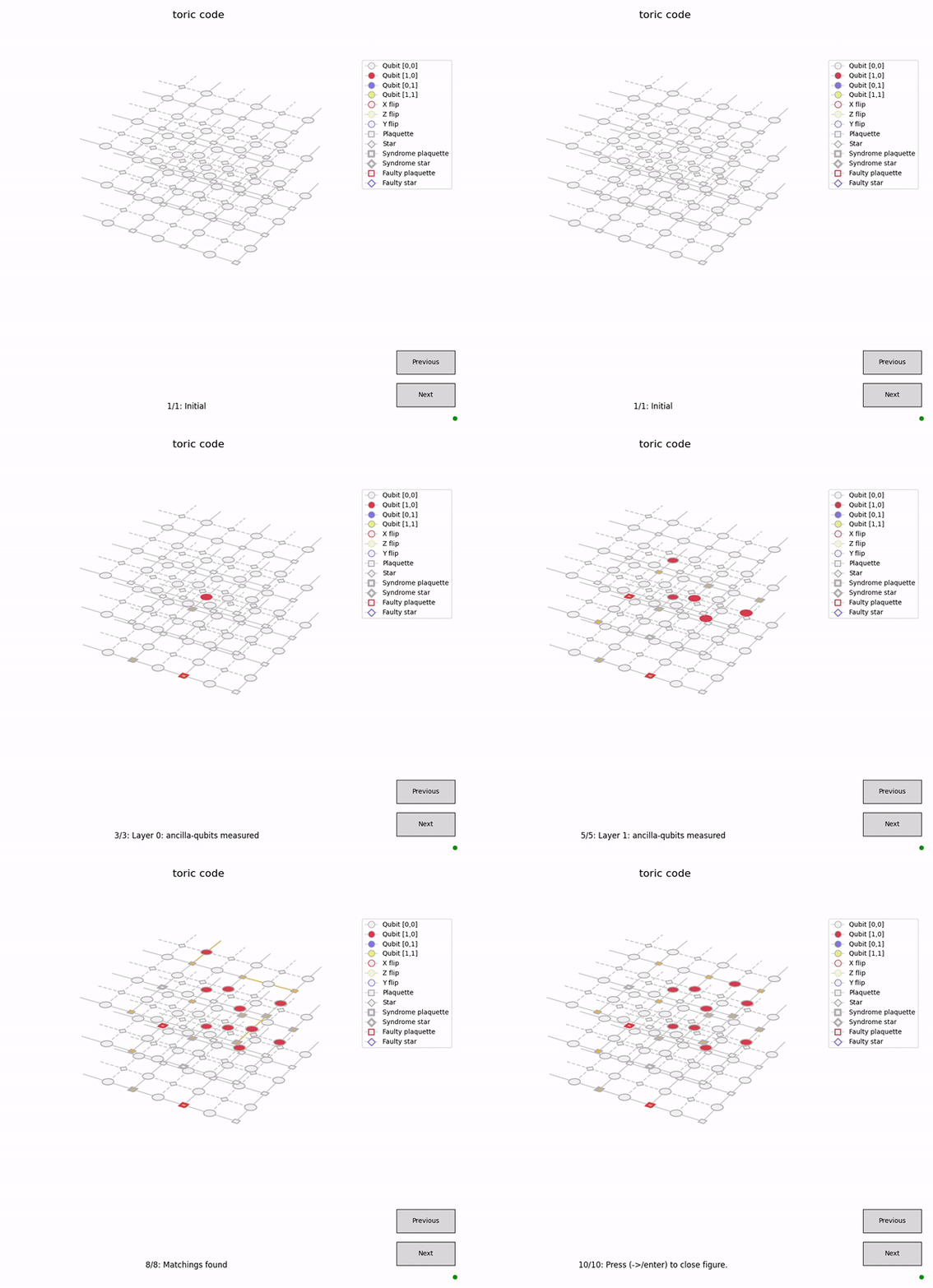
In IPython, inline images are created for each iteration of the plot, which can be tested in the example notebook.
For exploring surface codes beyond the phenomenological noise and erasure errors, we can use the idea of superoperator. This is helpful to also explore distributed architectures for quantum computation where complex protocols are involved for performing the stabilizer measurements. Such a superoperator can be modelled and generated from a density matrix simulation as a list of possible data qubit error configurations, measurement errors, and the fidelity of the respected stabilizers. One can then sample from this superoperator and use qsurface to simulate error correction. Using the superoperator functionality assumes faulty measurements to be true.

The above is an example of superoperator CSV file for toric code with bitflip, phaseflip and measurement error rates, all equal to 0.01. The column header names "error_config", "lie", "p", and "s" are important and a superoperator must be supplied to qsurface as CSV files with the same exact column headers.
- error_config: Error configuration for a stabilizer (qubits are ordered in increasing order of Cartesian coordinates, x followed by y)
- lie: Measurement error. True means measurement error and False otherwise
- p: Fidelity of plaquette stabilizer
- s: Fidelity of star stabilizer
More information on this can be found in Appendix B and Appendix C of this thesis.
It is straightforward to calculate the superoperator for phenomenological noise with Pauli errors without any density matrix calculations. It can be created (for toric code) via the create_phenomenological_toric_superoperator() function in main.py. A list of error rates must be supplied as the argument [p_bitflip, p_phaseflip, p_bitflip_plaq, p_bitflip_star] and the resulting superoperator CSV is saved in the current working directory. An example is:
>>> from qsurface.main import create_phenomenological_superoperator
>>> create_phenomenological_superoperator([0.03, 0.03, 0.05, 0.05])A simplest example of using the superoperator is:
>>> code, decoder = initialize((5,5), "toric", "unionfind", superoperator_enable=True, sup_op_file="../phenomenological_0.0_0.05_0.0_0.0_toric.csv", initial_states=(0,0))
>>> run(code, decoder, iterations=10000, decode_initial=False)
Here we specify that superoperator_enable=True and supply the CSV file address with sup_op_file argument. Note that we no longer need to declare any enabled_errors or error_rates as these are intrinsically supplied via the superoperator.
Plotting can also be done with the superoperator usage as follows:
>>> code, decoder = initialize((3,3), "toric", "unionfind", plotting=True, superoperator_enable=True, sup_op_file="../phenomenological_0.0_0.05_0.0_0.0_toric.csv", initial_states=(0,0))
>>> run(code, decoder, decode_initial=False)Simulations on the supercomputer can be run using the following script:
>>> code, decoder = initialize((8,8), "toric", "unionfind", plotting=False, superoperator_enable=True, sup_op_file="C:/qarch/qsurface/data/phenomenological/phenomenological_0.03_0.03_0.03_0.03_toric.csv", initial_states=(0,0))
>>> if __name__ == "__main__":
>>> print(run_multiprocess_superoperator(code, decoder, iterations=100000, decode_initial=False))Simulations can also be initiated from the command line
$ python -m qsurface -e pauli -D mwpm -C toric simulation --p_bitflip 0.1 -n 10
{'no_error': 8}
For more information on command line interface:
$ python -m qsurface -h
usage: qsurface
...
This project is proudly funded by the Unitary Fund.