Please let ali.owayid@humber.ca know the station identifier (e.g. J209A-N-011) and the problem such that he can submit a service request, if the same problem persists - ask for a ticket number and let me know what it is.
- Use an ssh terminal such as PuTTY to connect to munro.humber.ca
- Once logged in create a directory for this course:
[n12345678@munro ~]$ mkdir ceng212
- Change to that directory:
[n12345678@munro ~]$ cd ceng212
- Enter/duplicate then compile the 5 lines of simple.java code from this repository:
[n12345678@munro ceng212]$ javac simple.java
- Run the program by typing:
[n12345678@munro ceng212]$ java simple
-
Start NetBeans:
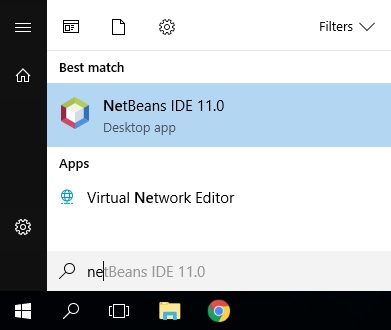
-
Create a new project:
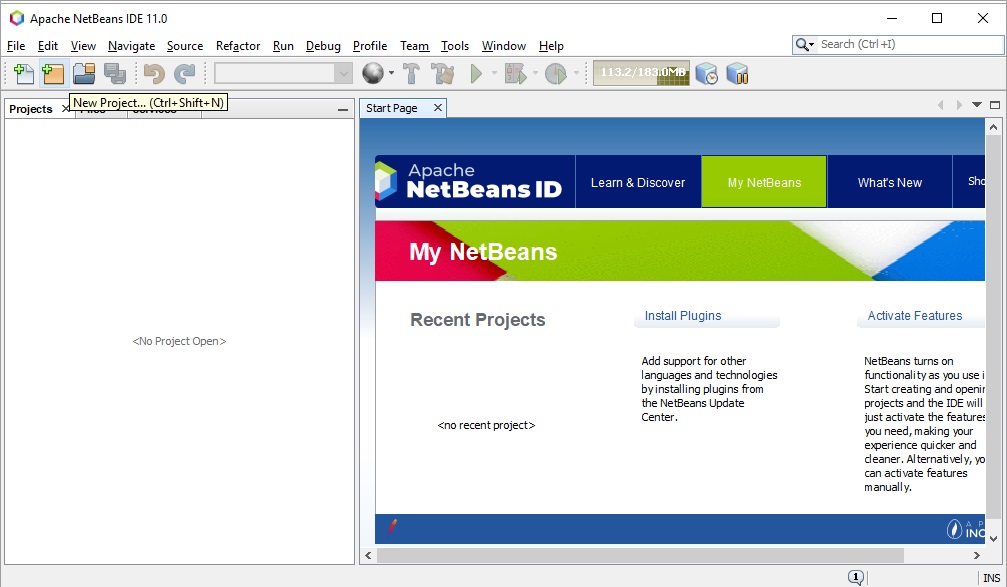
-
Select the type of project:
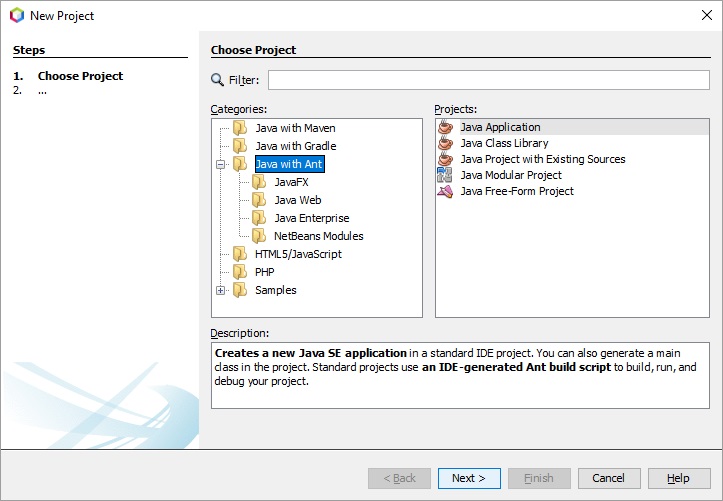
-
Select a project name and location (it will likely end up between 100 kB and 200 kB in size).
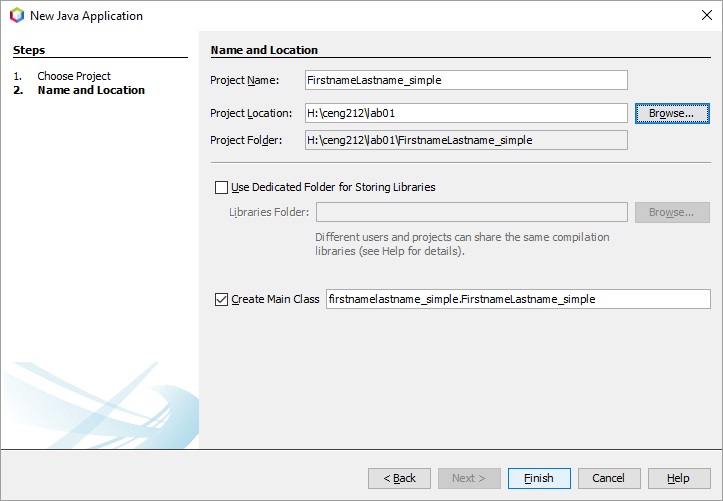
-
Add a print statement and run the program:
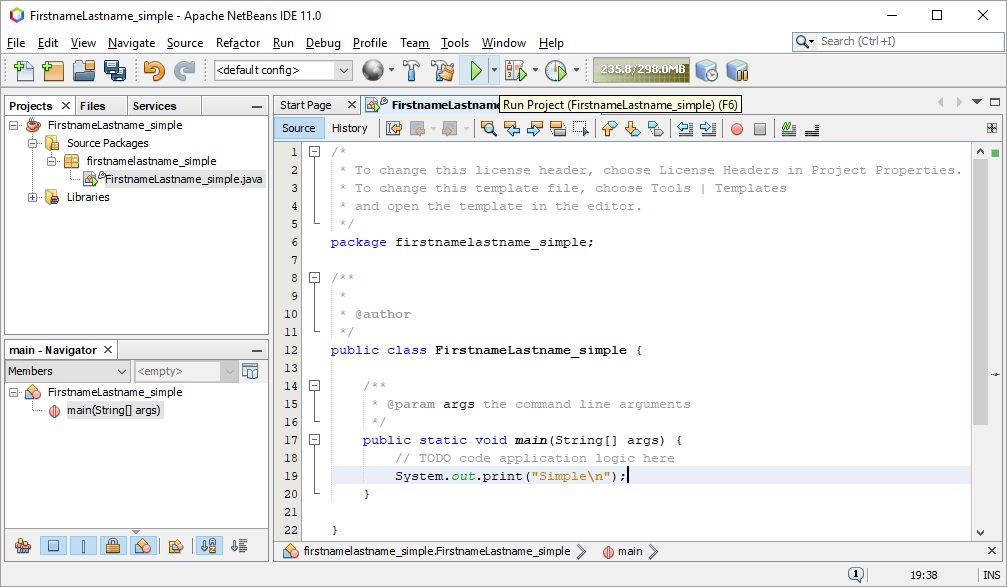
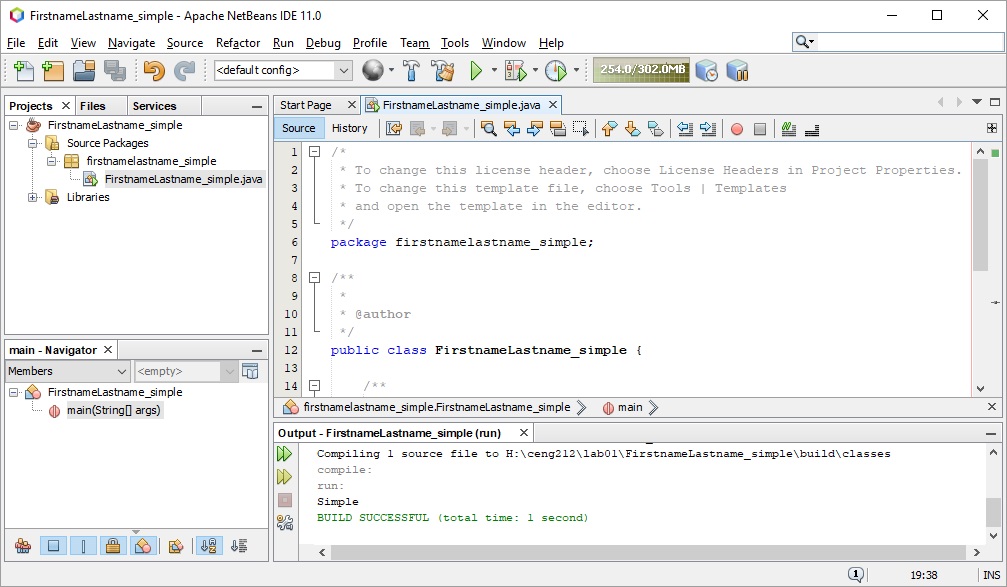
-
Complete the handout.
- Start NetBeans and complete the handout.
- Start NetBeans and complete the handout.
- Note that NetBeans may be available in this list of labs.
- Start NetBeans and create a new project as per lab 01. Exception: you should name it FirstnameLastname_Arrays and save it in the folder H:\ceng212\lab04.
- Add the methods:
public static double mean (double [ ] x){
   return -1;}
public static double seriesSum(){
   return -1;}
public static int getUppercaseCount(String s){
   return -1;}
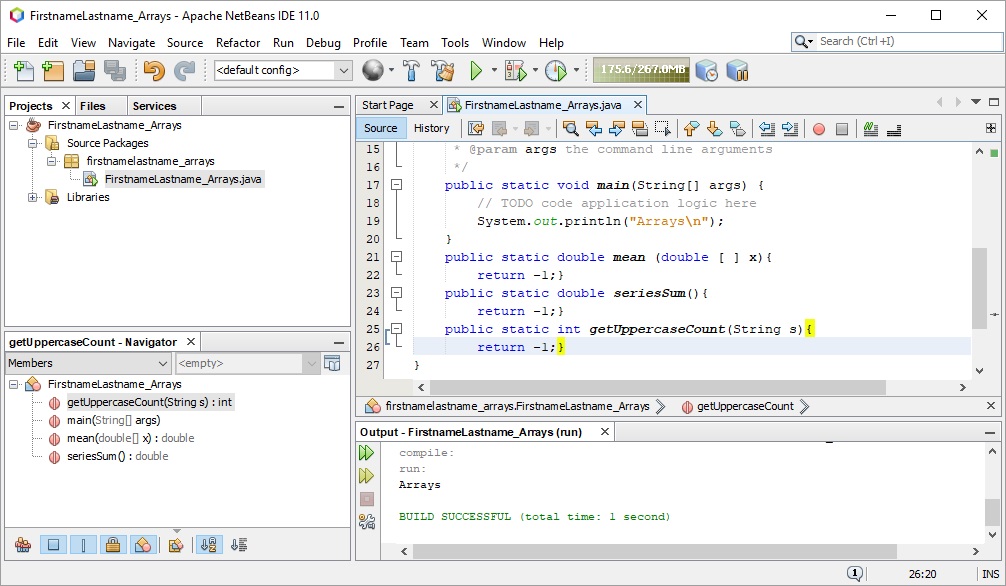 4. SAVE YOUR PROJECT.
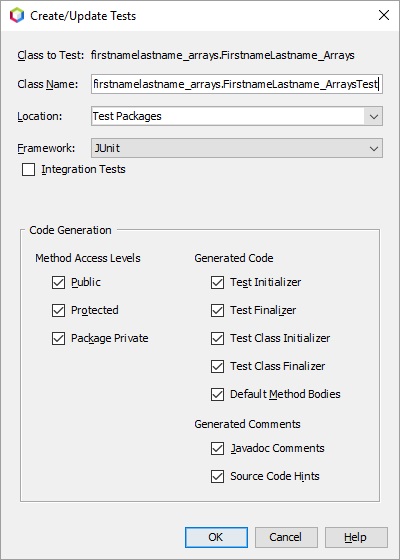
5. Right click on FirstnameLastneame_Arrays.java and Select Tools->Create/Update Tests.
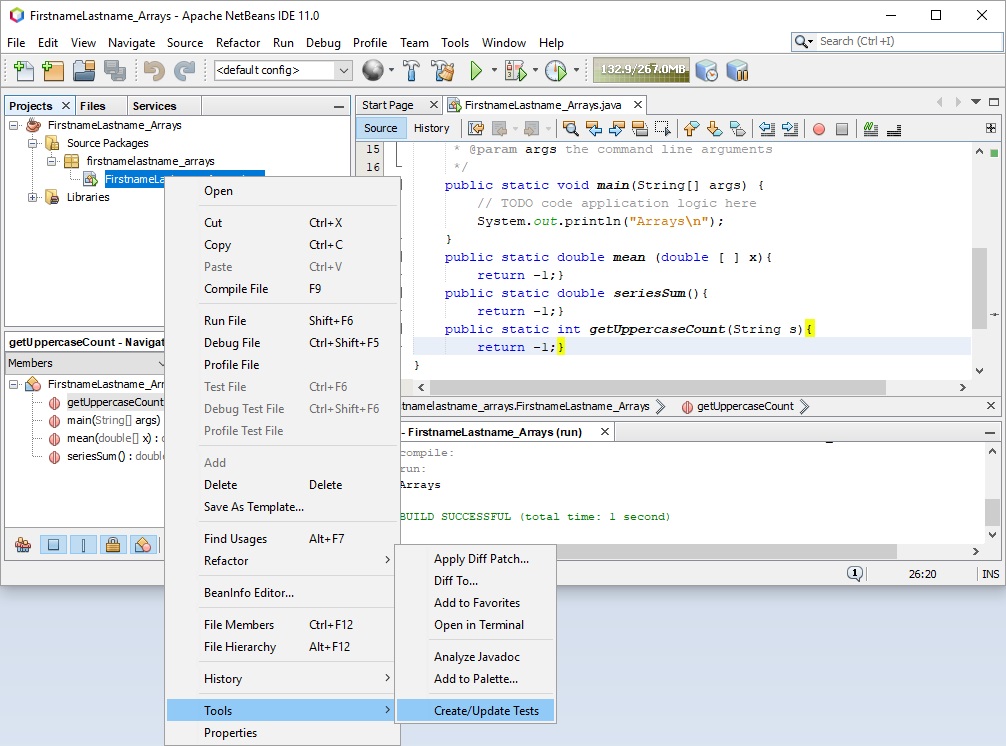
6. Accept the defaults by clicking OK:
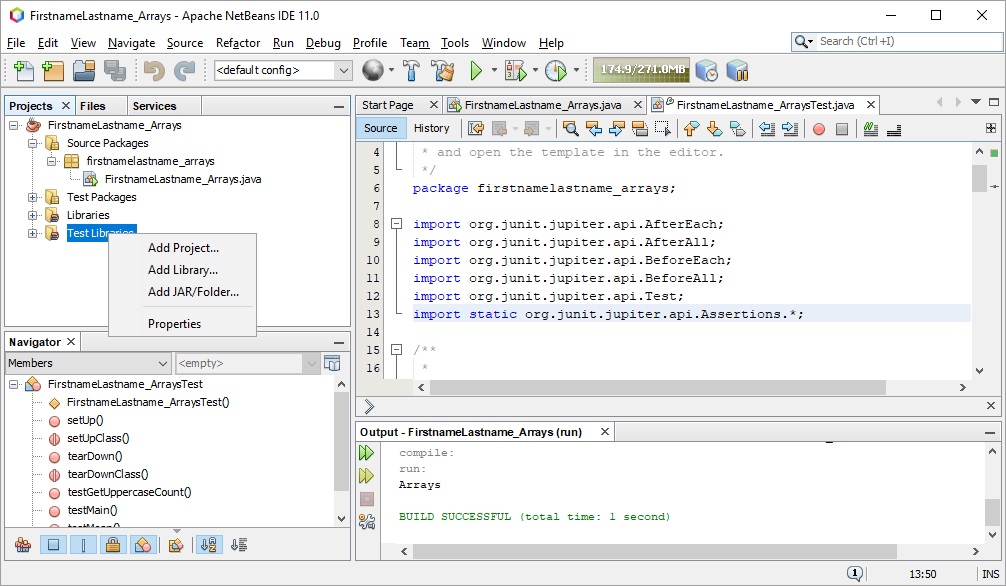
7. Right click on Test Libraries and select Add JAR/Folder...
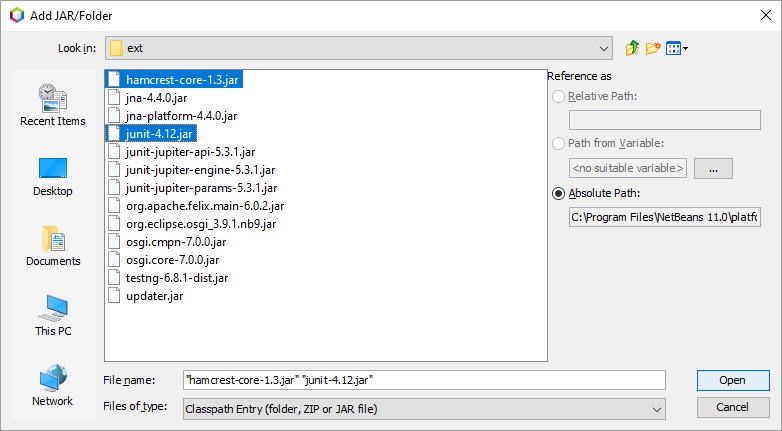
8. Navigate to C:\Program Files\NetBeans 11.0\platform\modules\ext\ and use Ctrl to select both hamcrest-core-1.3.jar and junit-4.12.jar:
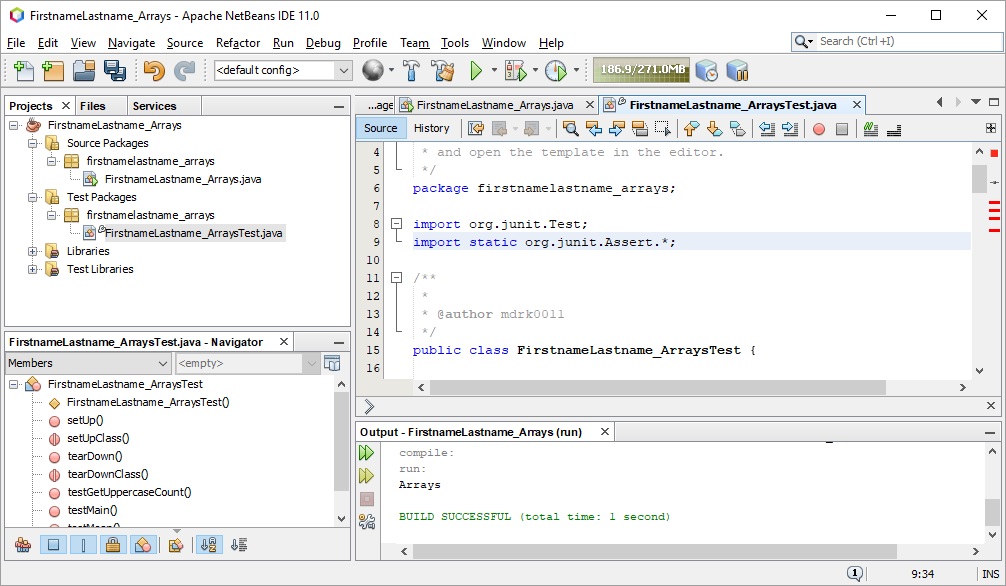
9. Replace the following in FirstnameLastneame_ArraysTest.java
import org.junit.jupiter.api.AfterEach;
import org.junit.jupiter.api.AfterAll;
import org.junit.jupiter.api.BeforeEach;
import org.junit.jupiter.api.BeforeAll;
import org.junit.jupiter.api.Test;
import static org.junit.jupiter.api.Assertions.*;
with
import org.junit.Test;
import static org.junit.Assert.*;
10. Remove
	@BeforeAll
    public void setUpClass() {
    }

    @AfterAll
    public void tearDownClass() {
    }

    @BeforeEach
    public void setUp() {
    }

    @AfterEach
    public void tearDown() {
    }
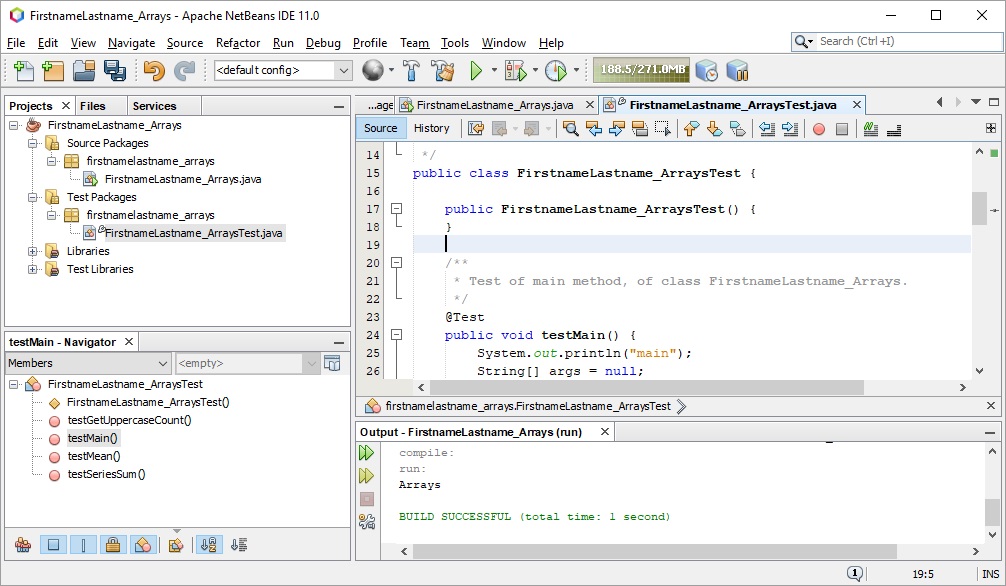
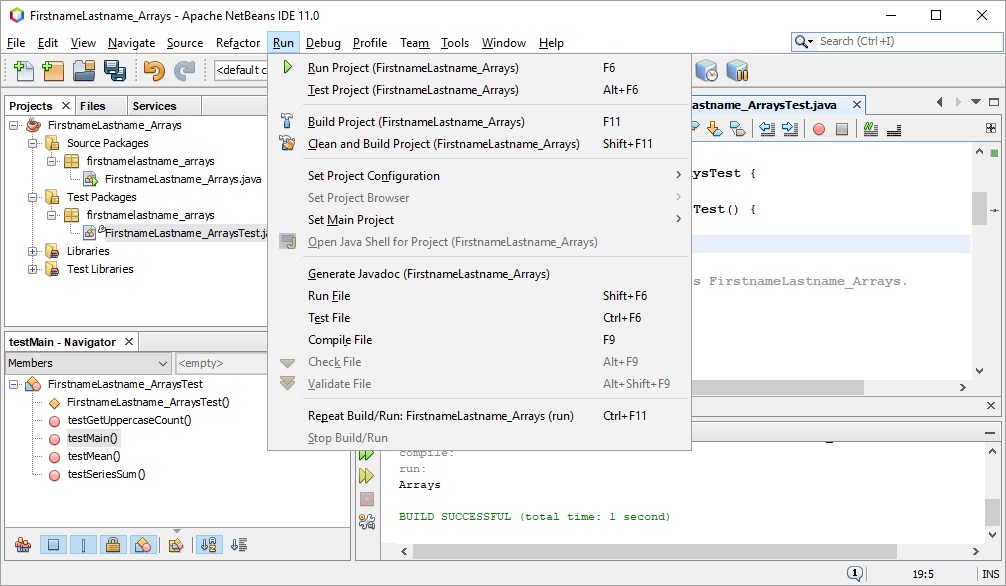
11. Test the project from Run -> Test Project (FirstnameLastname_Arrays) Alt+F6
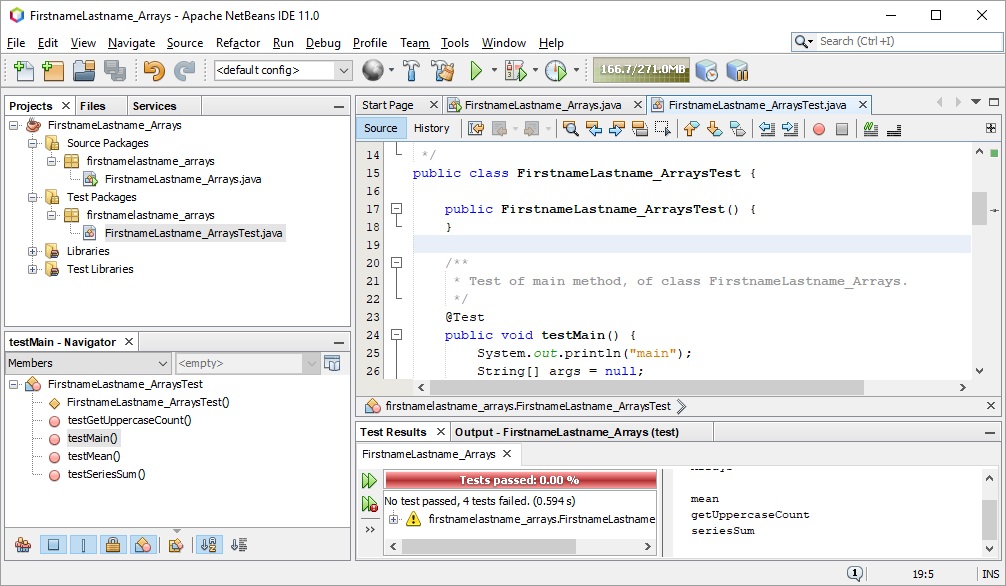
12. Complete the coding and submission as described in the handout.