


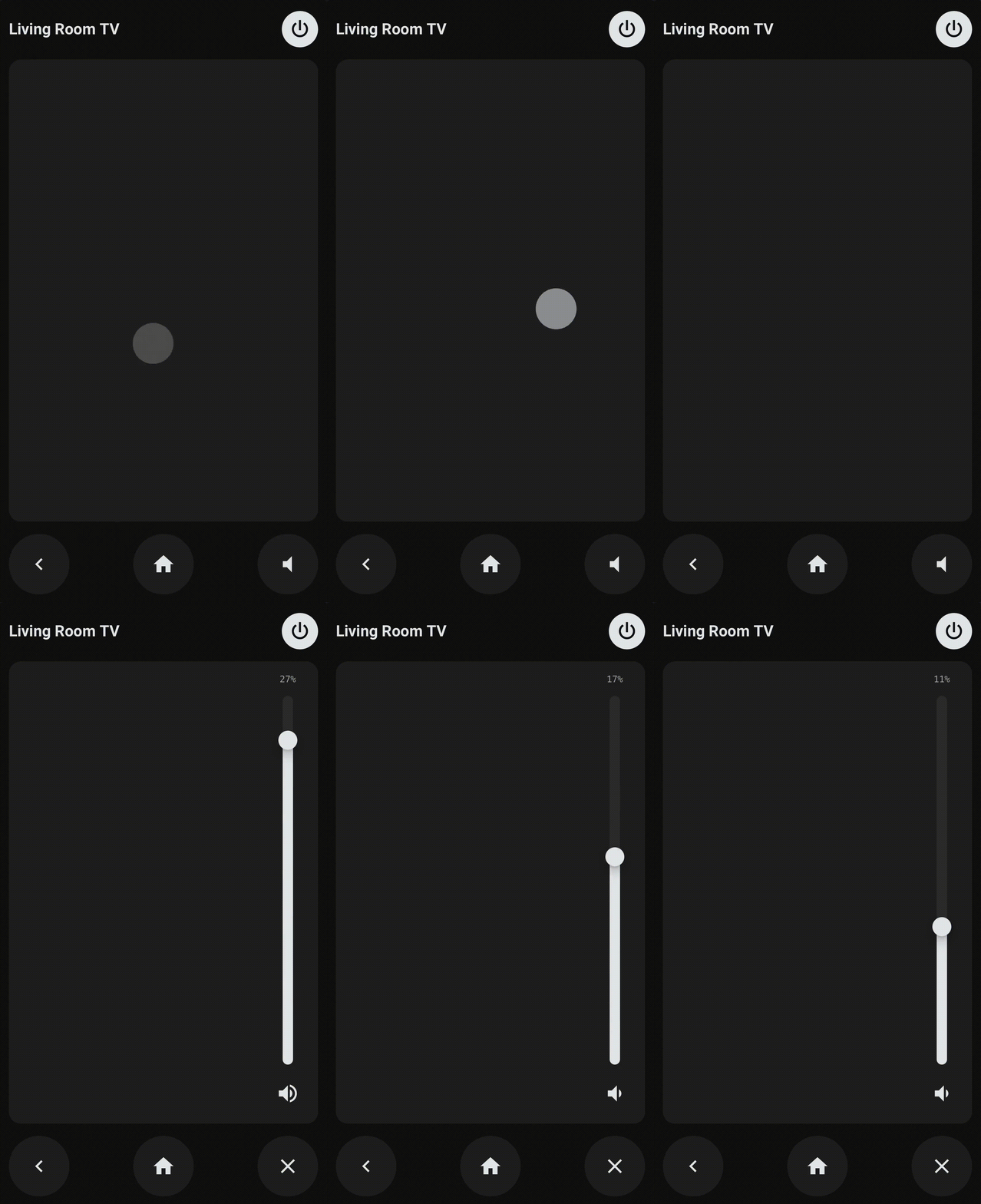
A Home Assistant Lovelace card for controlling Android TV devices, featuring a trackpad for intuitive navigation and customizable buttons for quick access to your favorite apps and commands.


- Trackpad — drag to navigate, tap to select (OK)
- Speed scaling — fire rate increases the further you drag
- Haptic feedback — vibrates on mobile when supported
- Power — toggles TV on/off based on current state
- Back / Home — standard navigation buttons
- Volume — mute/unmute toggle, with optional separate entity for soundbars
- Custom buttons — configurable app launchers and key commands
- Auto title — pulls friendly name from the entity, overridable
- Copy
androidtv-remote-card.jsto/config/www/androidtv-remote-card/androidtv-remote-card.json your HA instance - Go to Settings → Dashboards → ⋮ → Resources → Add resource
- URL:
/local/androidtv-remote-card/androidtv-remote-card.js - Type:
JavaScript module
- URL:
- Hard-refresh your browser (
Ctrl+Shift+R/Cmd+Shift+R)
Add this repository as a custom repository in HACS under Frontend.
Add the card via Edit Dashboard → Add Card → Manual:
type: custom:androidtv-remote-card
entity: media_player.living_room_tv| Key | Type | Required | Description |
|---|---|---|---|
entity |
string | Yes | media_player entity for power and mute |
remote_entity |
string | No | remote entity for navigation. Auto-derived from entity if omitted (media_player.foo → remote.foo) |
name |
string | No | Card title. Defaults to the entity's friendly name |
volume_entity |
string | No | Separate entity for mute (e.g. a soundbar). Falls back to entity |
hide_title |
boolean | No | Hide the title bar entirely (default false) |
max_volume |
number | No | Maximum volume percentage the slider can reach (default 100) |
height |
number | No | Card height in pixels. Defaults to auto (aspect-ratio based) |
custom_buttons |
list | No | Additional buttons rendered below the main controls |
type: custom:androidtv-remote-card
entity: media_player.living_room_tv
remote_entity: remote.living_room_tv
name: Living Room
volume_entity: media_player.sonos_beam
custom_buttons:
  - icon: mdi:youtube
    activity: com.google.android.youtube.tv
  - icon: mdi:netflix
    activity: com.netflix.ninja
  - icon: mdi:plex
    activity: com.plexapp.android
  - icon: mdi:skip-next
    command: MEDIA_NEXT
  - icon: mdi:lightning-bolt
    script: script.tv_night_mode
  - icon: mdi:play-circle
automation: automation.tv_welcome_sceneEach button in custom_buttons requires an icon (any MDI icon) and one action key:
| Action key | Service used | Use case |
|---|---|---|
activity |
remote.turn_on |
Launch an app by package name |
command |
remote.send_command |
Send a key code (e.g. MEDIA_NEXT, MUTE) |
adb_command |
androidtv.adb_command |
Raw ADB shell command (requires ADB connected) |
script |
script.turn_on |
Run any Home Assistant script |
automation |
automation.trigger |
Trigger any Home Assistant automation |
In HA Developer Tools → Actions, call remote.turn_on with your remote entity and an activity value. Common ones:
| App | Package |
|---|---|
| YouTube | com.google.android.youtube.tv |
| Netflix | com.netflix.ninja |
| Plex | com.plexapp.android |
| Disney+ | com.disney.disneyplus |
| Spotify | com.spotify.tv.android |
| Prime Video | com.amazon.amazonvideo.livingroom |
The card exposes CSS custom properties you can override in your HA theme or via card-mod:
--remote-bg: "#0E0E0F"           # card background
--remote-ui-bg: "#212121"        # button and trackpad background
--remote-ui-bg-highlight: "#313131"  # trackpad active state
--remote-text: "#E8EAED"         # icon and text color