Accelerating Reproducible Mahjong Research






- High Performance: Core logic implemented in Rust for lightning-fast state transitions and rollouts.
- Gym-style API: Intuitive interface designed specifically for reinforcement learning.
- Mortal Compatibility: Seamlessly interface with the Mortal Bot using the MJAI protocol.
- Rule Flexibility: Support for diverse rule sets, including three-player mahjong (sanma).
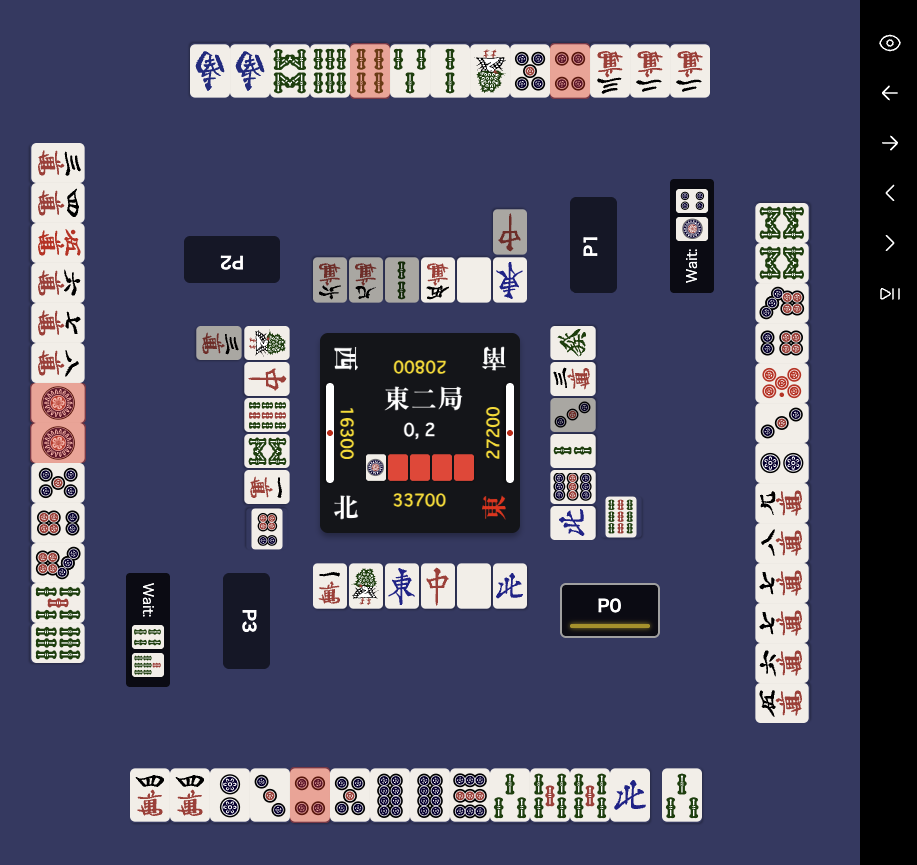
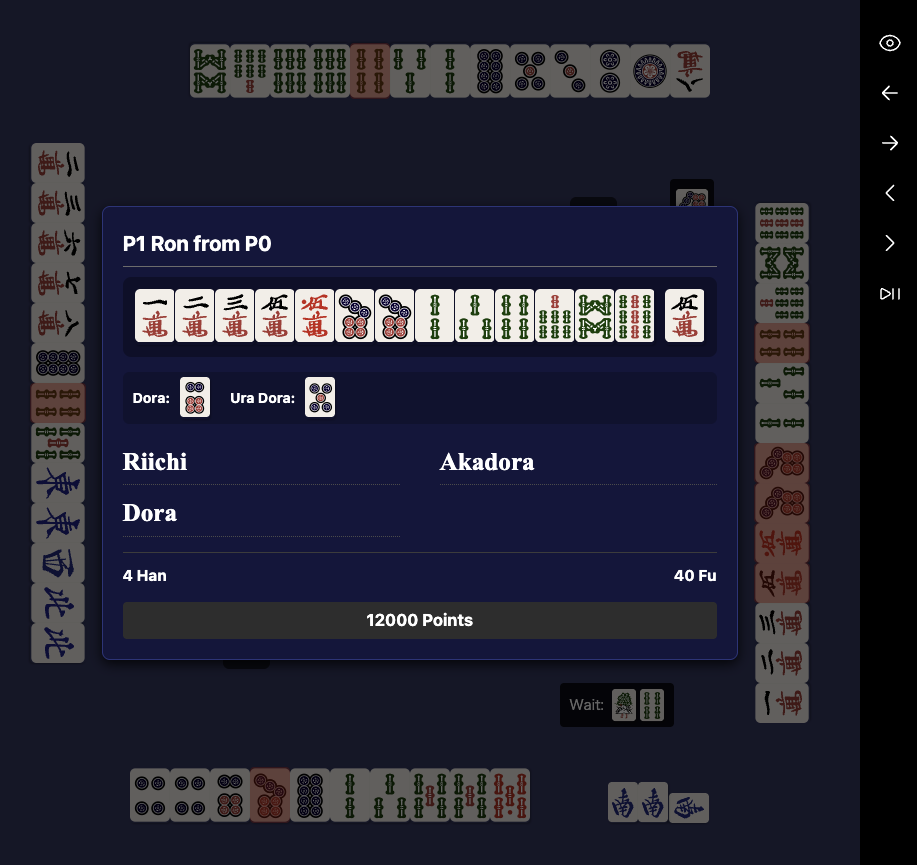
- Game Visualization: Integrated replay viewer for Jupyter Notebooks.
uv add riichienv
# Or
pip install riichienv
Currently, building from source requires the Rust toolchain.
uv sync --dev
uv run maturin develop --releasefrom riichienv import RiichiEnv
from riichienv.agents import RandomAgent
agent = RandomAgent()
env = RiichiEnv()
obs_dict = env.reset()
while not env.done():
actions = {player_id: agent.act(obs)
for player_id, obs in obs_dict.items()}
obs_dict = env.step(actions)
scores, ranks = env.scores(), env.ranks()
print(scores, ranks)env.reset() initializes the game state and returns the initial observations. The returned obs_dict maps each active player ID to their respective Observation object.
>>> from riichienv import RiichiEnv
>>> env = RiichiEnv()
>>> obs_dict = env.reset()
>>> obs_dict
{0: <riichienv._riichienv.Observation object at 0x7fae7e52b6e0>}
Use env.done() to check if the game has concluded.
>>> env.done()
False
By default, the environment runs a single round (kyoku). For game rules supporting sudden death or standard match formats like East-only or Half-round, the environment continues until the game-end conditions are met.
The Observation object provides all relevant information to a player, including the current game state and available legal actions.
obs.new_events() -> list[str] returns a list of MJAI JSON events that are new for that player since their previous observation. On a player's first observation in a hand, this can include start_game, start_kyoku, and earlier events from the hand. The full history for that observation window is accessible via obs.events.
>>> obs = obs_dict[0]
>>> obs.new_events()
['{"id":0,"type":"start_game"}', '{"bakaze":"E","dora_marker":"S", ...}', '{"actor":0,"pai":"6p","type":"tsumo"}']
obs.legal_actions() -> list[Action] provides the list of all valid moves the player can make.
>>> obs.legal_actions()
[Action(action_type=Discard, tile=Some(1), ...), ...]
If your agent communicates via the MJAI protocol, you can easily map an MJAI response to a valid Action object using obs.select_action_from_mjai().
>>> obs.select_action_from_mjai({"type":"dahai","pai":"1m","tsumogiri":False,"actor":0})
Action(action_type=Discard, tile=Some(1), consume_tiles=[])RiichiEnv is fully compatible with the Mortal MJAI bot processing flow. I have confirmed that MortalAgent can execute matches without errors in over 1,000,000+ hanchan games on RiichiEnv.
from riichienv import RiichiEnv, Action, GameRule
from model import load_model

class MortalAgent:
    def __init__(self, player_id: int):
        self.player_id = player_id
        # Initialize your libriichi.mjai.Bot or equivalent
        self.model = load_model(player_id, "./mortal_v4.pth")

    def act(self, obs) -> Action:
        resp = None
        for event in obs.new_events():
            resp = self.model.react(event)

        action = obs.select_action_from_mjai(resp)
        assert action is not None, "Mortal must return a legal action"
        return action

env = RiichiEnv(game_mode="4p-red-half", rule=GameRule.default_tenhou())
agents = {pid: MortalAgent(pid) for pid in range(4)}
obs_dict = env.reset()
while not env.done():
    actions = {pid: agents[pid].act(obs) for pid, obs in obs_dict.items()}
    obs_dict = env.step(actions)

print(env.scores(), env.ranks())RiichiEnv separates high-level game flow configuration (Mode) from detailed game mechanics (Rules).
- Game Mode (
game_mode): Configuration for game length (e.g., East-only, Hanchan), player count, and termination conditions (e.g., Tobi/bust, sudden death). - Game Rules (
rule): Configuration for specific game mechanics (e.g., handling of Chankan (Robbing the Kan) for Kokushi Musou, Kuitan availability, etc.).
You can select a standard game mode using the game_mode argument in the constructor. This configures the basic flow of the game.
game_mode |
Players | Mode | Mechanics |
|---|---|---|---|
4p-red-single |
4 | Single Round | No sudden death |
4p-red-east |
4 | East-only (東風; Tonpuu) | Standard (Tenhou rule) |
4p-red-half |
4 | Hanchan (半荘) | Standard (Tenhou rule) |
3p-red-single |
3 | Single Round | No sudden death |
3p-red-east |
3 | East-only (東風; Tonpuu) | Standard (Tenhou sanma rule) |
3p-red-half |
3 | Hanchan (半荘) | Standard (Tenhou sanma rule) |
# Initialize a standard 4-player Hanchan game
env = RiichiEnv(game_mode="4p-red-half")For detailed rule customization, you can pass a GameRule object to the RiichiEnv constructor. RiichiEnv provides presets for popular platforms (Tenhou, MJSoul) and allows granular configuration.
from riichienv import RiichiEnv, GameRule

# Example 1: Use MJSoul rules (allows Ron on Ankan for Kokushi Musou)
rule_mjsoul = GameRule.default_mjsoul()
env = RiichiEnv(game_mode="4p-red-half", rule=rule_mjsoul)

# Example 2: Fully custom rules based on Tenhou preset
rule_custom = GameRule.default_tenhou()
rule_custom.allows_ron_on_ankan_for_kokushi_musou = True  # Enable Kokushi Chankan
rule_custom.length_of_game_in_rounds = 8  # Force 8 rounds? (Note: Length is mainly controlled by game_mode logic usually)

env = RiichiEnv(game_mode="4p-red-half", rule=rule_custom)
Detailed mechanic flags (like allows_ron_on_ankan_for_kokushi_musou) are defined in the GameRule struct. See RULES.md for a full list of configurable options.
Standardize between various tile formats (136-tile, MPSZ, MJAI) and easily parse hand strings.
>>> import riichienv.convert as cvt
>>> cvt.mpsz_to_tid("1z")
108

>>> from riichienv import parse_hand
>>> parse_hand("123m406m789m777z")
([0, 4, 8, 12, 16, 20, 24, 28, 32, 132, 133, 134], [])
See DATA_REPRESENTATION.md for more details.
HandEvaluator evaluates a hand for tenpai status, waiting tiles, and winning results. Create an instance with HandEvaluator(tiles, melds) or HandEvaluator.hand_from_text(text).
is_tenpai()— returns whether the hand is in tenpai.get_waits()— returns the list of winning tile IDs (34-tile format, 0–33).calc(win_tile, dora_indicators, ura_indicators, conditions)— evaluates the hand with the given winning tile and returns aWinResult.
>>> from riichienv import HandEvaluator
>>> import riichienv.convert as cvt

>>> he = HandEvaluator.hand_from_text("111m33p12s111666z")
>>> he.is_tenpai()
True
>>> he.calc(cvt.mpsz_to_tid("3s"), dora_indicators=[], ura_indicators=[])
WinResult(is_win=True, yakuman=False, ron_agari=12000, tsumo_agari_oya=0, tsumo_agari_ko=0, yaku=[8, 11, 10, 22], han=5, fu=60)
The yaku field contains raw yaku IDs. Use yaku_list() to get detailed Yaku objects with Japanese/English names and platform-specific IDs.
>>> result = he.calc(cvt.mpsz_to_tid("3s"), dora_indicators=[], ura_indicators=[])
>>> for y in result.yaku_list():
...     print(y)
Yaku(id=8, name='役牌 發', name_en='Yakuhai (hatsu)', tenhou_id=19, mjsoul_id=8)
Yaku(id=11, name='場風牌', name_en='Yakuhai (round wind)', tenhou_id=14, mjsoul_id=11)
Yaku(id=10, name='自風牌', name_en='Yakuhai (seat wind)', tenhou_id=10, mjsoul_id=10)
Yaku(id=22, name='三暗刻', name_en='San Ankou', tenhou_id=29, mjsoul_id=22)Calculate the shanten number (minimum number of tiles away from tenpai) using lookup tables based on Cryolite/nyanten. Both 4-player and 3-player mahjong are supported.
4-player mahjong:
>>> from riichienv import parse_hand, calculate_shanten
>>> tiles, _ = parse_hand("123m456p789s11z")
>>> calculate_shanten(tiles)
-1  # complete hand

>>> tiles, _ = parse_hand("123m456p78s11z")
>>> calculate_shanten(tiles)
0  # tenpai
3-player mahjong:
In 3-player mahjong (sanma), tiles 2m-8m do not exist. calculate_shanten_3p correctly handles this by treating manzu tiles (1m, 9m) as honor-like tiles with no sequence potential, using the nyanten lookup tables.
>>> from riichienv import parse_hand, calculate_shanten, calculate_shanten_3p
>>> tiles, _ = parse_hand("111m123456789s11z")
>>> calculate_shanten_3p(tiles)
-1  # complete hand (111m koutsu + souzu shuntsu)

>>> tiles, _ = parse_hand("19m19p19s1234567z")
>>> calculate_shanten_3p(tiles)
0   # kokushi tenpai

>>> # Corner case: 3P shanten can differ from 4P
>>> tiles, _ = parse_hand("1111m111122233z")
>>> calculate_shanten(tiles), calculate_shanten_3p(tiles)
(1, 2) # 4P tenpai path requires drawing 2m/3m, which don't exist in 3PGameViewer renders an interactive 3D replay viewer in Jupyter Notebooks. Use env.get_viewer() to create a viewer from a RiichiEnv instance, or GameViewer.from_jsonl() / GameViewer.from_list() to load from files or event lists.
from riichienv import RiichiEnv
from riichienv.agents import RandomAgent

agent = RandomAgent()
env = RiichiEnv(game_mode="4p-red-half")
obs_dict = env.reset()
while not env.done():
    actions = {pid: agent.act(obs) for pid, obs in obs_dict.items()}
    obs_dict = env.step(actions)

env.get_viewer().show()  # displays the 3D viewer in Jupyter
The returned GameViewer object also provides methods for programmatic inspection:
viewer = env.get_viewer()
viewer.show(step=100, perspective=0)  # show() accepts optional display parameters
viewer.summary()        # list of round info dicts (bakaze, kyoku, honba, oya, scores)
viewer.get_results(0)   # list[WinResult] for round 0
See demos/README.md for full API details and notebook examples.
RiichiEnv provides two methods for applying MJAI events, designed for different use cases:
| Method | Signature | Returns | Use case |
|---|---|---|---|
apply_event |
apply_event(event) |
None |
Replay parsing, training data generation |
observe_event |
observe_event(event, player_id) |
Observation | None |
Online inference (bot play) |
Why two methods? apply_event is minimal — it only updates state, leaving observation timing to the caller. This is ideal for batch replay where all events are pre-determined. observe_event combines state update with observation retrieval in a single call, and encapsulates the logic of which events can produce legal actions. This avoids the caller having to manually skip non-action events (start_game, dora, hora, etc.) and separately call get_observation().
Applies an MJAI event dict to advance the game state. Observations must be retrieved separately via get_observation(player_id). This is the right choice when replaying full game logs for training data generation, where all events are already known and observation timing is managed externally (e.g., by KyokuStepIterator).
env = RiichiEnv(game_mode="4p-red-half")
env.apply_event({"type": "start_game"})
env.apply_event({"type": "start_kyoku", "bakaze": "E", ...})
env.apply_event({"type": "tsumo", "actor": 0, "pai": "5m"})
# Manually check for actions:
obs = env.get_observation(player_id=0)
if obs.legal_actions():
...Applies the event and returns an Observation if player_id has legal actions available. Returns None for events that never require decisions (start_game, start_kyoku, dora, hora, ryukyoku, etc.) and when the tracked player has no actions.
This is the recommended API for online inference — feed events one at a time and act whenever a non-None observation is returned.
env = RiichiEnv(game_mode="3p-red-half")
my_seat = 0

for event in mjai_events:
    obs = env.observe_event(event, my_seat)
    if obs is not None:
        # This player needs to act
        action = select_action(obs)  # your model logic
        ...
The key advantage of observe_event is that it handles all the complexity of determining when a player needs to act — including reaction phases (pon, chi, ron) after an opponent's discard. A simple loop over events is sufficient for a fully functional bot:
# 4P example: P1 can pon after P0's discard
env = RiichiEnv(game_mode="default")
env.observe_event({"type": "start_game"}, player_id=1)
env.observe_event({"type": "start_kyoku", ...}, player_id=1)
env.observe_event({"type": "tsumo", "actor": 0, "pai": "?"}, player_id=1)

obs = env.observe_event(
    {"type": "dahai", "actor": 0, "pai": "5m", "tsumogiri": True},
    player_id=1,
)
# obs is not None if player 1 can pon/ron the discarded tile
if obs is not None:
    for a in obs.legal_actions():
print(a.to_mjai()) # e.g. pon, passFor more architectural details and contribution guidelines, see CONTRIBUTING.md and DEVELOPMENT_GUIDE.md.
Check our Milestones for the future roadmap and development plans.
Apache License 2.0