Welcome to the MERN Stack Chat App! This application allows users to securely communicate with others through one-to-one or group chats. With features like email verification, password encryption, message forwarding, and more, the MERN Stack Chat App ensures a safe and seamless chatting experience.
-
Security:
- Email Verification: User email addresses are verified during the registration process to ensure secure access to the app.
- Password Encryption: User passwords are encrypted using bcryptjs to protect user data.
- Message Encryption: Messages are encrypted using the
cryptolibrary for enhanced security. - Sending Photos: Users can also send photos, that too in encrypted form.
-
Chat Features:
- One-to-One and Group Chats: Users can create both one-to-one and group chats to communicate with others.
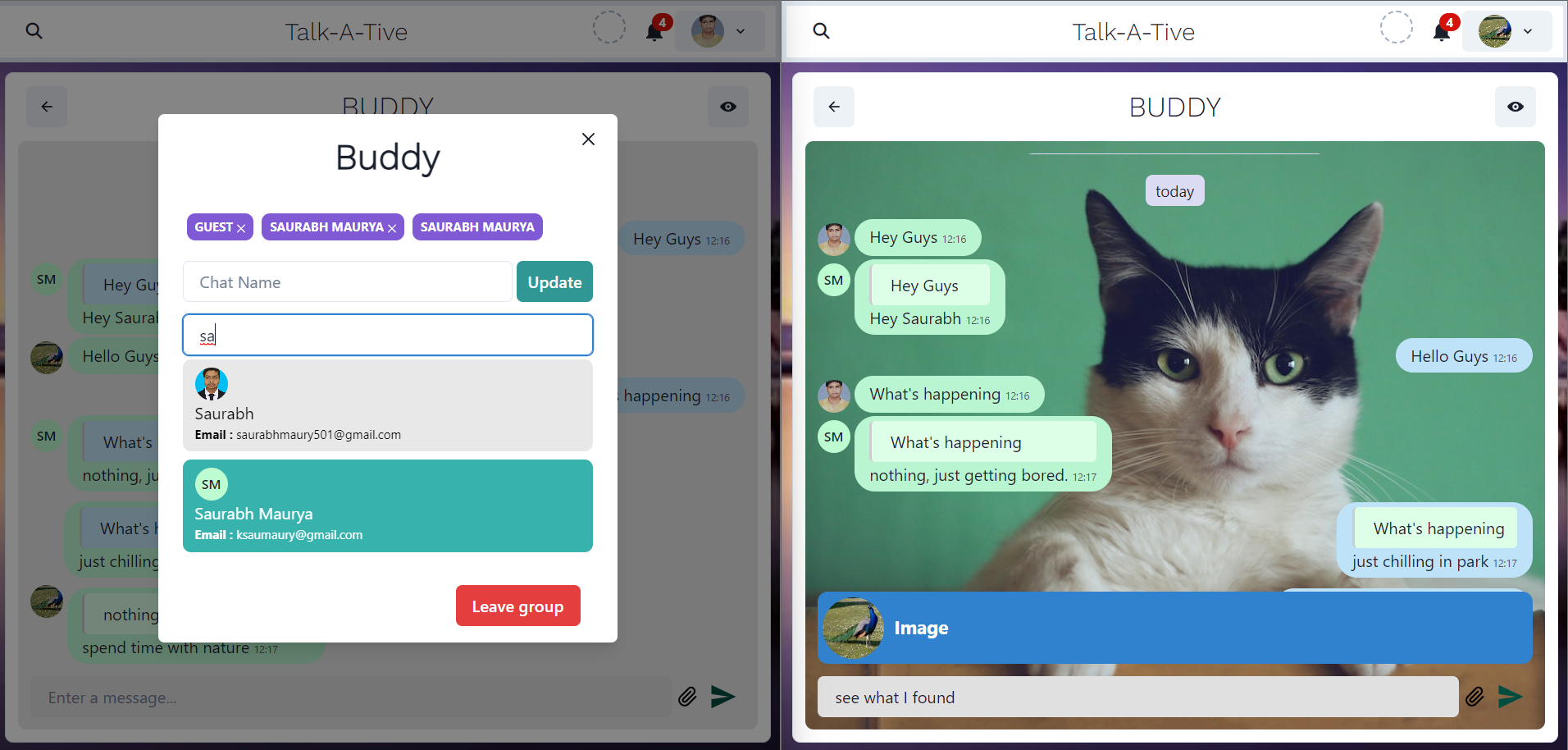
- Group Admin Privileges: In group chats, designated group admins have full control to add or remove members from the group.
- Group Name Customization: While group admins have additional powers, all members can actively participate in the group by having the ability to change the group name.
- Typing Indicator: Users can see real-time typing indicators in chats, showing when others are composing messages.
- Message Forwarding: Users have the ability to delete or forward messages to other chats.
- Reply to Messages: Users can reply to particular messages within the chat and can traverse to the tagged message.
- Smart Reply: Users can generate automatic replies to others' messages. This feature has been implemented using OpenAI api and replies to messages containing text content.
- Emoji Picker: Users can send emojis in by picking emojis from the
emoji-picker. This feature has only been made available for desktop usersmin-width:768px. (deprecated in production) - Mute Chats: Users can mute specific chats to stop receiving notifications temporarily.
- Delete Chats: Users can also delete a specific chat.
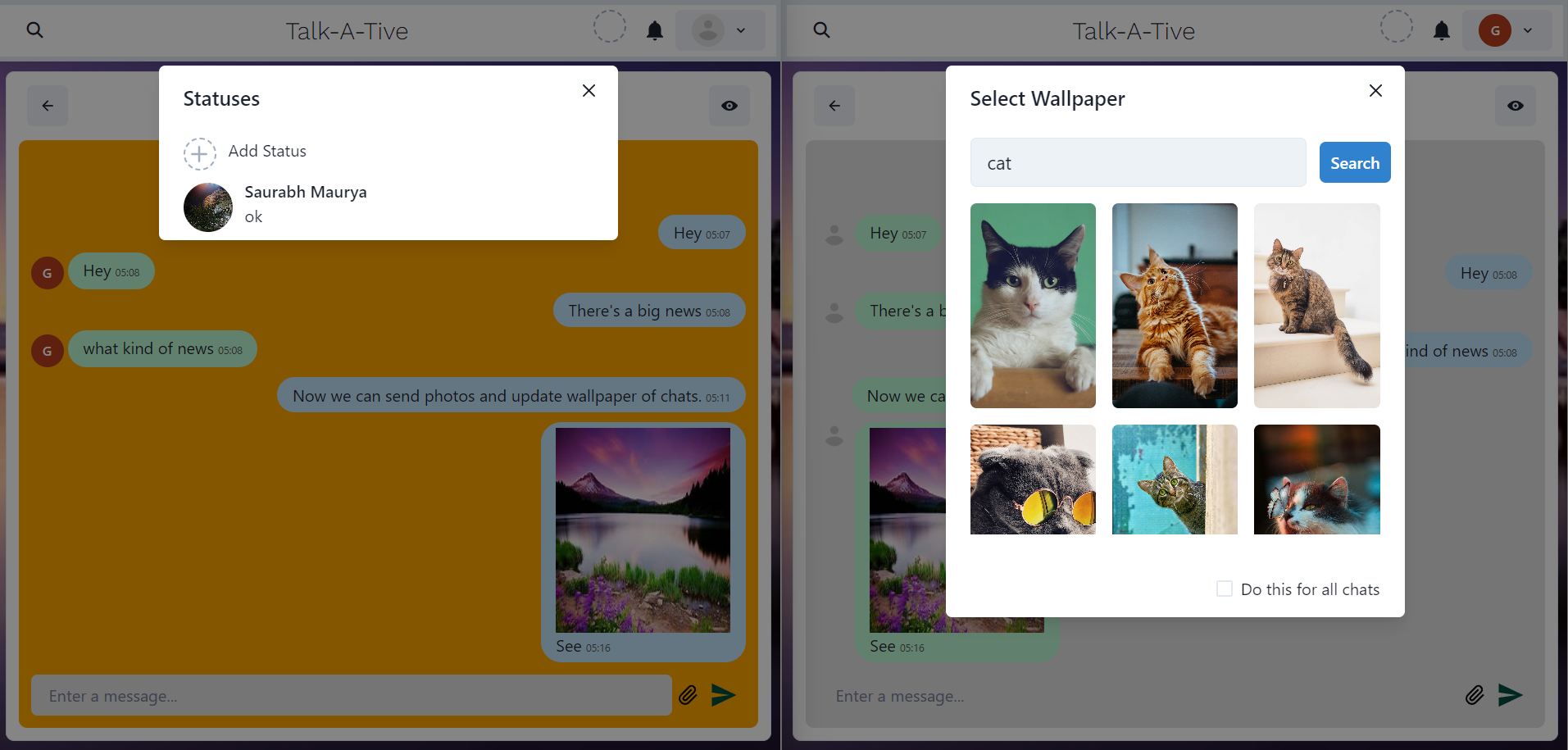
- Chat Wallpaper: Users can update the wallpaper of a particular chat or all at once.
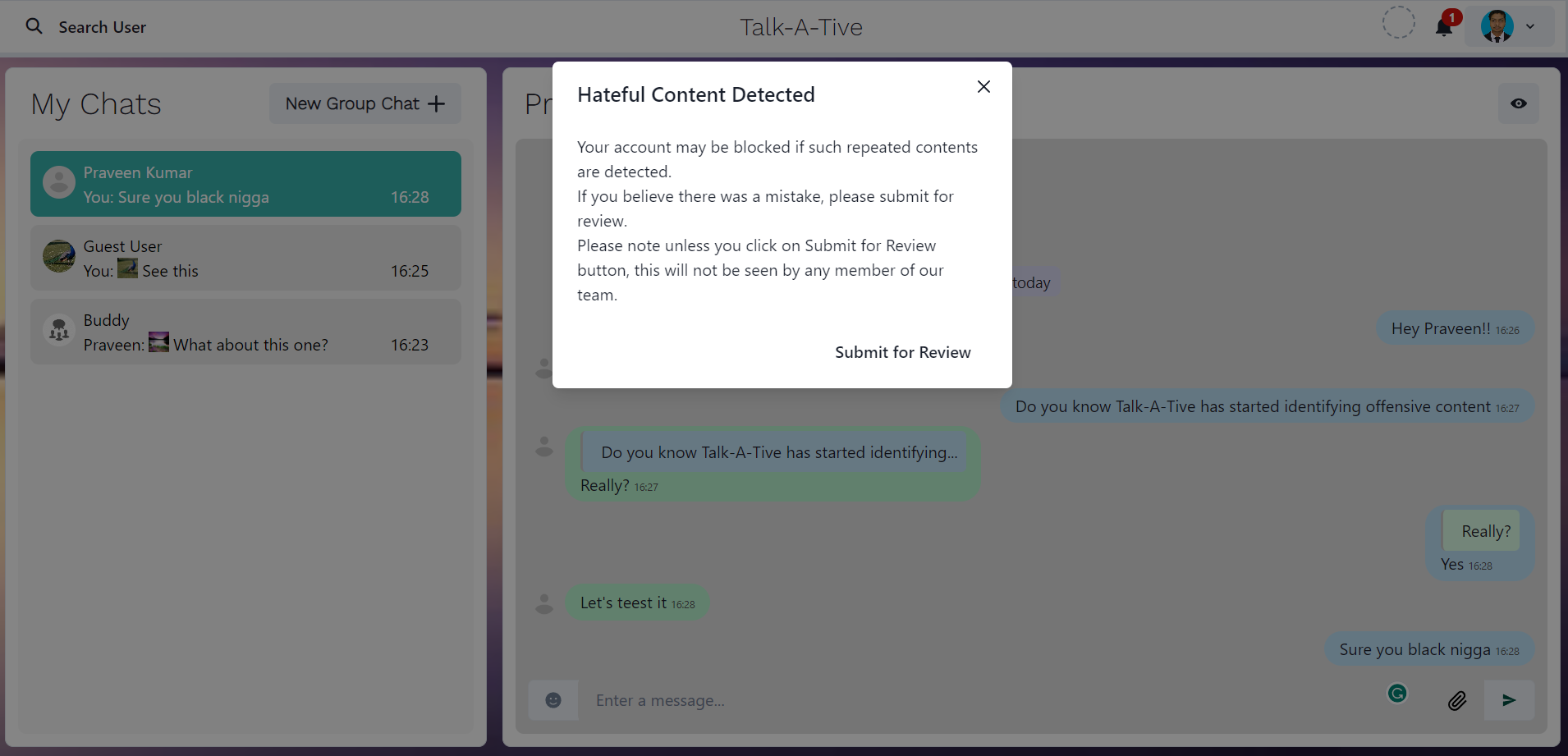
- Offensive Content Detection Offensive Content is being detected in the messages being sent and if for a user 10 messages have been found offensive the user will be blocked and won't be able to further access the site. Refer to Offensive Content Detection for more info.
-
User Profile:
- User Search: Users can search for other users to initiate conversations with them.
- Status Updates: Users can update their status with a photo and caption which expires after 24 hours.
- Profile Picture: Users can update their profile picture to personalize their account.
-
Notifications and Account Management:
- Notifications: Users receive notifications for new messages, ensuring they never miss important conversations.
- Reset Password: Users can reset their account password if they forget.
-
Gamification
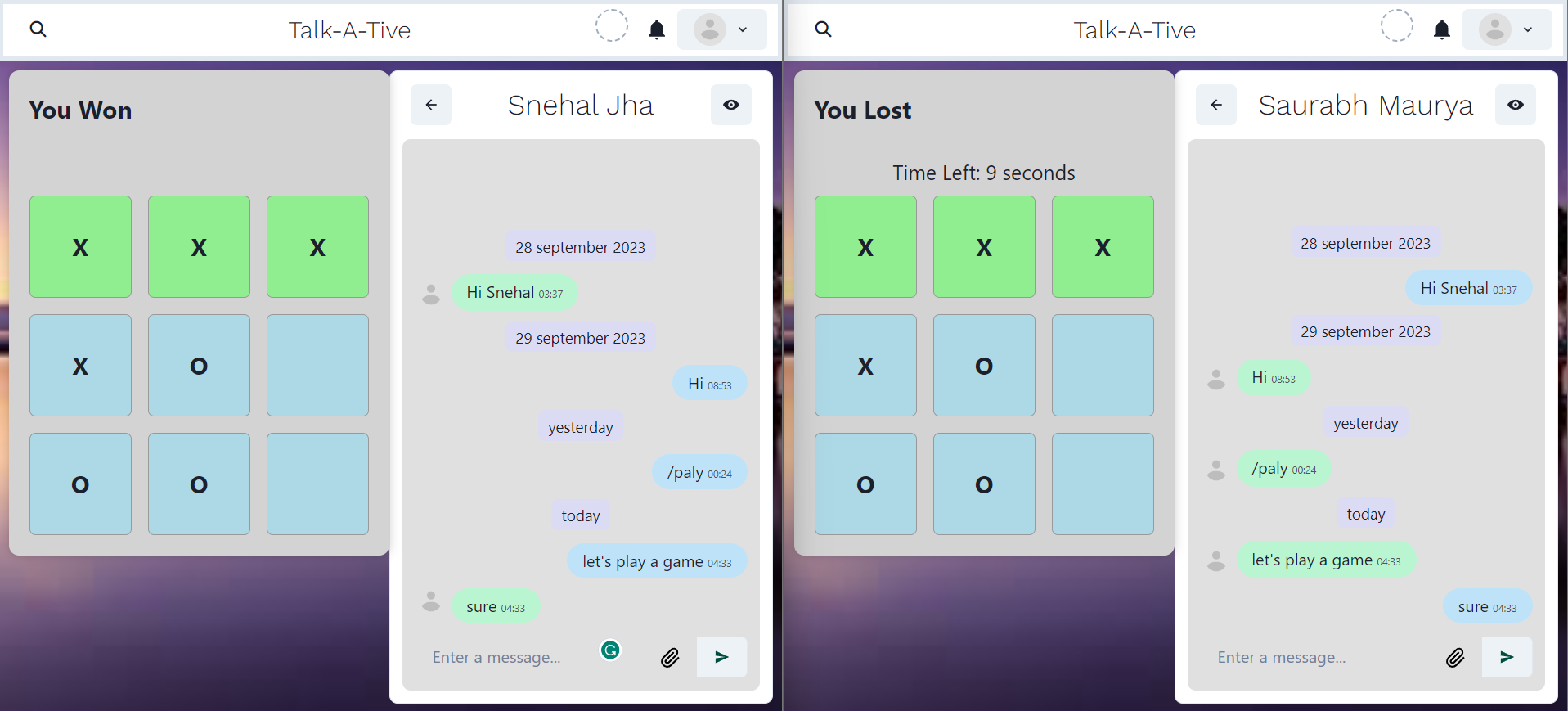
- Tic-Tac-Toe: Users can play tic-tac-toe game with each other. A game will be initiated by sending
\playon any personal chat. The Opponent may choose to refuse to play.
- Tic-Tac-Toe: Users can play tic-tac-toe game with each other. A game will be initiated by sending
-
Chron Job is being used to remove expired statuses and otps.
The MERN Stack Chat App is built using the following technologies:
- MongoDB: A popular NoSQL database for storing user information and chat messages.
- Express.js: A flexible web application framework for building the server side of the app.
- React.js: A powerful JavaScript library for building the user interface.
- Node.js: A server-side JavaScript runtime environment used for running the server and handling requests.
- Socket.IO: A real-time bidirectional event-based communication library for instant messaging functionality.
- Chakra UI: A simple and accessible component library for building user interfaces.
- bcryptjs: A library for encrypting user passwords securely.
- dotenv: A module for loading environment variables from a
.envfile. - express-async-handler: A utility to handle asynchronous errors in Express.js.
- fs: A built-in Node.js module for working with the file system.
- googleapis: A library for interacting with various Google APIs.
- http-proxy-middleware: A middleware for proxying requests in Express.js.
- jsonwebtoken: A library for creating and verifying JSON Web Tokens (JWT).
- mongoose: An Object Data Modeling (ODM) library for MongoDB and Node.js.
- nodemailer: A module for sending emails using Node.js.
- react-overflow: A React component for handling overflow content.
- Cloudinary: A cloud-based media-management platform.
- node-cron A cron-like task scheduler for nodeJS.
- emoji-picker A user interface component offering a variety of emojis.
Flask API has been used for this purpose. If a user believes that a message has been incorrectly flagged as Offensive or Hateful, they have the option to request a review by clicking the Submit for Review button in the Modal. Until unless the user ticks submit for review, the message won't be recorded. The message submitted for review may also be added to the training dataset for further training the model using Google Sheets API.
To run the MERN Stack Chat App locally, follow these steps:
- Clone the repository:
git clone https://github.com/srbmaury/MERN-Chat-App.git - Navigate to the project directory:
cd MERN-Chat-App - Install the backend dependencies:
npm install - Install the frontend dependencies:
cd frontendthennpm install - Create a
.envfile in the root directory with the following environment variables:
- For Connection to MongoDB and Login
PORT=3000
MONGO_URI=your-mongodb-connection-string
JWT_SECRET=your-jwt-secret
- For Encrypting Messages
ENCRYPTION_KEY=your-encryption-key
- For Sending Email
EMAIL_ID=your-email-id
PASSWORD = App-specific Password in Gmail
- For Working with Photos
CLOUD_NAME=your-cloudinary-cloud-name
API_KEY=your-cloudinary-api-key
API_SECRET=your-cloudinary-api-secret
UPLOAD_PRESET=cloudinary-upload-preset
- For Otp During Password Reset
OTP_EXPIRATION_TIME_SECONDS = 600
- For Searching Photos for Wallpaper
UNSPLASH_ACCESS_KEY=your-unsplash-access-key
- For smart replies
OPENAI_API_KEY=your-openai-api-key
For Sending Data to Google Sheet
CLIENT_EMAIL=your-google-sheets-api-client-email
PRIVATE_KEY=your-google-sheets-api-private-key
GOOGLE_SHEET_ID=your-google-sheet-id
- Use
npm startin the root(MERN-Chat-App) directory.
Make sure to replace the placeholder values (your-mongodb-connection-string, your-jwt-secret, etc.) with the actual values specific to your environment and setup.
Made with ❤️ by srbmaury