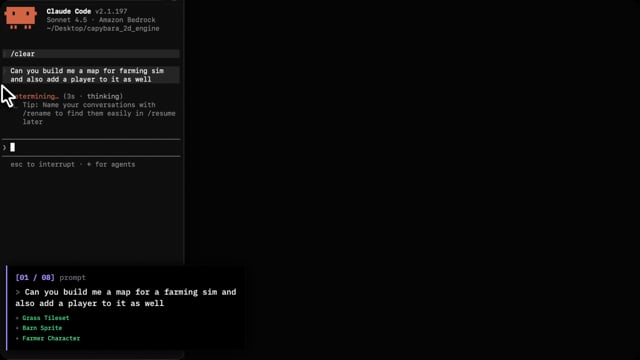
Watch: Engine walkthrough using coding agents
MCP & API key: developer.capybara.build
Community: Join the Discord
The entire public engine interface lives in a single file: src/Game.ts. This gives your agent a stable, predictable surface to learn and call without getting lost in a massive codebase.
- AI-First Workflow: Built from the ground up for generated maps, characters, props, audio, and widgets.
- Simple Interfaces: Thin public APIs with deep modules underneath. It gives agents room to customize without the engine limiting what they can build.
- Dependency-Light: Fewer moving parts means fewer version fights, easier extensions, and a codebase small enough for agents to hold in context.
- Server SDK: Includes a built-in SDK (
src/sdk/) to handle the boring parts like player accounts, cloud saves, and multiplayer in just a line or two.
Prerequisite: You'll need to set up the Capybara MCP first to handle asset generation. Grab an API key and follow the setup instructions at developer.capybara.build.
Once that's ready, get the engine running locally:
npm install
npm run dev
I've kept the project structure as clean as possible so it's easy to navigate:
| Path | What it does |
|---|---|
src/Game.ts |
The main facade. This is the primary API for your gameplay code. |
src/sdk/ |
Server functionality (save, auth, and multiplayer). |
src/scenes/ |
Scene entrypoints and orchestration. |
src/systems/ |
Per-frame gameplay logic. |
src/archetypes/ |
Reusable entity defaults. |
src/widgets/ |
DOM HUD plugins. |
src/data/ |
Your generated assets and adapters. |
docs/recipes/ |
Optional implementation patterns to help agents build. |
For detailed architecture rules, coordinate conventions, and common patterns, check out AGENTS.md.
The engine lives on main, and the agent harness folders coexist right alongside it:
| Path | What it does |
|---|---|
AGENTS.md |
Shared agent instructions (for Codex, Cursor, etc.). |
CLAUDE.md |
Claude entry point (imports via @AGENTS.md). |
.claude/skills/ |
Project skills specifically for Claude Code. |
.agents/skills/ |
The same project skills copied over for other agent harnesses. |