https://github.com/staticVoidMan/FindingFalcone
https://www.geektrust.in/coding-problem/frontend/space
To run Swift Package & iOS tests from terminal, run the following command:
./run.sh
Optionally, you can run only the iOS Tests via Fastlane:
cd FindingFalcone-iOS && fastlane test
- Swift Package located at
FindingFalcone\Package.swift - iOS Project located at
FindingFalcone-iOS\FindingFalcone-iOS.xcodeproj
Considerations:
- Device Support for both iPhone & iPad
- UI setup programmatically via AutoLayout
- MVVM to separate the business logic
- Flow Coordinators to separate navigation logic
- Swift Packages for reusability & dependency management:
FindingFalconeCoretarget - Contains the core functionality & protocolsFindingFalconeAPItarget - ExtendsFindingFalconeCoreto add the API layer.
- Unit test cases for both the Swift Package & the iOS codebase
- Reusable components in iOS codebase:
StatusLight&ItemPickerVC - Localisation done to support 2 languages
- Adequate documentation
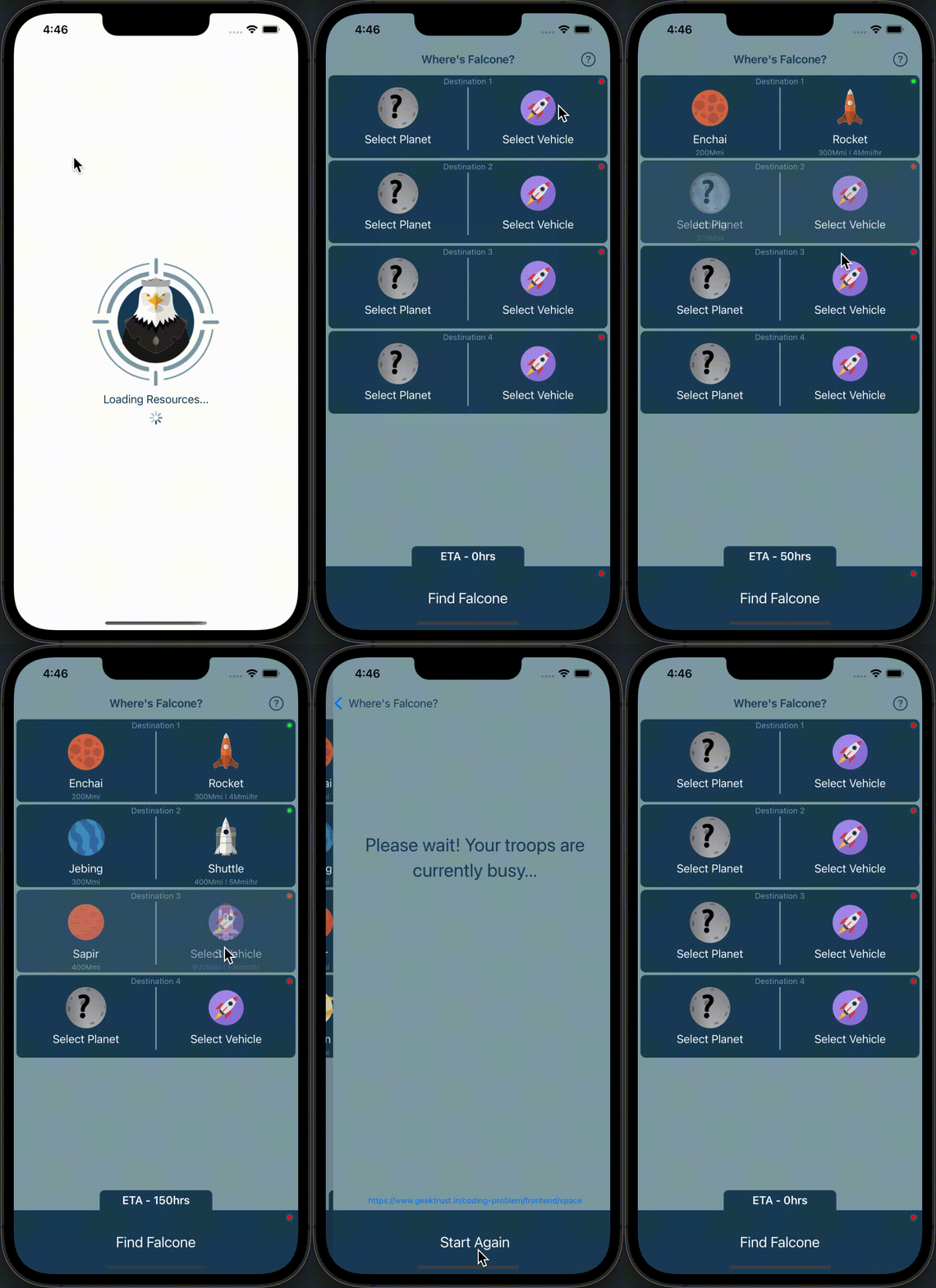
See problem.pdf for complete details.
See api.postman.json to load the API collection in Postman.