







|
No Java JRE. No Python venv. No bundled Chromium. DBX ships as a single small binary — download, install, connect. DBeaver needs Java; TablePlus is macOS-only. DBX runs everywhere with nothing extra. |
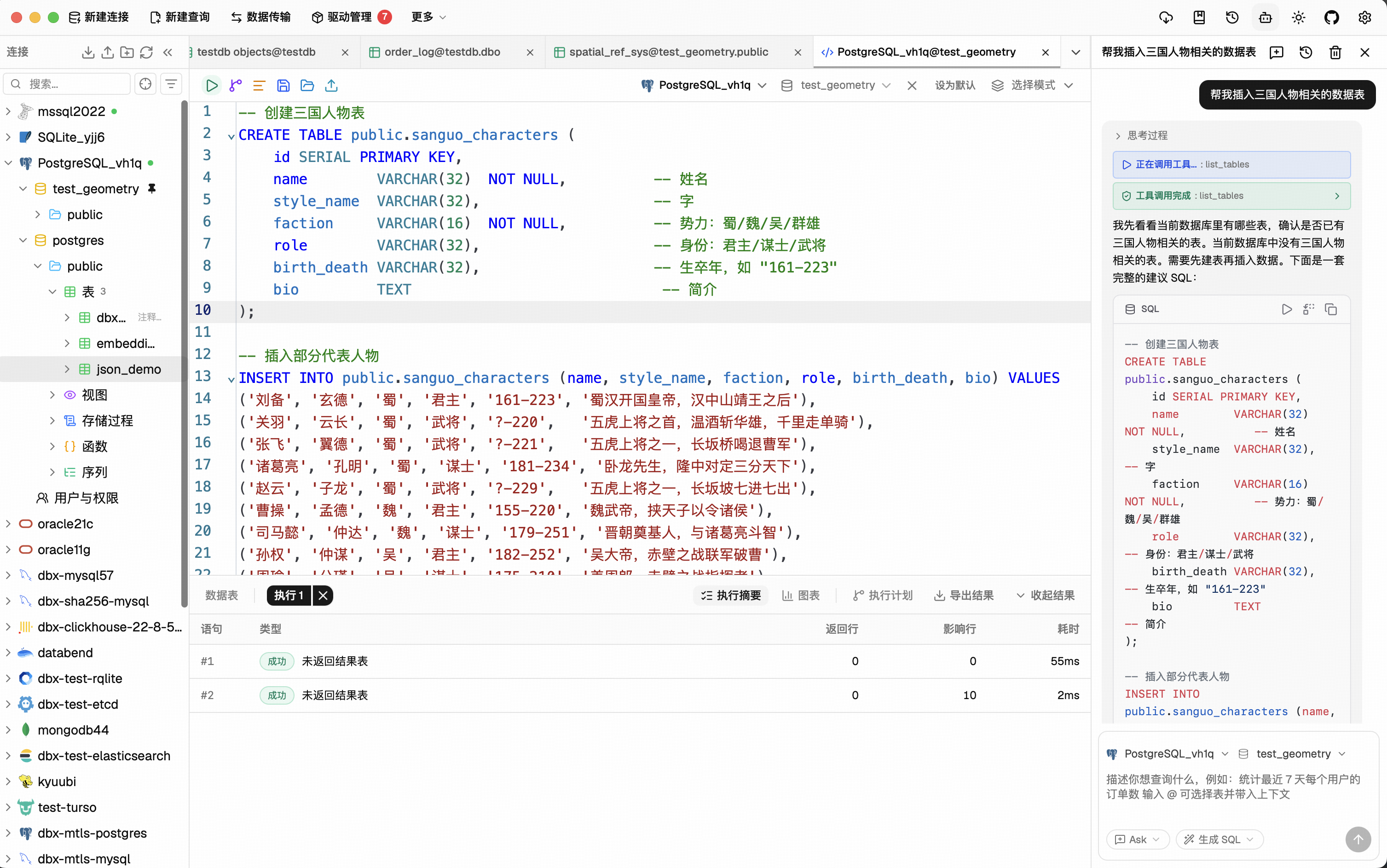
Highlight a table, describe what you want, get SQL back — no copy-paste between tools. Works with Claude, OpenAI, or local models via Ollama. Built-in safety checks review AI-generated SQL before it runs. |
|
DBX speaks the Model Context Protocol. Claude Code, Cursor, Windsurf, and other AI coding agents can query your databases through connections you already set up. One config, everywhere. |
Native app on macOS, Windows, and Linux. Self-host via Docker for team access. Web version for browser-only environments. Same feature set. Same connections. |
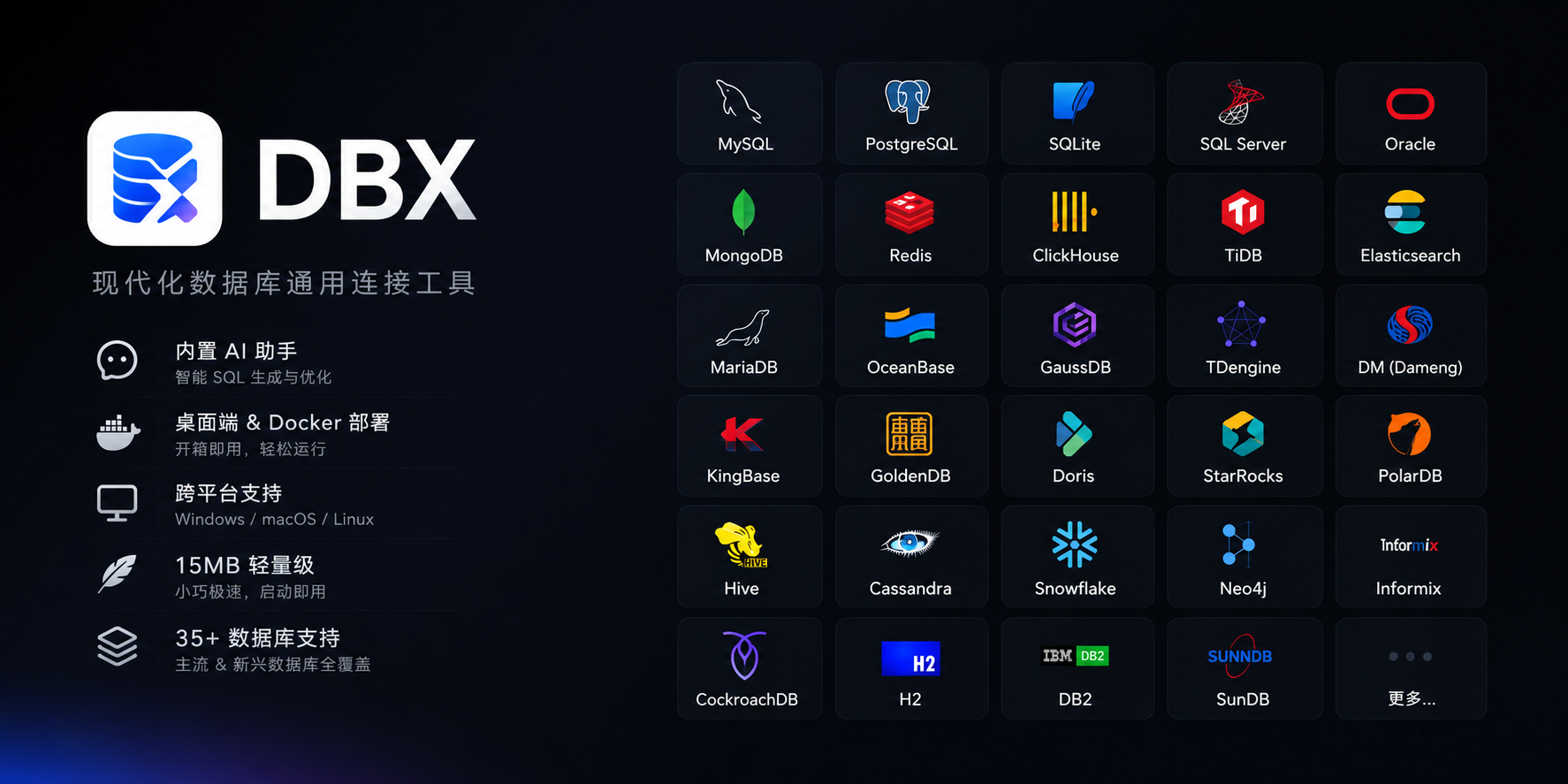
MySQL, PostgreSQL, SQLite, Redis, MongoDB, DuckDB, ClickHouse, SQL Server, Oracle, Elasticsearch, Qdrant, Milvus, Weaviate, MariaDB, TiDB, OceanBase, openGauss, GaussDB, KWDB, KingBase, Vastbase, GoldenDB, Doris, SelectDB, StarRocks, Manticore Search, Redshift, DM, TDengine, XuguDB, CockroachDB, Access, HighGo, and more. Agent/JDBC-oriented profiles extend DBX to H2, Snowflake, Trino, PrestoSQL, Hive, DB2, Informix, Neo4j, Cassandra, BigQuery, Kylin, SunDB, and custom JDBC connections. New native and agent-driven drivers also cover Databricks, SAP HANA, Teradata, Vertica, Firebird, Exasol, YashanDB, GBase 8a/8s, Databend, RQLite, Turso, InfluxDB, QuestDB, IoTDB, etcd, ZooKeeper, Nacos, IRIS, and more. Message queue admin is also available for Pulsar, Kafka, and RocketMQ. All in a single ~15 MB app. No bundled Chromium.
CodeMirror 6 with SQL syntax highlighting, metadata-aware autocomplete, Cmd+Enter execution, selected SQL execution, SQL formatting, diagnostics, and 9 editor themes. Persistent query history, saved SQL snippets, tab restore, and SQL file execution keep repeat work close at hand.
Describe what you want in plain language — get SQL back. DBX can explain queries, optimize SQL, fix errors, and run AI-generated SQL through built-in safety checks. Works with Claude, OpenAI, local models, or any OpenAI-compatible endpoint.
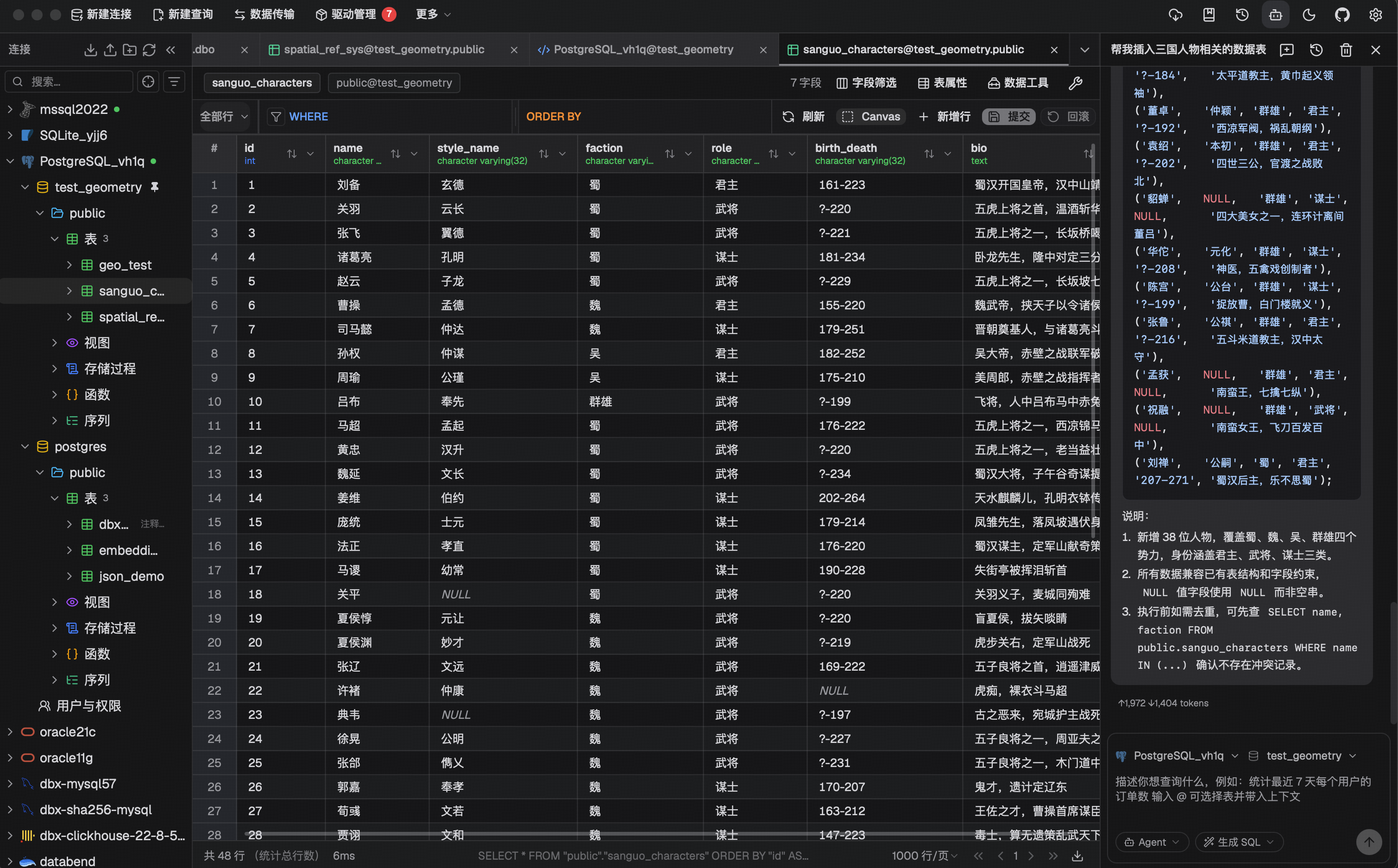
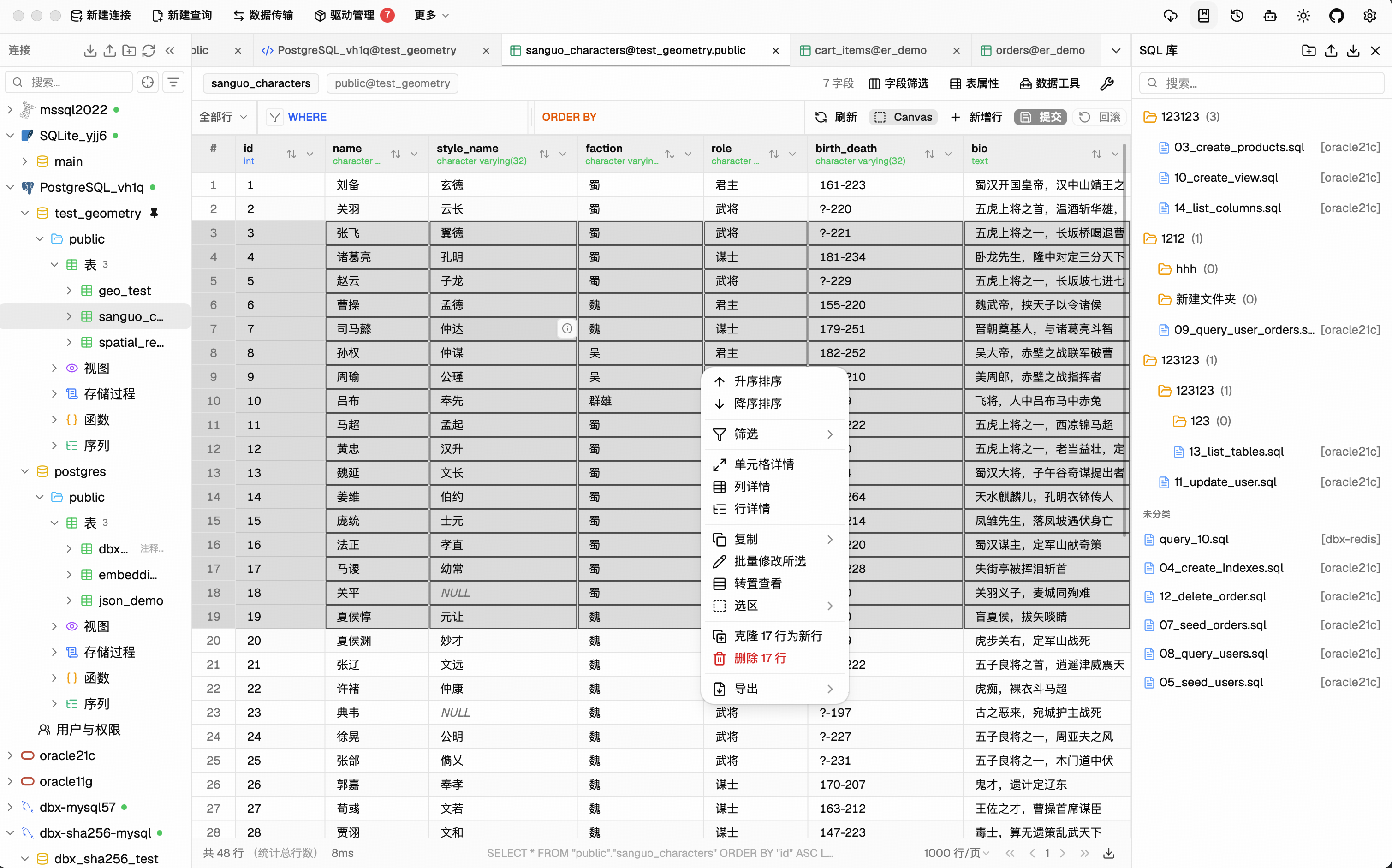
Virtual-scrolled table that handles large result sets. Inline editing, SQL preview before save, WHERE / ORDER BY controls, DataGrip-style filters, LIKE / NOT LIKE context filters, sorting, full-text search, pagination, column resize, auto-fit, row numbers, zebra stripes, and full cell details. Export or copy as CSV, JSON, Markdown, XLSX, or INSERT statements.
- Schema browser — databases, schemas, tables, columns, indexes, foreign keys, triggers, with sidebar search & pin
- Object browser — grouped procedures, functions, views, and source editing where supported
- Table structure editor — reviewable column and index changes for supported engines
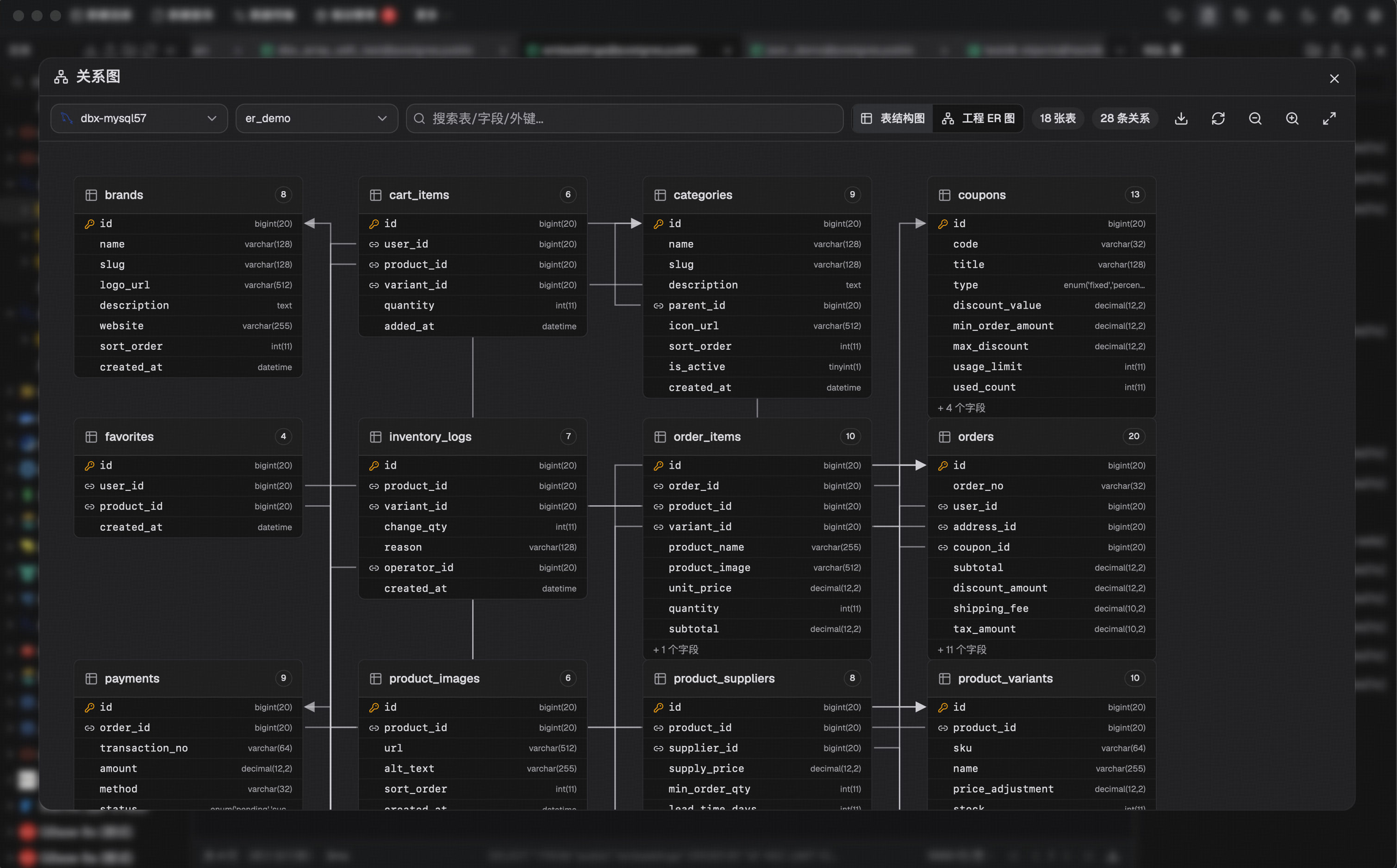
- ER diagram — visualize table relationships
- Schema diff — compare structures across connections
- Explain plan — visual query execution plan
- Field lineage — column-level lineage analysis
- Database search — find objects across large schemas
- Table import — CSV, Excel
- Data transfer — migrate between databases
- Database export — full database dump
- Data compare — compare table data and review synchronization output
- SQL file execution — run
.sqlfiles directly - File preview — drag & drop Parquet, CSV, JSON to preview instantly (powered by DuckDB)
- Connection import — bring connection profiles from DBeaver or Navicat
- Redis — key pattern search, batch key operations, command runner, TTL editing, and all data types (String, Hash, List, Set, ZSet, Stream)
- MongoDB — document CRUD with pagination, Atlas & replica set URL connection
SSH tunnel (key & password) · database and AI proxy settings · auto-reconnect on connection loss · confirmation dialogs for destructive operations · encrypted config export/import · color-coded connections · driver store and optional JDBC plugin
Dark mode with native title bar sync · 9 editor themes · English, 简体中文 & Español · layout preferences · built-in auto-update
DBX provides an MCP server that lets AI coding agents query your databases using connections already configured in DBX.
npx @dbx-app/mcp-serverAdd to your .mcp.json:
{
  "mcpServers": {
    "dbx": { "command": "npx", "args": ["-y", "@dbx-app/mcp-server"] }
  }
}
Works with Claude Code, Cursor, Windsurf, and any MCP-compatible agent. Supports listing connections, browsing tables, executing SQL, and opening tables directly in DBX's UI.
DBX also provides a dedicated CLI package for terminal, script, and Codex workflows:
npm install -g @dbx-app/cli
# or via Homebrew
brew tap t8y2/dbx && brew install dbx-cli
dbx connections list --json
dbx query local "select 1" --json
See the MCP server README and CLI README for details.
Download the latest release from the Releases page.
Homebrew (macOS):
brew install --cask dbxScoop (Windows):
scoop bucket add dbx https://github.com/t8y2/scoop-bucket
scoop install dbx
WinGet (Windows):
winget install t8y2.dbx
DBX provides a web version that can be deployed via Docker.
docker run -d --name dbx -p 4224:4224 -v dbx-data:/app/data t8y2/dbxOr with Docker Compose. A ready-to-use example lives at deploy/docker-compose.yml:
services:
  dbx:
    image: t8y2/dbx
    ports:
      - "4224:4224"
    volumes:
      - dbx-data:/app/data
    restart: unless-stopped

volumes:
  dbx-data:
Open http://localhost:4224 in your browser. Multi-arch images (amd64 / arm64) are available.
To publish DBX under a reverse-proxy context path such as /dbx, set the
runtime base path and proxy the same prefix to the container:
environment:
  - DBX_PUBLIC_BASE_PATH=/dbx
When building the frontend yourself with an absolute asset base, set
VITE_DBX_BASE_PATH=/dbx/ before pnpm build.
macOS:
No additional dependencies required.
Linux (Ubuntu/Debian):
sudo apt-get install -y libwebkit2gtk-4.1-dev libgtk-3-dev libappindicator3-dev librsvg2-dev patchelf libssl-devWindows:
No additional dependencies required.
makemake installs root dependencies when needed and starts the local Tauri desktop development environment.
Tip
DuckDB compilation takes a while. If you're not working on DuckDB features, skip it to speed up local builds:
# Fast checks (skip DuckDB)
make cargo-check-fast
make cargo-test-fast

# Tauri dev without DuckDB
make dev-fast
The --no-default-features flag only affects local development.
Release builds (pnpm tauri build) always include DuckDB.
Web version:
make dev-web       # frontend
make dev-backend   # backend
Documentation site:
make docsThe official DBX documentation site lives in docs/. If you want to improve the website content or documentation pages, edit the files under docs/ and run make docs to preview the site locally.
JDBC agent driver development projects live in agents/:
cd agents
./gradlew test
Build artifacts from agents/drivers/<db-type>/build/libs/ are picked up by local driver install flows when available.
make packageThe installer will be in src-tauri/target/release/bundle/.
| Layer | Technology |
|---|---|
| Framework | Tauri 2 |
| Frontend | Vue 3 + TypeScript |
| UI | shadcn-vue + Tailwind CSS |
| Editor | CodeMirror 6 |
| Backend | Rust + sqlx / tiberius / redis-rs / mongodb |



