
Tavern is a modern, fast, and beautiful Homebrew client for Linux, built with Python, GTK 4, and Libadwaita. It provides a premium "App Store" experience for managing your Homebrew formulae and casks.
Flatpak (Linux, recommended, with automatic updates):
flatpak remote-add --user --if-not-exists tuna-os oci+https://tuna-os.github.io/Tavern
flatpak install --user tuna-os org.tunaos.tavern
Homebrew (macOS + Linux):
brew tap hanthor/homebrew-tap && brew install --cask hanthor/tap/tavernOn macOS this installs Tavern.app; on Linux it installs a prebuilt AppImage and symlinks it as tavern on your PATH.
Important
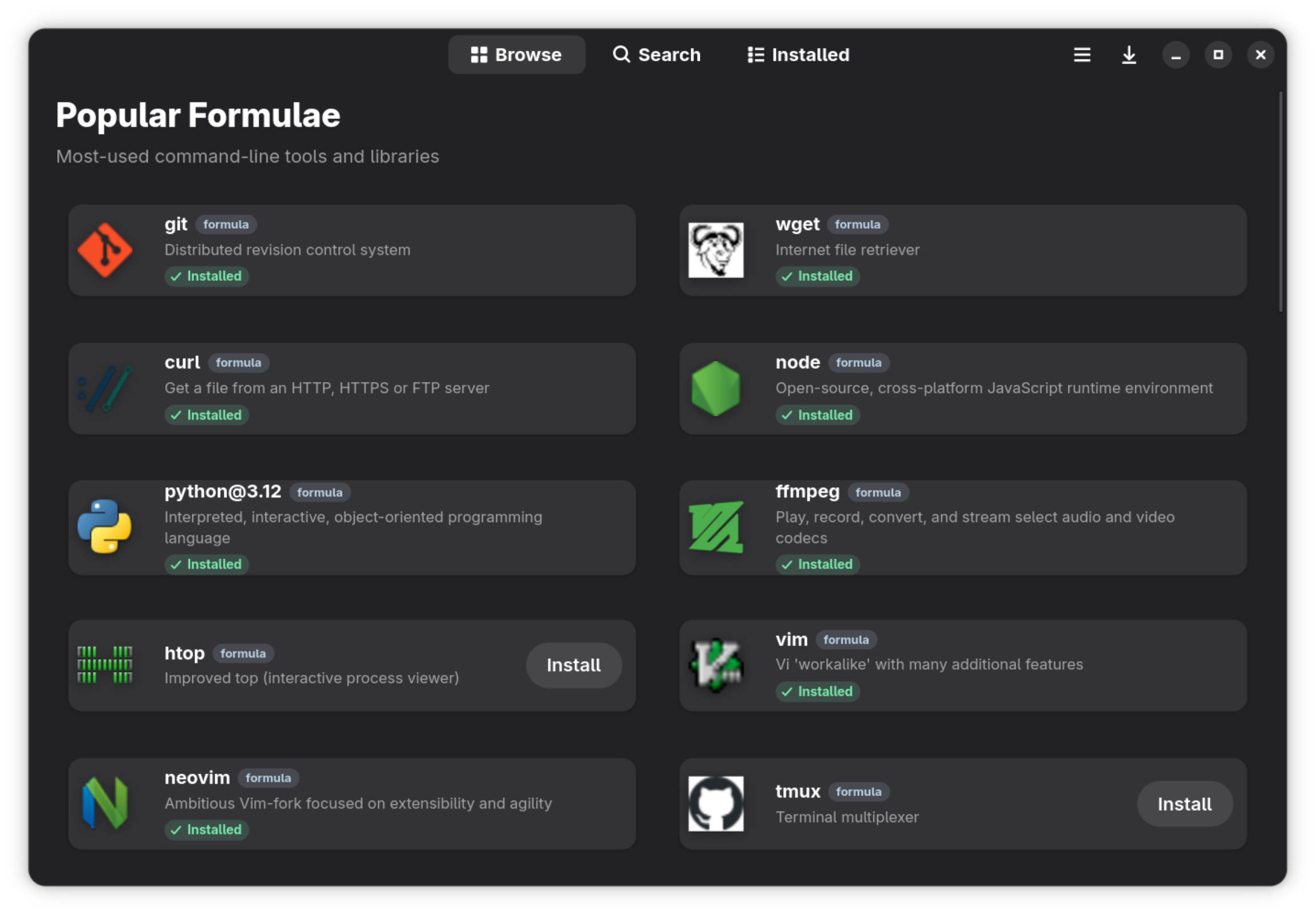


- 🏠 Curated Browse: Discover popular and featured applications.
- 🔍 Fast Search: Instant searching across thousands of formulae and casks.
- 📦 Package Details: Rich information including descriptions, versions, dependencies, and screenshots.
- 📄 Brewfile Support: Open and manage
.Brewfiles to bulk-install or remove entire environments. - ⚡ Task Management: Parallel installations and removals with a global progress indicator.
- 🌗 Native Design: Beautiful Libadwaita interface with full Dark Mode support and responsive layouts.
- 🐧 Linux First: Smart filtering to hide macOS-only casks on Linux systems.
The easiest way to install Tavern is via Homebrew using the hanthor/tap:
brew tap hanthor/homebrew-tap
brew install --cask hanthor/tap/tavern
The cask handles both platforms: Tavern.app on macOS and a prebuilt AppImage on Linux, so you don't need Tavern's build dependencies on your machine. If you'd prefer a sandboxed install on Linux, use the Flatpak instead (see below).
- Homebrew installed and in your PATH.
- Python 3.10+
- GTK 4 and Libadwaita development headers.
brew install gtk4 libadwaita meson ninja pygobject3 gettext desktop-file-utils blueprint-compiler
-
Clone the repository:
git clone https://github.com/tuna-os/Tavern.git cd Tavern -
Run the build and launch script:
./run.sh
meson setup builddir
meson compile -C builddirmeson compile -C builddir runTo get automatic updates directly through your software center (like GNOME Software or KDE Discover) or CLI, add the official tuna-os OCI remote:
flatpak remote-add --user --if-not-exists tuna-os oci+https://tuna-os.github.io/Tavern
flatpak install --user tuna-os org.tunaos.tavernIf you prefer to install a one-off nightly build from the main branch:
wget https://nightly.link/tuna-os/Tavern/workflows/flatpak/main/Tavern-Linux-CI.zip
unzip Tavern-Linux-CI.zip
flatpak install --user --reinstall Tavern-Linux-CI.flatpakContributions are welcome! See CONTRIBUTING.md for dev setup, tests, and PR guidelines.
Tavern is released under the GPL-3.0-or-later license. See LICENSE for details.
Part of the TunaOS ecosystem. Docs · Contributing