
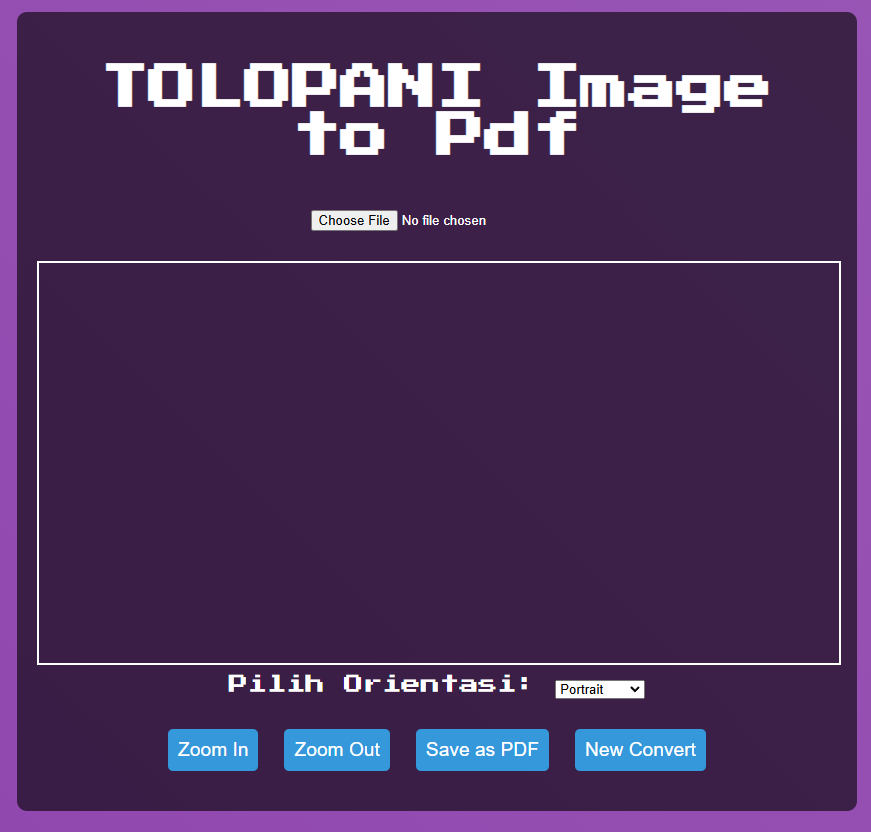
TOLOPANI Image to PDF is a web-based tool that allows users to convert images to PDF with options to preview, zoom, and adjust the orientation before saving. It is designed to replace traditional image-to-PDF tools such as CamScanner, providing a simple and easy-to-use interface.
This tool is responsive, optimized for mobile screens (portrait mode), and provides users with the flexibility to adjust the image's zoom and orientation (portrait or landscape) before converting it to PDF.
- Image Upload: Upload any image file to convert it into a PDF.
- Preview: Preview the image before conversion.
- Zoom: Zoom in and out on the image to adjust it.
- Orientation Selection: Choose between portrait and landscape orientation for the final PDF.
- Download PDF: Convert the image into a PDF and download it.
- New Convert: Reset the current image and start a new conversion.
- Upload Image: Click on the file input to upload an image from your device.
- Preview the Image: The image will be displayed on the canvas. You can zoom in and zoom out to adjust its appearance.
- Select Orientation: Choose between Portrait or Landscape for the final PDF.
- Save as PDF: Click on the "Save as PDF" button to download the image as a PDF with your selected settings.
- New Convert: To start over, click the "New Convert" button to clear the current image and reset the settings.
- A modern web browser (Chrome, Firefox, Safari, etc.)
- An internet connection to load the app and its dependencies
- HTML5: For structuring the content.
- CSS3: For styling and responsive design.
- JavaScript: For handling user interaction and functionality.
- jsPDF: A JavaScript library to generate PDF documents from the image.
To use the application locally or deploy it:
-
Clone the repository:
git clone https://github.com/tuwiliyt/tolopani-image-to-pdf.git
-
Navigate to the project directory:
cd tolopani-image-to-pdf -
Open index.html in your web browser to run the app.
Contributions Feel free to contribute to the project by forking the repository and creating pull requests. If you find any bugs or have suggestions for new features, please open an issue!
License This project is licensed under the MIT License - see the LICENSE file for details.
Acknowledgments Special thanks to the creators of jsPDF for the PDF generation library. Thanks to everyone who has contributed and tested the application.