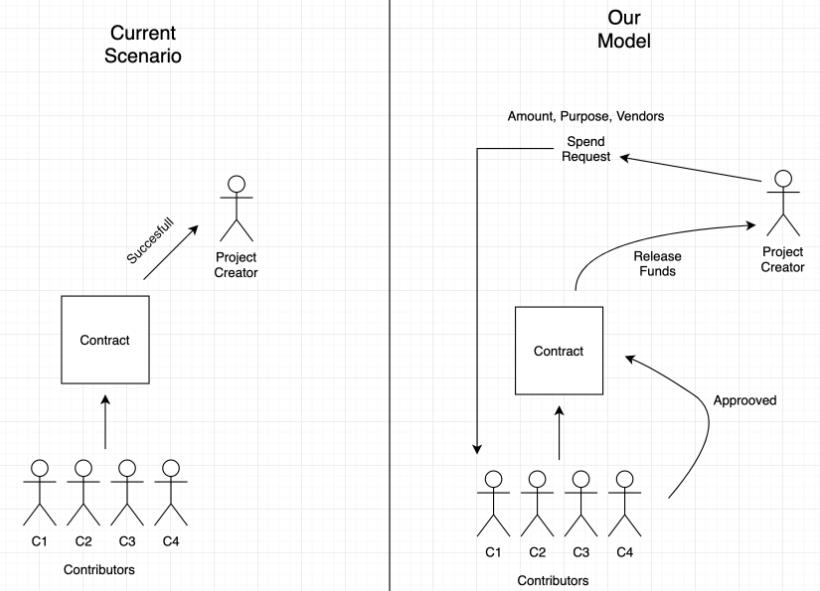
As of today, crowdfunding platforms have accountability and trust problems. In many cases, money from donors/philanthropists has gone into wrong campaigns and has been misused. Implementing a blockchain-based platform can bring in a change. With this project and blockchain smart-contracts, donors would be informed about the payments to be processed by the Fundraiser through request money forms. A smart contract helps to block the funds within blockchain until the campaign organizer makes progress in the campaign.
- With the help of our application people would be able to create campaigns to raise fund for natural calamities, start-ups or any other social/personal causes. Similarly, on other end general public can donate funds for these campaigns.
- Our application goal is to create a transparency between donors and the campaign organizers in the respect of how the money is spent and where it is spent.
- The organizers would not be able to spend the money without informing to the donors about the details of spending.
- We aim to accomplish decentralized crowdfunding application using blockchain and smart contracts.
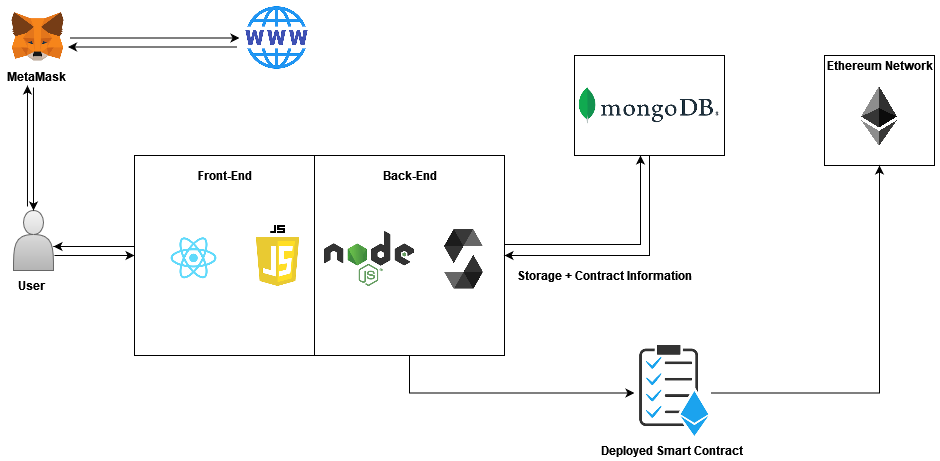
Client: React, HTML, CSS, Bootstrap(v4.0)
Server: Node, Express
Database: Mongoose
- MERN (Mongoose, Express, React and Node)
- Solidity
- Ganache
- Web3.js
- Metamask
- Ant Design
- Bootstrap
Backend Module:-
- bcrypt: v5.0.1
- cookie-parser: v.1.4.6
- dotenv: v.10.0.0
- express: v.4.17.1
- fs: 0.0.1-security
- fs-extra: v.10.0.0
- jsonwebtoken: v.8.5.1
- mongoose: v.6.0.13
- multer: v.1.4.4
- solc: v.0.8.10
- web3: v.1.6.1
Frontend Modules:-
- @truffle/hdwallet-provider: v.1.7.0
- @ethereumjs/common: v.2.6.4
- @ethereumjs/tx: v.3.5.1
- antd: v.4.19.5
- bootstrap: v.4.6.0
- bson: v.4.6.1
- dotenv: v.16.0.0
- js-cookie: v.3.0.1
- jsonwebtoken: v.8.5.1
- path: v.0.12.7
- react: v.17.0.2
- react-bootstrap: v.2.1.1
- react-dom: v.17.0.2
- react-router-dom: v.6.2.1
- react-scripts: 4.0.3
- react-show-more-text: v.1.5.2
- web3: v.1.7.0
| Action | URL | Description | Inputs |
|---|---|---|---|
| POST | /api/user | This request will add a user to the Users Database and handle any errors | Body: { UserSchema Object } |
| GET | /api/user/:id | This request will return user details | Args: id |
| PATCH | /api/user/:id | This request will update the user data corresponding to that particular id | Body: { userAttributes: , updatedValue: } |
| DELETE | /api/user/:id | This request deletes the user Data for that particular id. | Args: id |
| POST | /api/user/login | This request verifies the User using JWT tokens and logs the user in. | Body: { Username: , password: } |
| POST | /api/user/logout | This request logs out the user by expiring the JWT token. | -- |
| Action | URL | Description | Inputs |
|---|---|---|---|
| POST | /api/campaign | This request creates a new campaign object | Body: { CampaignSchema Object } |
| PATCH | /api/campaign/:id | This request will update the campaign data corresponding to the passed particular id | Body: { campaignAttribute: updatedValue } |
| GET | /api/campaign/:id | This request will return campaign details corresponding to the passed particular id | Args: id |
| DELETE | /api/campaign/:id | This request deletes the campaign Data for that particular id. | Args: id |
| GET | /api/campaign/:id/request | This request will return all the requests from requestVOtingHistory of Campaign | Args: id |
| POST | /api/campaign/:id/request | This request creates a new campaign request for a campaign with id=id | Args: id, Body: { campaignRequest: } |
| PATCH | /api/campaign/:id/request/current | This request will update a particular campaign request corresponding to a campaign with id=id | Args: id, Body: { campaignRequest: updatedObject } |
| POST | /api/campaign/:id/request/current/:status | This request deletes a particular campaign request corresponding to a campaign with id=id | Args: id, status |
| Action | URL | Description | Inputs |
|---|---|---|---|
| POST | api/campaign/:id/vote | This request adds a contributor’s vote for a particular campaign | Args: id, Body: { userId:, vote: boolean } |
| POST | api/campaign/:id/donate | This request adds the donor's amount to a campaign’s(with id=id) donor list. Also transfers the amount from the user's Metamask to smart contract. If transactionStatus fails, do not perform anything. | Args: id, Body: { userId:, amount:, transactionStatus: {Success, Failed} } |
You need all the modules installed first to run the Frontend as well as the Backend servers. To do so, run the following command after git-clone:
- Installing all the Backend Modules:-
  git clone <github-project-link>
  cd <github-project-name>
  npm install --save
- Installing all the Frontend Modules:-
  cd frontend
  npm install --save
- Setup all the required Environment variables:-
- Environment variables for Backend:- Place this variables in a .env file in the root directory of your project. The variable list is as follows:
** DATABASE_ENV ** MONGOOSE_URL --> Mongo Atlas Url for your Database API_USER --> API User of your Database API_KEY --> API User Key ** DEVELOPMENT_ENV ** PORT --> Port on which you want your local host to run on SALT --> Salt variable for encoding passwords JWT_SECRET --> Hashed JWT Secket Key for encoding passwords- Environment variables for Frontend:- Place this variables in a .env file in the frontend directory of your project. The variable list is as follows:
Note: Infura and Metamask keys will not be required unless and until you remember to replace the Infura Section and Metamask Section of Transaction Processing with corresponding Ganache-Hardware-Wallet calls.# GANACHE_ENV REACT_APP_GANACHE_API_KEY --> Your Ganache Workspace Mnemonic String #METAMASK DUMMIES REACT_APP_INFURA_API_KEY --> Your Infura API Key REACT_APP_METAMASK_PRIVATEKEY --> Your Metamask Private Key to Sign Transaction on Server Side
To run this project, follow the following code after completing through the installation phase:
-
Step 0 - Compile Smart Contract
cd <github-project-repository>/frontend/src/ETHBackend
node compile-contract.js
Check to see if CLI does not show any errors while compiling mainly due to a different solc version. If not, then check the Build Folder to see if the build is created successfully.
-
Start Backend Server - NODE.js
cd <github-project-repository>
npm run start-dev
-
Start Frontend Server - REACT.js
cd <github-project-repository>/frontend
npm start
Note: If you are using Ganache Wallet and Server, be ready with your Ganache Interface/Workspace.
-
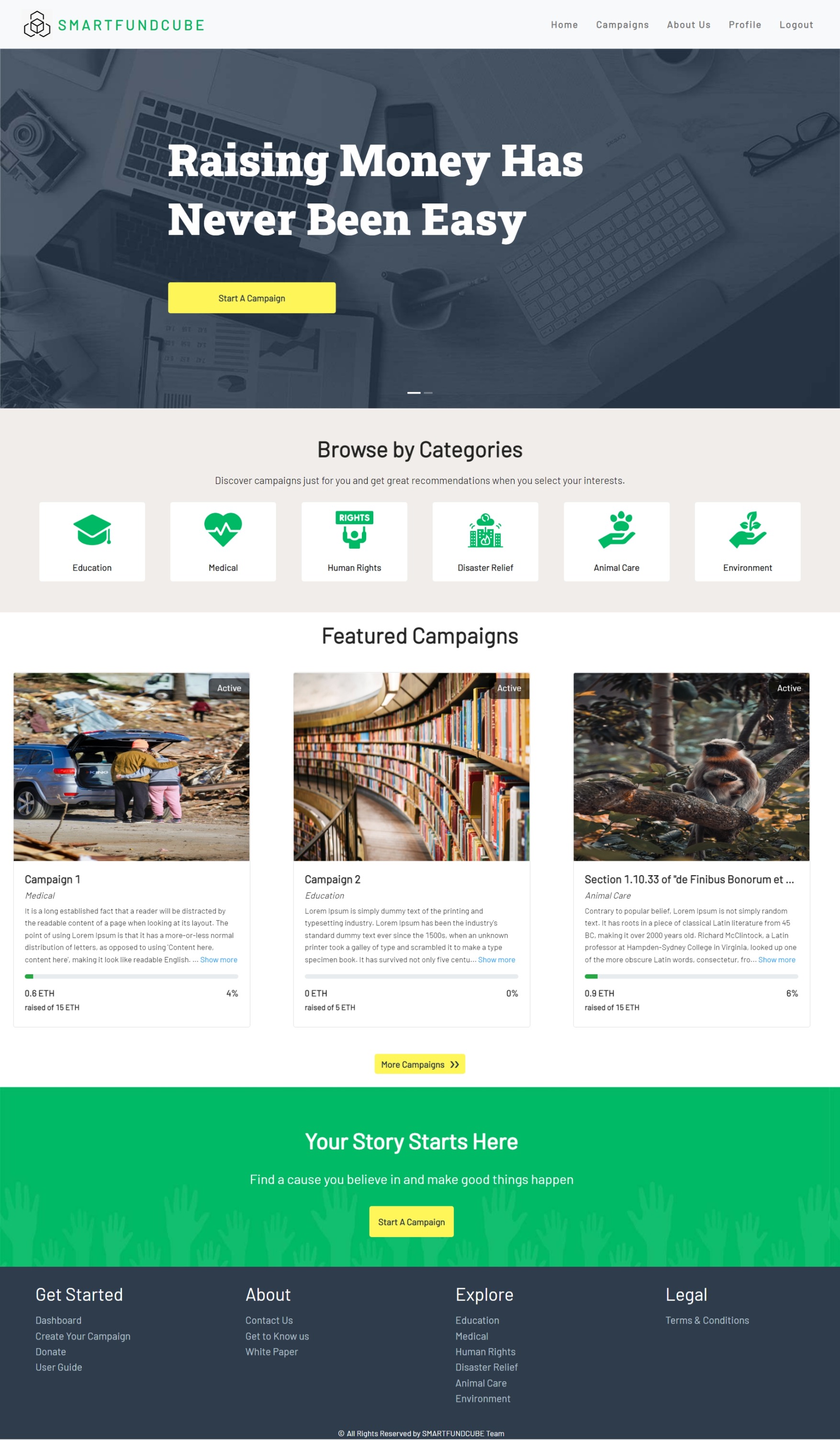
HomePage
-
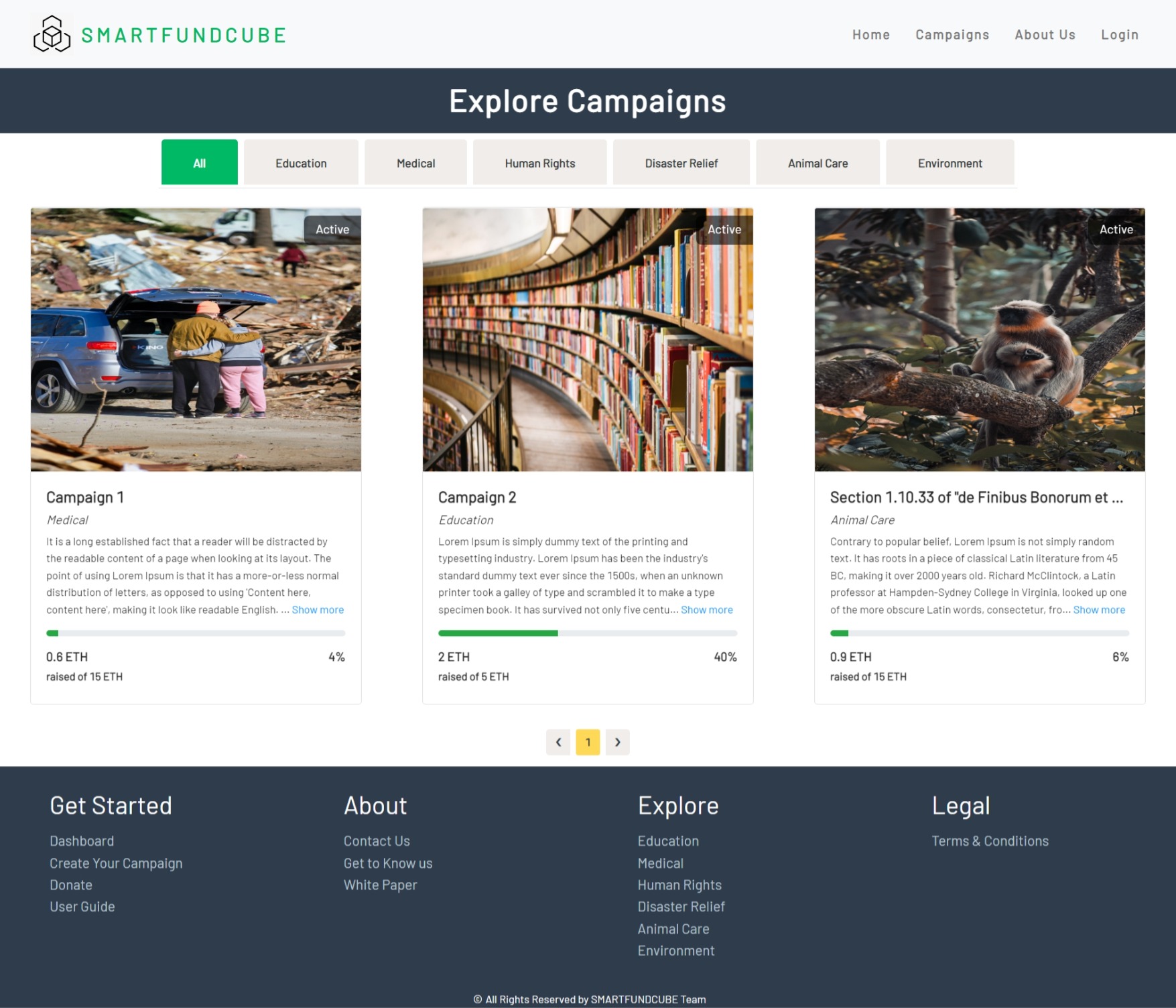
Campaigns Page
-
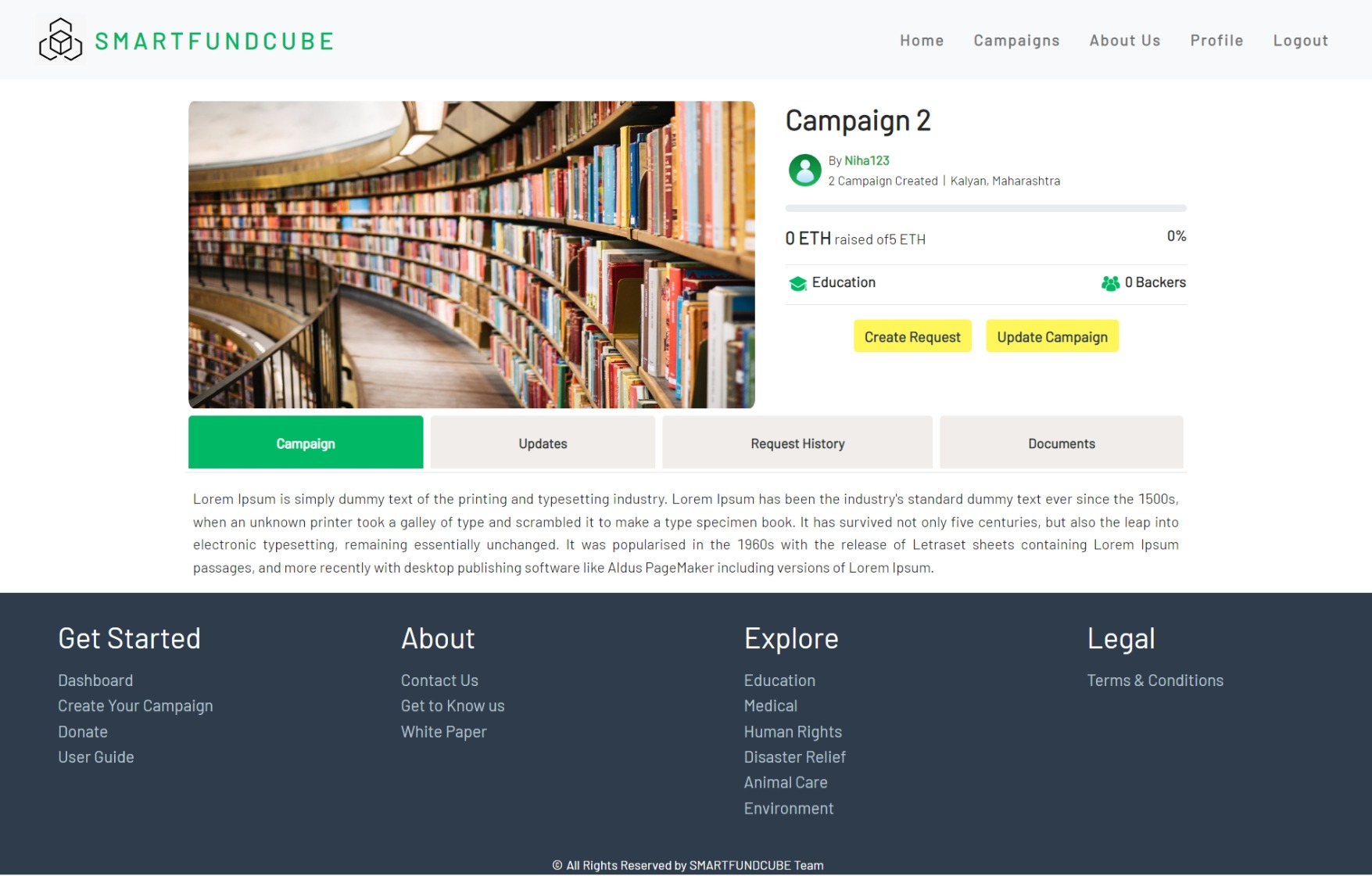
Individual Campaign Page
-
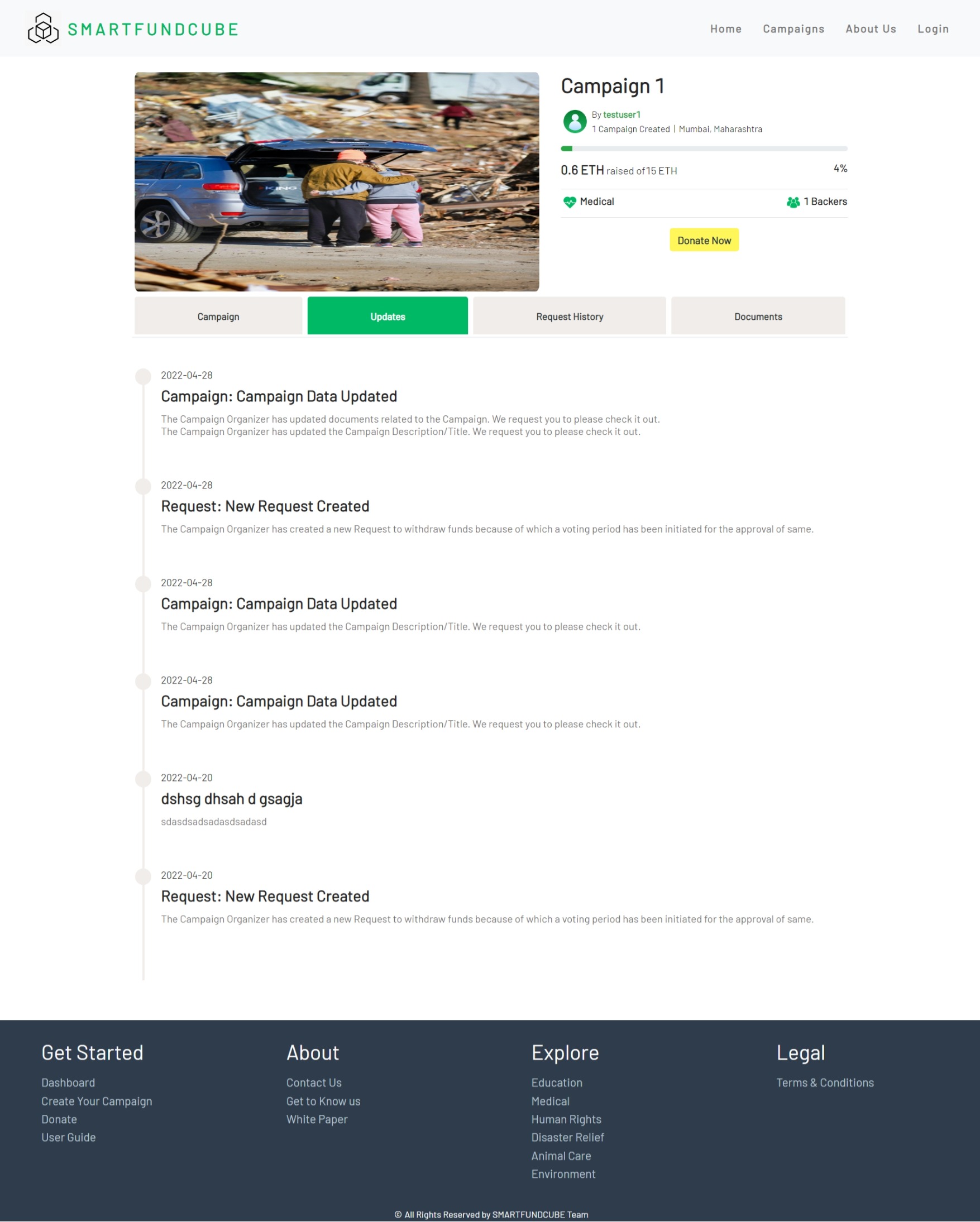
Campaign Updates
-
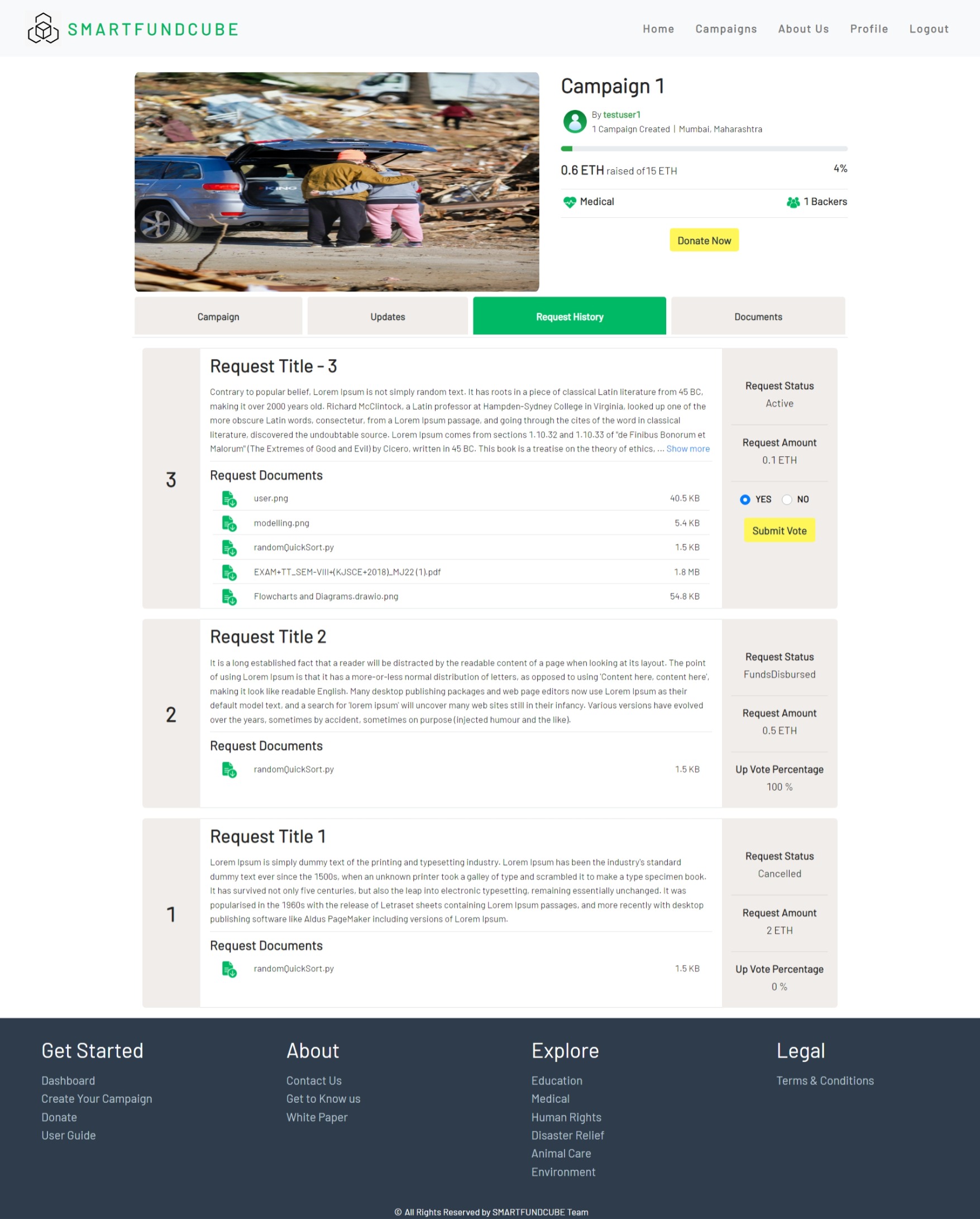
Campaign Request History
-
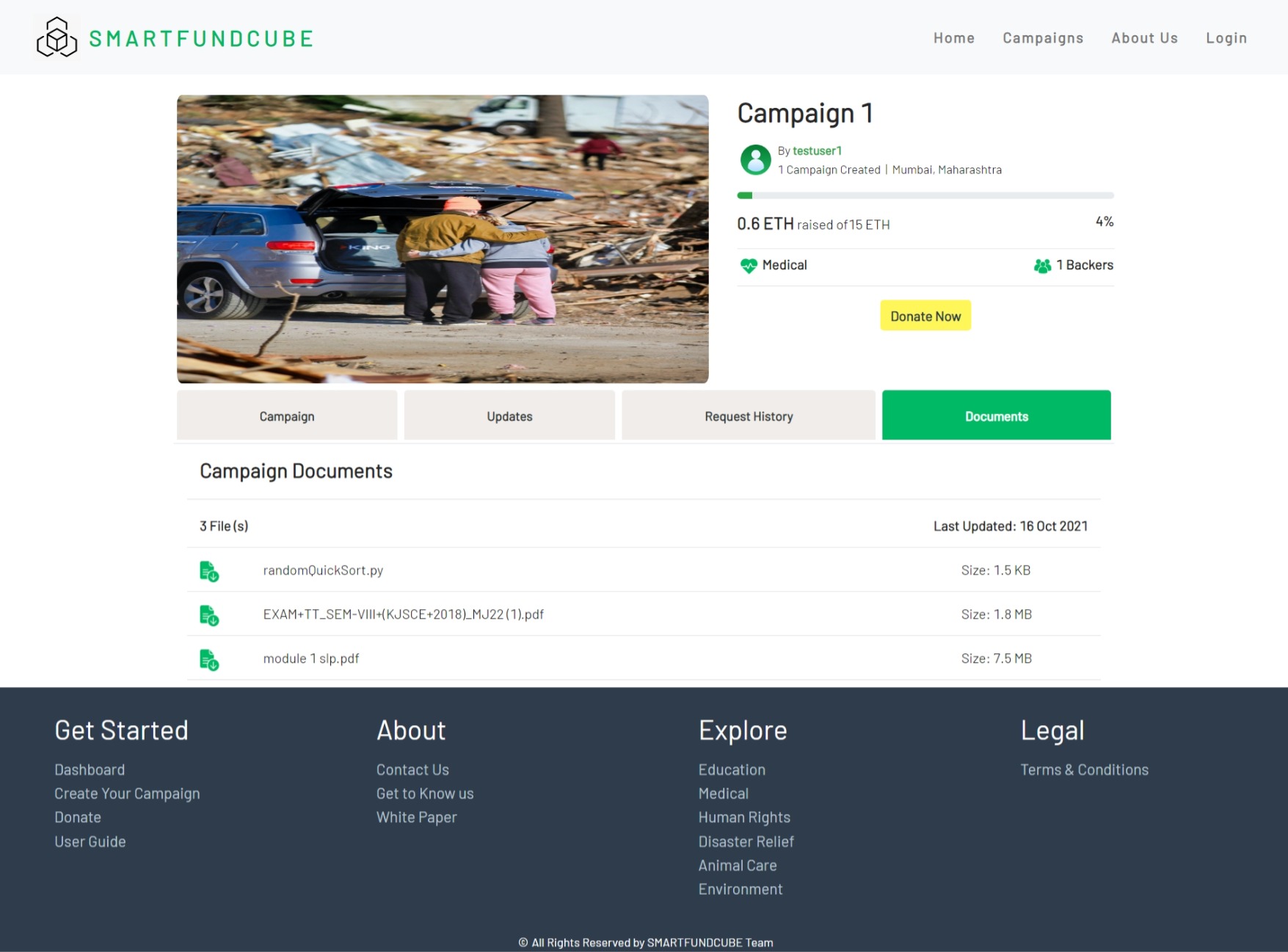
Campaign Documents
-
Create Campaign Page
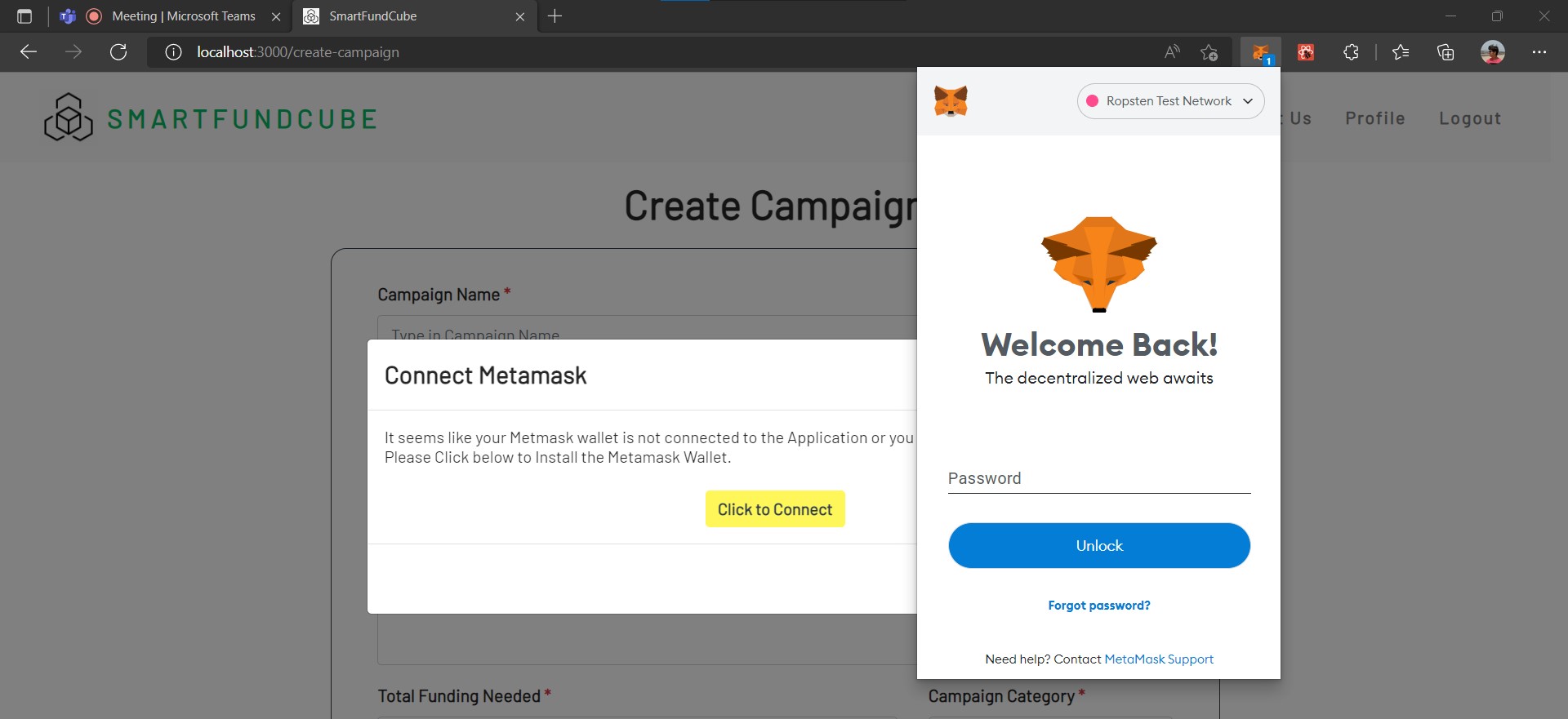
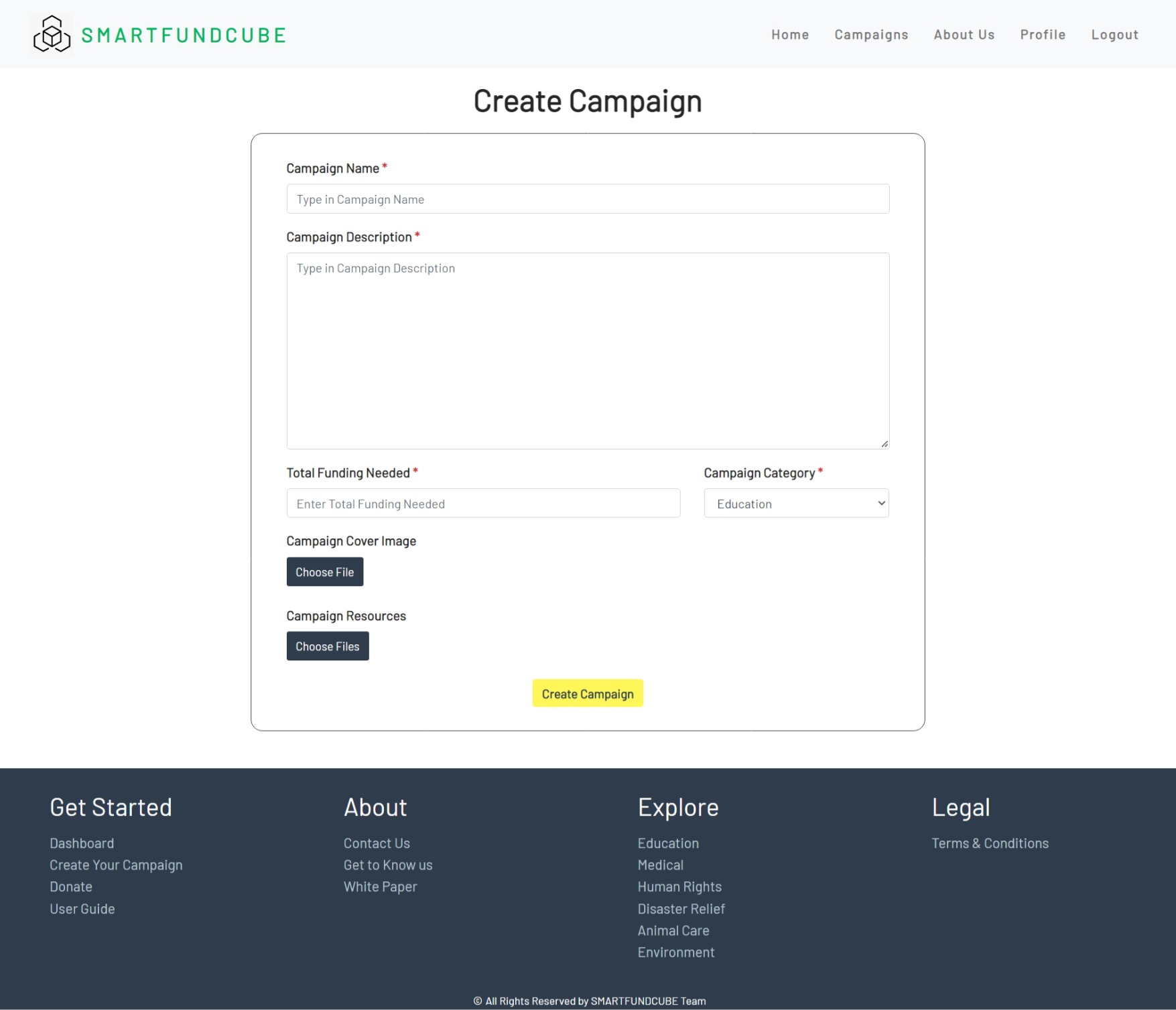
-
Login
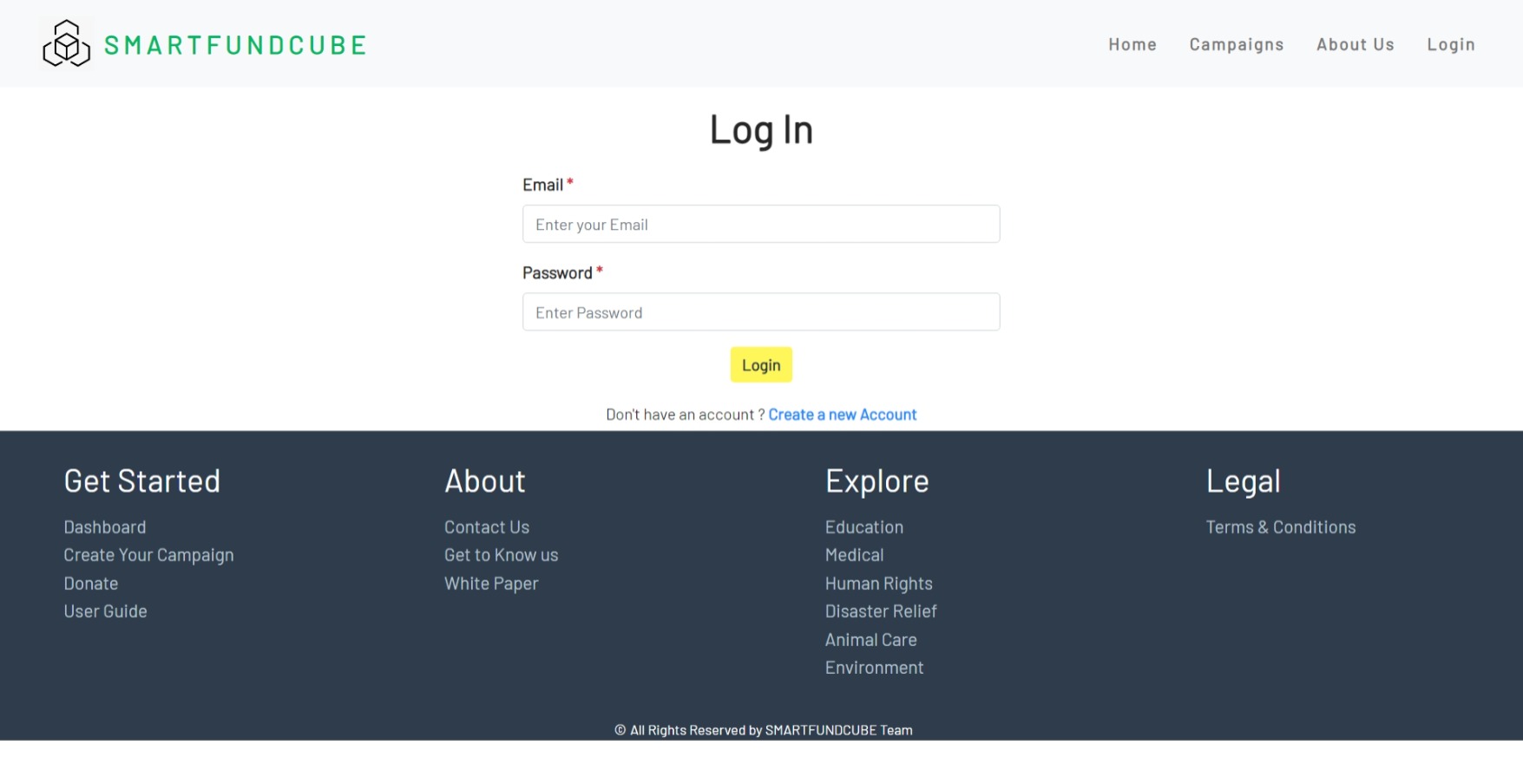
-
Register
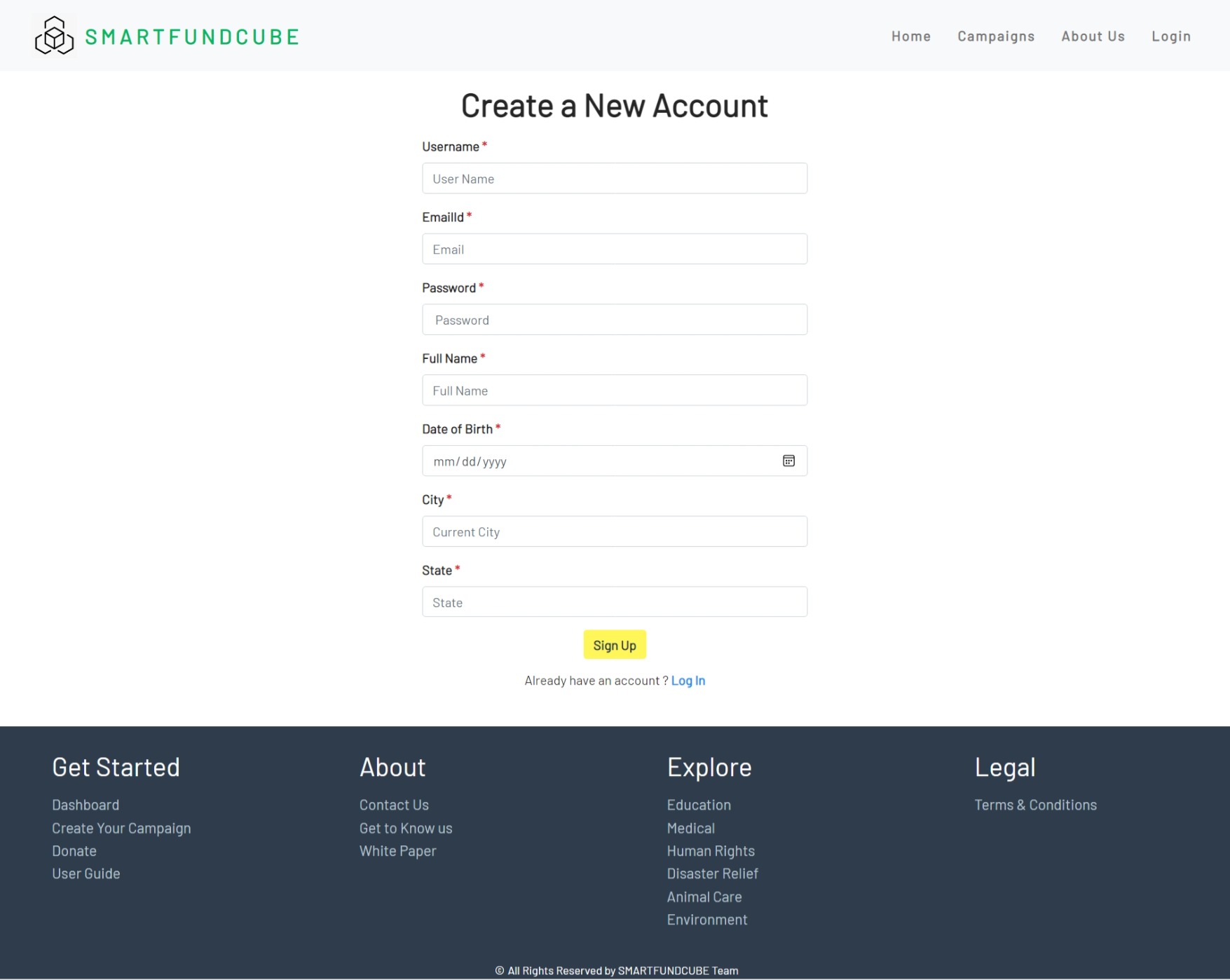
-
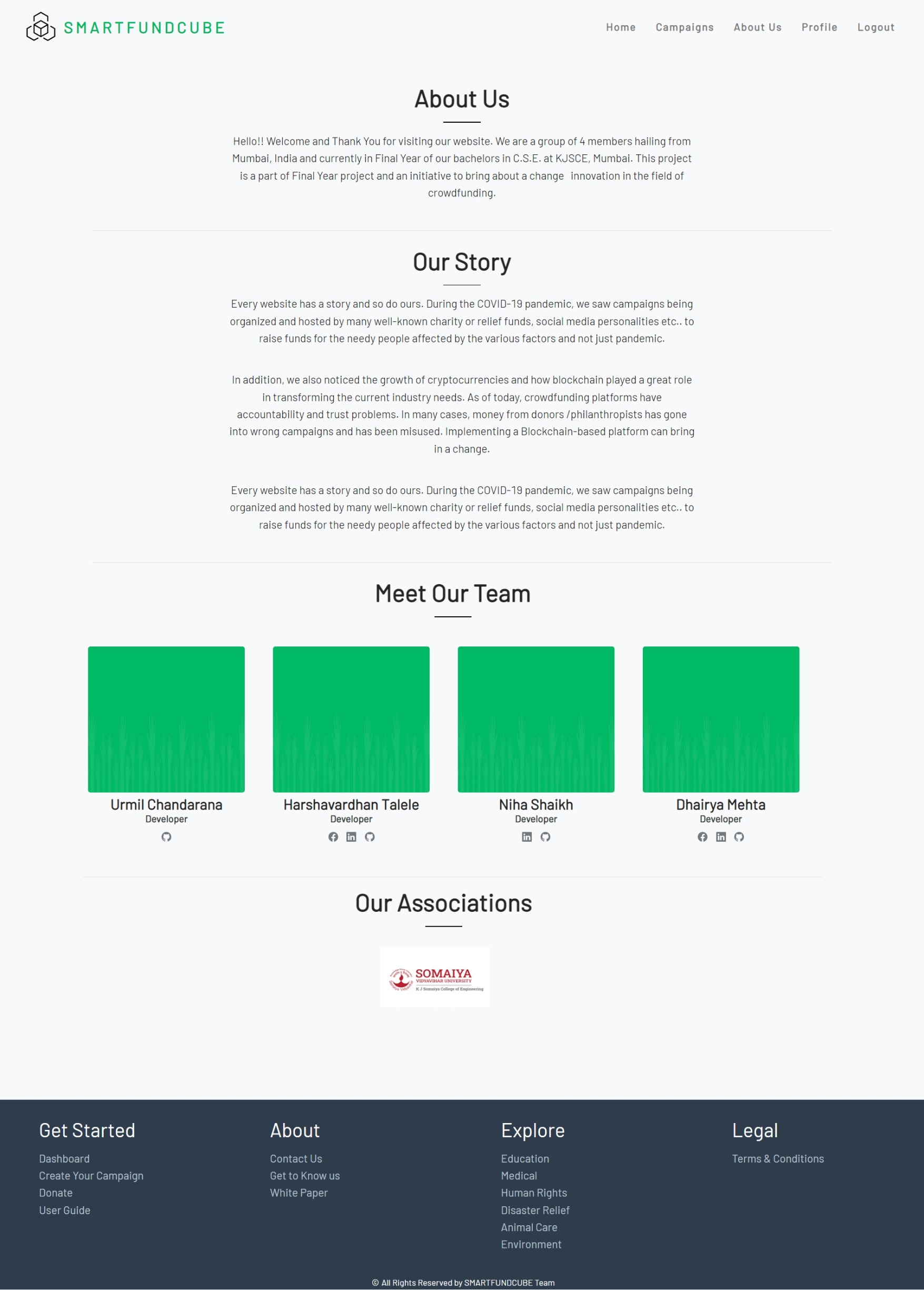
About Us
-
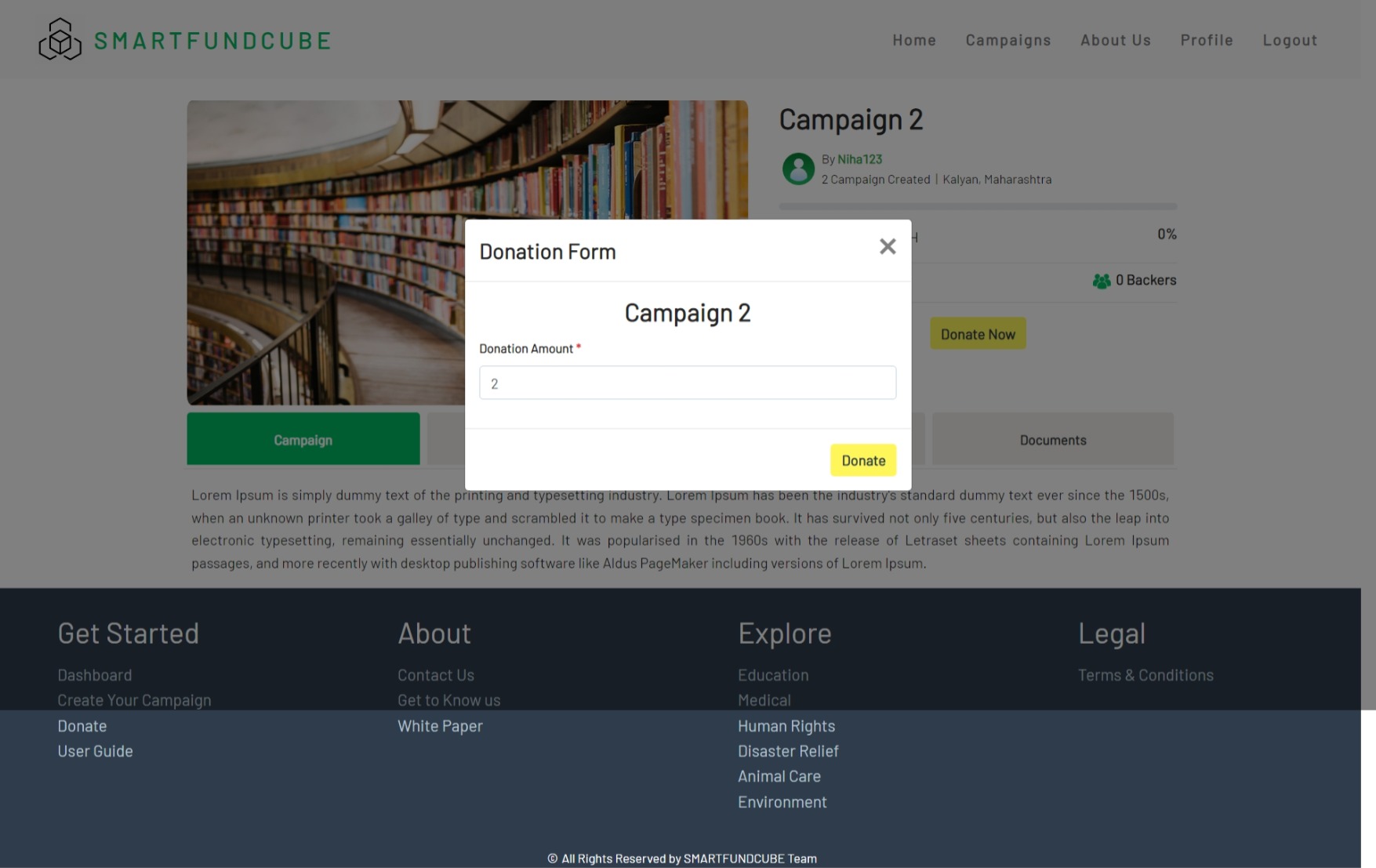
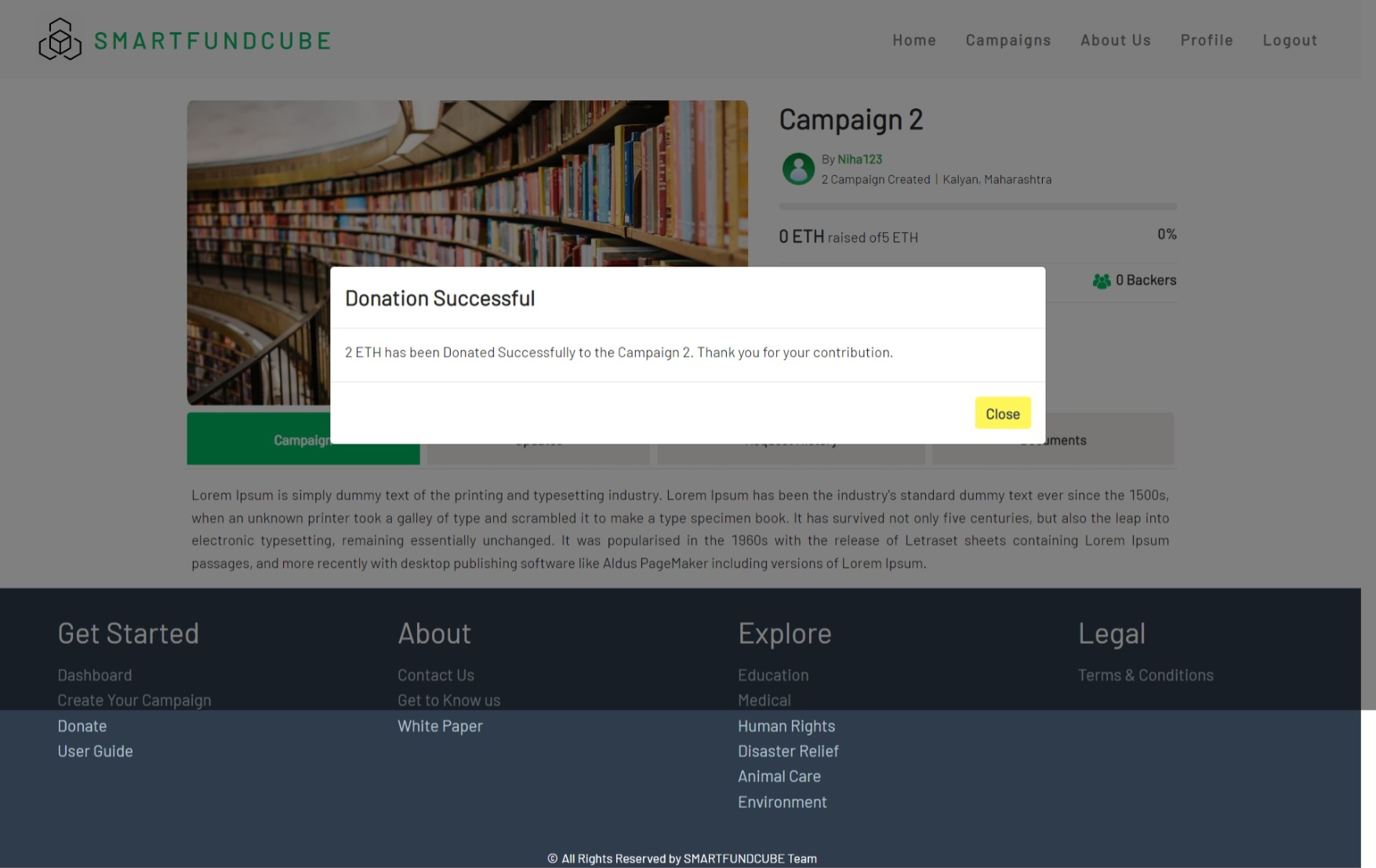
Donating Campaigns
- Venturing Crowdfunding using Smart Contracts in Blockchain | IEEE Conference Publication
- Proposed Solution for Trackable Donations using Blockchain | IEEE Conference Publication
- Tecra Space
- GitHub - rushikesh611/DisReliefFund: Ethereum based Crowdfunding website for disaster relief funds.
- How to reduce gas cost in Solidity | by tak | LayerX | Medium
- Optimizing your Solidity contract's gas usage | by Mark Mathis | Coinmonks | Medium