Tutorial 2: The Server Side
This next part is to set up the server. The server will send the menu and other information to the client.
- Visual Studio 2017 with the .net core options installed.
- Visual Studio 2015 with + .net Core (https://www.microsoft.com/net/core#windowsvs2015)
- Visual Studio Mac
- Visual Studio Code + .net Core (https://www.microsoft.com/net/core#windowscmd)
This guide is being written for Visual Studio 2015 and 2017.
We are going to be hosting this on Azure so you need an account there. With Visual Studio developer essentials you can get $25 of free Azure credits each month for a year. This project will only use $5 of that per month.
If you haven't done the previous tutorial, clone the repository now.Tutorial 1 Code
First thing is to create a new project named RestaurantApiServer


There are two different ways this can be run. One is directly with Kestrel, the new HTTP server. The other is IIS. IIS will cause issues allowing remote connections connect without some inconvenient workarounds.

Running this will bring up a page that returns ["value1","value2"]. This is valid json and comes from the Values Controller. Take note of the port that is used, it will be needed when the client is setup.
Nuget:
- Microsoft.EntityFrameworkCore.SqlServer
- Microsoft.EntityFrameworkCore.Tools
Lets add a couple models. Create a Models folder with two classes MenuItems.cs and RestaurantContext.cs
    public class MenuItem
    {
        // EF will automatically make a property named Id the primary key.
        public Guid Id { get; set; }
        public string Name { get; set; }
        public string Description { get; set; }
        public string Price { get; set; }
        public string ThumbnailUri { get; set; }
    }
using Microsoft.EntityFrameworkCore;
...
    public class RestaurantContext : DbContext
    {
        public RestaurantContext(DbContextOptions<RestaurantContext> options)
            : base(options)
        { }

        public DbSet<MenuItem> MenuItems { get; set; }
    }
The next thing is to add the menu controller. Add a new class in the Controllers folder called Menu Controller.
using System.Collections.Generic;
using System.Threading.Tasks;
using Microsoft.AspNetCore.Mvc;
using RestaurantApiServer.Models;
using RestaurantApiServer.Services;

// For more information on enabling Web API for empty projects, visit https://go.microsoft.com/fwlink/?LinkID=397860

namespace RestaurantApiServer.Controllers
{
    // This will become "/api/Menu" from reflection.
    [Route("api/[controller]")]
    public class MenuController : Controller
    {
        readonly IMenuItemsService menuItemService;

        public MenuController(IMenuItemsService menuItemService)
        {
            this.menuItemService = menuItemService;
        }

        // GET: api/values
        [HttpGet]
        public async Task<IEnumerable<MenuItem>> Get()
        {
            return await menuItemService.GetMenuItems();
        }

        [HttpPost]
        public async Task<IEnumerable<MenuItem>> Post([FromBody] List<MenuItem> items)
        {
            return await menuItemService.SaveMenuItems(items);
        }
    }
}
Create a folder Named Services with two classes IMenuItemsService.cs & MenuItemsService.cs
using RestaurantApiServer.Models;
...
interface IMenuItemsService
{
    Task<List<MenuItem>> GetMenuItems();
    Task<List<MenuItem>> SaveMenuItems(List<MenuItem> items);
}
using System.Collections.Generic;
using System.Threading.Tasks;
using Microsoft.EntityFrameworkCore;
using RestaurantApiServer.Models;
...
    public class MenuItemsService : IMenuItemsService
    {
        readonly RestaurantContext context;

        public MenuItemsService(RestaurantContext context)
        {
            this.context = context;
        }

        public async Task<List<MenuItem>> GetMenuItems()
        {
            return await context.MenuItems.ToListAsync();
        }

        public async Task<List<MenuItem>> SaveMenuItems(List<MenuItem> items)
        {
            context.AddRange(items);

            await context.SaveChangesAsync();

            return items;
        }
    }
Back in our Xamarin.Forms app
Nuget:
- Refit 2.4.1 (The version is important. Refit 3 is dependant on .netstandard which we aren't using here)
Next we need to Create a folder named Services, and while were are here lets create a folder underneath Services named Interfaces.
In the Interfaces folder create two classes IApiDevs.cs and IApiService.cs
using Refit;
using RestaurantApp.Models;
using System.Collections.Generic;
using System.Threading.Tasks;

namespace RestaurantApp.Services.Interfaces
{
    interface IApiDefs
    {
        [Get("/api/menu")]
        Task<List<MenuItem>> GetMenuItems();
    }
}
using RestaurantApp.Models;
using System.Collections.Generic;
using System.Threading.Tasks;

namespace RestaurantApp.Services
{
    public interface IApiService
    {
        Task<List<MenuItem>> GetMenuItems();
    }
}
Up one directory in the Services folder create a new class named ApiService.cs
using System;
using System.Collections.Generic;
using System.Threading.Tasks;
using RestaurantApp.Models;
using Refit;
using RestaurantApp.Services.Interfaces;
using System.Net.Http;

namespace RestaurantApp.Services
{
    public class ApiService : IApiService
    {
        IApiDefs api;

        public ApiService()
        {
            var client = new HttpClient
            {
                BaseAddress = new Uri("http://10.0.2.2:8915") // Android loopback
                //BaseAddress = new Uri("http://localhost:8915") // UWP Friendly
            };

            api = RestService.For<IApiDefs>(client);
        }

        public async Task<List<MenuItem>> GetMenuItems()
        {
            return await api.GetMenuItems();
        }
    }
}
If you haven't already installed the Microsoft.Net.Http NuGet package do so now.
In your App.xaml.cs constructor underneath the InitializeCompontent(); method
FreshIOC.Container.Register<IApiService, ApiService>();
In the PageModels folder replace the contents of the MenuPageModel.cs file with the following code
using FreshMvvm;
using PropertyChanged;
using RestaurantApp.Models;
using RestaurantApp.Services;
using System.Collections.Generic;

namespace RestaurantApp.PageModels
{
    [ImplementPropertyChanged]
    class MenuPageModel : FreshBasePageModel
    {
        readonly IApiService apiService;

        public List<MenuItem> MenuItems { get; set; }

        public MenuPageModel(IApiService apiService)
        {
            this.apiService = apiService;
        }

        public async override void Init(object initData)
        {
            base.Init(initData);

            MenuItems = await apiService.GetMenuItems();
        }
    }
}
Login to portal.azure.com
Create a Resource group named RestuarantApiServer
Create a SQL database
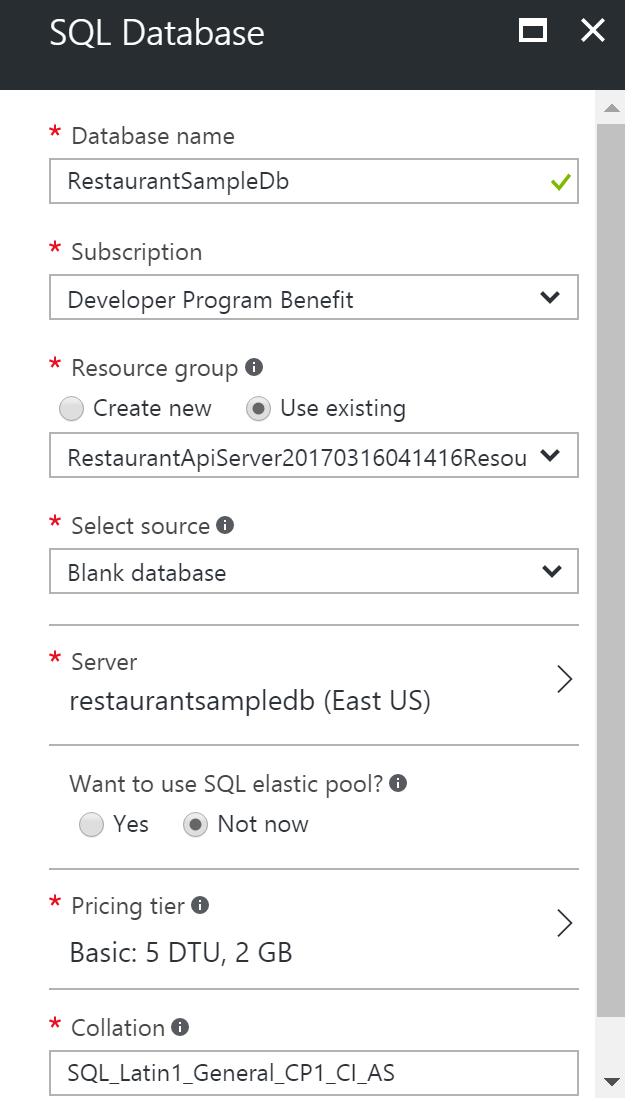
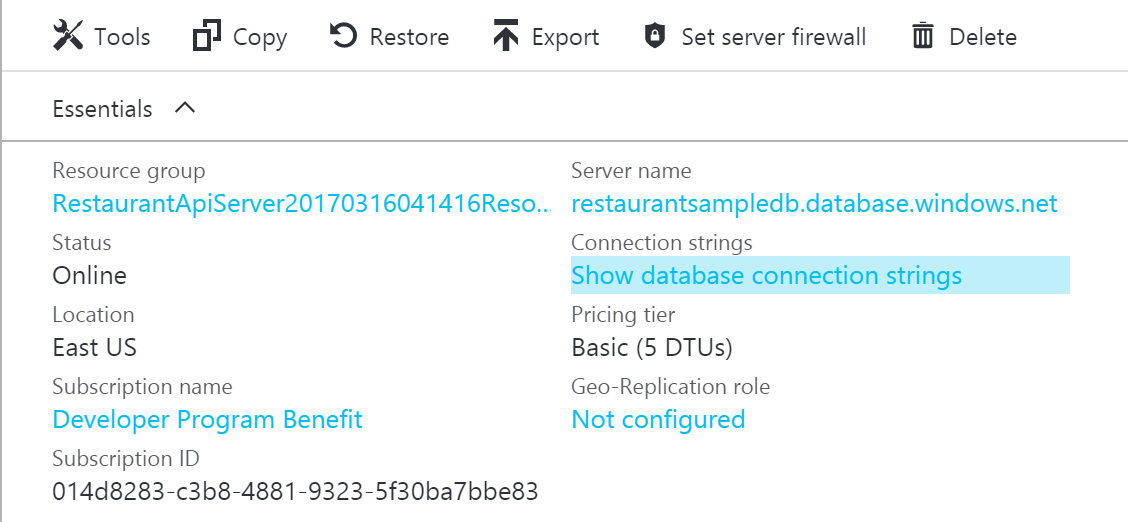
Back in the RestaurantApiServer project Add The connection String
  "ConnectionStrings": {
    "RestaurantConnectionString": "Server=(localdb)\\mssqllocaldb;Database=RestaurantApp;Trusted_Connection=True;"
  }
In Startup.cs Add The Data Context
        public void ConfigureServices(IServiceCollection services)
        {
            // Add framework services.
            services.AddMvc();

            services.AddTransient<IMenuItemsService, MenuItemsService>();

            services.AddDbContext<RestaurantContext>(options => options.UseSqlServer(Configuration.GetConnectionString("RestaurantConnectionString")));
        }
Add the migration
In the configure menthod of startup add to get the migration to run automatically when saved.
        using (var scope = app.ApplicationServices.GetRequiredService<IServiceScopeFactory>().CreateScope())
        {
            scope.ServiceProvider.GetService<RestaurantContext>().Database.Migrate();
        }
Publish
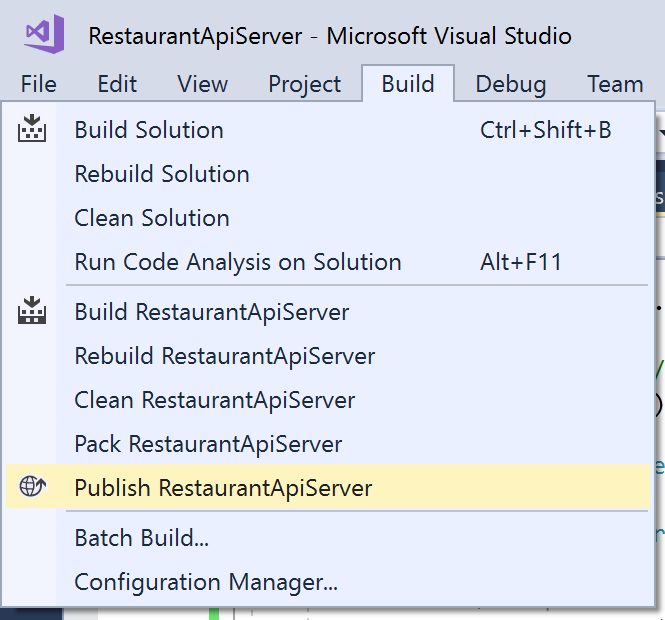
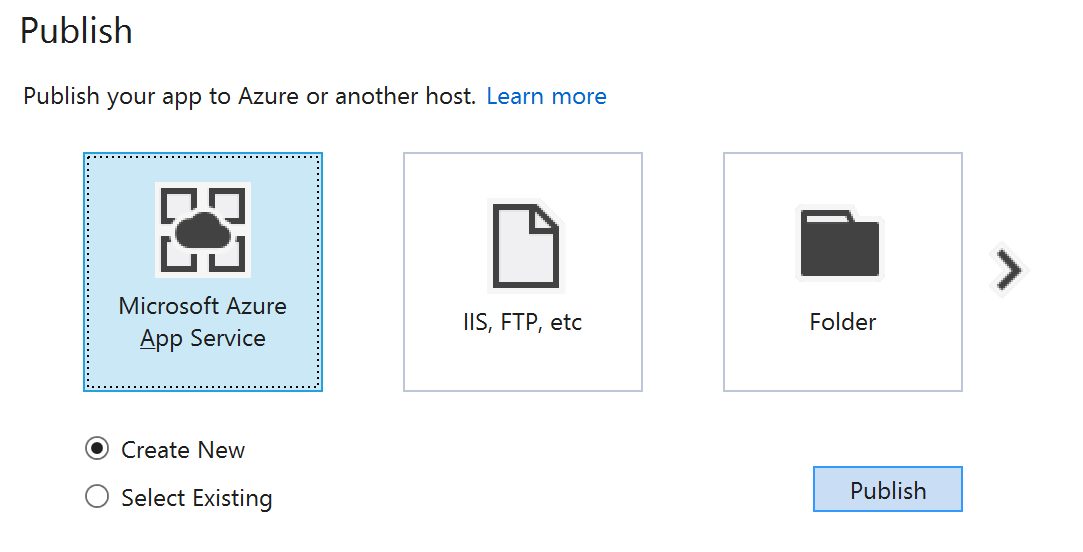
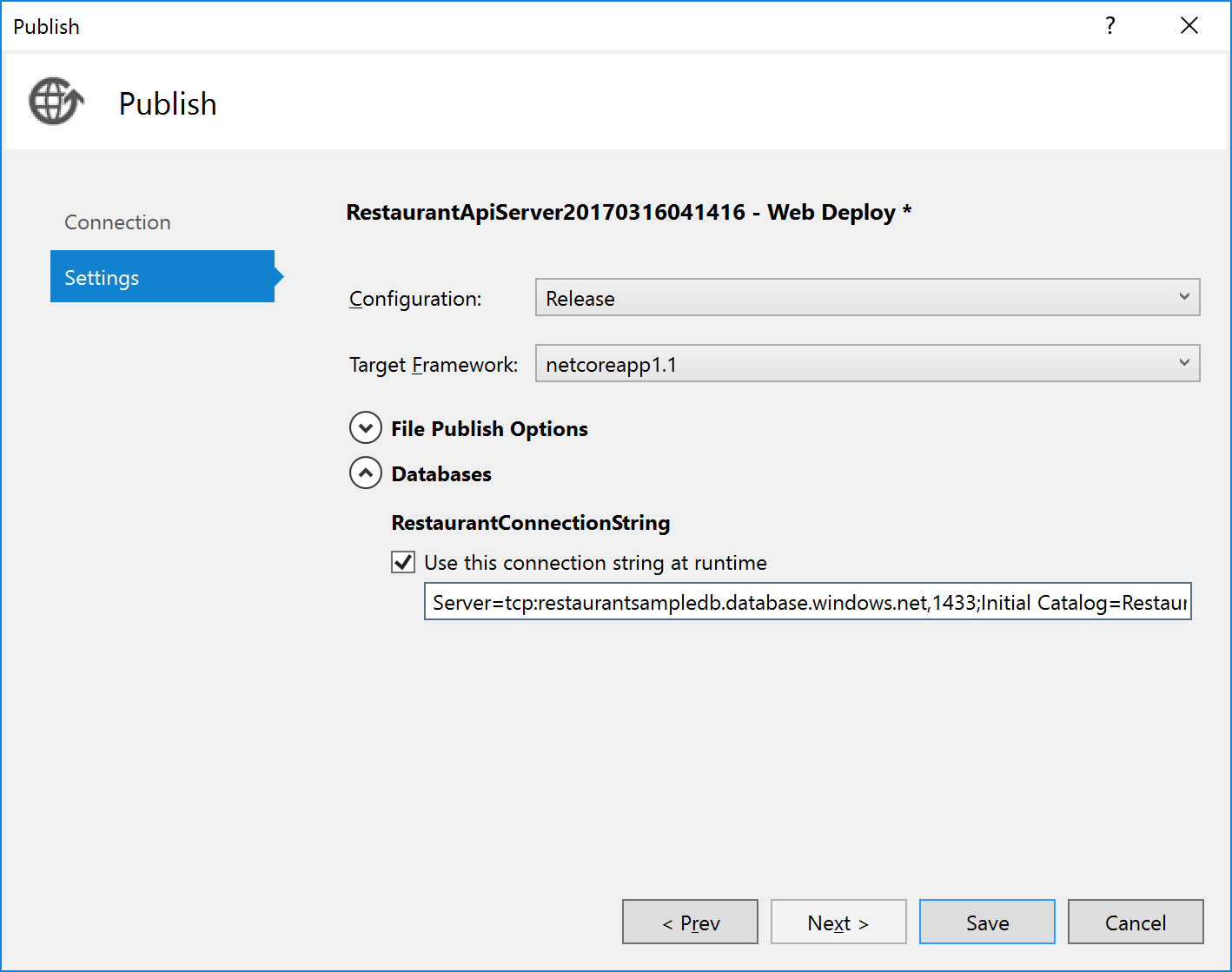
Back in the Api Service, Update the base address to match where it was published on Azure
- Add telemetry with Azure Application Insights
- Add pull to refresh
- Add Polly to retry if the request fails