Home
Cue is a large plugin with two main purposes:
- Make characters react to things: It has moods, excitement, breathing, body temperature and a gaze system.
- Reduce the number of interactions with the UI: It will show a menu attached to a VR hand with actions, usable with one hand.
Cue is meant to be retrofitted in already existing scenes: add the plugin preset to all characters and add Cue itself on one character. It will take care of the rest. Characters will immediately have an idle animation, will be looking around at interesting things and will react to touch.
Getting started
- On each person in the scene, load the Plugin PRESET
via5-cue-supportfromvia5.Cue.3. Note that this is a Plugin Preset, not a plugin. - Pick one person in the scene and add the Cue plugin from
via5.Cue.3/Cue.cslist. - The Cue plugin must only be added once in a scene.
- If Person atoms are added, removed or renamed, Cue must be reloaded. It will remember its settings.
For existing scenes, the preset can be reloaded on each atom (use merge load to avoid losing other plugins), or the new dependencies can be added manually. It might be easier to just remove all the plugins from an atom and reload the preset instead.
A HUD will appear on top of the screen. It's always on top and can get in the way. Disabling Cue will hide it.
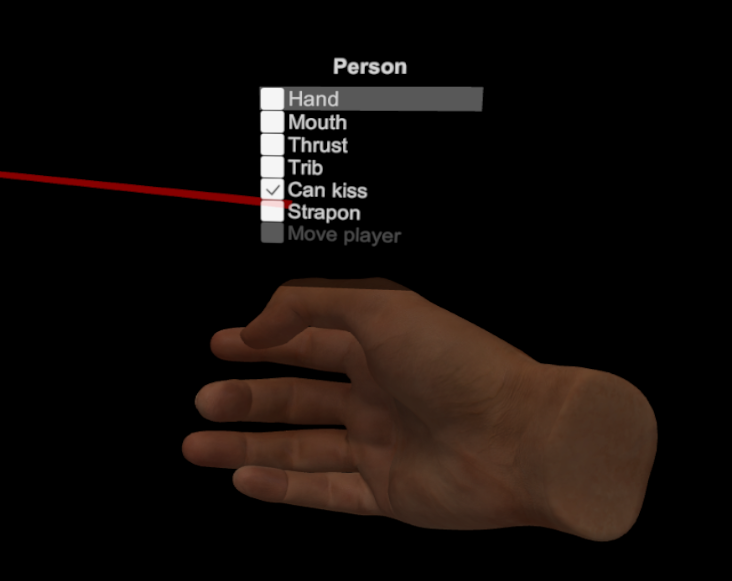 The menu is designed to be used with one hand.
- Switch to Play mode. The menu will not appear in Edit mode.
- Touch any of the A/B/Y/Z buttons and wait half a second to show the menu on the hand. Don't press the button.
- While the menu is visible, press the trigger button and hold it halfway down to pin the menu open. As long as the trigger button is pressed halfway, the menu will stay visible.
- The joystick can then be used to navigate the menu. Left/right changes the selected character, up/down changes the selected option in the menu.
- Pressing the trigger fully will activate the selected option in the menu.
Some of these actions will try to find the closest target that makes sense. These options may not activate after clicking them if Cue cannot find a good target. Body parts must be aligned and set up correctly for the proper animation to play, Cue won't move them by itself.
The Hand and Head actions will be triggered automatically when body parts are moved close enough. This can be disabled in the options.
-
Hand: Can be activated when either of the character's hands are close to genitals, including their own. The animation will change depending on whether the target is male or female. Cue will use either ClockwiseSilver's HJ plugin or its own animations. -
Head: Can be activated when the character's head is close to male genitals. This is not used for kissing, seeCan kissbelow. Cue uses ClockwiseSilver's BJ plugin for this animation. -
Thrust: Can be activated if the character is either penetrating or is being penetrated by another character. If there is no clear penetration, the action won't start. -
TribLike Thrust, but will always start. Cue will still attempt to find a target person by looking at what's close to the genitals, but will start regardless. -
Can kiss: Cue will randomly start and stop the kissing animation between two characters when they're close enough. TheCan kissoption can be disabled on a character to make sure they never kiss. Useful for positioning heads close without having them kiss. Uses ClockwiseSilver's plugins. -
Move player: When an atom is possessed, Cue treats it as the player. TheMove playeroption is then always available at the bottom of the menus for convenience. It sets most joints toOffso the atom moves with the camera. Unchecking the option is equivalent toKey Joints: Control All. Make sure the option is unchecked if the player is involved in animations.
Characters can be happy, excited, angry, surprised or tired. Interacting with them will change the various moods depending on their personality. The character's current mood will affect their facial expressions.
Cue has a complex system to raise or lower the excited mood depending on interactions. Excitement can rise when a character is being touched, when the various animations are running or when other characters are being excited. When excitement reaches its maximum, a climax animation is played and the tired mood temporarily increases.
There is some collision detection between body parts and excitement will rise automatically if something rubs against genitals fast enough.
Cue relies on hazmhox's VAMMoan plugin for breathing and climax sounds. Breathing intensity goes up with excitement. If a character's neck is being grabbed, it won't be able to breathe, changing skin colour and affecting voice and expressions.
Body temperature will rise along with excitement. Cue takes over several parameters to control the character's appearance:
-
Skin ColorinSkin Materials 1. -
GlossinSkin Materials 2. -
Style Rigidity RolloffandStyle Clingfor all hair items.
These can be turned off in the options. They don't always work well with some skin colours and hair items.
Characters will look at each other or at body parts, depending on what's going on in the scene. Their personality can make it so they will avoid looking at certain things. Grabbing a character's head will make it look at the player, which might anger them depending on their personality. Cue relies on MacGruber's Gaze plugin to move the head.
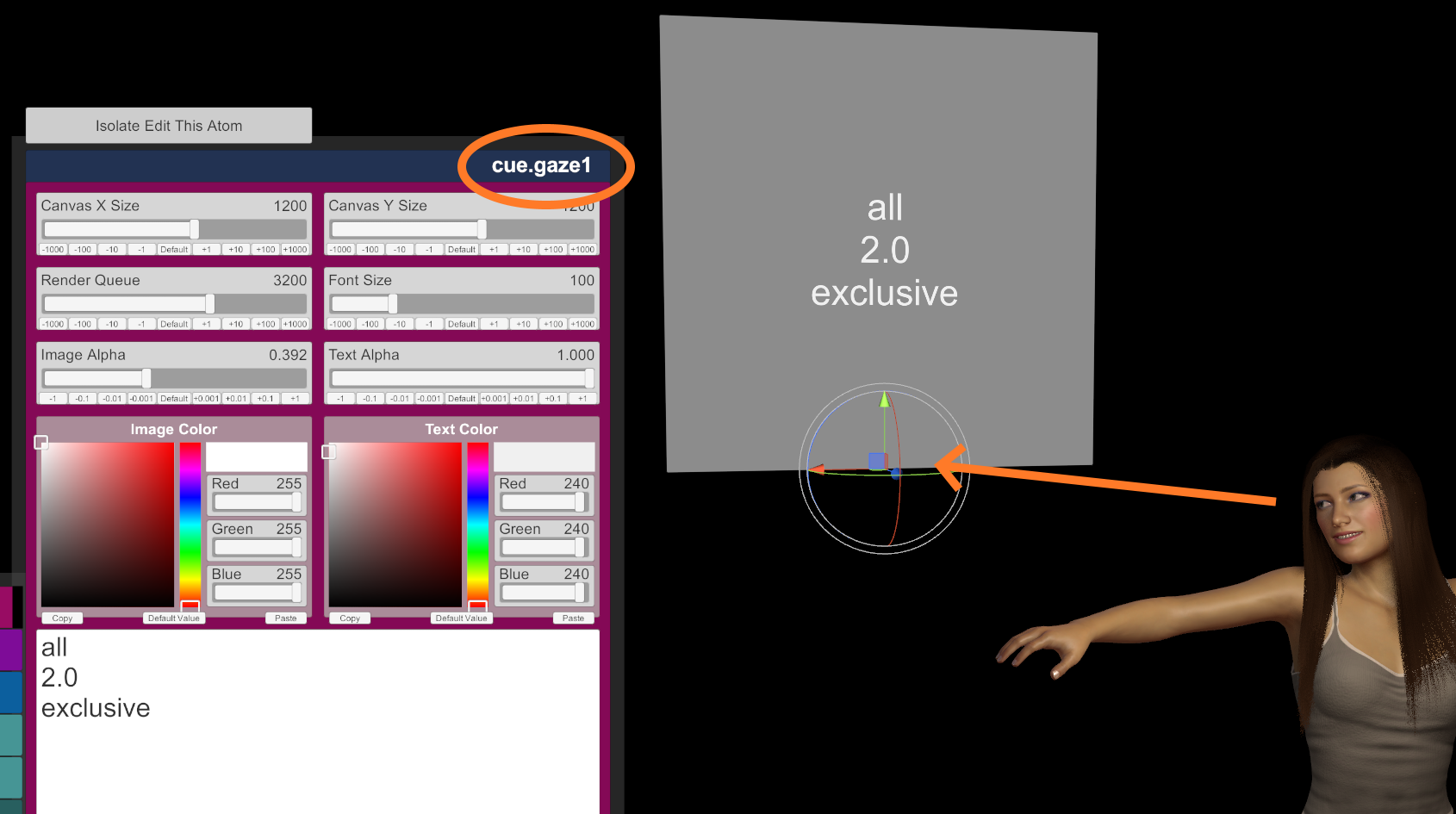 Custom targets can be added to a scene so that characters will look at them.
- Add a new
UITextatom, from theMiscsection. - Change its name so it starts with
cue.gaze. Multiple targets could be namedcue.gaze1,cue.gaze2, etc., as long as the name starts withcue.gaze. - Select the
UITextatom and write three lines of text:- The first line can either contain the name of a Person atom or the text
all. If the text is the name of a Person atom, only this atom will look at this target. If the text isall, all characters will look at it. - The second line must be a decimal number for the weight of the target. A value of
1.0should make characters look at the target once in a while if they're not busy. Higher values increase the chances of characters looking at this target. For example, a value of100.0should make it so that characters will pretty much always look at it. - The third line can be
exclusiveor empty. If the text isexclusive, Cue will disable all other default targets and characters will only look at this atom. If there are multiple exclusive, custom targets, characters will pick one at random based on their weight.
- The first line can either contain the name of a Person atom or the text
- Set the
Image AlphaandText Alphasettings to0to hide the atom in the scene.
Cue will automatically link hands with body parts when they get close enough. For example, moving a character's hand close to their head will link the hand to the head. It's not perfect and it can sometimes be annoying. It can be turned off in the options. Cue does not use VaM's Parent Link for this, it has its own implementation.
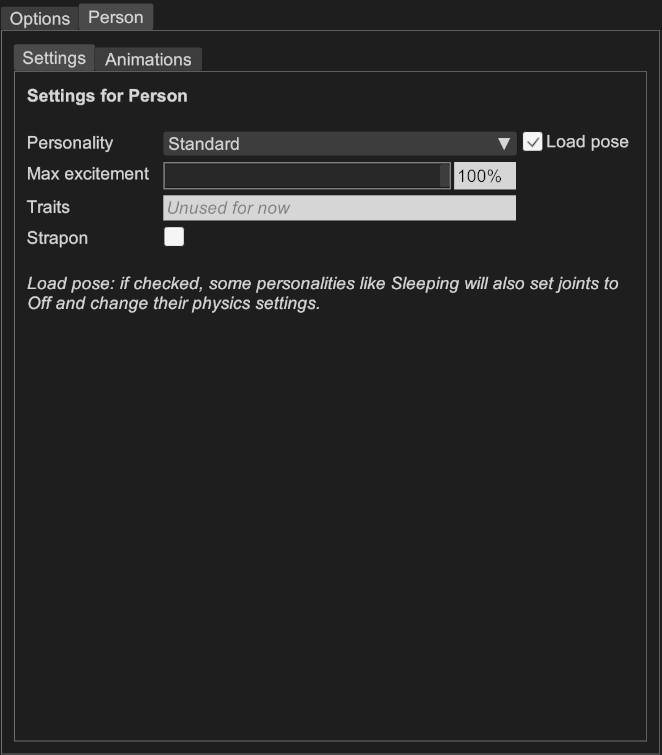
In the Plugin UI, each Person atom in the scene will have its own tab at the top. These settings are remembered between reloads.
There are currently eight personalities:
- Angry: tends to have angry expressions.
- Annoyed: tends to have slightly angry expressions.
- Bored: a mostly unresponsive character who doesn't care much about what's happening.
- Quirky: like standard, but with some different facial expressions like corner smiles.
- Shy: like standard, but with less smiling. Tends to avoid the player's gaze.
- Sleeping: eyes closed, expressionless, all joints off (unless Load pose is unchecked).
- Standard: a happy, vanilla character.
- Tsundere: a character who initially doesn't like the player, but eventually warms up as excitement goes up.
The Load pose checkbox controls whether joints are affected by the personality. If checked, all personalities except Sleeping will set Key Joints: Control All when loaded, and Sleeping will turn all joints off.
The character's excitement will never rise above this value. If the value is less than 100%, the character will never orgasm.
Unused for now.
If checked, the character will have a strapon. It uses the builtin dildo object from VaM but also supports AmineKunai's clothing item. While the option is active, Cue will treat the character as male for some animations. If the Strapon physical option is set the main options, the strapon will be treated the same as genitals for excitement.
 This controls whether Cue's animations are played for events and allows for setting start/end actions for these events. For example, to replace the Thrust animation,
 Play animation should be unchecked and actions should be added to start and end a custom animation.
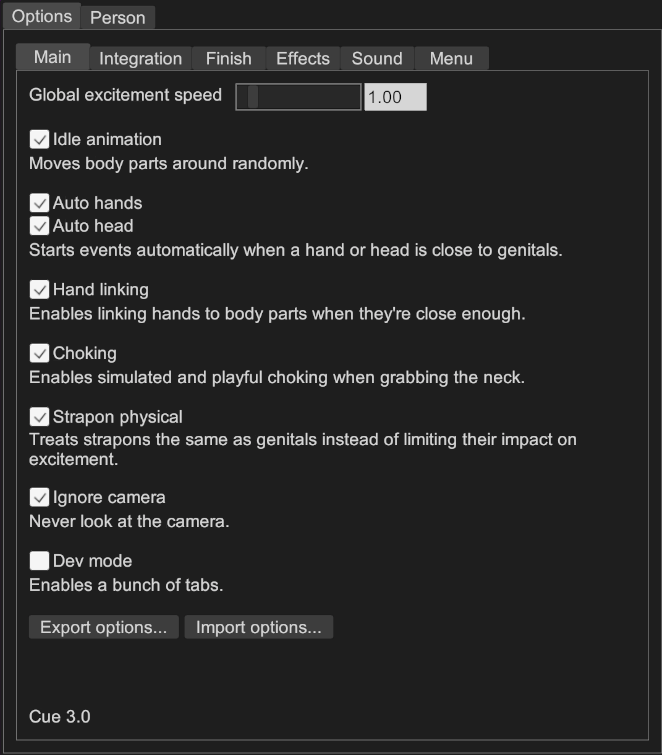
-
Global excitement speed: Changes how fast the excitement goes up for all characters in the scene. -
Auto handsandAuto head: Whether to start events automatically when a hand or head is close to genitals. -
Hand linking: Whether automatic hand linking is enabled. Can be annoying. -
Choking: Whether characters stop breathing when their neck is grabbed. This is simulated and playful, no characters are harmed by this feature. -
Strapon physical: Treats strapons the same as genitals instead of limiting their impact on excitement. -
Ignore camera: When enabled, characters will never look at the camera. -
Dev mode: Enables a bunch of tabs with technical information. -
Export optionsandImport options: Allows for importing options in other scenes, especially the custom menu buttons.
-
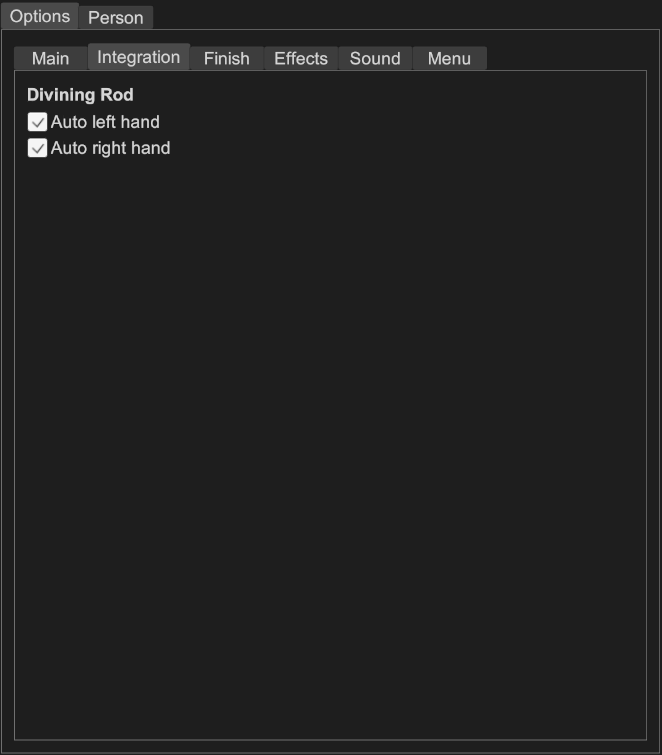
Auto left handandAuto right hand: Whether Cue automatically toggles these options in Divining Rod when the appropriate HJ event is started. Divining Rod and ClockwiseSilver's HJ plugin don't always play nice together and so these options can be turned off.
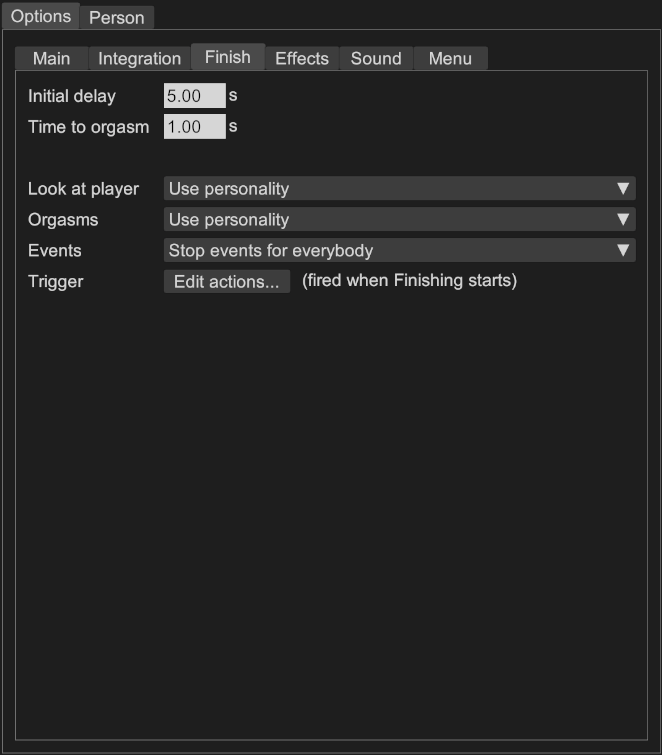 Controls what happens when the
 Finish button is clicked. Normally, all characters involved with the player will climax (except for some personalities like Sleeping) and all events will then stop.
When the Finish button is clicked, there's an initial delay during which everything continues normally. After this delay, all characters involved with the player will have their excitement value rise to 100% over a short time and will then climax. At that point, all events are stopped.
-
Initial delay: Nothing will happen during this time, it's like a countdown. -
Time to orgasm: Time during which excitement will ramp up to 100% and then climax. -
Look at player:-
Do nothing: Characters will not prioritize looking at the player. -
Look at player if involved: Involved characters will instantly look at the player. -
Everybody look at player: All characters in the scene will instantly look at the player. -
Use personality: Involved characters will instantly look at the player unless their personality forbids it (like Sleeping).
-
-
Orgasms:-
Do nothing: Characters will not climax. -
Force orgasm if involved with player: Involved characters will orgasm afterTime to orgasmhas elapsed. -
Force orgasm for everybody: All characters will orgasm afterTime to orgasmhas elapsed. -
Use personality: Involved characters will orgasm afterTime to orgasmhas elapsed unless their personality forbids it (like Sleeping or Bored).
-
-
Events:-
Do nothing: Events will continue running. -
Stop events if involved with player: Involved characters will have all their events stopped. -
Stop events for everybody: All characters will have their events stopped. -
Trigger: Custom events when Finishing starts. Events are fired as soon as the button is clicked.
-
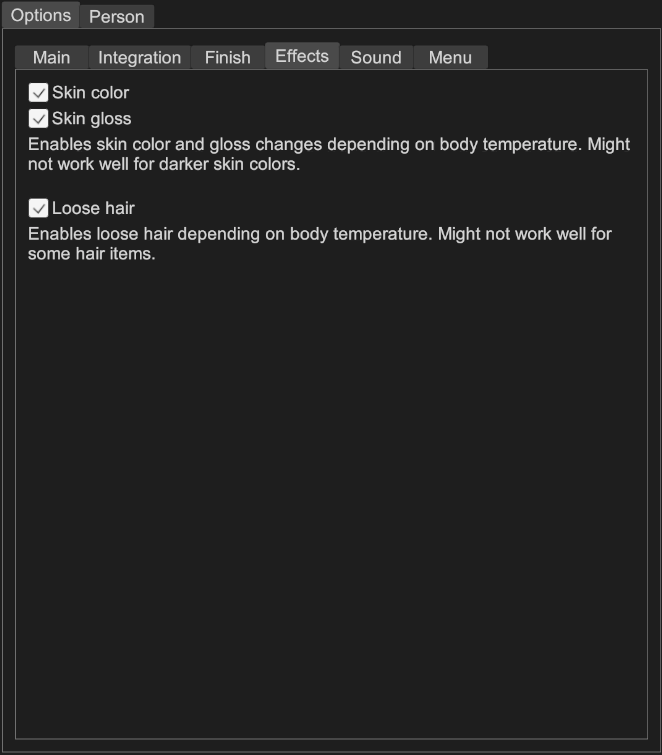 Controls various visual effects on characters.
-
Skin colorandSkin gloss: Whether skin color and gloss change depending on body temperature. May not work well for darker skin colors. -
Loose hair: Whether the rigidity rolloff and cling settings of hair items change depending on body temperature. May not work well for some hair items.
-
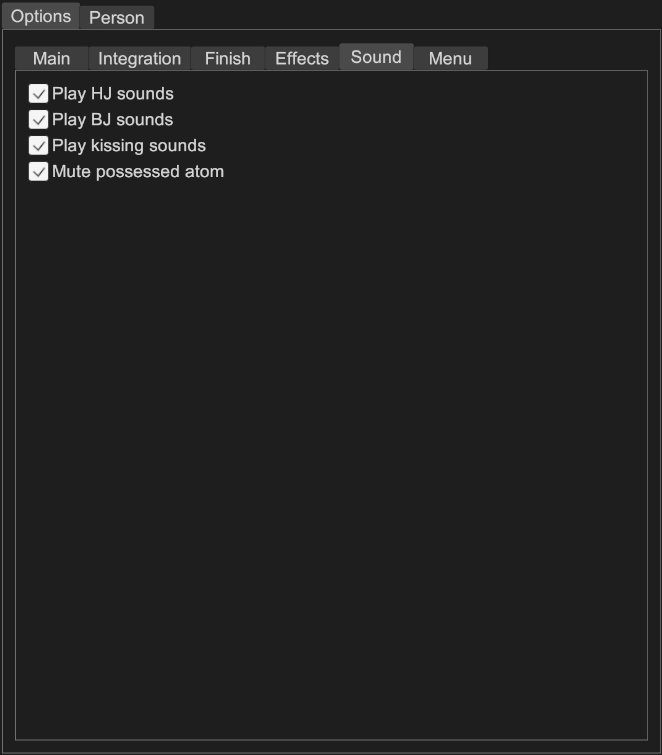
Play HJ sounds: Whether sounds are played during the Hand event. -
Play BJ sounds: Whether sounds are played during the Head event. -
Play kissing sounds: Whether sounds are played during kissing. -
Mute possessed atom: Whether the possessed atom should be muted.

-
Left hand menuandRight hand menu: Whether the VR menu is enabled on the given hand. -
Menu delay: Delay in seconds before showing the VR menu, to avoid inadvertently showing the menu when touching the buttons. -
Add button: Adds custom buttons to the VR and desktop menus. Each button has a caption and a standard trigger.Xdeletes the button.
Cue is released under Creative Commons Zero. This project is in the public domain.
Silver Kiss, Silver HJ and SilverBJ are originally from ClockwiseSilver. They are released under CC-BY-SA, with permission. I have modified them slightly for performance and added more parameters for integration.