USSD Aplication built with NodeJs + Postgres + Africa's Talking platform
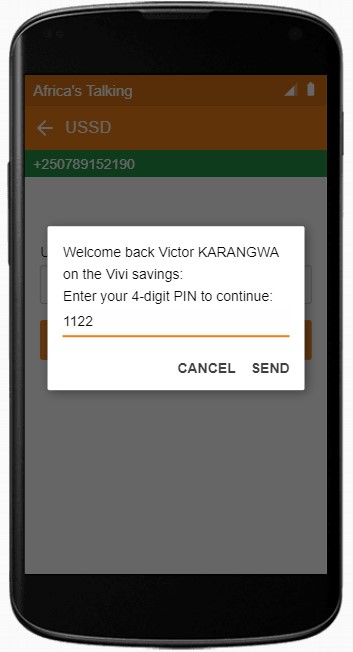
- Authentication
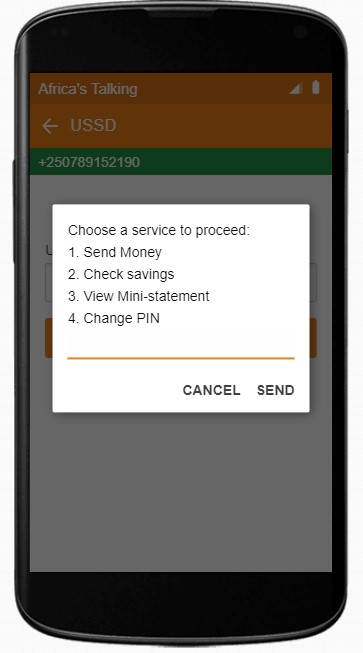
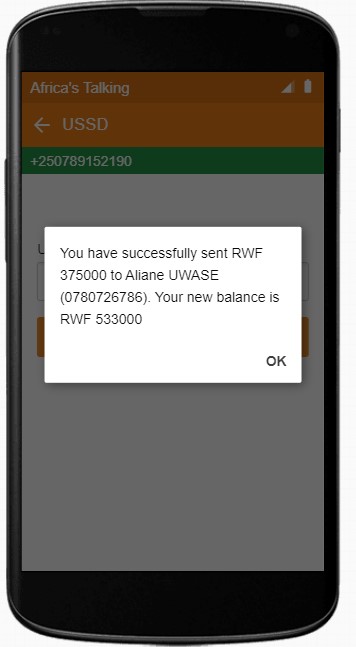
- Send money
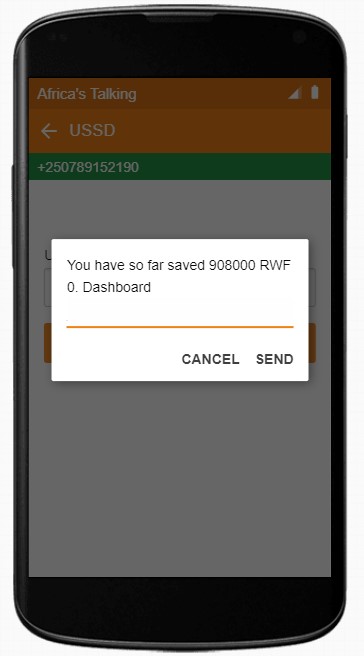
- Check savings
- Change PIN
- View statement
https://my-ussd-app.herokuapp.com
-
Open your terminal
-
Run
git clone https://github.com/victkarangwa/USSD-Code-App.gitOR Download the project
-
Create a
.envfile reflecting to.env.examplefile -
Add the values to all environmental variables in
.envfile -
Make sure you have PostgreSQL installed (You can download it here)
Open termin in the directory you clone the repo from:
-
Run
npm installto install all dependencies -
Using postgres, create database for both dev and testing environment. In your
.env, database URL should be of this format:DATABASE_DEV_URL=postgres://[user]:[password]@[host]:[port/[db_name]ex:DATABASE_DEV_URL=postgres://postgres:1122@localhost:5432/ussd_db -
Run
npm run db:migrateoryarn db:migrateto automatically create all necessary models -
Run
npm run db:seedoryarn db:seedto populate data in the database -
Run
npm run start:devto start local development server. You can also simulate production server locally by runningnpm start -
Expose a web server running on your local machine to the internet using ngrok, for more about setting up ngrok use: https://dashboard.ngrok.com/get-started/setup
Please read this article if you want to setup your own simulator

- Victor Karangwa - @victorkarangwa4