💼 Portfolio (viveralia.com)
A modern redesigned portfolio showcasing my best projects saved on GitHub.
The portfolio is built using Astro with SSR routes using GitHub as a CMS.
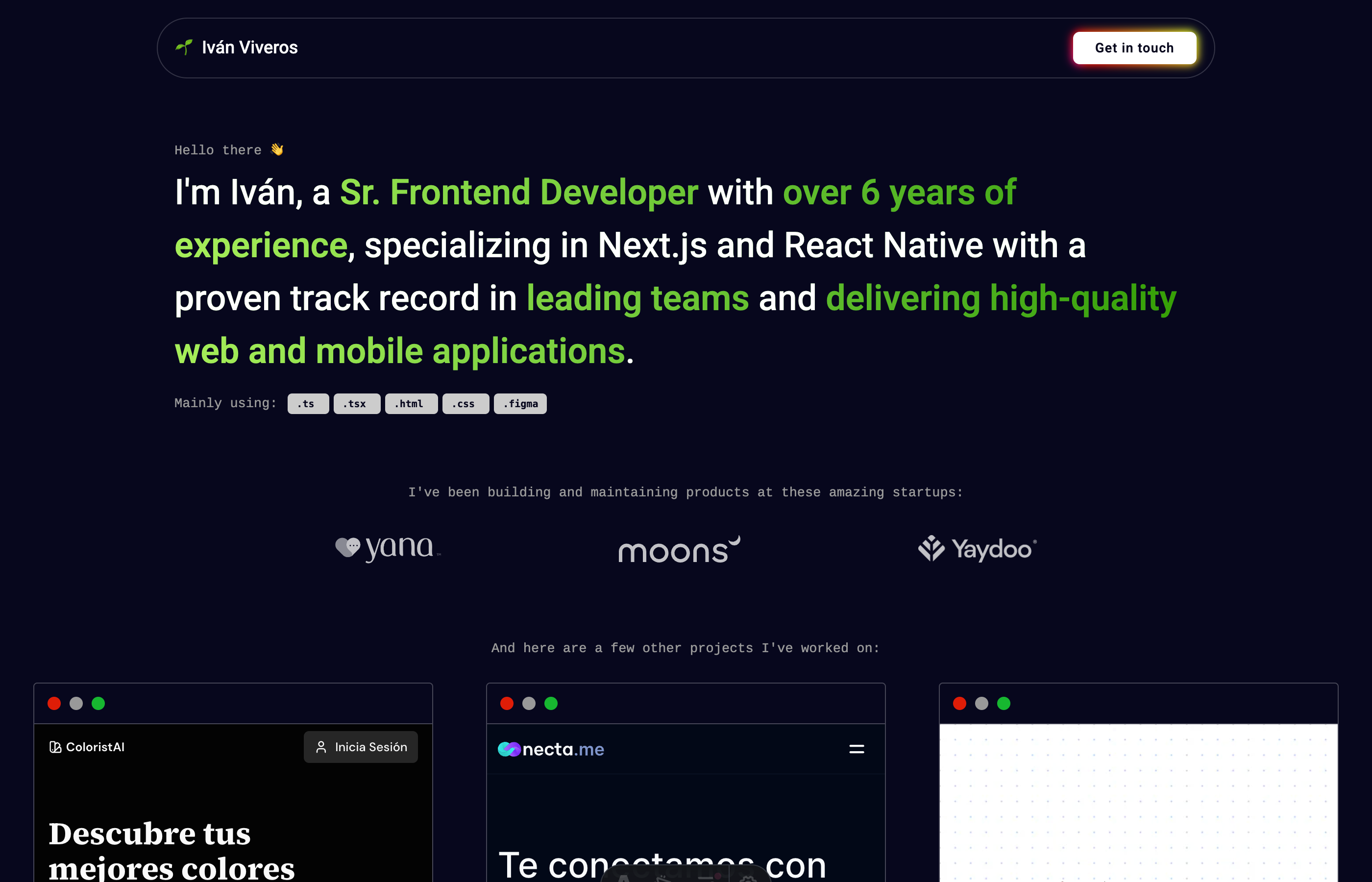
This is done by querying my profile information and pinned repos via the GitHub GraphQL API. So, whenever a chage is made on GitHub, it will inmediatly be displayed on the portfolio. It is all automated and there is no need to duplicate the same information over and over again!

To run the project locally you first need a GITHUB_PERSONAL_ACCESS_TOKEN stored in a .env file.
| Command | Action |
|---|---|
npm install |
Installs dependencies |
npm run dev |
Starts local dev server at localhost:3000 |
npm run build |
Build your production site to ./dist/ |
npm run preview |
Preview your build locally, before deploying |
npm run astro ... |
Run CLI commands like astro add, astro preview |
npm run astro --help |
Get help using the Astro CLI |
Feel free to check our documentation or jump into our Discord server.