
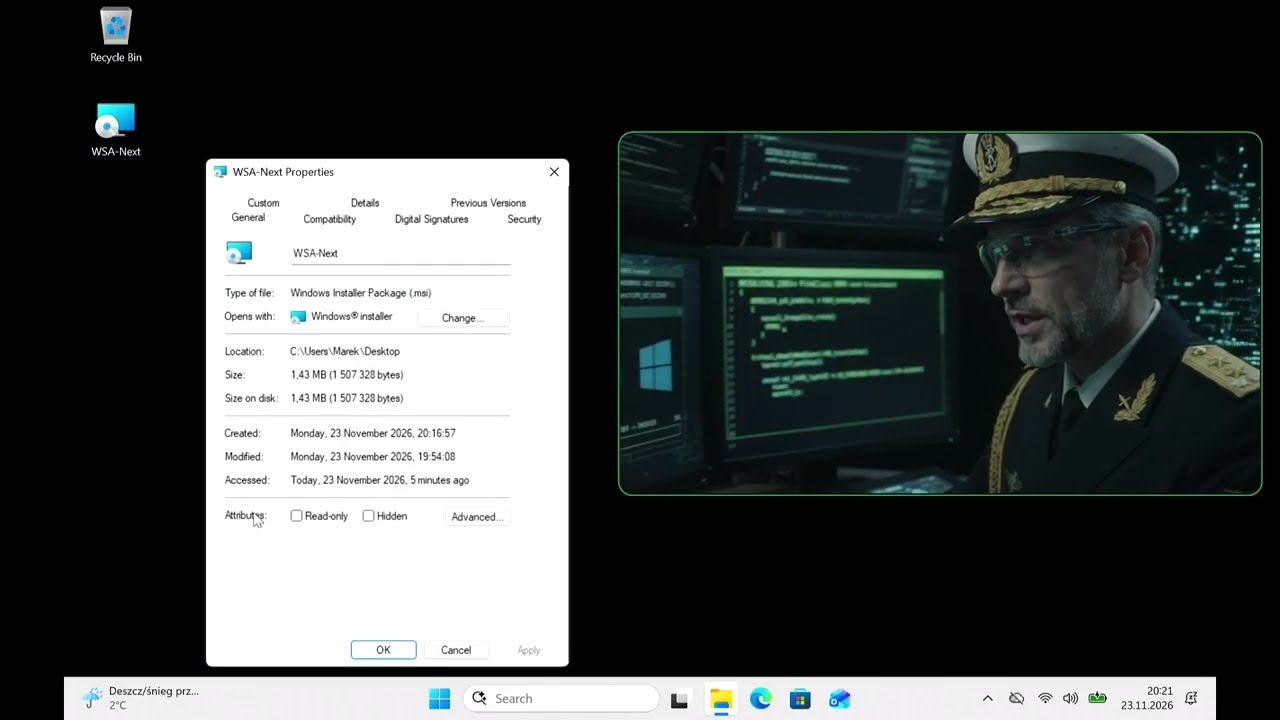
▶ Click above to watch the full install, Google Play, ARM64 and uninstall demo on YouTube (3 min 20 s, 1080p)

Android 15 for the Windows Subsystem for Android 2407 host, built from AOSP source
(android-15.0.0_r36, build BP1A.250505.005.D1).
Microsoft ended WSA with Android 13 (2407.40000.4.0). The Windows side of WSA
(WsaClient, WsaService, the Hyper-V VM and the vendor partition with the
Windows HALs) still works on current Windows 11, so the Android side can move on by
itself. WSA-Next replaces the Android system, system_ext, product images
and the Linux 6.18.64.1 LTS kernel (built from Microsoft's linux-msft-wsl-6.18.y
baseline with Android 15 ACK ports), while keeping Microsoft's Windows host and vendor partition.
Download: WSA-Next.msi (installer) or WSA-Next.zip (portable) from the latest release.
New to WSA? These are the steps and the commands, as they are typed. Run WSA-Next.msi (or
unpack WSA-Next.zip); it installs WSA-Next.exe and its 20 language files into
C:\Program Files\WSA-Next, and WSA-Next.exe fetches the Android 15 images on its own.
1. Install. Run WSA-Next.msi, then press Install in WSA-Next. Windows asks for administrator rights;
WSA-Next may ask to turn on developer mode and the Virtual Machine Platform (then Windows
restarts once). When it is done, Android apps open as normal Windows windows.
The first start takes a few minutes - that is normal. Android sets itself up the way a new phone does: it prepares every preinstalled app and its user data, so the fans may spin for a while. In the WSA settings, Apps shows "0 apps found" until Android has started, and the apps then appear one by one (YouTube, the largest, comes last) - in the list and in the Start menu. Later starts take seconds.
Register the PC with Google once. For Google, a new WSA-Next installation is a new device that is not certified, and Google Play works fully only after the device is registered. WSA-Next makes that a 30-second job: as soon as Play services have the device's ID, WSA-Next shows the Windows notification "Register this PC with Google Play". Click it: the ID goes to the Windows clipboard and https://www.google.com/android/uncertified opens in your Windows browser. Sign in with your Google account, paste the ID, press Register. The notification comes back after every start until you have clicked it; Register with Google Play… in the menu of WSA-Next's notification-area icon does the same at any time.
%%{init: {"flowchart": {"curve": "basis"}} }%%
flowchart LR
    classDef droid fill:#052e1a,stroke:#3ddc84,stroke-width:2px,color:#ecfdf5
    classDef win fill:#0f172a,stroke:#38bdf8,stroke-width:1.5px,color:#f0f9ff
    classDef you fill:#2e1065,stroke:#a78bfa,stroke-width:2px,color:#ffffff

    PS(["Play services<br/>check in with Google"]):::droid --> ID(["WSA-Next reads<br/>the device ID"]):::droid
    ID -->|"vsock"| N(["Windows notification<br/>Register this PC with Google Play"]):::win
    N -->|"click"| C(["ID in the clipboard<br/>Google's page in your browser"]):::win
    C --> R(["Sign in · paste · Register"]):::you
A few minutes later, open the Play Store and sign in (or create an account). Chrome, WebView and the Play Store then update themselves to the current versions. Google may e-mail a security alert about a sign-in on a new Android device, and a sign-in before the registration may be refused as a possible risk: both are Google's usual reaction to a new device - register first, then sign in again.
A new installation is a new device for Google; an update of WSA-Next keeps the registration.
The same registration fixes the Play Store screen "Updating Google Play for you - Google Play
will switch to the new language you chose - Couldn't finish the update": until Google knows the
device, the Play Store cannot download its language pack (any language other than English).
Missed the notification? The ID can also be read with adb (turn on Advanced settings ›
Developer mode in the WSA settings; adb is in Google's SDK Platform-Tools):
adb root, then
adb shell "grep -o 'android_id\">[0-9]*' /data/data/com.google.android.gms/shared_prefs/Checkin.xml".
2. Check Windows Hello (fingerprint, face or PIN - used for Android's fingerprint sensor and for root). In a terminal:
"C:\Program Files\WSA-Next\WSA-Next.exe" hello --check     # is Windows Hello set up for me?
"C:\Program Files\WSA-Next\WSA-Next.exe" hello --test      # show the Windows Hello dialog now
If --check says it is not set up: Windows Settings › Accounts › Sign-in options, add a PIN
(and a fingerprint or face, if your PC has a reader).
Apps that ask for your fingerprint often (a bank, a broker) can be let in without asking again
for a while after one confirmation: menu Android › Remember Windows Hello (5 or 30 minutes,
or until Windows is locked), or WSA-Next.exe hello remember 5|30|lock --yes. It is off by
default and at your own responsibility: whoever uses the unlocked PC meanwhile gets in too.
Locking Windows (Win+L), sleep with a sign-in and signing out always end it, and root for
Android apps (0) still asks every time.
3. Bluetooth for Android (optional): menu Bluetooth › Start. Android then sees your PC's Bluetooth adapter: scan for a BLE device (a smart band, a sensor, a scale) from an Android app.
4. Root for Android apps (optional, off by default): menu Android › Root for apps, or
"C:\Program Files\WSA-Next\WSA-Next.exe" elevation on
Then, in Termux (or adb shell):
0                          # a root shell; exit with "exit"
0 -c "id"                  # one command as root: prints uid=0(root)
0 pm list packages -3      # the apps you installed, listed by root
0 cat /proc/meminfo        # any program with its arguments
Every time, Windows shows a Windows Hello dialog with the app and the command. Touch the
fingerprint reader (or type the PIN) and the command runs; cancel and it does not. Apps that
ask for root by themselves (file managers, AdAway) look for su: also turn on
Android › su for root apps (elevation su on).
Why 0 and not the usual su? Apps that refuse to run on rooted devices search for a file
named su; WSA-Next has none, so there is nothing to hide (see
Why the command is 0).
5. Everyday things. The WSA-Next icon in the notification area (next to the clock) shows what runs and has the switches. File › Stop WSA frees the memory Android uses; it starts again with the next Android app. File › Uninstall removes WSA-Next and asks whether to keep your Android apps and data.
| Message | What it means |
|---|---|
0: root for Android apps is off |
turn it on in WSA-Next (step 4) |
0: Windows Hello is not set up on Windows |
set up a PIN or fingerprint (step 2) |
0: denied on Windows |
the Windows Hello dialog was canceled |
0: another request is waiting for Windows Hello |
answer the dialog that is open first |
Tested on a clean install (fresh userdata) with the WSA-Next Linux 6.18.64.1 LTS kernel, the stock vendor partition, SELinux enforcing and no manual tweaks:
| Area | State |
|---|---|
Boot, SELinux enforcing, Linux 6.18.64.1 LTS kernel (linux-msft-wsl-6.18.y + ACK ports) |
works |
| Android apps as Windows windows (open, move, resize, close) | works |
Launching apps from Windows (wsa://package), Start menu shortcuts after install |
works |
| APK install with Windows package verification | works |
ARM apps: 32-bit through Intel Houdini (WSA's vendor partition); 64-bit through Houdini, or Google's ndk_translation in the Google Play variant |
works |
| Current ARM64-only apps built on Chromium (Microsoft Edge 157, with its sandboxed renderers) | works in the Google Play variant |
| Notifications as Windows toasts | works |
| Clipboard Windows to Android | works |
Windows user folder in Android (/sdcard/Windows, virtiofs) |
works |
| Network (Ethernet with the host's Wi-Fi, metered and roaming state) | works |
| GPU: OpenGL ES 3.0 (Microsoft translator to Direct3D), Vulkan 1.1 (gfxstream / Dozen) | works |
| Hardware video decoding (H.264, HEVC, VP9, AV1 through the Windows host) | works |
| Audio output and input | works |
| Crash reports and ANR traces in WSA's Windows diagnostics folder | works |
| Google Play variant: Play services, Play Store, Chrome and Google WebView (x86 and x86_64), all kept current by Google Play; sign-in and new accounts | works |
| App data backup to the Google account | works (WSA 2407 had no backup service) |
| Bluetooth | in progress: the PC's adapter through WSA-Next.exe (Bluetooth menu): LE scanning, GATT (reads, writes, notifications, indications), pairing through Windows; classic Bluetooth (RFCOMM) not yet (WSA 2407 has no Bluetooth) |
| Fingerprint | Windows Hello (fingerprint, face or PIN) as Android's fingerprint sensor, class WEAK (WSA 2407 has none) |
| SIM, SMS and MMS | in testing: a PC with a mobile broadband modem gives Android its SIM, network, SMS and MMS (messages in Android's SMS app, such as Google Messages; codes read by apps that sign in with a phone number; pictures in and out through the operator's MMS access point, opened by Windows next to the PC's own connection). No calls and no mobile data in Android: the PC has its own network. Without a modem Android shows no SIM (WSA 2407 has no telephony) |
| Root for apps | 0 - root is uid 0 - confirmed on Windows with Windows Hello for every request, off by default; no Magisk, the images stay signed and unchanged |
WSA's Houdini (2023) cannot load many current ARM64-only apps (BTI/PAC code, 16 KB
pages, packed libraries such as Edge's libmsaoaidsec.so). The Google Play variant
therefore runs 64-bit ARM code through Google's ndk_translation (see
ARM translation).
android\tools\appcompat-test.ps1 starts every installed app in turn and reports whether it
runs, gets a Windows window, crashes, and which translator runs its native code.
Apps checked with it from Google Play, all without crashes: Chrome, YouTube (VP9 through
WSA's hardware decoder), Spotify, Discord, Gmail, Google Photos, ChatGPT, Allegro and
mBank (native x86_64), Google Authenticator (Java only) and Microsoft Edge (ARM64,
ndk_translation). Most current Play apps ship x86_64 code, so the translators matter
mainly for ARM-only apps and games.
WSA-Next.exe installs and updates WSA-Next: one native C++23 executable (no runtime, about
1.6 MB) with a Direct2D interface (Windows 11 dark theme, Mica, per-monitor DPI) and the same
functions on the command line. It reads a release manifest, downloads only the components
that changed, checks them, unpacks them and registers WSA with Windows.
%%{init: {"flowchart": {"curve": "basis"}} }%%
flowchart LR
    classDef step fill:#0f172a,stroke:#38bdf8,stroke-width:1.5px,color:#f0f9ff
    classDef check fill:#2e1065,stroke:#a78bfa,stroke-width:2px,color:#ffffff
    classDef stop fill:#3f1d1d,stroke:#f87171,stroke-width:1.5px,color:#fef2f2
    classDef done fill:#052e1a,stroke:#3ddc84,stroke-width:2px,color:#ecfdf5

    M(["manifest.json<br/>+ signed manifest.cat"]):::step --> V{"Signed by<br/>the publisher?"}:::check
    V -->|"yes"| P(["Plan<br/>only what changed"]):::step
    V -->|"no · built from sources"| W(["Warning"]):::step --> P
    V -->|"no · official exe"| X(["Refused"]):::stop
    P --> D(["Download<br/>WinHTTP · resume · SHA-256"]):::step
    D --> U(["Unpack<br/>zstd to name.new · SHA-256"]):::step
    U --> S(["Switch<br/>stop WSA · rename all at once"]):::step
    S --> R(["Register WSA<br/>background host at logon"]):::done
| Step | What happens |
|---|---|
| Release | manifest.json from GitHub Releases, the kvc.pl mirror, a local test server or any URL (HTTPS; plain HTTP only for localhost) |
| Plan | each component (system, system_ext, product, vendor, kernel, initrd, the Windows part, the metadata and user data templates) is compared with wsa-next.json in the install folder; unchanged ones are not downloaded |
| Download | WinHTTP, resumed with HTTP range requests after an interruption or on the next start, up to five attempts, SHA-256 of every file |
| Unpack | one zstd stream per component (--long=31), every file to <name>.new next to the installed one, bounded by the size in the manifest and checked against its SHA-256 while it is written; the Windows part is a tar unpacked with checked paths (no .., drive letters or device names) |
| Switch | only when every component has unpacked: WSA is stopped and all .new files are renamed over the installed ones, so a failure or a cancellation leaves the previous release untouched and WSA keeps running while the new one unpacks |
| Windows | developer mode and Virtual Machine Platform when missing (after a question), the dependency packages (VCLibs, UI.Xaml), then the package is registered from the install folder in development mode; a new WSA gets developer mode off (as in the Microsoft Store version) and optional diagnostic data off - otherwise WSA waits at its first start for an answer to that question - and a choice made in WSA's settings is kept |
The package keeps Microsoft's identity (MicrosoftCorporationII.WindowsSubsystemForAndroid_8wekyb3d8bbwe):
WsaClient and WsaService depend on it for wsa:// links, notifications, Start menu entries
of Android apps and the user data disk in the package's LocalCache. An existing WSA (from the
Microsoft Store or another unpacked build) is replaced and the Android apps and their data stay.
The install folder is %ProgramFiles%\WSA-Next unless another one is chosen.
Windows lets one user at a time register an unpacked package. When WSA is registered for another Windows user of the PC, an installation from that user's install folder updates the files for them (their registration and their background host's logon task stay as they are) and says so; from another folder it stops before downloading anything, and while their WSA runs it does not cut it off: they close it first.
WSA-Next.exe                         graphical interface (asks for administrator rights)
WSA-Next.exe status                  Windows, Virtual Machine Platform, developer mode, installed WSA
WSA-Next.exe check  [--source s]     what the release offers and what would be downloaded
WSA-Next.exe install [--source s] [--dir folder] [--yes] [--files-only] [--keep-downloads]
WSA-Next.exe uninstall [--all] --yes remove WSA-Next (keeping the Android data, or everything)
WSA-Next.exe stop                    stop WSA and free its memory; nothing is removed
WSA-Next.exe verify [folder]         check that the installed Android is an official release, unchanged
WSA-Next.exe bluetooth               give Android the PC's Bluetooth adapter until Ctrl+C
WSA-Next.exe hello [--check|--test]  Windows Hello for Android (the bridge, or a check of this PC)
WSA-Next.exe hello remember [off|5|30|lock] [--yes]
                                     remember a Windows Hello confirmation for Android apps
WSA-Next.exe elevation [on|off]      root for Android apps, every request confirmed with Windows Hello
WSA-Next.exe launch                  start Android (opens the Play Store, or Android's Settings)
WSA-Next.exe modem                   the PC's modem as Android sees it (SIM, network, stored messages)
WSA-Next.exe lng-export|lng-check    language files (see Languages)
File › Stop WSA (Ctrl+Shift+R, or stop) frees what WSA's virtual machine holds (memory,
CPU) without uninstalling anything: Android shuts down the way WSA's own settings do it, the end
of the VM arrives as a Host Compute Service notification, and a VM that has not ended after
30 seconds is terminated. WSA starts again with the next Android app.
The window is only for installing and settings; Bluetooth, Windows Hello and root for Android
live in the background host (host --background, started at logon), so closing the window
changes nothing. The host has an icon in the notification area (Android › Icon in the
notification area, on by default): its tooltip says whether Android runs, whether Bluetooth is
connected and whether root is on; its menu opens WSA-Next and switches Bluetooth, root and su,
stops WSA or the background services, and opens the log. Every root grant also shows as a
Windows notification, so none goes unseen, and so does the Google Play registration of a new
installation (with Register with Google Play… in the menu). The icon follows the host's
change notices (WSA's VM up or down, a bridge connected) and never polls.
Pages the window or the host open (the releases, Google's registration page, Donate) open through Explorer: the browser runs with the user's rights, not elevated like WSA-Next.
An official WSA-Next.exe carries the publisher's Authenticode signature, and an official
release carries manifest.cat next to manifest.json: a catalog signed with the same
certificate that lists the manifest's SHA-256. The manifest in turn lists the SHA-256 of every
Android disk and boot file as installed.
Official WSA-Next.exe |
Built from the sources | |
|---|---|---|
| Installs | official releases only | any release, with a warning |
Bluetooth, Windows Hello, root (0), SIM, SMS and MMS |
served while the installed Android is an official release, unchanged | not available |
The background host checks the installed release when it starts: the signed manifest (kept in
the install folder as release.json and release.cat) and the digest of every disk. A digest
is remembered with the file's identity (volume, file ID, size, change time) in a machine-wide
registry key only administrators can write, so the disks are read only after they changed and
no ordinary process can vouch for a changed disk. The installer takes the digests while it
writes the disks, so the host's first check reads nothing again. A repackaged image (other branding, other files) is a different
image, and the bridges do not serve it. status shows the host's latest verdict.
The official catalog check pins Certum's root keys (the SHA-256 of their public keys), not only their names, and holds the catalog open without write sharing while it is checked, so the bytes whose signature was verified are the bytes whose members are read. The publisher signature is a mark of origin and trust, not copy protection: anyone may build WSA-Next from these sources.
Root without Magisk and without changing a byte of the signed images. Android › Root for apps
(or elevation on) turns it on; it is off by default.
0                  an interactive root shell (Termux, adb shell)
0 -c "command"     the command through sh
0 program [args]   the program
sequenceDiagram
    autonumber
    participant A as App (Termux)
    participant D as wsa-elevated
    participant H as WSA-Next host
    participant W as Windows Hello
    A->>D: 0 -c "id" · /dev/socket/wsa_elevate
    D->>D: who asks: SO_PEERCRED · packages.list
    D->>H: request · vsock WSEV
    H->>W: dialog with the app, its uid and the command
    W-->>H: verified (or canceled)
    H-->>D: granted
    D->>A: wsa-elevate-exec runs the command as uid 0 on the app's own terminal
| Step | Where | What happens |
|---|---|---|
| ask | the app | /system_ext/bin/0 connects to /dev/socket/wsa_elevate |
| who | wsa-elevated |
the kernel names the caller (SO_PEERCRED: uid, pid); packages.list names the app |
| decide | Windows | the elevation bridge of the background host (vsock port WSEV) shows Windows Hello with its own text: the app, its uid and the command, control and direction-changing characters removed |
| run | wsa-elevate-exec |
started by the daemon only after a verified answer; its executable enters AOSP's root domain (su, debug builds), takes the caller's terminal or stdio from the caller itself (pidfd_getfd) and runs the command |
| relay | 0 |
on a terminal the command gets a pty of its own (line editing, job control, Ctrl+C); the exit status comes back |
| again | wsa-elevated |
a caller that is root in the elevated domain already (its context from SO_PEERSEC) is not asked again: it gains nothing |
For fifteen years, root on Android has meant one file: a binary called su. Root detection is
built around that name. Banking, payment, streaming and game apps (and libraries such as
RootBeer, or the checks inside anti-cheat and DRM SDKs) look for:
- a file named
suin the usual places -/system/bin/su,/system/xbin/su,/sbin/su,/su/bin/su,/data/local/xbin/su- and in every folder on thePATH; - whether
which suorRuntime.exec("su")succeeds; - the packages of root managers (Magisk, SuperSU, KingRoot) and a modified
/system.
Because of that, rooting on phones turned into hide and seek: Magisk's DenyList, Zygisk modules
and per-app mount namespaces exist mostly to make the word su disappear again for the apps
that look for it - a cat-and-mouse game that breaks with every update of the detectors.
WSA-Next does not play that game; it does not need to:
- There is no
sufile. Root is user ID 0, so the command is0. A file named0is in no detector's list, and it is not hidden either: it is a normal, documented system binary. - Even AOSP's own
suis gone. Debug builds of Android ship/system/xbin/su(usable fromadb shellonly). Our0module declaresoverrides: ["su"], so the build leaves that file out of the image: nothing namedsuis anywhere on the system. - The decision is not inside Android. The switch that allows root and the confirmation of every request are on Windows, behind Windows Hello. There is no root manager app to detect.
- Nothing is modified. The images are the signed, official ones; SELinux stays enforcing.
So the clean state needs no hiding at all, and scripts written for su -c "..." work with
0 -c "...". Only if you want apps that insist on the name su (below) does the name appear -
and then because you chose it, visibly, with one switch you can turn off again.
Apps that ask for root themselves (file managers, AdAway, anything built on libsu) look for su
and cannot be taught a new name. For them there is Android › su for root apps (elevation su on), off by default: the init script puts an empty /dev/wsa/bin last on every process's
PATH, and while the switch is on and the bridge is connected, the daemon places the link
su -> /system_ext/bin/0 there. 0 called as su speaks su's syntax (-c, -, --login,
--mount-master, -v, su 0 command), so those apps work unchanged, and Windows Hello still
confirms every request. /dev is one tmpfs for every process: the link appears and disappears
for all apps at once, without touching /system. While it is on, other apps' root checks see
su too - that is the honest price of the name.
Security notes. The daemon itself runs in a narrow SELinux domain and never receives an app's
file descriptors. Every request and answer is written to the bridge log
(%LOCALAPPDATA%\WSA-Next\bluetooth.log) and to logcat (wsa-elevated), and every grant shows
as a Windows notification. A request is a decision about the app: confirm only apps you trust.
The dynamic linker drops LD_PRELOAD and similar variables on the way into the root domain.
File › Uninstall… (or uninstall) offers two ways:
| Keep Android data | Remove everything (--all) |
|
|---|---|---|
| WSA package registration | removed | removed |
| Install folder | only what the installer wrote there (wsa-next.json lists it), then the folder if empty |
same |
Android data disk (apps, accounts, files) in %LOCALAPPDATA%\Packages\… |
kept, used again by the next installation | deleted |
| Start menu entries, "Installed apps" entries, file and link associations of Android apps | removed by WSA with its package, created again by the next installation | removed, including what an earlier removal left behind |
| Notification settings, tiles, privacy consent, Windows caches of the package and the install folder | kept | removed |
WSA-Next settings (HKCU\Software\KVC\WSA-Next) and the host's digest cache (HKLM\Software\KVC\WSA-Next\Digests) |
kept | removed |
| Background host with the Bluetooth and Windows Hello bridges | stopped, no longer starts with Windows, its copy in %ProgramFiles%\WSA-Next removed |
same, and also the Hyper-V socket service registrations of test builds and the log |
| Developer mode, Virtual Machine Platform | unchanged | turned off again only if WSA-Next turned them on, and not while other unpacked apps or WSL distributions need them |
A WSA registered from somewhere else (the Microsoft Store, another unpacked build) is never removed, and neither are its data and entries. "Remove everything" also cleans up after a WSA that was removed through Windows Settings. Windows' own usage history (jump lists, the app list backup, CloudStore) is not edited.
The interface is available in 21 languages. English is built into the executable and always
works; every other language is a language\<code>.lng file next to it (bin\language, sources in
src\resources\language). A missing or broken string falls back to English one by one, so a
partial file still works. The command line stays English so that scripts can parse its output.
| Code | Language | Code | Language | Code | Language |
|---|---|---|---|---|---|
en |
English (built in) | hi |
हिन्दी (Hindi) | ru |
Русский (Russian) |
ar |
العربية (Arabic) | id |
Bahasa Indonesia | tr |
Türkçe (Turkish) |
cs |
Čeština (Czech) | it |
Italiano (Italian) | uk |
Українська (Ukrainian) |
de |
Deutsch (German) | ja |
日本語 (Japanese) | vi |
Tiếng Việt (Vietnamese) |
es |
Español (Spanish) | ko |
한국어 (Korean) | zh-cn |
简体中文 (Simplified Chinese) |
fa |
فارسی (Persian) | nl |
Nederlands (Dutch) | zh-tw |
繁體中文 (Traditional Chinese) |
fr |
Français (French) | pl |
Polski (Polish) | ||
pt |
Português (Portuguese, Brazilian wording; also used for pt-PT) |
The language is chosen automatically from the Windows display languages in their order of
preference: first a file that lists the language in its #locale= header, then one named after it
(pt-br.lng, pt.lng, por.lng). Nothing matches: English. View > Language switches it by
hand and shows each language in its own name with its coverage, so an unfinished translation is
visible. zh-cn also serves zh-Hans/zh-SG and zh-tw serves zh-Hant/zh-HK/zh-MO.
Except for Polish, the translations were produced without a native-speaker review; corrections are welcome, in particular for Arabic, Persian, Hindi and the two Chinese variants.
Adding or improving a language:
WSA-Next.exe lng-export xx.lngwrites the English template (ID=text, UTF-8, escapes\n,\r,\t,\\). Translate the text after=, set#name=(the language's own name) and#locale=(the Windows languages it covers).- Keep every
{}/{0}placeholder. Automatic{}fields keep their order (they may be left out, never added or reordered; rephrase the sentence instead); numbered{0},{1}may move. - Save it as
src\resources\language\xx.lngand add it toWSA-Next.vcxprojandWSA-Next.vcxproj.filters(oneCopyFileToFoldersentry in each, like the others), so that the build copies it tobin\language. WSA-Next.exe lng-check language\xx.lngreports missing strings and broken placeholders (without a file name it checks every file inlanguage\).
Installing and uninstalling WSA-Next copy and remove the .lng files together with the
background host.
Build: build.ps1 (PowerShell 7) finds the newest Visual Studio with the C++ tools and the newest
complete Windows SDK by looking at the files on disk (vswhere and a folder scan, no version
numbers in the scripts), builds with /W4 /WX /sdl /guard:cf, CET and /Brepro, and writes
bin\build-receipt.json with the toolchain and the hashes of every input and output.
Release: android/tools/package-release.sh compresses the components and writes the manifest
with the digests of the packed and the unpacked files (an unchanged component keeps its file, so
an update only adds what changed). The publisher then signs the manifest (a catalog made with
New-FileCatalog and signed with the code signing certificate). A web server must serve .zst
and .cat files (IIS: a mimeMap for each in web.config) and answer range requests. Served on
the same computer as /wsa-next, the release is the source local
(http://localhost/wsa-next/manifest.json); an official WSA-Next.exe installs it only when it
carries the publisher's signature.
%%{init: {"flowchart": {"curve": "basis"}} }%%
flowchart LR
    classDef win fill:#0f172a,stroke:#38bdf8,stroke-width:1.5px,color:#f0f9ff
    classDef ms fill:#1f2937,stroke:#9ca3af,stroke-width:1.5px,color:#f3f4f6
    classDef droid fill:#052e1a,stroke:#3ddc84,stroke-width:2px,color:#ecfdf5
    classDef hw fill:#2e1065,stroke:#a78bfa,stroke-width:1.5px,color:#ede9fe

    subgraph WIN["Windows 11"]
        HW(["PC hardware<br/>Bluetooth adapter · Windows Hello · mobile broadband modem"]):::hw
        EXE(["WSA-Next.exe<br/>installer · background host"]):::win
        CLIENT(["WsaClient · WsaService<br/>Microsoft, unchanged"]):::ms
    end
    subgraph VM["Hyper-V VM · Linux 6.18.64.1 LTS (WSA-Next)"]
        SYS(["system · system_ext · product<br/>Android 15 · WSA-Next"]):::droid
        HALS(["WSA-Next HALs and daemons<br/>Bluetooth · fingerprint · RIL · wsa-mms · wsa-elevated"]):::droid
        VEN(["vendor · Android 13 HALs<br/>Microsoft WSA 2407"]):::ms
    end
    HW -->|"WinRT · mbnapi · Windows Hello"| EXE
    EXE -->|"vsock bridges"| HALS
    CLIENT -->|"app windows · notifications · clipboard"| VEN
    HALS --- SYS
    VEN --- SYS
The background host connects to Android over Hyper-V sockets (vsock in the guest); each HAL or daemon listens on its own port, and the host connects as soon as WSA's VM is up:
%%{init: {"flowchart": {"curve": "basis"}} }%%
flowchart LR
    classDef win fill:#0f172a,stroke:#38bdf8,stroke-width:1.5px,color:#f0f9ff
    classDef droid fill:#052e1a,stroke:#3ddc84,stroke-width:2px,color:#ecfdf5
    classDef hw fill:#2e1065,stroke:#a78bfa,stroke-width:1.5px,color:#ede9fe

    API(["Windows APIs<br/>WinRT Bluetooth LE · UserConsentVerifier<br/>mbnapi · ConnectivityManager · SMS router"]):::hw
    HOST(["WSA-Next background host<br/>started at logon · checks the release first"]):::win
    API --- HOST
    HOST -->|"WSBT · HCI in H4 framing"| BT(["Bluetooth HAL<br/>IBluetoothHci"]):::droid
    HOST -->|"WSFP · verify"| FP(["Fingerprint HAL<br/>sensor = Windows Hello"]):::droid
    HOST -->|"WSEV · confirm every request"| EL(["wsa-elevated<br/>root for apps: 0"]):::droid
    HOST -->|"WSRL · AT commands"| RIL(["Cuttlefish RIL<br/>SIM · network · SMS"]):::droid
    HOST -->|"WSMM · one exchange per connection"| MMS(["wsa-mms<br/>MMS tunnel"]):::droid
    HOST -->|"WSRG · device ID"| REG(["wsa-elevated<br/>Google Play registration"]):::droid
The disks, as WSA's VM sees them:
Windows 11
  WsaClient / WsaService (Microsoft, unchanged)
  Hyper-V VM
    kernel 6.18.64.1+ (WSA-Next, from linux-msft-wsl-6.18.y + ACK ports)
    initrd: wsainit (Microsoft, WSL-derived init)
    SCSI 0:0:0:0  system.vhdx      <- WSA-Next (root filesystem, system-as-root)
    SCSI 0:0:0:1  vendor.vhdx      <- Microsoft WSA 2407 (Android 13 vendor, VNDK 33)
    SCSI 0:0:0:2  system_ext.vhdx  <- WSA-Next
    SCSI 0:0:0:3  product.vhdx     <- WSA-Next
    SCSI 0:0:0:4  userdata         (created by WsaService)
    SCSI 0:0:0:5  metadata         (created by WsaService)
    virtiofs: shared_mem, shared_tmp, /data/anr, /data/tombstones, Windows user folder
Boot sequence: wsainit mounts only the system disk and starts /init from it.
Android's first-stage init then reads /system/etc/fstab.${androidboot.fstab_suffix}
(2.windows on WSA 2407) and mounts vendor, system_ext, product and metadata by SCSI
address. Second-stage init compiles the split SELinux policy (Android 15 platform policy
plus the Android 13 vendor policy, sepolicy version 33.0).
Microsoft's integration with Android is modular, which is what makes the port practical:
| Piece | Mechanism |
|---|---|
| system_server services | config_deviceSpecificSystemServices, config_deviceSpecificDisplayAreaPolicyProvider, a LaunchParamsModifier |
| SystemUI | a SystemUI variant on SystemUI-core (same pattern as TvSystemUI) with its own WM Shell module; it mirrors every freeform task into a Windows window |
| Host channels | privileged apps (SystemApp, UserApp, HomeApp) talking to Windows over the vendor's remote connection manager (rcmsvc, vsock, protobuf) |
| Composition | SurfaceFlinger tags layers with the task id, the vendor's HWC composes each task into its own Windows window |
A static scan of the Android 13 framework found no Microsoft hooks inside framework.jar
or services.jar.
src/                          WSA-Next.exe, the Windows installer (C++23, see below)
  resources/language/         translations (*.lng); the build copies them to bin\language
build.ps1                     builds WSA-Next.exe (/W4 /WX /sdl /guard:cf, CET, /Brepro)
build_msi.ps1                 builds WSA-Next.msi (20-language Setup Wizard) and WSA-Next.zip
installer/msi-strings.json    localized strings for the 20-language Windows Installer wizard
third_party/zstd/             zstd decoder (BSD), from AOSP's external/zstd
android/                      everything that builds the Android images
  device/wsa/wsa_x86_64/      device configuration
    wsa_x86_64.mk             product: generic system + WSA app set, separate system_ext/product
    wsa_x86_64_gapps.mk       same with Google Mobile Services, the Google apps of a stock
                              phone and Google's ARM64 translator (vendor/gapps,
                              vendor/google_apps, vendor/ndk_translation, not included)
    BoardConfig.mk            x86_64 + x86, ext4 images, no kernel/boot/vendor build
    fstab.1.windows/.2.windows  first-stage mount tables (WSA's disk layout)
    houdini/                  /system paths expected by the vendor's Houdini setup
    ndk_translation/          binfmt_misc registration for Google's ARM64 translator
    bluetooth/                Bluetooth HAL on vsock (the PC's adapter through WSA-Next.exe)
    fingerprint/              fingerprint HAL whose sensor is Windows Hello
    elevate/                  root for apps: 0, wsa-elevated, wsa-elevate-exec
    telephony/                the RIL's init script and features, the wsa-mms daemon (MMS)
    registration/             Google Play variant: offers "Register this PC with Google Play"
                              (shown by WSA-Next on Windows)
    gms/                      default permissions of the Google Play variant
    init/                     device-wide init actions (init.wsa-next.rc)
    rro/                      resource overlays (framework, DocumentsUI, NetworkStack,
                              settings, Google WebView)
    sepolicy/                 SELinux policy of the HALs and daemons above and of the patched
                              vold property
  patches/<aosp project>/     source patches, applied by tools/build.sh
  tools/
    build.sh                  sync into AOSP, apply patches, lunch, build, convert to VHDX
    fetch_gms.sh              prepare vendor/gapps, vendor/google_apps and vendor/ndk_translation
                              (Google Play variant)
    collect-play-apps.ps1     take this month's Google apps from a Play-updated installation
    integrate-play-apps.sh    check them and generate vendor/google_apps/play for the image
    locales/SetLocales.java   list every language on the device (Play then adds all language splits)
    deploy-test.ps1           install images into a registered WSA 2407 and test the boot
    appcompat-test.ps1        start every installed app and report how it runs
    extract_images.sh         unpack WSA and AOSP GSI images into file trees
    make_stock_initrd.sh      build an initrd that only contains Microsoft's wsainit
    package-release.sh        compress release components with zstd and generate manifest.json
    dexmodel.py / dexcompat.py  DEX reader and Android 13 -> 15 API compatibility scanner
    split_ms_classes.py       split host-integration classes into reusable / to-port sets
  reports/                    scanner output (generated locally, not committed)
The device configuration also pulls in an optional vendor/wsa integration layer when
it is present. That layer contains Microsoft's apps and libraries and code derived from
them (see below), so it is not part of this repository. Without it the tree builds
plain Android 15 images. Google's apps are not included either.
Every change to AOSP is a small patch in android/patches/, written for WSA and kept generic
where possible.
| Patch | Why |
|---|---|
system/core 0001 fs_mgr: resolve SCSI addresses |
WSA's fstab names disks as SCSI=h:c:t:l; Microsoft's Android 13 fs_mgr resolved them through /sys/bus/scsi/devices. Needed for /vendor, /data and /metadata. |
system/core 0002 tombstoned: named temporary files |
/data/tombstones is a virtiofs share without O_TMPFILE; Android 15 tombstoned aborted on every crash, so no crash report reached Windows. |
frameworks/native 0001 SurfaceFlinger: WSA layer metadata |
Sends com.microsoft.wsa.{taskid,windowtype,secure} generic layer metadata to the WSA composer (HIDL composer 2.4); the task id is inherited down the layer tree, as Microsoft's Android 13 SurfaceFlinger did. |
frameworks/native 0002 SurfaceFlinger: no present fences without a sync framework |
WSA declares ro.surface_flinger.running_without_sync_framework=true: its composer returns no present fences. Android 15 decides whether present fences are reliable from a composer capability only, so every frame logged trackPendingFrame: Invalid present fence (about 60 lines a second) and apps were told display present times exist. Without a sync framework they are now treated as unreliable, as older SurfaceFlinger versions (DispSync) did. |
frameworks/base 0001 StorageManager: no project quota on virtiofs |
Quota ioctls fail on the Windows folder share. |
frameworks/base 0002 WM Shell: PiP menu on any display |
WSA's shell attaches the PiP menu as a shell-root window tagged with the task id and moves it between displays. |
frameworks/base 0003 PackageManager: always send the APK list to verifiers |
Android 14 sends EXTRA_VERIFICATION_ROOT_HASH only for incremental installs; WSA's verifier (Windows-side package scanning) needs it for every install, otherwise all installs fail. |
system/vold 0001 signal emulated storage |
Sets external_storage.emulated_0.mounted, which the Windows folder sharing waits for. |
system/linkerconfig 0001 vendor native bridge |
Houdini lives in /vendor and is reached through a /system symlink; Android 15's isolated system namespace rejected it silently, so ARM apps failed with EM_AARCH64 instead of EM_X86_64. /vendor is permitted only when a native bridge is configured. |
packages/modules/Connectivity 0001 Ethernet capabilities on PC devices |
WSA mirrors the host network into eth0 (Wi-Fi transport for app compatibility, metered, roaming). Android 14 limited this to automotive devices and a single transport. Restored for FEATURE_PC devices. |
art 0001 settle the JNI id type in translated child zygotes |
A child zygote (an app's app zygote) returned from post-fork setup before choosing its final JNI id type, so it preloaded guest libraries with one JNI function table and its children switched to another one that the native bridge had never made callable from guest code. Chromium's sandboxed renderers crashed on their first JNI call. |
art 0002 nativeloader: an app on a system partition loads its own libraries |
A class loader an app makes itself gets an isolated linker namespace that may load anything under /data and /mnt/expand (AOSP's workaround for apps that call System.load() with absolute paths). An app on a system partition keeps its libraries in its folder there: Chrome, which makes the class loaders of its isolated splits itself, crashed at start when integrated into /product (libelements.so ... is not accessible for the namespace) although its base loaded libchrome.so from the same APK. Such a namespace now also permits the folder of the calling APK when that is an app folder on a system partition - the app's own files and nothing else. |
frameworks/base 0004 zygote: no seccomp for native bridge code |
Guest code cannot install working seccomp filters: they check the guest architecture and system call numbers while the kernel sees the host's calls, so the first call after installation killed the process (Chromium's renderer sandbox, SIGSYS). In processes that run through a native bridge, seccomp(2) and prctl(PR_SET_SECCOMP) now fail as on a kernel without seccomp, after Android's own filters are in place. |
system/sepolicy 0001 hal_bluetooth: hardware rules for non-coredomain HALs only |
WSA-Next's Bluetooth HAL is a platform (coredomain) process that bridges HCI over vsock and touches no sysfs, rfkill, uhid, UART or vendor property. Those rules are scoped to { hal_bluetooth -coredomain }, so the HAL passes the coredomain neverallows without loosening them. |
system/sepolicy 0002 hal_telephony: hardware rules for non-coredomain HALs only |
The same for the RIL, whose modem is reached over vsock: no radio or tty devices, EFS, sysfs or vendor shell. |
hardware/ril 0001 librilutils: platform build |
Built for system_ext: the RIL is a platform HAL. |
hardware/interfaces 0001 radio compat: platform build |
Built for system_ext and installed in /system_ext/lib64: the platform linker namespace does not search a hw folder. |
device/google/cuttlefish 0001 RIL: platform build listening for the host modem |
Cuttlefish's AT-command RIL runs as a system_ext HAL and listens on vsock (-L) for the modem bridge on Windows; base64 from BoringSSL; 64-bit only. |
device/google/cuttlefish 0002 RIL: refuse data calls without retries |
There is no mobile data in WSA. A failed data call reached Android as "retry at once", and with an APN list it retried every few milliseconds until the network stack ran out of receivers and system_server restarted. The RIL now answers with a permanent "service option not supported". |
device/google/cuttlefish 0003 rild: explicit library without modem simulator ports |
rild skipped loading the RIL when Cuttlefish's ro.boot.modem_simulator_ports was unset, which WSA does not set; it now loads the library given with -l, and copies the library's arguments without writing past the end of argv. |
packages/services/Mms 0001 MmsService: MMS through the WSA-Next host |
Android has no cellular network in WSA, so MMS could not be downloaded or sent. With the wsa-mms daemon present, each HTTP exchange goes through a loopback tunnel to it, and WSA-Next on Windows opens the operator's MMS access point on the modem and connects. The "MMS data enabled" check is skipped (Android has no mobile data setting there). |
packages/providers/TelephonyProvider 0001 reload APNs when the build fingerprint changes |
TelephonyProvider reloads apns-conf.xml only when ro.build.id changes, which WSA-Next releases of one Android version keep; an update never brought the APN list (and so MMS) to existing user data. |
frameworks/base 0005 input: no layout notification for built-in keyboards |
WSA's keyboard is built in, and Windows applies the user's layout before Android sees a key, so Polish, German or other letters arrive right with Android's default layout. Android 15 still posted "Keyboard layout set to English (US). Tap to change" as a Windows notification after every start, and changing the layout there would translate the keys twice. External keyboards (USB, Bluetooth) still get the notification. |
fstab.{1,2}.windowsare installed to/system/etc: WSA has no boot ramdisk, so first-stage init can only find the mount table in the system image.WsaFrameworkOverlaysetsconfig_disableLockscreenByDefault. WSA 2407 disabled the lock screen through SettingsProvider; Android 14+ reads LockSettings, and a showing keyguard holds a sleep token that keeps every activity invisible.- App data backup, which WSA 2407 did not have: the device declares
android.software.backupandWsaSettingsProviderOverlayturns backup on by default (to the Google account on the Google Play variant). - Consent defaults (set once at first boot, later user choices are kept): Play Protect scanning on and consented, backup on; sending unknown apps to Google and background Wi-Fi / Bluetooth scanning off. Location follows the Windows setting.
- adb asks before it lets a computer in (
ro.adb.secure=1, Android's "Allow debugging?" dialog), as on a user build. It matters more here than on a phone: Microsoft's vendor init starts adbd on every debuggable build regardless of WSA's developer mode, WsaClient forwards port 58526 on all addresses, and Microsoft's package opens that port to the private network. Without the confirmation any computer on a home network had a root shell (adb root). - Debuggable builds start a shell on the serial console, and Android then posts "Serial
console enabled - performance is impacted", which WSA shows as a Windows notification after
every start.
init/init.wsa-next.rcstops that shell; adb and0are the ways in. - Google Play variant:
registration/(WsaNextRegistration) waits for Play services to check in with Google (CHECKIN_COMPLETE) and offers the registration. A click on an Android notification does not come back to Android on WSA for an app without a launcher activity (WSA forwards the notification to Windows, but no click event reaches Android, for any of its buttons), so the notice is Windows' own: the app askswsa-elevated("RGWN"), which reads the ID and hands it to WSA-Next's host over vsock port0x57535247("WSRG", connected whenever the host runs, root for apps on or off). The host's notification-area icon shows the notification; a click (or the icon's menu item) copies the ID to the clipboard and opens Google's page through Explorer, so the browser does not run elevated like the host. The host then remembers a digest of the ID (not the ID) and answers later offers of it with "done". Without the host or its icon, the app posts its own notification with the ID (Copy ID, Open page, Done), which at least shows it. A new installation gets a new ID. Play services up to 25.x give the device ID to any app holdingREAD_GSERVICES; from 26.x on their provider gives it only to Google-signed apps (GoogleSignatureVerifier, logged as "is not approved to access the device ID"). The app then askswsa-elevated, which answers this one package only (the uid comes from the kernel) with the number read from Play services'Checkin.xmlbywsa-elevate-exec --gsf-id- no shell, no Windows Hello, nothing else read. Play services announce the check-in before their preferences reach the disk, so the reader waits forCheckin.xmlto be written (inotify, at most 20 seconds) when the ID is not there yet. - The vendor partition links against VNDK 33, so the build ships the v33 VNDK snapshot
(
PRODUCT_EXTRA_VNDK_VERSIONS := 33), like Android's GSI. - Runtime properties match WSA 2407: no RescueParty, no predictive back, FUSE passthrough for emulated storage.
SIM, SMS and MMS in short (the details follow):
%%{init: {"flowchart": {"curve": "basis"}} }%%
flowchart LR
    classDef win fill:#0f172a,stroke:#38bdf8,stroke-width:1.5px,color:#f0f9ff
    classDef droid fill:#052e1a,stroke:#3ddc84,stroke-width:2px,color:#ecfdf5
    classDef hw fill:#2e1065,stroke:#a78bfa,stroke-width:1.5px,color:#ede9fe

    subgraph WIN["Windows"]
        MODEM(["Mobile broadband modem<br/>SIM · message store"]):::hw
        BR(["Modem bridge<br/>answers AT commands with mbnapi"]):::win
        RELAY(["MMS relay<br/>opens the APN while an MMS moves"]):::win
        MMSC(["Operator's MMS server"]):::hw
    end
    subgraph ANDROID["Android"]
        RIL(["RIL"]):::droid
        TEL(["Telephony · SMS app"]):::droid
        MS(["MmsService<br/>loopback tunnel"]):::droid
        D(["wsa-mms"]):::droid
    end
    MODEM <-->|"SMS PDUs · deleted once Android has them"| BR
    BR <-->|"WSRL · +CMT · AT+CNMA"| RIL
    RIL <--> TEL
    TEL -->|"download · send"| MS --> D
    D -->|"WSMM · APN and server"| RELAY
    RELAY -->|"second packet context"| MMSC
- Telephony:
telephony/runs Cuttlefish's AT-command RIL (libcuttlefish-rildwithlibcuttlefish-ril-2) as a platform HAL in system_ext. The patches inpatches/device/google/cuttlefish,hardware/rilandhardware/interfacesbuild it, libril and the radio compat library for system_ext, give the RIL-L <vsock port>(listen; Cuttlefish connects to its host instead) and replace libcuttlefish_utils' base64 with BoringSSL's;patches/system/sepolicy/0002scopes hal_telephony's hardware rules to non-coredomain HALs, as for Bluetooth. The RIL listens on vsock port0x5753524C("WSRL"); the modem bridge inWSA-Next.exe(src/telephony) connects when the PC has a mobile broadband modem and plays the modem: it answers the AT commands with the Windows mobile broadband API (mbnapi.h: SIM, registration, signal, service centre, SMS in PDU form). The SIM files Android reads throughAT+CRSMcome from a small USIM table (the layouts of Cuttlefish's test card with the real ICCID and MNC length); Windows gives no raw access to the card. Features:android.hardware.telephonywith.gsm,.messaging,.subscriptionand.radio.access- not.callingor.data(config_voice_capableis false): a laptop's modem has no voice path and the PC has its own network. A message Android has acknowledged is deleted from the modem's store (20 messages on the test modem), as a phone does with its SIM. So whatever is still in the store is not in Android yet: messages that came while Android was off go to it when its telephony starts, read or not (Windows marks a message read as it arrives when nothing takes it). The sign that Android listens is its firstAT+CIMI(asked only by Android's telephony, after its handlers are registered) orAT+CNMI; the RIL sends the latter only fromonSIMReady, which a reconnect can skip.WSA-Next.exe modemshows what Android will see, including the stored messages (index, status, time stamp, kind such as text, MMS notice or part i/n; no sender, no text). - MMS: Android has no mobile data, so MmsService
(
patches/packages/services/Mms) asks for no cellular network when/dev/socket/wsa_mmsexists. Each HTTP exchange goes through a loopback tunnel to thewsa-mmsdaemon (telephony/wsa-mms.cpp), which joins it with the connection the host keeps on vsock port0x57534D4D("WSMM"). The tunnel's first line names the APN (from AOSP'sapns-full-conf.xml, installed as/product/etc/apns-conf.xml) and the server: the APN's MMS proxy, or the MMS server itself. The host opens that APN on the modem as a connection of its own (ConnectivityManager.AcquireConnectionAsync: a second packet context with its own interface; the PC's internet stays as it is), looks the name up through that interface's name servers, connects from its address, answersOKand passes the bytes through. The APN is open only while an exchange runs. MMS notices (WAP push to port 2948) arrive as SMS, but Windows' SMS router takes them out of the modem's store as they come. While Android runs, the bridge reads each new message as the modem reports it, before the router takes it. The host also registers with the router (SmsMessageRegistration, Peek: the router goes on as before) to give Android the notices it would miss, as SMS-DELIVER PDUs kept in memory until Android acknowledges them; Android drops a notice it already has (same transaction). In the tests so far the router has passed no notice to that registration, so a notice that comes while Android is off is still lost (open). - Mobile data: none in Android. The RIL answers every data call at once with "service option not
supported" (
patches/device/google/cuttlefish/0002), a permanent failure Android does not retry, andro.com.android.mobiledatais false. Before that, a generic error reached Android as "retry at once": with an APN list it retried every few milliseconds, and its network stack ran out of receivers and took system_server down. - Telephony, the limits and edge cases known so far:
- One modem: the PC's first mobile broadband interface, with the SIM Windows has active. No calls (a laptop's modem has no voice path).
- SMS that arrive while Android is off stay in the modem's store and go to Android when its telephony starts. A full store (20 messages on the test modem) takes no more messages until Android has emptied it.
- MMS notices are SMS too, but Windows' SMS router takes them out of the store at once. While Android runs, the bridge reads them first. A notice that comes while Android is off is lost for now (the router registration above has passed none yet), although the MMS waits on the operator's server until it expires. If the router refuses the registration, the host log says so.
- MMS take the operator's MMS access point from AOSP's APN list, matched by MCC/MNC (and MVNO
data). An operator missing from it has no MMS in Android (MmsService logs "Can not find valid
APN"). TelephonyProvider reloads the list when the build fingerprint changes
(
patches/packages/providers/TelephonyProvider); AOSP compares only the build id, which stays the same between WSA-Next releases, so an update never added the list. - The host opens the MMS access point as a second packet context. A modem or operator that
allows only one context at a time fails there (
mms: Windows did not open APN ...in the host log), and so do MMS. Tested with a Quectel RM520N-GL on Play (Poland): the APN opens within seconds, and the PC's internet connection stays up. - The MMS server is reached the way the APN says: through its MMS proxy (HTTP proxy form), or
directly (
Hostheader kept). An https server without a proxy works throughCONNECT, which the tunnel in MmsService answers itself. An IPv6-only MMS APN uses the interface's IPv6 address and AAAA lookups (not tested). - Privacy: no phone number, message text or MMS content is logged. The host log names the APN,
the MMS server and the number of bytes;
WSA-Next.exe modemshows the store's messages without sender or text.
- Fingerprint:
fingerprint/buildsandroid.hardware.biometrics.fingerprint-service.wsa, an AIDLIFingerprintHAL whose sensor is Windows Hello (fingerprint, face or PIN in Windows' own dialog). It listens on a Hyper-V socket (vsock port0x57534650); the Windows Hello bridge inWSA-Next.execonnects to it, pushes whether Windows Hello is available (Windows service and device notifications, published insys.wsa.fingerprint.hello) and answers verification requests (cancelable: canceling in Android closes the Windows dialog). It is honest about what it is: WEAK strength (no TEE signs its auth tokens, so no KeyMint-bound keys), one template per user, "Windows Hello", kept inpersist.wsa.fingerprint.u<user>. The integration layer's system_server service links Windows Hello automatically when it becomes available, without an Android screen lock (a lock screen would hide WSA's windows) - every authentication is verified by Windows Hello itself.Settings.Global wsa_windows_hello = 0turns the automatic link off. The lock screen listens for a finger also while it is not shown (screen off or dozing), so that a touch wakes a phone; a real sensor waits silently then. The HAL does the same: an authentication whose context says "keyguard" and a display state other thanLOCKSCREENwaits, and Windows Hello opens only when the lock screen is shown (onContextChanged). Otherwise Windows asked every time Android went to sleep, after 15 seconds without input. Apps (BiometricPrompt) are asked at once. The optional "Remember Windows Hello" (settingHelloRemember, off by default) is decided on Windows: the bridge answers "verified" without a dialog within the chosen time after a real verification, and forgets it on every session lock, sign-out or disconnect (WTSRegisterSessionNotification). The elevation bridge never uses it. - Google Play services holds the system activity recognizer role (
config_systemActivityRecognizer,rro/GoogleServices), as on phones with Google's apps; it grants Play servicesACTIVITY_RECOGNITION. Without it Play services refuses every step counting registration, and Samsung Health crashed and restarted in a loop, each time posting its notifications to Windows again. - Both HALs and the services that follow them are event driven: the HALs wait in
poll/accept, system_server waits for their properties with__system_property_wait(libwsanext_jni), the Windows side connects when WSA's VM is up and learns of its end from the Host Compute Service. - Bluetooth:
bluetooth/buildsandroid.hardware.bluetooth-service.wsa, an AIDLIBluetoothHciHAL insystem_ext(framework manifest fragment, SELinux domainhal_bluetooth_wsa). It is the default AOSP HAL with a different transport: HCI in H4 framing over a Hyper-V socket (the HAL listens on vsock port0x57534254; the Bluetooth bridge inWSA-Next.execonnects to it and answers as the controller). The Android stack prefers it to the vendor's RootCanal simulator (android.hardware.bluetooth@1.1-service.sim, unused). The HAL publishes whether a bridge is connected (sys.wsa.bluetooth.bridge); WSA 2407 disabled Bluetooth with user restrictions set by its SystemApp at every boot, and in WSA-Next the integration layer's system_server service setsno_bluetooth/no_config_bluetoothfrom that property instead: without the bridge Android offers no Bluetooth (rather than a stack that cannot start), and Bluetooth turns off cleanly when the bridge stops.
Not distributed; listed so that the design is understandable.
- wsa-services (system_server classpath): WsaSystemService, WsaDisplayAreaPolicyProvider and WsaLaunchParamsModifier, ported to Android 15 APIs.
- WsaSystemUI: SystemUI-core plus Microsoft's shell classes. Classes that extend
SystemUI / WM Shell internals were ported to source against Android 15; the rest is
kept as compiled bytecode. Microsoft's protobuf-lite runtime is relocated with jarjar
(Android 15 SystemUI links a newer, incompatible runtime). The SystemUI ProGuard rules
are included (classes created from config strings, such as
VendorServices). - Ahead-of-time compilation: WSA 2407 shipped oat files for all Microsoft apps; the
shell (WsaSystemUI) and SystemApp, UserApp and HomeApp are compiled with the
speedfilter again (they had been running from the APK). - Microsoft apps (SystemApp, UserApp, HomeApp) as re-signed prebuilts with a few
smali patches applied at build time (
patch_apk.sh: append, replace or edit methods):onOpNotedbridge for the Android 14OnOpNotedListenersignature;KeyboardSetup.setKeyboardLayout()no longer waits for a layout list that Android 14+ no longer returns (it blocked all channels to Windows);- the developer options component is
Settings$DevelopmentSettingsActivityon Android 15; killAllBackgroundProcesses()needs a permission UserApp's Android 13 manifest does not request; a denial is handled like the RemoteException it already handled;- jump list changes wait until Windows has the app list, then go out once per package and
one at a time (
JumpListQueue, a class added bypatch_apk.sh). A burst of them on the first start took every WsaClient worker; see How it was made.
- system_ext extras: init scripts, permission allowlists (plus
KILL_ALL_BACKGROUND_PROCESSESfor SystemUI; the vendor enforces privapp allowlists), Windows folder sharing helpers, andlogcat_forwarderwith Microsoft's protobuf-lite 3.9.1 library set. WSA 2407 ran it from /product with product VNDK, which Android 15 no longer has. - SELinux: Microsoft declared the vendor service domains (
rcmsvc,gskserver,sysprep_service, ...) in its system_ext policy, together with a 33.0 mapping. Both are reproduced; without them the vendor's connection and graphics services cannot start and the VM powers itself off.
Two products: wsa_x86_64_gapps (Google Play out of the box, the main release) and
wsa_x86_64 (no Google apps).
Requirements: Linux (WSL2 works), about 150 GB for the AOSP checkout and 100 GB or more for the output, 16 GB RAM for WSL plus swap (Soong analysis peaks around 16 GB).
repo init -u https://android.googlesource.com/platform/manifest -b android-15.0.0_r36 --depth=1
repo sync -c -j8
android/tools/build.sh /path/to/aosp [vendor_wsa_dir] [userdebug|user]
Google Play variant:
android/tools/fetch_gms.sh /path/to/aosp
WSA_PRODUCT=wsa_x86_64_gapps android/tools/build.sh /path/to/aosp [vendor_wsa_dir] userdebug
fetch_gms.sh uses MindTheGapps (branch vic) for the makefiles and common packages.
Its x86_64 Play services (22.21) predate Android 15, so Play services, the Play Store and
the Google Services Framework are replaced with the matching x86_64 builds from Google's
official Android 15 emulator image (google_apis_playstore), with their permission
allowlists. Uncertified devices can be registered at
https://www.google.com/android/uncertified.
vendor/google_apps holds the Google apps a stock Android 15 phone ships and that make
sense on a PC: Chrome (Trichrome), Gmail, YouTube and the Google app. Each one comes from
the newest Google Play emulator image whose build still runs on Android 15 (minSdkVersion
35 or lower; currently the Android 17 image x86_64-37.0_r08), otherwise from the Android 15
image, and Google Play updates them.
- Google ships Chrome and Trichrome as stub APKs plus compressed APKs that the package
manager unpacks to
/dataon first boot; on a PC disk the plain APK is smaller in total (one copy instead of two) and needs no unpacking, sofetch_gms.shunpacks them. - A privileged app from a newer image can hold privileged permissions that the Android 15
allowlist does not name (the Android 17 Google app asks for
CAPTURE_AUDIO_OUTPUT), and Android 15 then stops the system server at every boot.fetch_gms.shtherefore takes theprivapp-permissionsentries of each privileged app from the image the app comes from (product/etc/permissions/privapp-permissions-google-apps.xml). - WebView: Google's, as on a phone, so that Google Play keeps it current - AOSP's WebView is
a fixed Chromium (128 in Android 15) that nothing ever updates, while every app that shows a
web page (the Google sign-in, banking and news apps) renders it with WebView. WSA also runs
32-bit apps (x86, and 32-bit ARM through Houdini), which load WebView into their own process,
so it needs x86 libraries next to x86_64. From API 37 on, the emulator images carry a
stand-alone 64-bit-only WebView; the newest image whose WebView is still built on the
Trichrome library with both ABIs is
x86_64-36.1_r04(Chromium 134).fetch_gms.shtakes Chrome, WebView and their Trichrome library together from that one image (BROWSER_ZIP): both load the Trichrome library of exactly their own version, so one set means one library on disk. It checks the versions and the ABIs before it takes anything.WebViewGoogledeclaresoverrides: ["webview"], so AOSP's WebView is not in the Google Play variant at all, andWsaGoogleWebViewOverlaynames Google's as the only provider (Android 15'sWebViewUpdateServiceImpl2uses the first provider available by default and does not fall back to another). Google Play then updates Chrome, WebView and their library together. - The Google app is part of MindTheGapps, which adds it only together with its setup wizard
(left out: WSA starts provisioned), so
wsa_x86_64_gapps.mknames it directly.
The emulator images are a starting point that Google refreshes a few times a year; Google Play is where the current versions are. Every WSA-Next installation is the same device for Google Play (x86_64 with x86, the same density and Android version), so what Play delivers to one installation is exactly what every user would download in their first minutes. A release therefore carries those updates, integrated the way uupdump builds Windows images from Microsoft's own servers:
- On a clean installation, signed in to Google Play, list every language on the device
(
android/tools/locales/SetLocales.java; the first language stays the UI's). Google Play delivers an app's language splits only for listed languages, and it adds the missing ones to every installed app on its own. - Let Google Play update everything (Play services and WebView through their Play pages).
android/tools/collect-play-apps.ps1takes every system app that has an update, bit for bit: base APK, splits (languages, ABIs, feature modules) and extracted native libraries, with versions, the place in the image, the SHA-256 of every file and the privileged permissions the new versions hold that the image's allowlist does not name. It refuses a device that lists fewer than 70 languages.android/tools/integrate-play-apps.shchecks the files again, checks every APK's signing certificate against the image's version (Google's), checks that Chrome and WebView find the Trichrome library they load, and generatesvendor/google_apps/play: per app anandroid_app_importof the unchanged base APK (presigned, preprocessed, no dexpreopt) thatoverridesthe image's version - Make honoursoverridesonly for app modules - and aprebuilt_rootthat puts the splits and libraries into the same folder (<App>Play), plus the allowlist entries. A library no app loads any more is left out (Chrome and WebView from Google Play are stand-alone builds, so Trichrome goes). The build's staging folders keep whatever an earlier build installed, so the script also removes the old versions' folders there and anything else in the new ones; otherwise the image would carry both.
Google Play keeps updating the integrated apps afterwards, since they carry Google's own signature. A new installation starts with no updates waiting and no "switching to your language" screen, in any language.
Links opened in Android apps still go to the Windows default browser: WSA's UserApp handles
http(s) and custom tabs and forwards them to Windows, and config_defaultBrowser names it so
that the preinstalled Chrome does not take the browser role on a new installation (in WSA
2407 UserApp was simply the only browser).
The Google Play variant also gets vendor/ndk_translation from fetch_gms.sh: Google's
ARM64 translator (berberis) as shipped in the official Android 16 emulator image
(x86_64-36_r07). The Android 15 images carry ndk_translation 0.2.3, which hands
translated code the runtime's own JNIEnv; apps that replace JNI functions in it
(Edge replaces FindClass) then crash the Java runtime. The Android 16 build gives
translated code its own copy, and every host library it needs is present in Android 15.
- 64-bit ARM:
ro.dalvik.vm.native.bridge=libndk_translation.so(product property, overriding the vendor's Houdini setting), guest libraries in/system/lib64/arm64,binfmt_miscentries for ARM64 executables registered atboot(android/device/wsa/wsa_x86_64/ndk_translation/ndk_translation.rc). Platform policy lets onlyvendor_initwritebinfmt_misc;initgets that right insepolicy/(the platform's neverallow leavesinitout). - 32-bit ARM: Google ships no 32-bit translator for x86, so
/system/lib/libndk_translation.sopoints to the vendor's 32-bit Houdini and the ARM entries ofbinfmt_miscstay Houdini's. libberberis_exec_region.sois built from AOSP; the guest files are copied as they are (BUILD_BROKEN_ELF_PREBUILT_PRODUCT_COPY_FILES).
Output: system.vhdx, system_ext.vhdx, product.vhdx in out/target/product/wsa_x86_64/,
as dynamic VHDX: the file holds only the written blocks, so it is the size of the image.
qemu-img's fixed VHDX came out twice the size of its contents (with the default
block_state_zero=on every payload block of a new fixed disk starts in the zero state and
each write appends another one), and Windows refuses to attach a fixed disk written with
block_state_zero=off. Hyper-V reads both subformats alike; WSA's own user data disk is
dynamic too.
android\tools\deploy-test.ps1 -ImagesDir <dir with the three .vhdx> [-FreshData]
The script stops WSA, moves the current disks into C:\backup\wsa-deploy\<time>
(nothing is deleted), copies the new images in, optionally starts with empty userdata,
waits for sys.boot_completed over adb (127.0.0.1:58526, developer mode on) and prints
a health summary of every WSA integration point.
Debugging notes:
logcat_forwarderwrites the complete log, from first-stage init on, to%LOCALAPPDATA%\Packages\MicrosoftCorporationII.WindowsSubsystemForAndroid_8wekyb3d8bbwe\LocalState\diagnostics\logcat.- If the VM dies before that, the Hyper-V-Worker event log says how (18508: the guest
shut down) and init leaves the reason in
/metadata/bootstat/persist.sys.boot.reason(readable from the metadata VHDX withqemu-img convertanddebugfs). shutdown, host requestedmeans WsaService stopped an idle subsystem (no app window), or WsaClient's heartbeat timed out about two minutes after the start because a channel to Windows never connected (usually Intents).kill -3 <pid>thread dumps land in logcat.- WsaClient logs through the TraceLogging provider
Microsoft.Latte.Client({30cb12f5-b71b-5a66-0484-11b8118099da}).RedirectorStateChange(one per channel),RequestAndPopulateApps,IntentRedirectorConnectedandHeartbeatTimeoutshow where a start stops:logman create trace latte -p {30cb12f5-b71b-5a66-0484-11b8118099da} 0xffffffffffffffff 0xff -o latte.etl -ets logman update latte -fd -ets # flush; then: tracerpt latte.etl -of XML - adb on a first boot, before anyone could accept the authorization dialog:
/datais not encrypted, so a key can be put into the package's templateuserdata.vhdx(no casefold flag, so WSL can mount it) asmisc/adb/adb_keys(owner 1000:2000, mode 0640, SELinuxu:object_r:adb_keys_file:s0). Copy it toLocalCache\userdata.2.vhdxnext to a freshmetadata.2.vhdx, and removeHasSuccessfullyBootedBefore,WsaVersionForPopulatedAppsandAppUsageSyncTimefrom the package's local settings so that WsaClient treats the start as a first one. Developer mode still has to be on. - The first start asks Windows for camera and microphone access, and Windows shows two
prompts. When they cannot be shown (screen locked, nobody at the PC; event 1015 in
Microsoft-Windows-Privacy-Auditing/Operational), audio input waits for the answer, Android's AudioService blocks with it, the watchdog restarts the system server and the start ends in a heartbeat timeout. Windows then records Deny. Unattended tests of first starts therefore fail; Allow and Deny both let the start go on.
-
Starting point. An earlier attempt ran an Android 14 GSI on top of WSA's Android 13 system_ext and product, with SELinux forced permissive in a rebuilt kernel and patched vendor files. Apps did not get windows. That approach was dropped in favour of building Android 15 from source with WSA's own partition layout and the stock kernel.
-
Analysis. A DEX scanner compared all Microsoft code against the Android 13 and Android 15 frameworks (missing classes, methods, fields, unimplemented abstract methods, dead overrides, moved resource ids). Native changes in Microsoft's Android 13 binaries (fs_mgr, SurfaceFlinger, vold, StorageManager) were found by disassembly and reimplemented as the patches above.
-
First boots. The VM powered off after 1.7 s: no fstab in the system image. Then after 9 s: the vendor's
rcmsvcandgskserverhavereboot_on_failure, and their SELinux domains only existed in Microsoft's system_ext policy. -
First boot_completed with SELinux enforcing. SystemUI then crashed on protobuf (runtime clash), on R8-stripped
VendorServices, and on a new Android 14 permission. -
Windows integration. SystemApp hung in its keyboard setup, so the Apps, Intents and Lifetime channels never opened and Windows shut the idle VM down after two minutes. Then came the Settings component rename, the Ethernet capability restriction, the keyguard sleep token (windows were created but never got frames), package verification, the native bridge linker namespace and the tombstone share.
-
The first boot of a new installation. Android 15 has no
/cachedirectory without a cache partition, only a symlink to/data/cache. WSA 2407's first-stage fstab mounted tmpfs on/cache; on the very first boot/data/cachedoes not exist yet, somount_allfailed, thenonencryptedtrigger never came,installd(class main) never started and the system server stopped at its first query for app data. Every later boot worked, so only a clean installation showed it; the entry is gone fromfstab.{1,2}.windows. -
The first start that waited two minutes. After a clean installation the WSA splash spun for two minutes and closed; the second start worked. Android had booted, every channel to Windows was up except Intents (the one that launches apps), and no log showed an error. It was a deadlock across the two sides, in Microsoft's code on both:
- On the very first boot Android switches from en-US to the Windows language.
ShortcutService reports every app again and SystemApp sends a
JumpListChangedmessage for each: 18 on the test PC, 3 on later boots. - WsaClient handles every incoming Apps message on a worker of its Concurrency Runtime pool,
one worker per hardware thread (8 on the test PC, a Core Ultra 7 258V). A
JumpListChangedhandler waits for the lock that WsaClient holds while it asks Android for the app list (GetList). - The reply to
GetListneeds a free worker too. All eight waited for the lock, and the lock holder waited for the reply. Windows never got the app list, the Intents channel never connected, and WsaClient's heartbeat timeout shut Android down.
The fix is on the Android side, in SystemApp (
JumpListQueue, smali): jump list changes wait until the reply to the firstGetListhas been written (that reply carries every jump list already), a package waits only once however often it changes, and the next message goes out only after Windows has answered the previous one. Events only, no timers. Intents now connects 24 s after the first start of a clean installation.Finding it took longer than fixing it:
- The original Microsoft
WsaClient.exehung the same way, so no binary patch was the cause. - Android was idle:
debuggerd -jstacks of the system server and SystemApp showed nothing blocked. - A non-invasive
cdb -pvstack dump of WsaClient showed all eight pool workers inside theJumpListChangedhandler, waiting on one lock. - WsaClient's ETW events (see Testing a build) showed
RequestAndPopulateAppsnever finishing and noIntentRedirectorConnected. - Logs of first boots came from an adb key placed into the userdata template before the start (see Testing a build).
- Only the first boot sends that many messages. That is why the second start always worked, and why it looked like a slow first boot rather than a hang.
- On the very first boot Android switches from en-US to the Windows language.
ShortcutService reports every app again and SystemApp sends a
-
Google Play. MindTheGapps' x86_64 Play services turned out to be from 2022; the matching set from Google's Android 15 emulator image works.
-
Ahead-of-time compilation and defaults. Microsoft's apps and the shell run with the
speedcompiler filter, as in WSA 2407. First-boot defaults (package verification on, scan-always off, backup on throughIBackupManager) are applied once and versioned. -
Microsoft Edge, four layers deep. Edge 157 (ARM64 only) was the test case for current apps:
- Houdini crashed while loading its libraries, so 64-bit ARM moved to Google's
ndk_translation. ndk_translation0.2.3 gave guest code the runtime's ownJNIEnv; Edge'sFindClasshook (a copied function table stored into theJNIEnv) sent the Java runtime into ARM code. Fixed by the Android 16 build of the translator.- Edge's renderers start from its app zygote. The app zygote kept an intermediate JNI
id type and its children switched tables after fork, so the renderer's first JNI
call went to unwrapped host code (
berberis_HandleNoExec). Fixed in ART. - The renderer installed its ARM64 seccomp filter on the x86_64 kernel and died with
SIGSYSat the next system call. Fixed in the zygote.
Each of these would also break other apps: Chromium-based browsers, apps embedding ARM64 Chromium or WebView builds, and apps that hook JNI.
- Houdini crashed while loading its libraries, so 64-bit ARM moved to Google's
-
A personal bridge between Windows and Android — vector Minesweeper. Alongside the system stack, I ported and integrated my own vector Minesweeper (kvc.pl/repositories/minesweeper) from Windows to Android as a quiet engineering signature linking both platforms. It is also a nod to my first trade: from 1993 to 1998 I trained as an officer cadet at the Military University of Technology in Warsaw in combat engineering, specialty 14 — sapper — and from 1998 to 2000 served as a Polish Navy officer in the 8th Kołobrzeg Naval Combat Engineer Battalion (8 KBSAP, 8th Coastal Defence Flotilla) in Dziwnów. Nearly three decades later, the job has not really changed: still defusing bombs, only now they are digital.
- Release build: the
uservariant. Official images are already signed with the project's own release keys (vendor/wsa-keys, not in this repository; builds without them keep the AOSP test keys); APEX keys are still the AOSP ones. - Root for apps on
userbuilds: AOSP has a root domain only on debug builds, so0needs a domain of its own there. - Kernel 6.18 LTS tracking: migration off Microsoft's 2022
5.15.104WSA kernel tolinux-msft-wsl-6.18.y(6.18.64.1LTS, withashmem,xt_quota2anduid_sys_statsported from ACKandroid15-6.6) is complete; future releases track upstream 6.18 LTS updates. - Android 18: parallel porting begins as soon as Android 18 lands in AOSP (potentially as early as February 2027), aiming for a working release by late summer 2027 with GPU/NPU acceleration, classic Bluetooth (RFCOMM), built-in laptop sensors, cameras, WWAN and native ARM64 builds.
- Bluetooth, which WSA never had, with the PC's own adapter (no USB passthrough or extra
hardware): LE scanning, GATT and pairing work through the bridge in
WSA-Next.exe, which implements the controller on top of the Windows Bluetooth APIs; classic Bluetooth (RFCOMM) is next. The Android Bluetooth stack runs in user space and needs noCONFIG_BT. - MMS notices that arrive while Android is off (see Telephony, the limits and edge cases).
- Optional stable IP address for the Android side.
WSA-Next is free and stays free. If it is useful to you and you want to help:
| Method | Details |
|---|---|
| PayPal | paypal.me/ext1 |
| Revolut | revolut.me/marekb92 |
| BLIK (Poland) | to phone number 607 440 283 |
| Bank transfer, PLN (mBank) | PL56 1140 2004 0000 3102 2774 6285, BIC BREXPLPWMBK |
| Bank transfer, PLN (Revolut) | PL14 2910 0006 0000 0000 0283 2042, BIC REVOPL22 |
| Bank transfer, EUR or USD (Revolut) | LT39 3250 0407 9321 0075, BIC REVOLT21 |
| Bitcoin | bc1qgl598mngyvjpy7wzl0umvnkknnfqdwfuz0k5ds |
The recipient is Marek Wesołowski. The Bitcoin QR code and the build workstation that would speed
up the Android 18 port are at https://kvc.pl/wsa-next#support; the Donate button in
WSA-Next.exe opens the same page.
WSA-Next's own code - the installer and background host (src/), the device configuration,
HALs, daemons and scripts (android/) - is released under the MIT License.
Files whose header names another license keep it: the AOSP patches (android/patches/) change
AOSP code and stay under the Apache License 2.0 of the code they change, as do the files that
carry AOSP's Apache 2.0 header. The zstd decoder in third_party/zstd is BSD-licensed (its
LICENSE is next to it). The application icon uses the Android robot, reproduced or modified
from work created and shared by Google and used according to the terms of the Creative Commons
3.0 Attribution License.
WSA-Next is not affiliated with Microsoft or Google. Windows Subsystem for Android (its Windows
package and vendor image) is Microsoft's, the Linux 6.18 kernel is GPL-2.0 (built from
Microsoft's WSL2-Linux-Kernel with AOSP ACK ports), and Google Mobile Services and Google's
apps are Google's: the MIT License does not cover them, this repository does not contain them,
and the WSA package keeps Microsoft's identity only so that Windows integration works.