Demo:
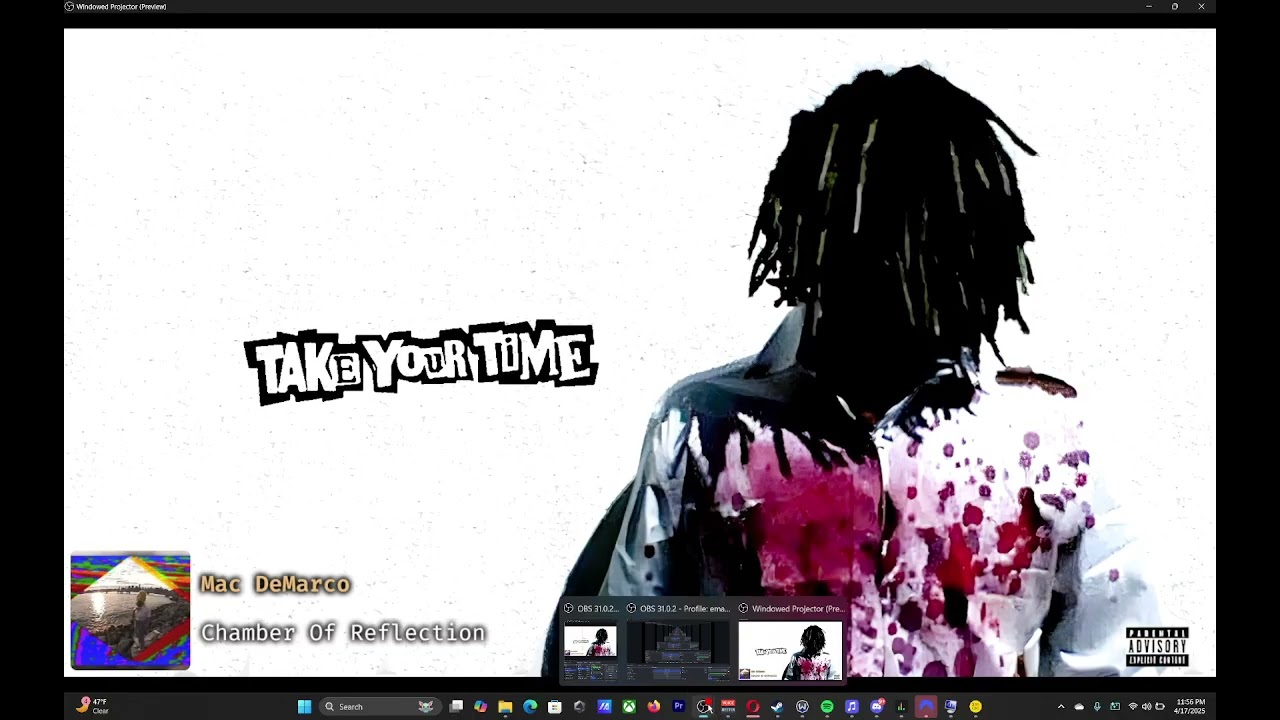
Now Playing is a webpage widget that tracks and visualizes what's playing on Spotify.
Initially adapted from Adar's Now Playing, my version fixes various issues with reliability, and added video canvas support. It also does not require Snip as it's bundled with Spotilocal and Simple Web Server
Download the latest release from the Releases page and extract it somewhere.
-
Set up Spotilocal:
- Navigate to the extracted folder and run
Spotilocal-vX.X.XX.exe. - Log in to your Spotify
- Right click the tray icon, make sure
Large Image,Empty content files when paused,Save JSON state file,Save track history, andEnable web widgetare enabled.
- Navigate to the extracted folder and run
-
Set up Simple Web Server:
- Navigate to the extracted folder, run and install
Simple-Web-Server-Installer-X.X.XX.exe - Once installed, create a new server and set the path to the extracted folder, for example:
C:\Users\Manny\Downloads\NowPlayingRevamped\NowPlayingFinal - Turn on
Accessible on local network - Copy the URL
- Navigate to the extracted folder, run and install
-
Set up a Browser Source in OBS:
- Set the size to 300 height and 1500 width, and put it in the bottom left of your scene.
- Paste the URL you got from Simple Web Server.
And that's it, it's that easy!
If you want a solution for macOS, check out NowPlayingRetreiver. If you want iTunes support, use the original repo for now...
Only supports OBS 27.2 and onwards.