Click on an image below to go to youtube and see BroadCast mobile app in action:
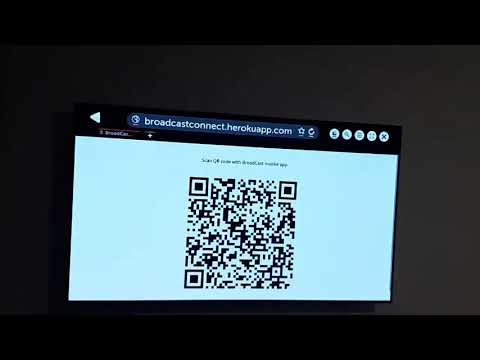
BroadCast app for Android allows you to cast images from your smartphone to any modern web browser. You can cast images to any web browser on any platform (computer, smart TV, tablet, another smartphone, etc), as long as it supports modern web standards.
Steps to install:
- locate "com.zenx1.broadcast.apk" in "Release" folder and transfer it to your Android smartphone (via USB cable, etc)
- when transferred, tap apk file to start installation; you'll be prompted to allow installation, you'll need to accept to install
Steps to use:
- when you've installed the app, run it; app will start scanning for QR code using phone camera
- open following page in a web browser on another device (any device with a modern web browser): http://broadcastconnect.herokuapp.com/
- point the phone camera to QR code displayed in the browser
- when app recognizes QR code it will automatically open gallery with all folders containing images on your smartphone
- tap on one of the folders with images, gallery with all images in that folder will appear
- tap on one of the images and it will appear in your web browser on another device, tap another image to have that image displayed in the browser, etc
- press back key on your mobile phone to go back to folder selection
- select another folder or press back key again to exit app
- add video cast with video transcoding as HTML5 support for video formats is limited
- implement "apps" feature (youtube, netflix,...), make it easier to use mentioned services on smart TVs
- implement file sharing service; use web browser to browse through files on phone with ability to download files