This repo is a fork of neural-dream and can generate consistnet deep-dream style video based on input video.
This repo is mostly compatible with the original repo, so please refer to README of parent repo for:
- Pytorch, CUDA, cuDNN installation
- Model download
- Parameter explanation
- FAQs
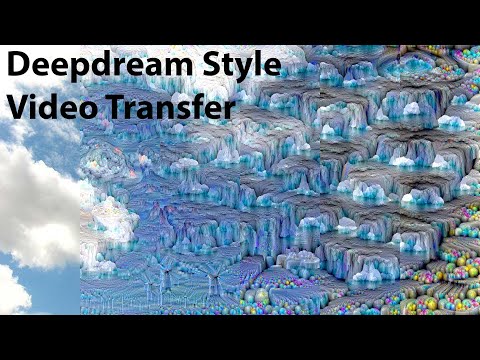
Video Input:
roadside.mp4
Video Output(lr = 0.25):
roadside_out.mp4
- opencv-python (
pip install opencv-python) - Pillow (
pip install Pillow) - Run command
python models/download_models.pyto download models
To make things light-weighted, you can refer to google_colab_demo.ipynb to run code on Google Colab without the need of installing any dependencies. Feel free to add your own code snippets and play with the parameters!
And here is the a basic example of the python command, and according to the parameter defaults, it will generate a full-length video with 960x540 resolution using videos/balcony_view.mp4 as input, and save the output video to videos_out/balcony_view_out.mp4:
python neural_dream_video.py \
    -gpu 0 \
    -backend cudnn \
    -save_iter 0 \
    -image_size 960 \
    -num_octaves 2 \
    -learning_rate 1.5 \
    -num_iterations 1
And here is the result (stronger deep-dream effect as learning rate is 1.5):
balcony_view_out.mp4
Those you should indicate in every run:
input_video: Path to input video, default isvideos/balcony_view.mp4output_video: Path to output video, default isvideos_out/balcony_view_out.mp4gpu: 'c' for CPU, and '0' for GPU, default is '0'backend: choices from ['nn', 'cudnn', 'mkl', 'mkldnn', 'openmp', 'mkl,cudnn', 'cudnn,mkl'], and default is 'nn', andcudnnis recommended on colab
Those you may use frequently:
image_size: Width of the frames extracted from input video, default is 960, and height will be calculated automatically with ratio16:9output_size: Output video size, will beimage_sizeif unspecifiednum_octaves: Number of octaves with 2 as default, and please adjust according to yourimage_sizein case it's too biglearning_rate: Learning rate of gradient ascent, default is 1.5, larger value will result in stronger deep-dream effectnum_iterations: Number of iterations for each octave, default is 10, while larger value results in stronger deep-dream effectdream_layers: comma separated layer names to apply deep-dream, withinception_4d/3x3_reduceas default, and you can add more layers to focus on different layers (please refer tomodels/googlenet/bvlc_googlenet.pyfor all layer names if you are using googlenet)
Those you may use occasionally:
in_dir&out_dir: Directories for storing extracted frames and output frames, default isframes_inandframes_out(will be created automatically if not exist)start_idx&end_idx: Start and end index of frames to be extracted from input video to apply neural dream, default is[first frame ~ last frame]save_iter: Save output video everysave_iterframes, default is 0 (only save the last frame)predefined_start: Start with imagestart.pnginstead of the first frame of input video, default is 0. You can also use this in case there's interruption in the middle of the process, then use the last saved frame asstart.pngand setpredefined_startto the index of the last saved framechannels: Focus only on indicated channel(s) insidedream_layers, indicate multiple channels using comma separated value. In default, all channels will be targed (please refer tomodels/googlenet/bvlc_googlenet.pyfor all channel names if you are using googlenet)just_extract: Only extract frames from input video, and skip neural dream process, default is 0skip_merging: Extract frames and apply neural dream, but skip merging frames into output video, default is 0
For any unmentioned parameters in code, please refer to original README.