Extend your keyboard.
RELYR is a free, open-source input system for Windows 10 and 11. Assign keyboard and mouse input to key layers, shortcuts, app launches, window controls, macros, mouse gestures, and an on-screen Deck.
English | 日本語 | Website | Latest release
Three-minute guide | Support | Contributing | Security
Note
RELYR is currently a public beta. Download it only from the official GitHub Releases page, and report reproducible problems so they can be investigated.
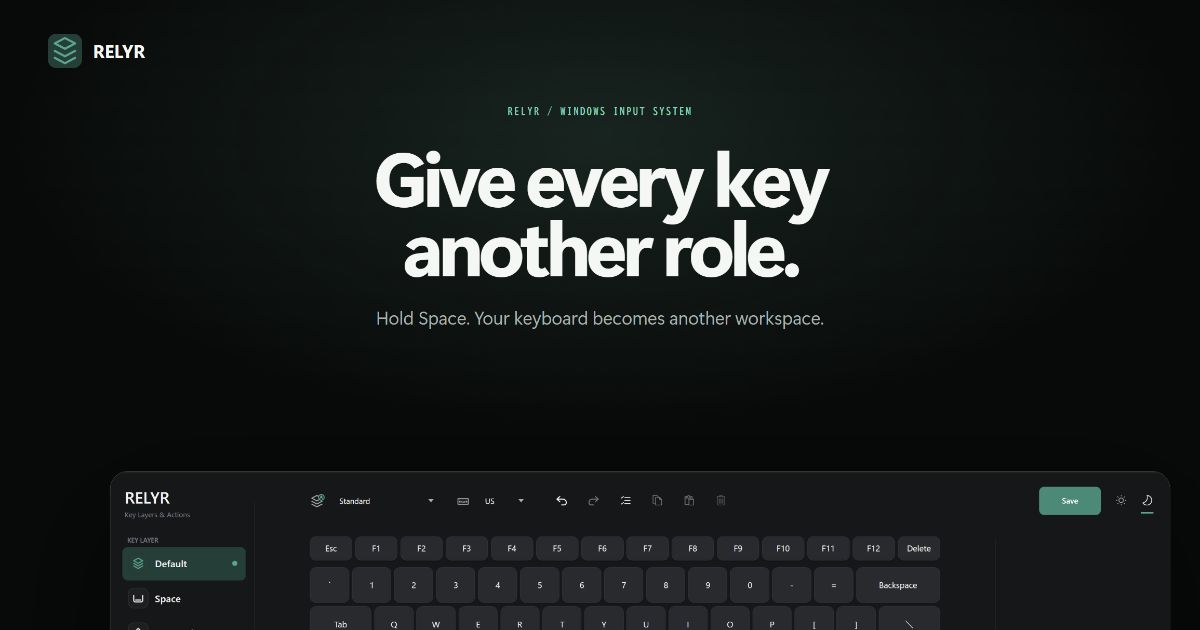
Hold a layer key such as Space, CapsLock, or a mouse button and the rest of your keyboard can perform a different set of actions. Your normal keyboard remains unchanged when the layer is not active.
The same Action can be assigned to a key, mouse input, gesture, profile, or Deck button. This keeps app launchers, window management, macros, and system controls in one place.
Download RELYR-Setup-<version>.exe from GitHub Releases.
The full Setup package includes Microsoft's official .NET Desktop Runtime, so no separate runtime installation is required. After installation, RELYR can download the smaller RELYR-Update-<version>.exe package through its built-in updater.
Each installer has a matching .sha256 file in the same release. Use it to verify that the downloaded file is intact.
Important
The current installers are not code-signed. Windows SmartScreen may show an Unknown publisher warning on first launch. Verify that the download came from the official Releases page and use its matching SHA-256 file. The complete source code and build process are available in this repository.
RELYR stays free and open source, with no feature differences based on support. If it is useful, you can optionally support RELYR on Ko-fi. Contributions help fund continued development, testing, documentation, and safer distribution.
- Key layers activated while holding Space, CapsLock, or mouse buttons
- Actions for keys, shortcuts, text, apps, files, URLs, and mouse input
- Automatic profile switching for individual applications
- Macro recording, editing, and playback
- Mouse gestures with separate Actions for each direction and tap
- Window snapping and movement between monitors
- Virtual desktop control
- JIS and US on-screen keyboard layouts
- Customizable on-screen Deck with launchers, Windows controls, and live PC monitors
- Direct drag-and-drop registration of executables and shortcuts
- Automatic extraction of archives placed in selected folders
New users can follow the complete three-minute getting-started guide, including download verification, the emergency stop shortcut, and the first safe Space-layer assignment.
- Select a layer such as Default, Space, CapsLock, or a mouse button from the left side.
- Select a key or mouse control in the center workspace.
- Choose or drag an Action from the right panel.
- Save the configuration.
Enabling the CapsLock layer changes the Windows key mapping and requires a restart. You can restore the original CapsLock behavior from RELYR settings or during uninstallation.
Disable other remapping software such as AutoHotkey, PowerToys Keyboard Manager, or manufacturer-specific key assignment tools while using RELYR.
When multiple applications process the same key or mouse input, actions may run twice, unexpected shortcuts may fire, or a key or mouse button may appear to remain pressed. If you need to use these tools together, do not assign the same physical input in more than one application.
- RELYR uses Windows global input hooks to implement keyboard and mouse assignments.
- Input content is not transmitted to external servers.
- Macro input is recorded only after the user explicitly starts recording.
- Settings and macros are stored locally in
%AppData%\RELYR. - The emergency stop shortcut is
Ctrl + Alt + Shift + F12. - The installed version uses an elevated startup task so it can interact with administrator-level windows without showing a UAC prompt at every launch.
Public releases contain:
RELYR-Setup-<version>.exe— full installer with the .NET Desktop RuntimeRELYR-Update-<version>.exe— lightweight update package- A matching
.sha256file for each installer
The full installer supports 64-bit Windows, registers RELYR's elevated startup task, and installs the runtime only when required. The updater verifies its SHA-256 checksum before replacing the installed version.
Uninstallation disables automatic startup and can restore the standard CapsLock mapping. Interactive uninstallation asks whether to remove user data. Silent uninstallation, including winget uninstall, preserves %AppData%\RELYR settings and %LocalAppData%\RELYR diagnostics by default to prevent unintended data loss. To remove them during a silent uninstall, run the installed uninstaller with /VERYSILENT /PURGEUSERDATA=1.
RELYR is provided under the MIT License. A concise, localized summary of safe configuration, warranty disclaimer, and limitation of liability is shown before a fresh installation can continue. Normal updates do not repeat the same terms after acceptance. See the terms of use.
Requirements:
- Windows 10 or 11 x64
- .NET 10 SDK
- Inno Setup 6 only when building installers
See the architecture overview for component responsibilities and recommended entry points for changes.
Build and validate the production application:
powershell.exe -NoProfile -ExecutionPolicy Bypass -File .\build-production.ps1Build and validate both production installers on a development machine with Inno Setup 6:
powershell.exe -NoProfile -ExecutionPolicy Bypass -File .\build-installer.ps1Run the non-input regression tests individually:
dotnet build .\RELYR\RELYR.csproj -c Release -warnaserror
$dll = ".\RELYR\bin\Release\net10.0-windows10.0.17763.0\win-x64\RELYR.dll"
dotnet $dll --self-test
dotnet $dll --configuration-matrix-test
dotnet $dll --ui-test
dotnet $dll --startup-test
dotnet $dll --shutdown-test
Run --ui-test in a signed-in Windows desktop session. Production and installer builds skip input-engine tests by default so they cannot inject test input into an actively used session.
Run --engine-test, --engine-test-no-real, and ModifierClickScenarioTest only in a dedicated, unused Windows session. See the stability contract for protected behavior and the complete validation sequence.
Production artifacts are generated only in artifacts\production. The project does not produce ZIP or portable releases.
RELYR is released under the MIT License. Copyright and license information for included libraries and reference projects is listed in THIRD-PARTY-NOTICES.md.
The source repository excludes bin/, obj/, artifacts/, and user configuration. Installers are distributed through GitHub Releases rather than committed to the source tree.