An immersive VR experience designed to promote calmness, focus, and emotional well-being through interactive sound and visuals.
Echoes Above places you on a floating platform high above the clouds, surrounded by interactive glowing orbs. Each orb plays a calming steel drum tone when touched or pointed at with your controllers.
The experience combines:
- 🎶 Sound Therapy: Calming steel drum tones.
- 🌈 Color Transitions: Dynamic gradient background that shifts with the music.
- ✨ Visual Reactions: Floating swarm orbs that echo the sounds with light and movement.
This project was developed for the Meta Quest 3 using Unity and the Meta XR SDK.
Watch the full gameplay demonstration here:
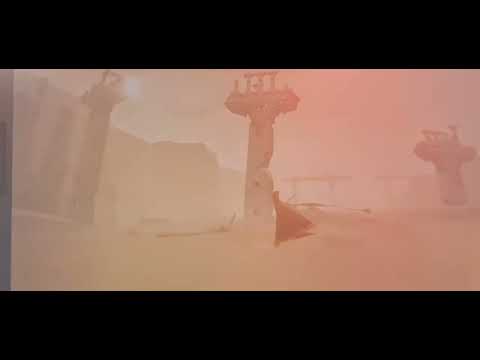
Click the image above to watch the video on YouTube.
- Interactive Orbs: 7 large orbs arranged around the player.
- Unique Tones: Each orb has a specific tone and color.
- Interaction Feedback:
- Plays a calming tone.
- Changes the sky color gradient.
- Causes nearby small swarm orbs to glow and echo.
- Dynamic Movement: Float dynamically around the environment.
- Reactive Behavior: React to main orb sounds with color and audio echoes.
- Surreal Environment: Dense fog hides the ground to create a feeling of isolation and focus.
- Navigation: Simple VR menu with Start and Quit buttons.
Use either controller to point at a main orb and press the Trigger button to play its tone.
You can also trigger tones by physically moving your controller close to an orb to "touch" it.
- Engine: Unity 2023
- SDK: Meta XR SDK (All-in-One)
- Scripting: C#
- Target Platform: Meta Quest 3 (Android, ARM64)
Assets/
├── Scenes/
│   ├── Menu.unity          # Entry point (Build Index 0)
│   └── MainScene.unity     # Main experience (Build Index 1)
├── Scripts/
│   ├── OrbInstrument.cs            # Handles individual orb tones
│   ├── FloatingSwarmOrb.cs         # Logic for the floating swarm
│   ├── BackgroundColorController.cs# Manages sky gradients
│   ├── OrbPointer.cs               # Raycast handling
│   ├── MenuManager.cs              # UI navigation
│   └── SwarmSpawner.cs             # Instantiates swarm orbs
├── Audio/
│   ├── SteelDrumTones/
│   └── Background/
└── Materials/
- Clone or Download the repository.
- Open the project in Unity 2023 LTS.
- Ensure the Meta XR SDK package is installed (v77+).
- Configure Build Settings:
- Add
Menu.unityas the first scene (Index 0). - Add
MainScene.unityas the second scene (Index 1).
- Add
- Connect a Meta Quest 3 device via USB or Air Link.
- Switch the platform to Android in Build Settings.
- Build and Run.
- UI Interaction: Menus require a laser pointer for selection; currently, there is no hand tracking support.
- Audio: Echoes from distant swarm orbs may be faint due to spatial audio settings.
- Project & Code: [Michal L.]
- Sound Samples: Custom steel drum recordings.
- Background Sound: Night in nature by quetzalcontla (Freesound.org).
- Inspiration: Research on music and sound therapy for stress relief.
This project is developed for educational purposes and is not intended for commercial distribution.