Repository navigation
Toast
Android toast are a very simple way to show alerts to the user. The full dock of the native toast is on the Oficial Doc.
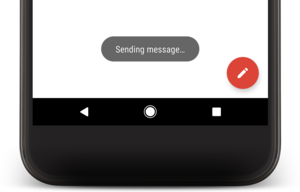
You will need to import the module from the library.
import { AndroidToast } from 'react-native-androide'And then you can show a toast alert easly:
AndroidToast.show(message, AndroidToast.SHORT)
// OR
AndroidToast.show(message, AndroidToast.LONG)
Where message is the String var that contain the text to show on toast, and the second parameter is how much time the toast should be keeped in the screen.
Note: The AndroidToast.show() function is async, so the toast will be shown on the screen, but the function returns immediately, before the toast disappear.