Repository navigation
Video
If you want to display videos from the Filesystem or the Internet use the Video Module.
import { Video } from 'react-native-androide';This module allows you to display video through a simple visualization box with basic controls. If you need more control over the player, check this alternative library.
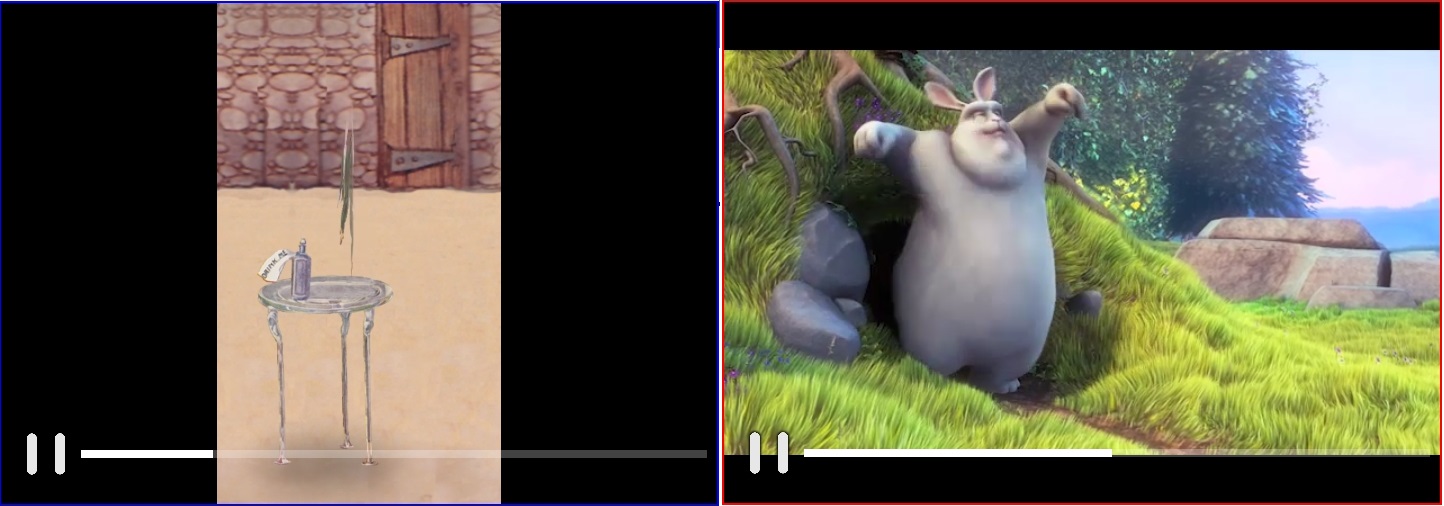
A video from the Internet that starts as soon as the buffer is ready and is stretched to fit the display:
      <Video
          style={{
            width: '100%',
            height: 300
          }}
          src='https://www.radiantmediaplayer.com/media/bbb-360p.mp4'
          autoPlay={true}
          stretch={true}
      />
A video from the Filesystem that starts as soon as the buffer is ready and do not allow seek to any point:
      <Video
          style={{
            width: '100%',
            height: 300
          }}
          src={FileSystem.DownloadDir + '/video.mp4'}
          autoPlay={true}
          disableSeekTo={true}
/>There is some props that you can set to configure the player:
| Prop | Type | Description | Required |
|---|---|---|---|
| src | <string> | The full path to the video on the file system, or, the URL to the video (must start with http or https) | Yes |
| autoPlay | <bool> | If true, the video starts as soon it is ready. (Default false) | No |
| disableSeekTo | <bool> | If true, the user will be not able to seek on video. (Default false) | No |
| disableControls | <bool> | If true, the controls will be hided. (Default false) | No |
| stretch | <bool> | If true, the video fit the view size defined in style prop. This may change the aspect ratio of the video. (Default false) | No |
| playIcon | <string> | The source of a image that will be displayed instead the default play button | No |
| pauseIcon | <string> | The source of a image that will be displayed instead the default pause button | No |
| style | <object> | The style to be applied, any style of View can be used, exept for: overflow, display, alignItems and justifyContent | Yes* |
* Only width and height are required.