Chat Room Implementation
Chat Room Implementation
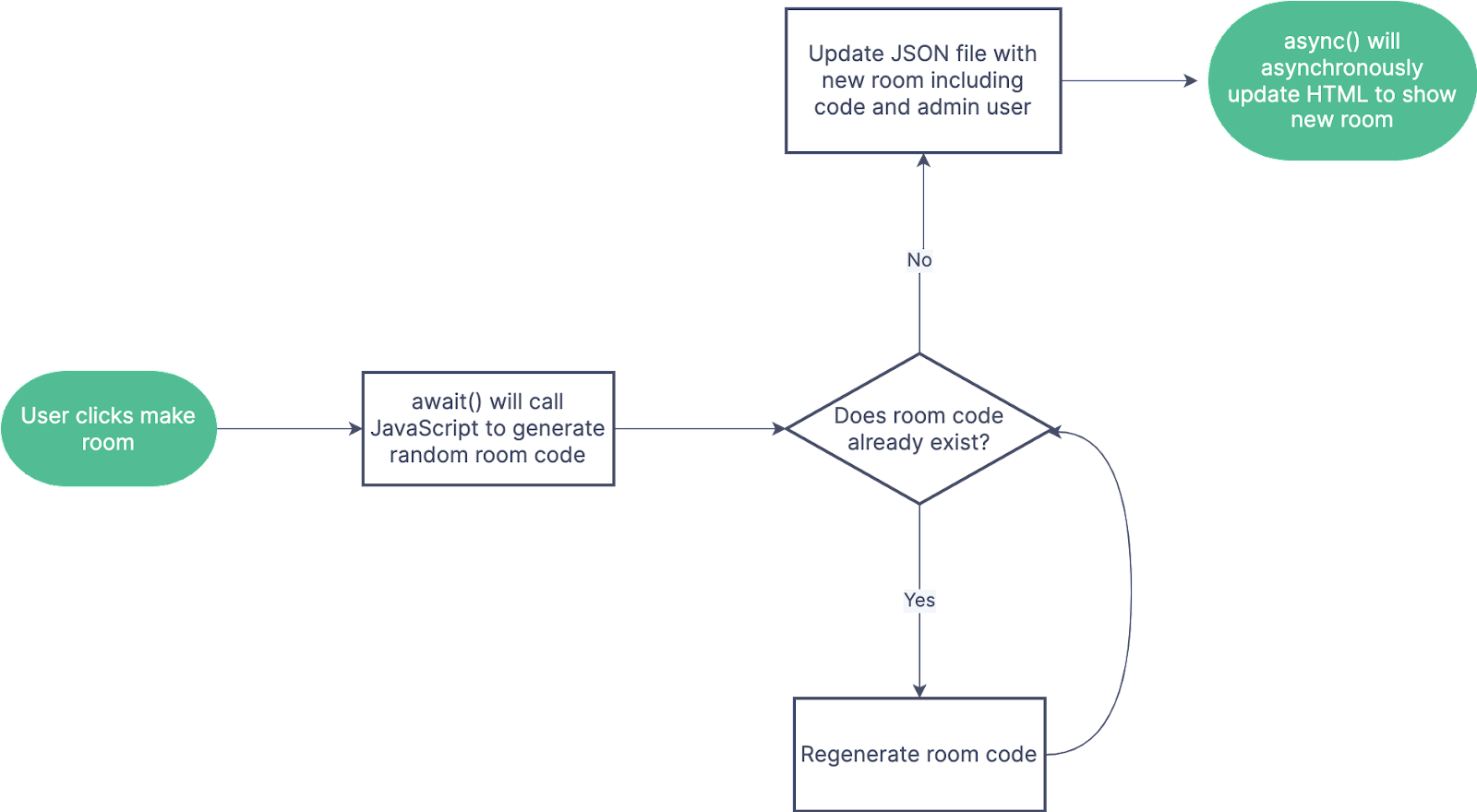
Figure 1: Example flowchart of chat room creation
Chat Room Creation: When the user creates a room, they are first prompted to name the room, however this can cause an issue as there may be multiple rooms created that share a name. In order to prevent conflicts, a room code will also be assigned to the chat room. This can be created using JavaScripts Math.random() function to generate a random 10 digit number that will then be stored in the JSON file along with the room name and admin user after checking that the code does not already exist.
Chat Room Selection: When the user selects the room they would like to open, JavaScript will utilize the async() function in order to change the chat window in real time to the desired room. This would change the chat header as well as all the messages and users to match the selected room. All this data would be pulled from the JSON file again using async()and corresponding chat room code. If the user would like to return to the general chat, a back button could repeat this process with the general chat room code.