User and Password Storage
User and Password Storage
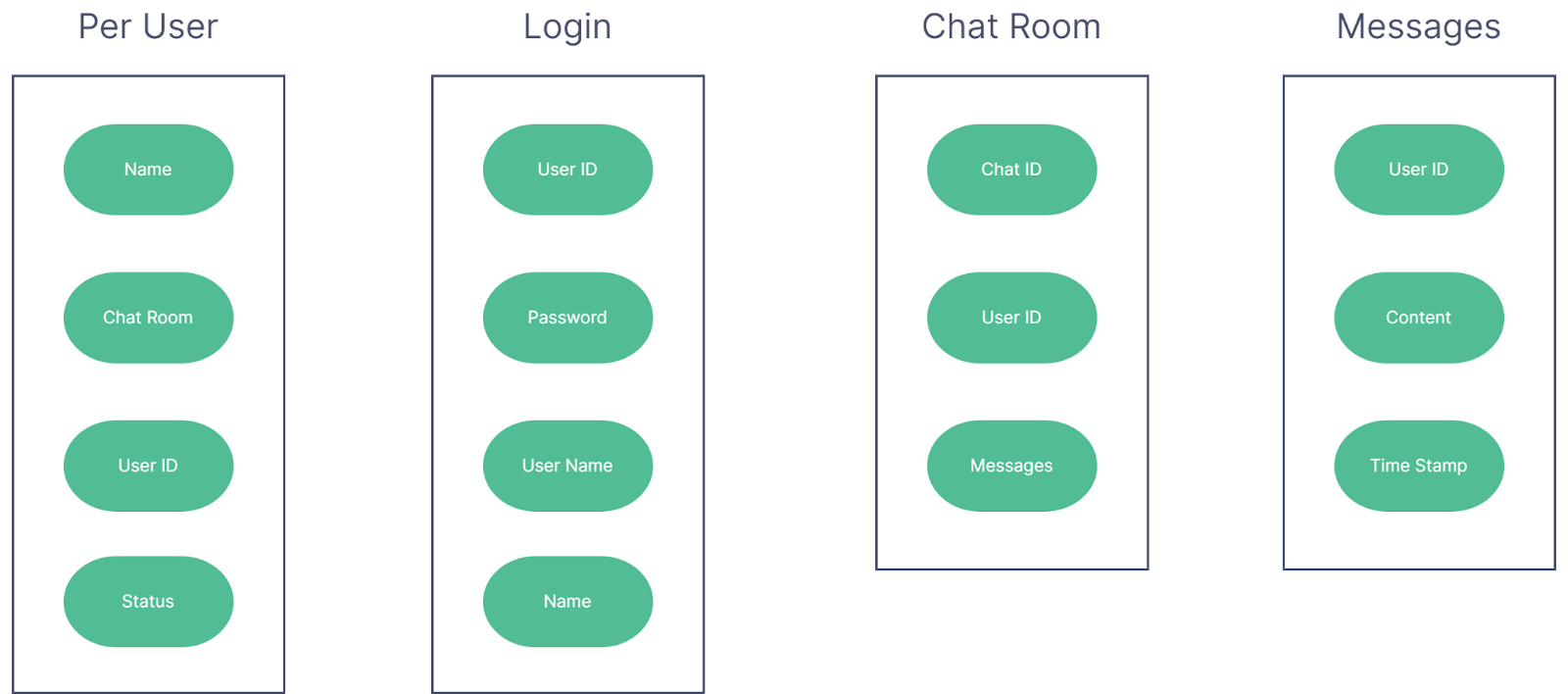
Figure 5: JSONs used for user and password storage
New user accounts: When new accounts are made by admins, they will be given a temporary password which will be changed by the user once they sign in for the first time. When this password is changed, the Login JSON will be updated with the new user password.
User list storage: All users and their passwords will be stored in the encrypted Login JSON. Each JSON object in Login will have a UserID which will be used to identify the user in the Per User JSON.
Password storage: Passwords will be stored in a JSON unreachable to the users as it will be saved at a location only the script can access. This JSON will be accessed by the script when a user attempts to log in to check if the login attempt is valid and the username password set exists in the JSON. For greater security, each password should be strong and unique, ideally created by a password generator. The JSON file will be encrypted using the crypto module, which is built-in for JavaScript.
Password security when logging in: When a user attempts to log in, the script should transmit the password to the server in an encrypted form using the crypto module, so that it is not visible to anyone who might be monitoring the network.