User Status
User Status
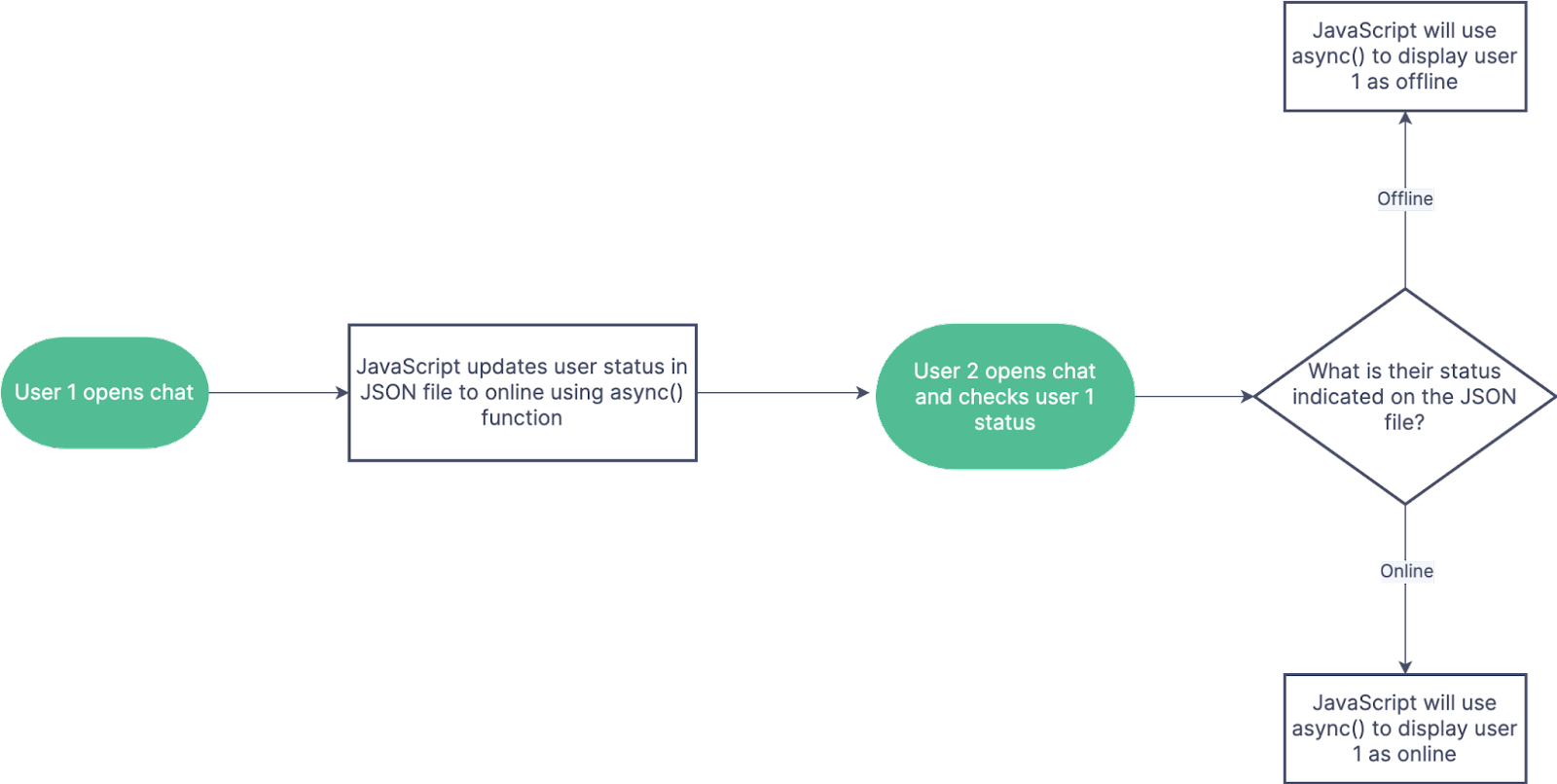
Figure 2: Example flowchart of user status update
User Status Change: When a user opens the chat application, the async()function will change the user's status flag to online in the JSON file. This status will stay online until an inactivity time of 30 minutes is reached. After this time, the status flag of the user will then change back to offline.
User Status View: When a user opens the chat and checks on another user's status, async() is again used to access the JSON file and update the status asynchronously in the application. The application can automatically update either on a minute by minute basis, or whenever a user sends a chat message.
Potential Issues / Concerns: One of the largest potential technical issues of this feature is the update threshold. User statuses are meant to be an up to date indicator, so ideally, this would update the users status often. However, an update rate of 1 per second could prove to be too often for the server, while an update rate of 1 per hour would be too slow for a reliable status indicator. This can potentially be resolved by finding a good middle ground for the update threshold or even linking the status update to the chat message send function. Another concern of this feature is its dependency on notifications. This feature is only useful if we are able to implement notifications as knowing if a user is online is useless if they will never receive a notification for each message.