Modifier
A modifier drives either a rigidbody, a morph, a light or audio. Some controls are available regardless:
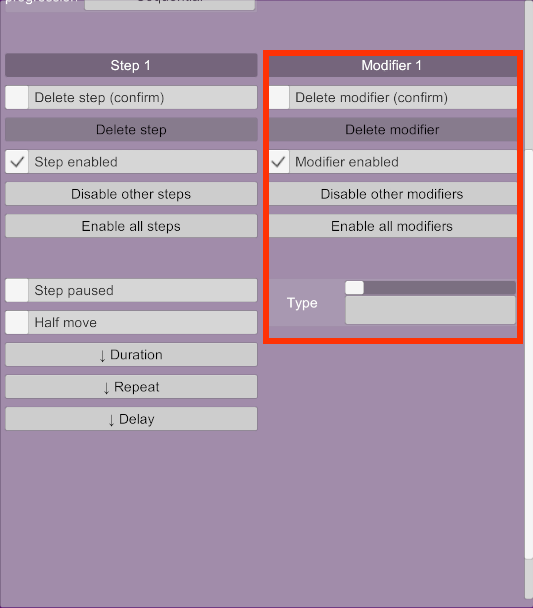
- Disable other modifiers: Enables this modifier and disables all the others in this step.
- Enable all modifiers: Enables all modifiers in this step.
- Type: The type of this modifier.
The name of a modifier cannot currently be changed manually. It is automatically generated based on the modifier type and some parameters. For example, a rigidbody modifier that uses a relative force on X for the head receiver of a Person atom will be named "RF Person head X". These are the abbreviations used:
- RF: Rigidbody with relative force
- RT: Rigidbody with relative torque
- F: Rigidbody with force
- T: Rigidbody with torque
- M: Morph
- LT: Light
- EY: Eyes
- S : Storable
Once a modifier type has been selected, a new item Sync appears under it.
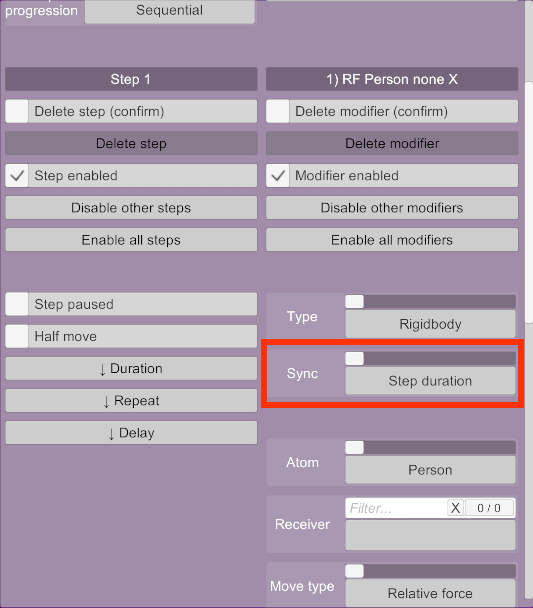
A modifier has a duration, which is used to drive its parameters. Typically, the parameters will be at 100% of their range when the duration is at 50% of its progress. By default, the duration of a modifier is the duration of its parent step. This allows for adding multiple modifiers to a step and have them synchronised. However, the synchronisation option of a modifier can be changed so that it uses a different duration.
- Step duration: This is the default. Uses the duration of the step that contains this modifier.
- Step progress: If the step uses a random range duration, this is the same as step duration. If it uses a ramp, the modifier will steadily move towards 100% during ramp up and move towards 0% during ramp down (that is, the duration is twice the ramp time plus the hold maximum time).
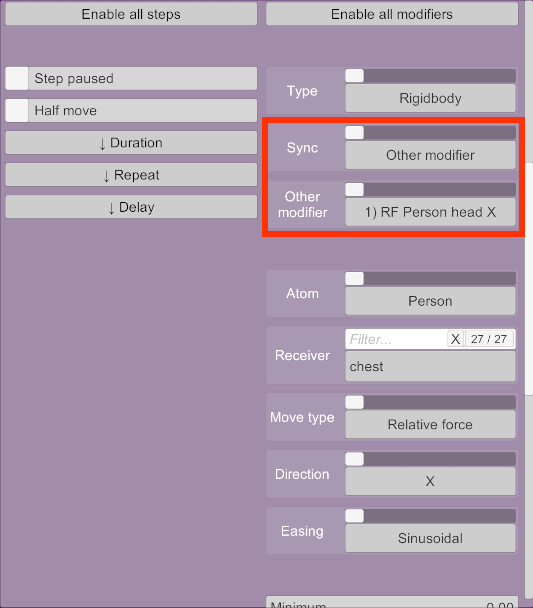
- Other modifier: Uses whatever duration the selected modifier uses.
- Unsynced: The modifier has its own duration and delay, independent of the step.
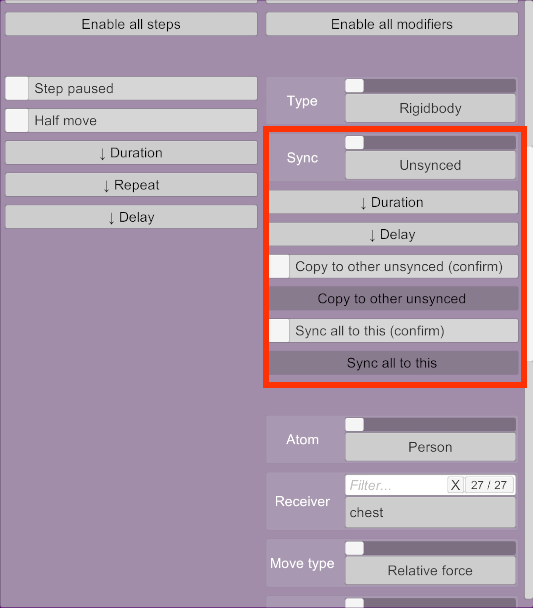
An unsynced modifier has its own duration and delay, independent of its parent step.
- Copy to other unsynced: Copies the duration and delay to all other unsynced modifiers in this step.
- Sync all to this: Changes the sync type of all the other modifiers in this step to Other modifier and syncs them with this modifier.
Synergy has several options to manage unsynced modifiers because they are a great way of adding secondary movements. For example, a regular hip thrust works well with random, unsynchronised head movements such as slow rotations. There are three ways of achieving this:
-
Concurrent steps: The hip thrust and head movements can be added to two independent steps if the step progression is set to concurrent. The hip step can have a steady, fast rhythm, while the head step can have a slower, random duration. However, this makes it impossible to add a second set of animations that executes after some time since it would execute concurrently. The various head movements like forces and rotations would also all be synchronised with each other since they're all in the same step. Head movements look better if they're all allowed to run independently and randomly.
-
Unsynced modifiers: All the hip and head modifiers can be added to the same step and be set as unsynced. The step duration would only be used as a time limit after which all modifiers stop as soon as they can. This can create good movement, but some animations look better if several movements are synced, such as a hip thrust, which is typically a combination of forces on Z and rotations on X. If these two movements are completely unsynchronised, they might end up fighting each other eventually, especially if their movement timings has randomness.
-
Synced and unsynced modifiers: The best way of handling this is to then have some modifiers be synced, but others not, all in the same step. This allows for good hip thrusts while having natural a head motion. Since everything is in one step, the progression can be sequential and other animations can be created in subsequent steps. There are two ways of doing this:
-
Pick one movement as being the main one. In this case, it would be the hip thrust. All the hip thrust modifiers would be synced with the step (the default setting), while all the head modifiers would be unsynced, as they're considered secondary movements. Other unsynced modifiers like hand or feet movements can also be added.
The step duration (which can be a ramp) then drives the hip movements, while secondary movements are unsynced and move naturally with some randomness. Once the step duration has elapsed, the various unsynced modifiers will be allowed to run to completion. Once that's over, another step with a brand new animation can be executed.
-
Create a main hip movement as an unsynced modifier, such as a force on Z. Then, the other hip modifiers such as torques can have their sync option set to Other modifier and linked with the first hip modifier. After that, other unsynced modifiers can be added for the head movements. In this case, the step duration is only used as a time limit, it doesn't drive anything. This is equivalent to the above, but can be more difficult to manage through the UI because the step options become mostly irrelevant and a lot of switching between modifiers is required.
-
As with everything, a combination of all of the above can give a lot of flexibility. A step can have some synced modifiers, some unsynced modifiers and some modifiers synced with each others.
The interaction between unsynced modifiers and their parent step is somewhat complicated, because the step has to eventually end so the next one can be executed. If there is only one enabled step, none of the following applies and modifiers are allowed to run independently indefinitely.
Unsynced modifiers know how much time they need to complete, but some modifiers will need to run longer than others. To avoid long pauses where only one modifier runs while everything else is frozen, the step will allow some unsynced modifiers to continue running while waiting. As an example, if a step has a duration of 5s but contains an unsynced modifier with a duration of 8s, the step will finish its execution after 5s, but the modifier will still require three more seconds. Synergy will try keep as many things moving as possible during these three seconds.
To achieve this, the step will find the longest time remaining among all the unsynced modifiers and will allow other modifiers to keep running if they can do it within the remaining time. If a modifier has a random duration that needs to be regenerated because its interval has elapsed, it will do so if at least some part of the random range is within the remaining time, in which case the range will be clamped so it doesn't exceed the time.
All of this is to allow shorter unsynced modifiers to continue running while a longer unsynced modifier finishes. This reduces unnatural pauses while the step is waiting to end.