Home
Welcome to the CatiaMenuWin32 wiki. Use the sidebar to navigate between topics.
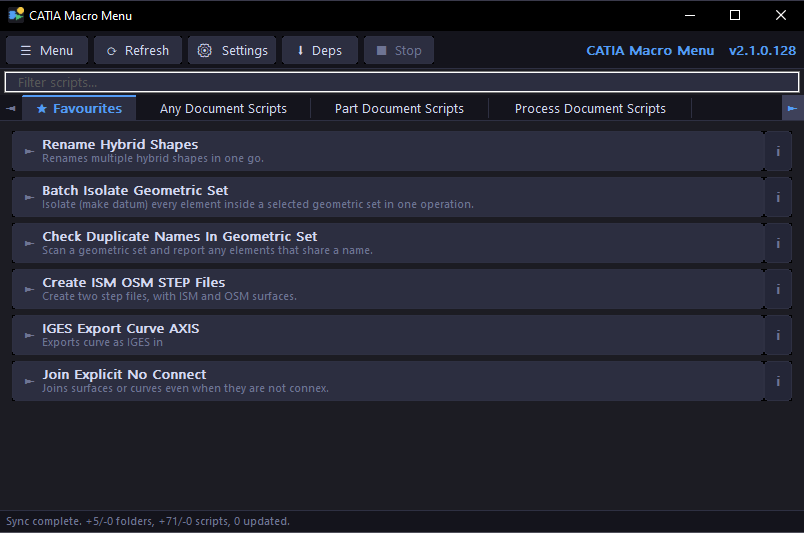
CatiaMenuWin32 is a fast, native Windows application that syncs PyCATIA scripts directly from GitHub and presents them as one-click buttons — organised by tab, always up to date, always ready to run.
Built for CATIA V5 engineers who want to run automation scripts without touching the CATIA macro editor.
| Page | Description |
|---|---|
| Installation | How to install and set up the app |
| User Guide | Using the app day to day |
| FAQ | Common questions about installation, sync, scripts, and configuration |
| Settings | All settings explained |
| Script Sources | Adding extra repos and local folders |
| Script Management | Favourites, search, sort, hide, notes |
| Writing Scripts | How to write compatible PyCATIA scripts |
| Auto Update | How the auto-update system works |
| Security | Certificate validation and SHA verification |
| Developer Guide | Building from source |
| Changelog | Release history |
| Report a Bug | Submit a bug report |
- Windows 10 or later
- Python 3.9+
-
PyCATIA —
pip install pycatia - CATIA V5 — must be running for scripts that interact with it