Script Sources
Open via ☰ Menu → File → Sources...
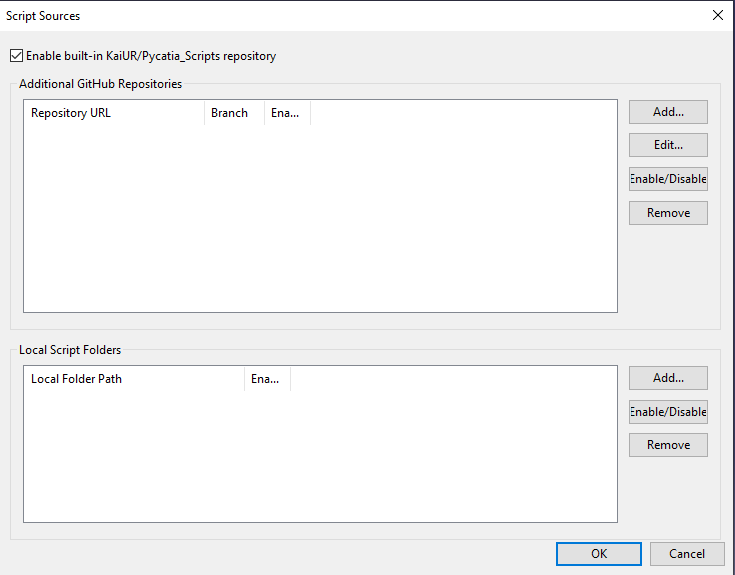
The app can load scripts from three types of sources simultaneously.
The KaiUR/Pycatia_Scripts repository is the default primary source. If you want to use the app with your own scripts only — or as a general Python script launcher unrelated to CATIA — you can disable it:
- Open ☰ Menu → File → Sources...
- Uncheck Enable built-in repository (KaiUR/Pycatia_Scripts) at the top of the dialog
- Click OK
- Click ↺ Refresh — the built-in scripts are removed from all tabs immediately
The cache is kept on disk. Re-check the box and refresh to restore the built-in scripts at any time.
Add any public or private GitHub repository that uses the same folder structure:
- Click Add... under Additional GitHub Repositories
- Enter the full URL:
https://github.com/owner/repo - Enter the branch name (defaults to
main) - Optionally add a Personal Access Token for private repos or higher rate limits
- Click OK
Scripts from multiple repositories with the same folder name are merged into one tab.
Add a folder on your machine containing subfolders with .py files:
My_Scripts\
  Any_Document_Scripts\my_script.py
  Part_Document_Scripts\another.py
Local scripts run directly from disk — no downloading or SHA verification.
Each source can be individually enabled or disabled without removing it. Disabling a source and pressing Refresh immediately removes its scripts from the UI.
Removing an extra GitHub repository also deletes its cached scripts from disk. Local folder sources are removed from the list only — files on disk are not deleted.
If a source has a setup/requirements.txt file, clicking ↓ Deps will install and upgrade those packages via pip install --upgrade. The setup/ folder never becomes a script tab.
Without a GitHub token, the API allows 60 requests per hour. On office or shared networks this may be reached quickly. Add a token in Settings to raise the limit to 5000 requests per hour.
Each source uses its own token (or falls back to the global token in Settings). If the built-in repository fails to connect, extra repositories and local folders are still synced independently.